


How to Use the Pandas Replace?
As we know, Pandas is a great data frame manipulation tool. It can be used to fill in the missing values, extract data, and process data.
The Pandas Replace method allows us to change or simply replace the values inside a table, dictionary, database or data frame. Now, these values can be numeric, string, or even regex.

Transform Your Career
Choose from our industry-leading programs designed for career success
Modern Software and AI Engineering Program
Master full-stack development with AI integration


 +1000 more
Modern Data Science and ML with specialisation in AI
Advanced data science techniques with AI specialization
+1000 moreAdvanced AIML with Specialisation in Agentic AI
Deep dive into AIML with focus on Agentic systems
+1000 moreDevOps, Cloud & AI Platform Engineering
Build and manage AI-powered cloud infrastructure
+1000 moreAI Engineering Advanced Certification by IIT-Roorkee
Premier AI engineering certification from IIT-Roorkee

Syntax
As mentioned previously, we can change numeric values, strings, regex, data frames, and more. For each of them, the syntax varies. We have two Pandas replace variations for the same - to_replace and value.
-
Replacing a single value in the Dataframe using to_replace:
dataframename.replace(toreplace = oldvalue, value = updatedvalue)
Where,
- dataframename is the name of your dataframe,
- replace is the name of the method to be used,
- to_replace is the method call,
- oldvalue is the value that is to be changed in the entire dataframe,
- value is an attribute name,
- updatedvalue is the value that is required to be replaced in the dataframe
-
Replacing multiple values in the dataframe using to_replace:
dataframename.replace(toreplace =[arrayofvalues], value = updatedvalue)
Where,
- dataframename is the name of your dataframe,
- replace is the name of the method to be used,
- to_replace is the method call,
- an array of values is the list of values that are to be changed in the entire dataframe,
- value is an attribute name,
- updatedvalue is the value that is required to be replaced in the dataframe.
-
Replacing a specific value in a specific column using replace:
dataframename.replace({'column':{'oldvalue':'updatedvalue'}}
Where,
- dataframename is the name of your dataframe,
- replace is the name of the method to be used,
- column is the column name,
- oldvalue is the value to be changed,
- updatedvalue is the value that is required to be replaced in the dataframe.
Parameters
Let us look at some parameters for the replace method.
- to_replace: Pandas replace looks after the value to be replaced or the attribute of the dataframe that is targeted. This can be a string, list, dictionary, series, numeric, regex or even null.
- value: Used to define the value to be updated.
- inplace: By default Pandas replace returns a new dataframe. By defining this parameter, it modifies the existing dataframe.
- limit: Defines the gap for filling values.
- regex: If this parameter is true then the value passed has to be a regular expression.






Return Value
As discussed previously, the Pandas replace method gives a new modified dataframe as per our requirements.
When the inplace parameter is true, it changes the dataframe that we are working on instead of a new dataframe.
Scaler Placement Report and Statistics
Scaler learners achieved 2.5x salary growth with average post-Scaler CTC reaching ₹23L.
 Google
 Amazon
 Microsoft
 Flipkart
 Adobe1200+ more
Examples
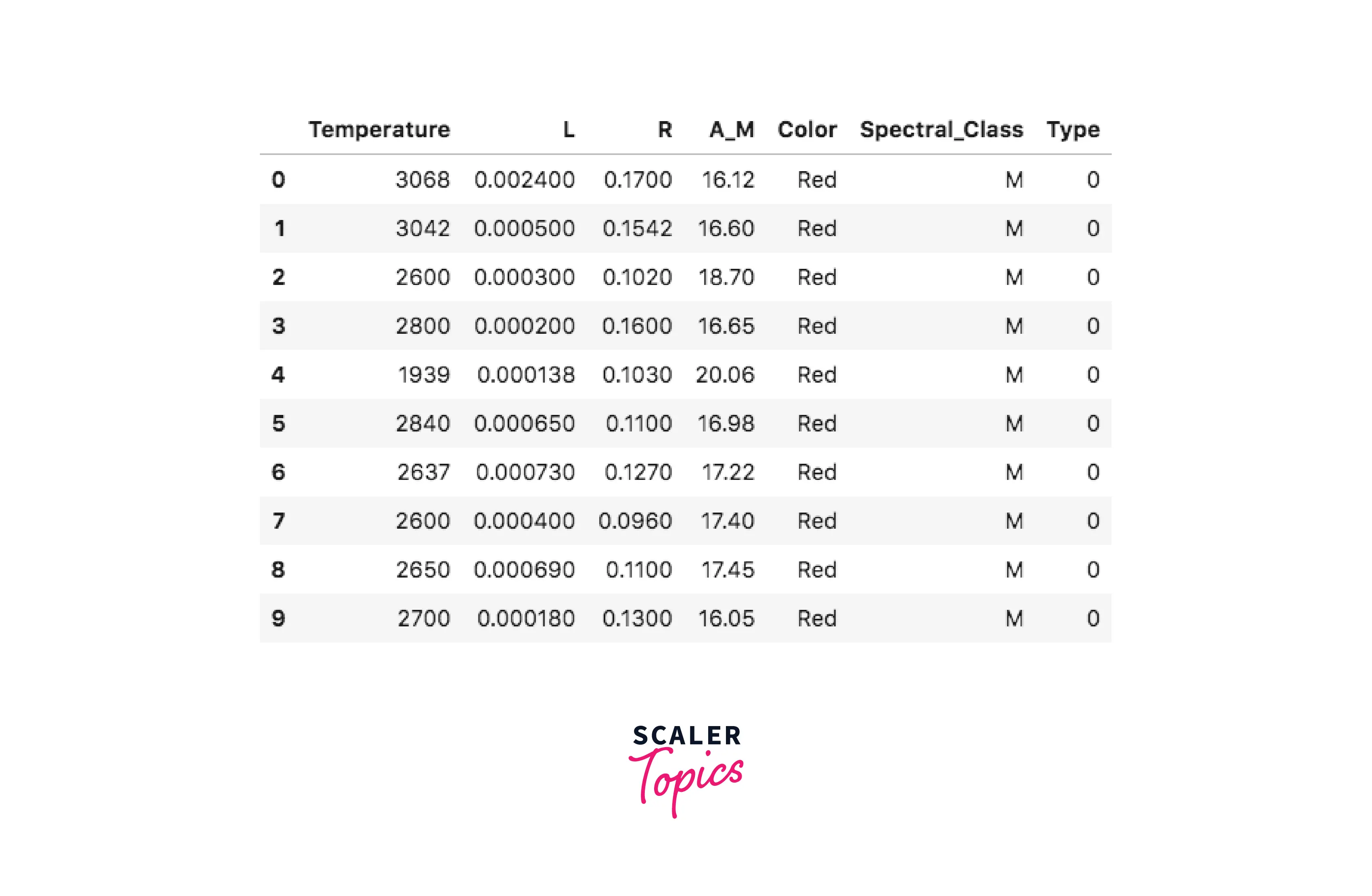
We will consider the star type classification dataset for this article.
-
Base Example:
Output -
-
Replace one specific value across all columns of a dataframe
Example 1-
Output -
Example 2-
Output -
-
Replacing more than one value at a time
Output -
-
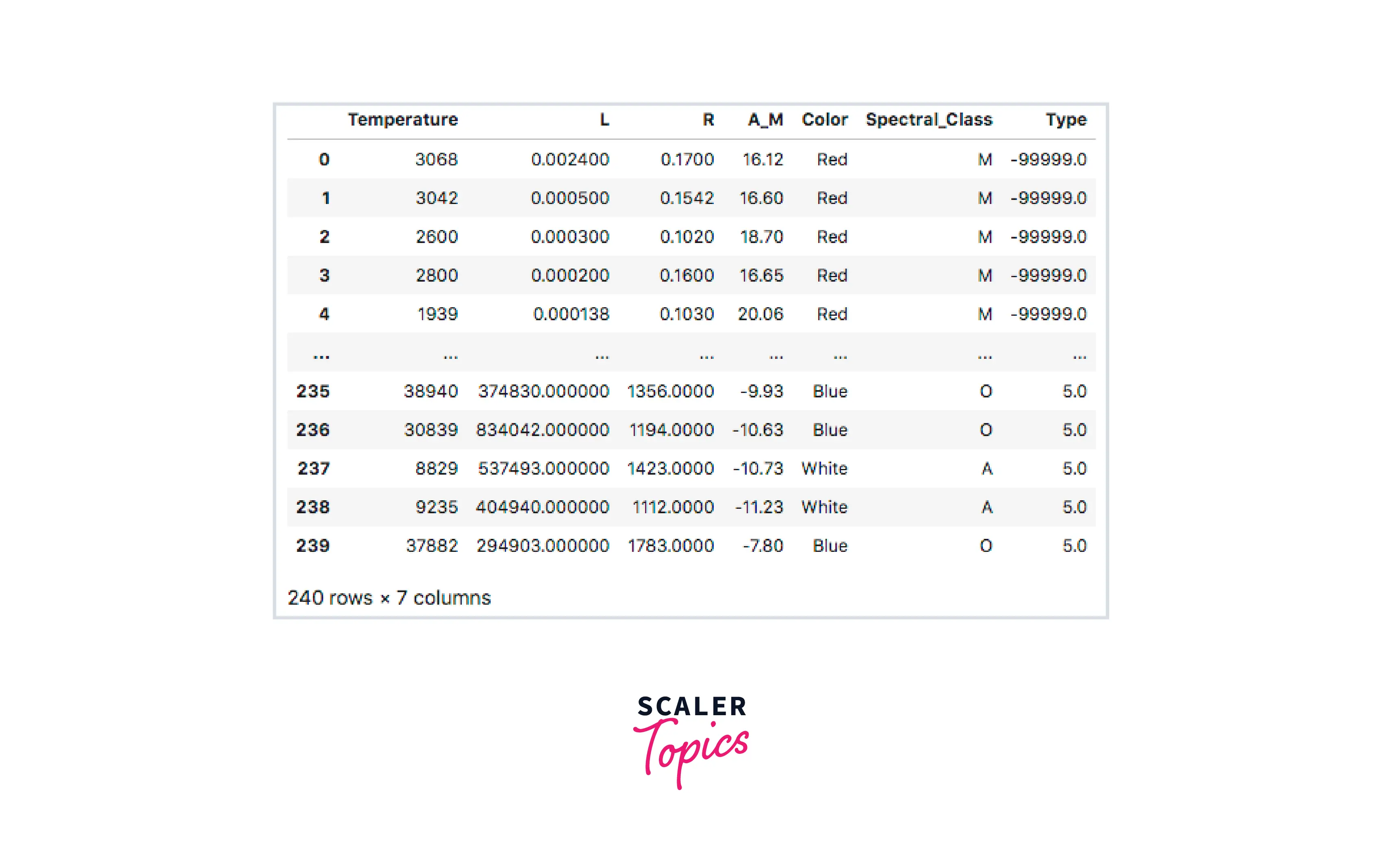
Replace the Nan value in the data frame with the -99999 value
Example 1-
Output -
Example 2-
Output -
-
Modify a dataframe inplace
Output -
-
Replace a specific value in a specific dataframe column
Output -
-
Replace different values in multiple different columns
Output -
Conclusion
- In this article we have covered how Pandas Replace works.
- Parameters such as to_replace - defines the value to be replaced, value - attribute for value to be replaced, inplace - to create or not to create a new dataframe, limit - gap length, regex - is the value passed a regular expression? have been discussed with examples.
- Pandas replace nan with 0 using the to_replace method.
- Pandas replace the value in the column for single value as well as multiple values using replace method.