


Create, Select, and Drop a Database in PostgreSQL
Overview
The collection of data in an organized manner is known as database which can be updated, managed, and retrieved easily. Anything by which some information is conveyed can be data.
For example: address, dob, name, etc. are conveying some information, so it is considered as data. Relational and Non-relational are two types of databases. This database and its commands are used often. In this article, we will learn the commands for creating, dropping, and connecting databases.
Build an AI-First Career, Master the Complete Skillset
Choose from our industry-leading programs designed for career success
Modern Software and AI Engineering Program
Master full-stack development with AI integration


 +1000 more
Modern Data Science and ML with specialisation in AI
Advanced data science techniques with AI specialization
+1000 moreAdvanced AIML with Specialisation in Agentic AI
Deep dive into AIML with focus on Agentic systems
+1000 moreDevOps, Cloud & AI Platform Engineering
Build and manage AI-powered cloud infrastructure
+1000 moreAI Engineering Advanced Certification by IIT-Roorkee
Premier AI engineering certification from IIT-Roorkee

AI Forward Deployed Engineer Program
Full-stack engineering, production AI and client-facing consulting
+1000 moreCreate a Database in Postgresql
Using CREATE DATABASE
The CREATE DATABASE command is used for database creation using the PostgreSQL shell prompt, but the database can only be created when you have the right privileges for database creation. By default, the _template1_ standard system database is cloned for the creation of the new database.
Syntax:
The syntax for creating a database in Postgresql is given below:
Parameters:
Below is the list given for all the parameters used in the createdb command with their descriptions.
| Parameter | Description |
|---|---|
| CREATE DATABASE | clause for creating the database |
| database_name | database name you want to create |
Example:
Below is a command to create the database with the name exampledb.
Output:

Using "createdb" Command
The createdb command is used for creating a database and it is a wrapper for the CREATE DATABASE command.
Syntax:
The syntax for using createdb for creating a database is given below:
Parameters:
Below is the list given for all the parameters used in the createdb command with their descriptions.
| Parameter | Description |
|---|---|
| database_name | name of the database you want to create |
| description | represents the comment associated database |
| options | represents command line arguments accepted by createdb |
Options:
Createdb accepts the given below command line arguments:
| Options | Description |
|---|---|
| -D tablespace | Database default tablespace is specified by it |
| -e | A command generated and sent by the createdb to the server is echoed by it |
| -E encoding | It represents the database character encoding system |
| -l locale | Database locale is specified by it |
| -T template | template database is specified by it for creating a new database |
| --help | display help for the command line arguments of command createdb |
| -h host | represents the name of the host of the machine on which the server is running |
| -p port | Represents the port number where the server listening for the creation of the connections |
| -U username | user name for connection |
| -w | prompt for the password is never issued |
| -W | Password prompt is displayed before database connection |
Example:
-
Open the command prompt at the path C:\Program Files\PostgreSQL\15\bin.
-
Then type the following command to create the database.
This command will ask for the password of the “postgres” user. Type the password and then press enter, after that database with ex1 will be created.

We can verify whether the command has successfully created a database or not by running the \l command from psql.

How Scaler Transformed Careers in Different Fields
Scaler learners achieved 2.5x salary growth with average post-Scaler CTC reaching ₹23L.
 Google
 Amazon
 Microsoft
 Flipkart
 Adobe1200+ more
PostgreSQL Drop Database
We can use the SQL DROP command for deleting a database in PostgreSQL.
The syntax for the drop database is given below:
When this command is executed then the directory having the information of the database is removed and the catalog entries are also removed. DROP DATABASE can only be executed by the owner of the database. This command will not execute if the database to be deleted is in use by someone
Example:
This command will delete the database with the name db.
Output:

IF Exists:
IF Exists can be used with all versions which support the DROP DATABASE.
Syntax of using IF EXISTS with DROP DATABASE is given below:
This command first checks whether the database you want to delete will exist or not. The database will be dropped if it exists. It prints the informative notice message on the command prompt if the database does not exist.
Follow the below given to test the working of IF EXISTS
-
Create a database with the exampleDB by writing the command given below:
-
Now write the command to drop the database with IF EXISTS.
Output:
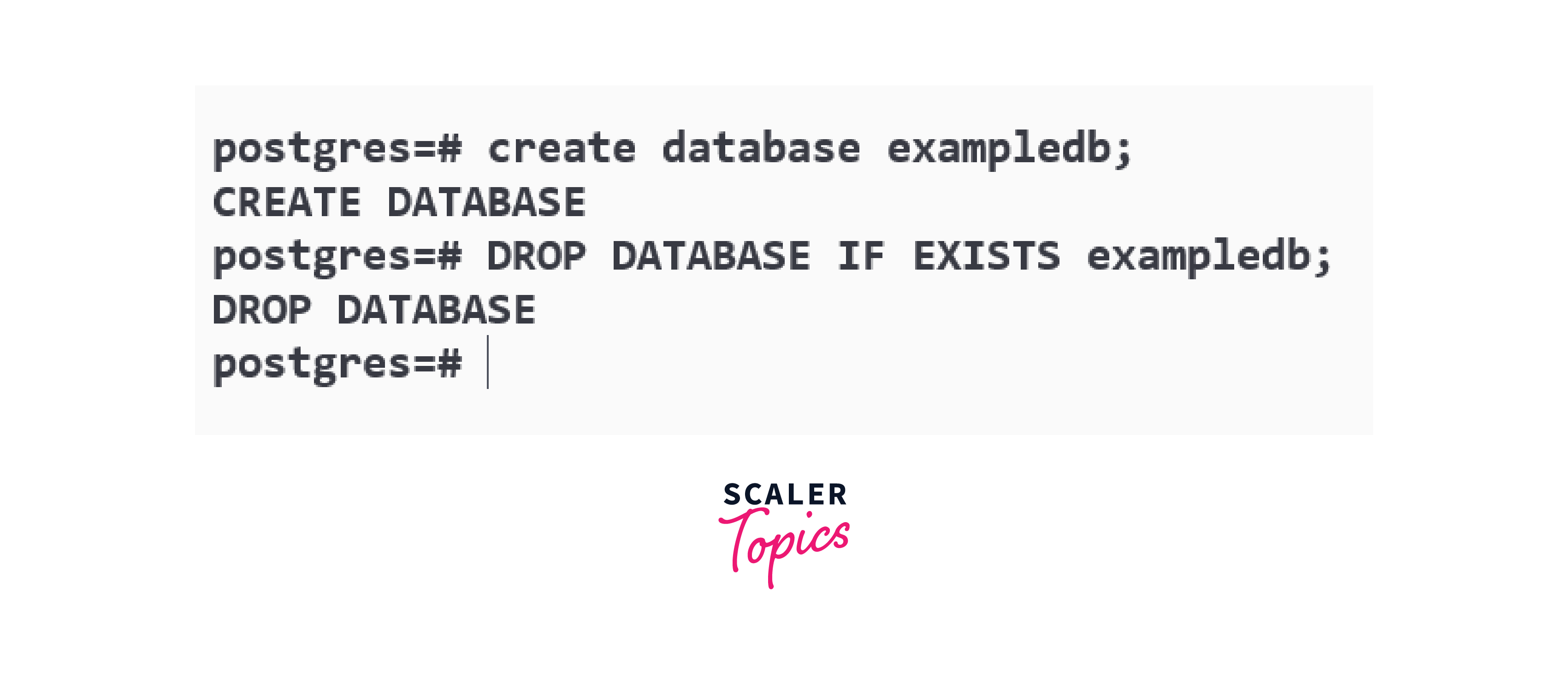
If the database exists then the result of DROP DATABASE with IF EXISTS is similar to the DROP DATABASE command.
-
Now run the DROP DATABASE with IF EXISTS again when the database does not exist.
Output:
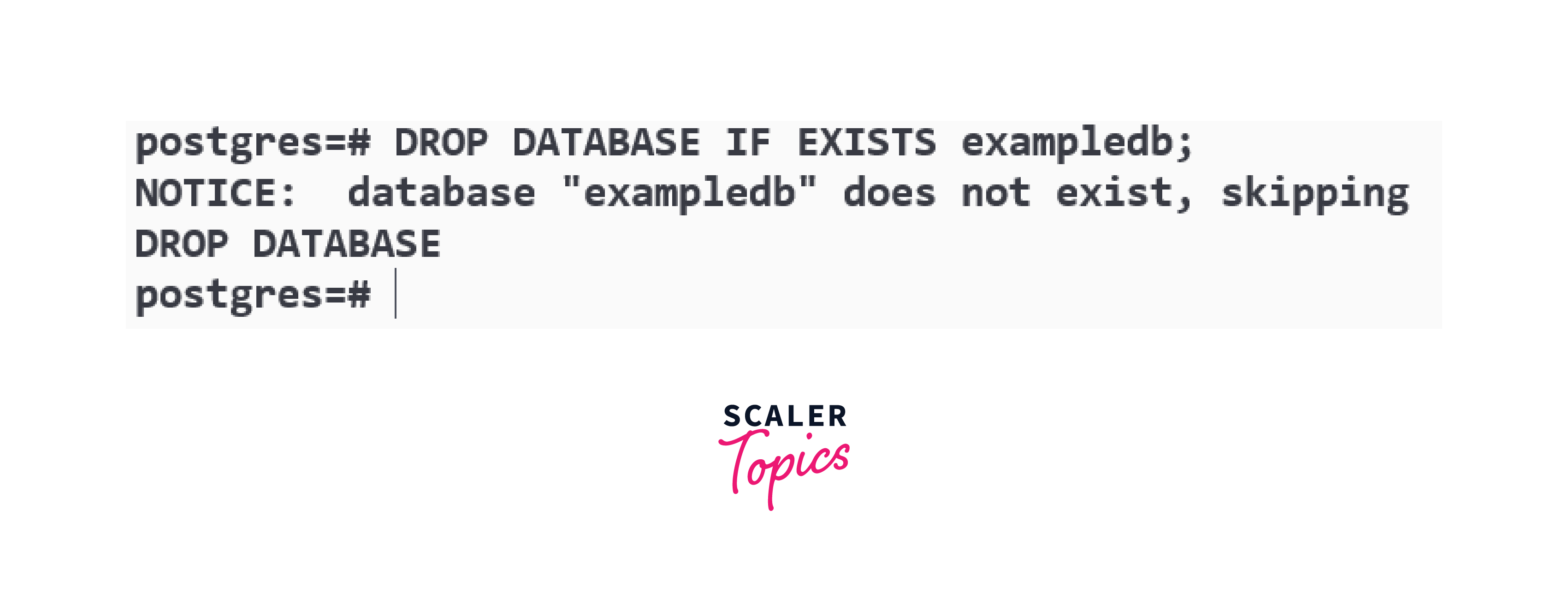
A message is displayed on the command prompt with the message that the database does not exist.
-
Now run the DROP DATABASE command again without IF EXISTS.
Output:
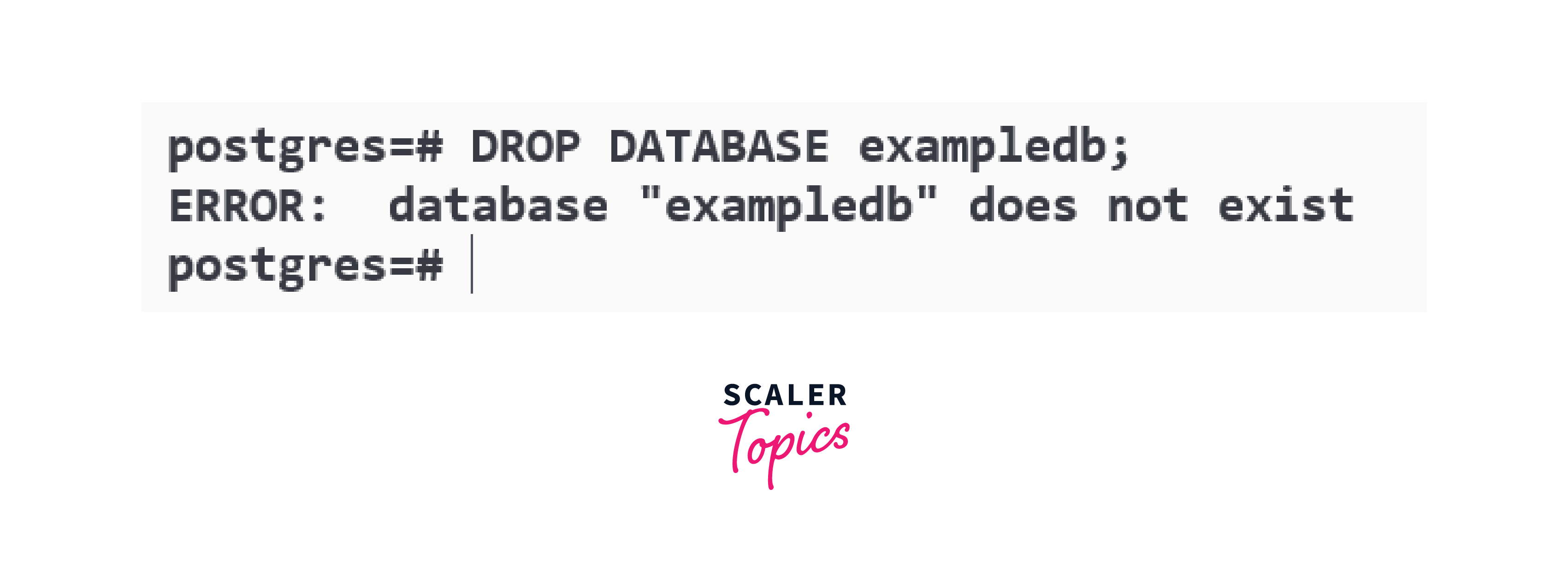
DROP DATABASE without IF EXISTS throws an error if the database does not exist.
Turn Learning into Career Growth
PostgreSQL Select Database
Database SQL Prompt
Let us assume the PostgreSQL client was successfully launched by us.
-
Run the command given below to display all the available databases.
After running the above command, a list of all the databases is displayed as shown below:

-
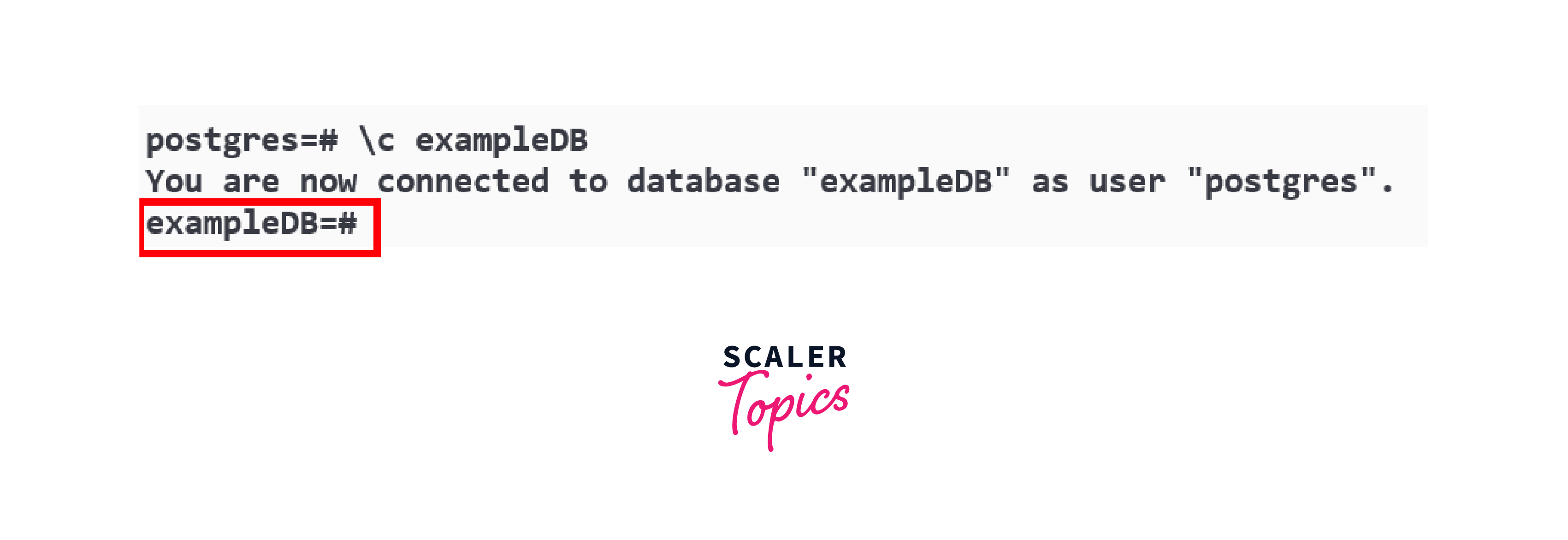
Now type the command given below to connect to a particular database or to select a particular database.
-
Now we are connected with the database named exampleDB.
Select the Database Using "pgAdmin"
We can also select by the pgAdmin. Follow the steps provided below to select the database with the help of pgAdmin.
Step - 1:
Open the UI of pgAdmin.
Step - 2:
Then click on the database to select the database as shown in the below figure.

Step - 3:
Now click on the tools option then the drop-down will appear, then select the query tool option available in the dropdown.

Step - 4
Now the window will open on the screen in which a query window will open and a connection will be created with the database we have selected. Here we can execute the queries.

Conclusion
- Collection of organized data is known as database.
- Relational and non-relational are two types of database.
- CREATE DATABASE and createdb command is used for creating a database.
- DROP DATABASE is used for deleting the database.
- We can also use IF EXISTS with the DROP DATABASE.
- We can select or connect to a particular database by pgAdmin or by writing a command.




