


What is Process Management in Linux?
Overview
Process management in Linux is an essential skill for Linux administrators and developers.
It involves controlling and monitoring the processes running on a Linux system, including managing process resources, scheduling processes to run on the CPU, and terminating processes when necessary. Understanding the different types of processes, their states, and the available commands for process management, such as ps, top, kill, nice, and renice, are important for managing processes effectively.
Build an AI-First Career, Master the Complete Skillset
Choose from our industry-leading programs designed for career success
Modern Software and AI Engineering Program
Master full-stack development with AI integration


 +1000 more
Modern Data Science and ML with specialisation in AI
Advanced data science techniques with AI specialization
+1000 moreAdvanced AIML with Specialisation in Agentic AI
Deep dive into AIML with focus on Agentic systems
+1000 moreDevOps, Cloud & AI Platform Engineering
Build and manage AI-powered cloud infrastructure
+1000 moreAI Engineering Advanced Certification by IIT-Roorkee
Premier AI engineering certification from IIT-Roorkee

AI Forward Deployed Engineer Program
Full-stack engineering, production AI and client-facing consulting
+1000 moreIntroduction to Process
A process is an instance of a program currently running on a computer system. In Linux, processes are managed by the operating system's kernel, which allocates system resources and schedules processes to run on the CPU. Understanding and managing processes is a critical skill for Linux administrators and developers.
Types of Processes
In Linux, processes can be categorized into two types:
Foreground Processes
Foreground processes are the kinds of processes that require input from the user and are characterized by their interactivity. For instance, a foreground process would be like you are running an Office application on the Linux system.
Background Processes
On the other hand, background processes are non-interactive operations carried out in the background and do not call for any participation from the user. Antivirus software is an example of a Background Process.
Additionally, processes can be system processes or user processes. System processes are initiated by the kernel, while users initiate User processes.

Process States in Linux
In Linux, a process can be in one of five states:
- Running:
The process is currently executing on the CPU. - Sleeping:
The process is waiting for a resource to become available. - Stopped:
The process has been terminated by a user - Zombie:
The process has completed execution but has not yet been cleaned by the system. - Orphan:
The parent process of the current process has been terminated.

What is Process Management in Linux?
Process management is the task of controlling and monitoring the processes that are running on a Linux system. It involves managing process resources, scheduling processes to run on the CPU, and terminating processes when required.
How Scaler Transformed Careers in Different Fields
Scaler learners achieved 2.5x salary growth with average post-Scaler CTC reaching ₹23L.
 Google
 Amazon
 Microsoft
 Flipkart
 Adobe1200+ more
Commands for Process Management in Linux
Linux provides several commands for managing processes, which include:
| Commands | Description |
|---|---|
| ps | Displays information about the processes running currently. |
| top | Provides real-time information about system processes and their resource usage. |
| kill | Terminates a process by sending a signal to it. |
| nice | Adjusts the priority of a process. |
| renice | Changes the priority of a running process. |
| ps PID | Shows the state of an exact process. |
| pidof | Shows the Process ID of a process. |
| df | Shows Disk Management of your system. |
| free | Shows the status of your RAM. |
| bg | For sending a running process to the background. |
| fg | For running a stopped process in the foreground. |
Practically Managing the Processes
We have explained some common commands below which are required to manage processes. Let’s check them out:
Turn Learning into Career Growth
Identifying and Terminating Processes in Linux.
Identification of processes and termination of processes can be done by using the below-mentioned commands in Linux.
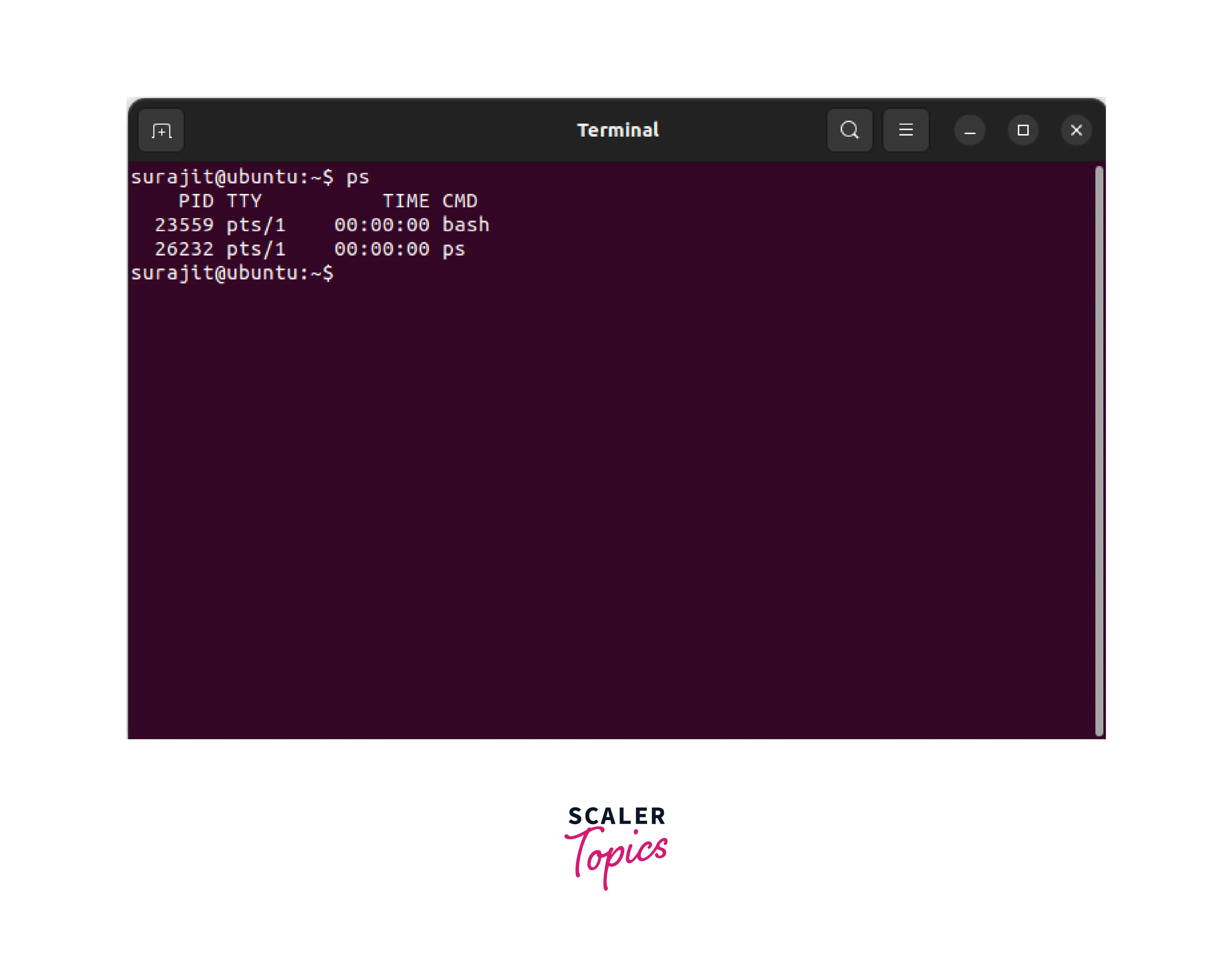
The ps command is used to find the process ID (PID) of the process you want to manage. As instance, if it’s required to kill a process you need to know the process ID (PID) of that exact process.
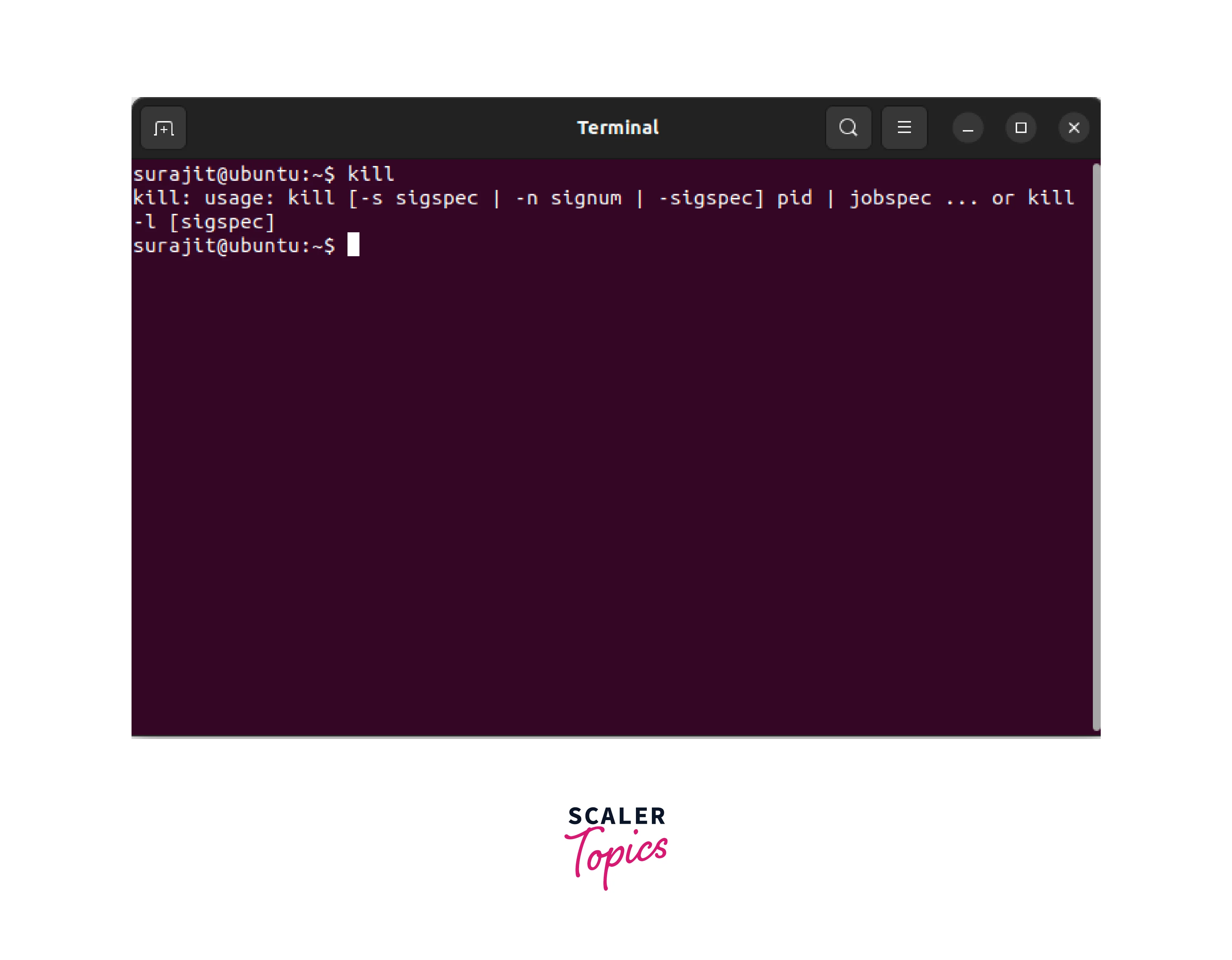
The kill command in Linux is used to terminate processes by their process IDs (PIDs).
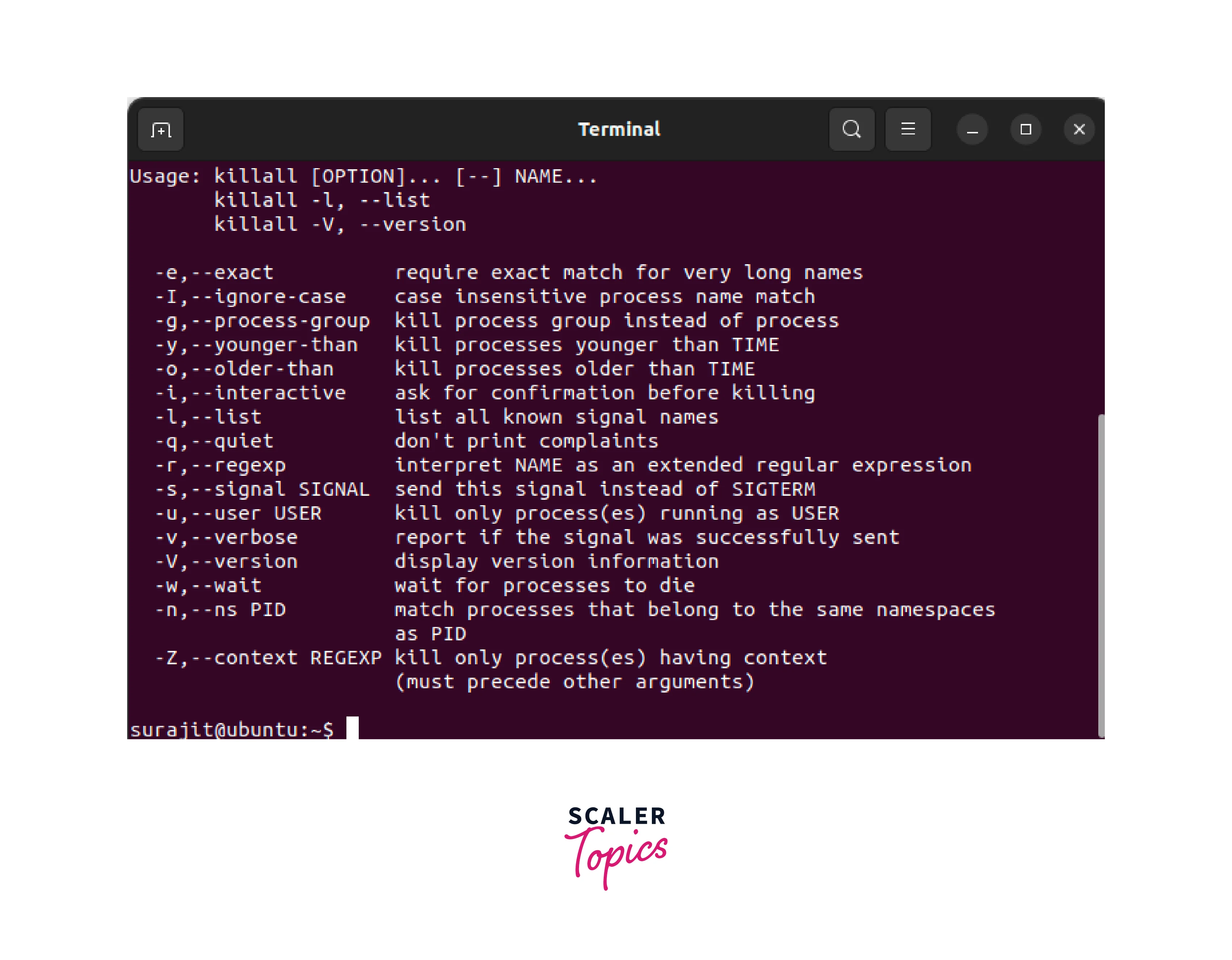
The killall command in Linux is used to terminate processes by their names. It sends a signal to all processes with a specified name, effectively killing them.
Managing Priority of Processes in Linux
Managing the priority of a running process is done using “nice” and “renice” commands in Linux.
The nice command in Linux is used to modify the priority of a process. It assigns a lower priority to a process to reduce its resource usage.
The renice command is used to modify the priority of an already running process. It can increase or decrease the priority of a process, depending on the specified value.
Analyzing Resource Usage in Linux.
The top command in Linux is used to display real-time information about processes running on a system, including CPU and memory usage. It provides an interactive interface that allows users to monitor and manage processes.
Conclusion
- Processes are instances of programs that are currently running on a Linux system.
- Processes can be categorized into foreground, background, and system and user processes.
- Processes can be in one of five states: running, sleeping, stopped, zombie, or orphan.
- Process management involves controlling and monitoring the processes running on a Linux system.
- Linux provides several commands for managing processes, including ps, top, kill, nice, and renice.
- Practically managing processes involves using these commands to identify and terminate processes, adjust process priorities, and monitor system resource usage.




