


How to Read Data from Properties File in Selenium?
Overview
Automation is essential for assuring the effectiveness and precision of the testing process in the world of software. One of the most well-liked frameworks for automating web browsers is Selenium, which offers a wide variety of functions to make it easier to automate web applications. Reading data from external sources, such as configuration files or property file in Selenium, is a frequent automation activity that makes test scripts more adaptable and manageable.
Build an AI-First Career, Master the Complete Skillset
Choose from our industry-leading programs designed for career success
Modern Software and AI Engineering Program
Master full-stack development with AI integration


 +1000 more
Modern Data Science and ML with specialisation in AI
Advanced data science techniques with AI specialization
+1000 moreAdvanced AIML with Specialisation in Agentic AI
Deep dive into AIML with focus on Agentic systems
+1000 moreDevOps, Cloud & AI Platform Engineering
Build and manage AI-powered cloud infrastructure
+1000 moreAI Engineering Advanced Certification by IIT-Roorkee
Premier AI engineering certification from IIT-Roorkee

AI Forward Deployed Engineer Program
Full-stack engineering, production AI and client-facing consulting
+1000 moreWhat is a Property File?
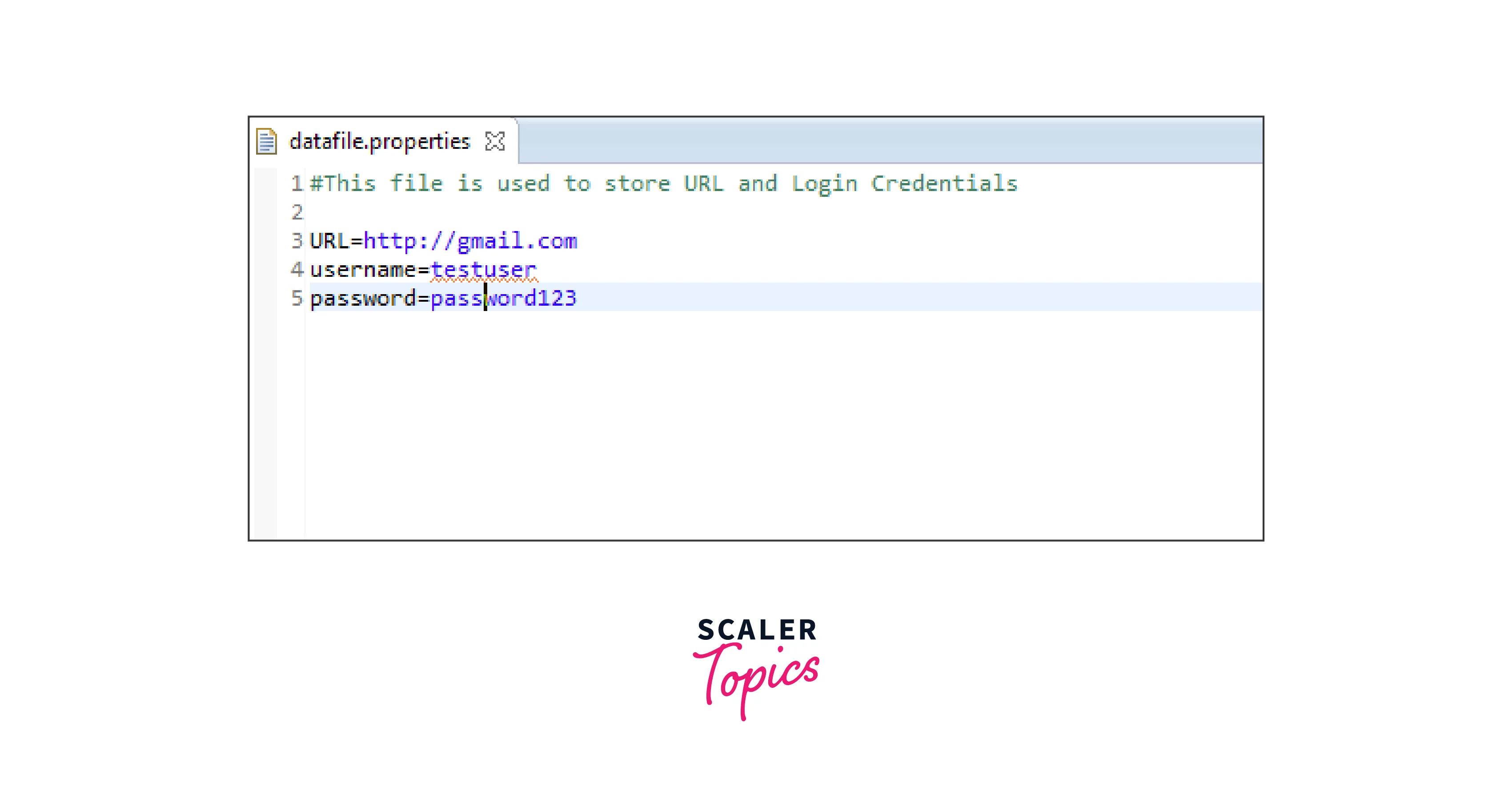
Before diving into the details of reading data from a properties file in Selenium, let's first understand what a properties file is. A properties file is a simple text file that contains key-value pairs of configuration data. Each line in the property file in Selenium represents a property, where the key and value are separated by an equal sign =. For example: Code
username=john
password=secretpassword
url=https://www.example.com
Explanation In the example above, username, password, and url are the keys, while john, secretpassword, and https://www.example.com are the corresponding values.
Why Properties File?
There are various benefits to storing configuration information in a properties file in Selenium. It makes the test scripts more modular and maintainable by enabling us to divide the test script logic from the test data. We can save the data in a property file in Selenium and read them dynamically at runtime rather than hard-coding them straight into the test scripts. This method makes it simple to change test data without changing the code.
Furthermore, even non-technical users can easily read and alter properties file in Selenium. Without any programming experience, stakeholders can add or modify test data in the properties file, increasing stakeholder accessibility and lowering reliance on the development team.
How to Read Data From Properties File?
Now that we understand the concept of a property file in Selenium and its benefits, let's explore the step-by-step process of reading data from a properties file in Selenium.
How Scaler Transformed Careers in Different Fields
Scaler learners achieved 2.5x salary growth with average post-Scaler CTC reaching ₹23L.
 Google
 Amazon
 Microsoft
 Flipkart
 Adobe1200+ more
1. Create a Properties File
The first step is to create a properties file and populate it with the required key-value pairs. You can use any text editor to create the file and save it with a .properties extension. Make sure to give meaningful names to the keys and assign appropriate values.
2. Load the Properties File
In Selenium, we can use the java.util.Properties class to load and read data from a properties file. The Properties class provides methods to load a properties file and retrieve values based on keys. To load the properties file, create an instance of the Properties class and use the load() method to load the file.
Code
Explanation In the example above, we create an instance of the Properties class and load the properties file named config.properties using a FileInputStream. The load() method reads the file and populates the Properties object with the key-value pairs.
Turn Learning into Career Growth
3. Read Values from the Properties File
Once the properties file is loaded, we can retrieve values by using the keys. The Properties class provides the getProperty() method to retrieve the value associated with a given key.
Code
Explanation In the example above, we retrieve the values of username, password, and url from the properties file using the getProperty() method.
4. Use the Retrieved Values
Now that we have retrieved the values from the properties file, we can use them in our Selenium test scripts. For example, we can use the retrieved URL to navigate to a specific page or use the username and password to log in to an application.
Code
Explanation In the example above, we create a WebDriver instance and navigate to the URL retrieved from the properties file. We locate the username and password fields on the page and populate them with the retrieved values.
Conclusion
- Reading data from a property file in Selenium enhances the maintainability and flexibility of test scripts.
- Properties file in Selenium separate test data from the code, making it easy to modify test data without changing the underlying logic.
- Using properties files reduces the dependency on the development team, as non-technical users can update test data.
- The java.util.Properties class in Selenium allows loading and retrieving values from properties files.
- Loading a properties file involves creating a Properties object and using the load() method with a FileInputStream.
- Values can be retrieved from the properties file using the getProperty() method based on the associated keys.
- Retrieved values can be used in Selenium test scripts to perform actions such as navigating to URLs or populating form fields.




