


MongoDB $pull Operator
Overview
The $pull MongoDB is an operator which provides a powerful way to remove elements from array fields within documents. It offers flexibility by allowing removal based on specific values or conditions. By using the $pull mongoDB operator, users can efficiently manipulate data and customize their collections.
Whether removing elements equal to a specified value or matching a condition, the $pull mongodb operator streamlines the process. Its functionality extends to nested arrays, making it a versatile tool for managing MongoDB data.
When the $pull mongoDB operator is unable to find any matching elements to remove from an array field, it does not throw an error or exception. The array field remains unchanged, and the result of the operation indicates that no elements were modified. The result will show { nModified: 0 } to indicate that zero elements were removed.
To ensure the desired elements are targeted for removal, it is important to define the removal criteria correctly when using the $pull mongoDB operator in MongoDB. This way, you can accurately determine if any elements were removed based on the result of the operation.
$pull Operator MongoDB
The $pull operator in MongoDB is a valuable tool for removing elements from array fields within documents. It provides a flexible way to eliminate specific values or match conditions, enabling efficient data manipulation.
By using the $pull mongoDB operator, developers can streamline the process of modifying and refining document structures.
Syntax
The syntax of the $pull MongoDB operator is as follows:
Here, <query> represents the criteria to select the document, <arrayField> is the field containing the array, and <value> is the value or condition used to remove elements. The optional multi-parameter specifies whether the operation should update multiple documents.
Behavior
The $pull operator in MongoDB behaves by removing elements from an array field based on the specified value or condition. It operates on each document within the collection, checking the array field and eliminating the matching elements. Importantly, the $pull MongoDB operator exclusively removes elements within the array field and does not delete entire documents.
If multiple elements match the given value or condition, all matching elements are removed. This behavior empowers developers to efficiently modify and manipulate arrays within MongoDB documents.
Removing all the Elements Equal to a Specified Value
To remove all elements in an array field that are equal to a specified value using the $pull operator in MongoDB, you can use the following syntax:
Here, <value> represents the value that needs to be removed. By setting the multi option to true, the operation will remove the specified value from multiple documents that match the given query.
This capability allows for efficient and targeted removal of specific elements from array fields within MongoDB documents.
Consider a collection named "books" with the following document:
To remove all occurrences of "The Great Gatsby" from the "booksArray" field, you can execute the following update operation:
After running the above operation, the updated document will be:
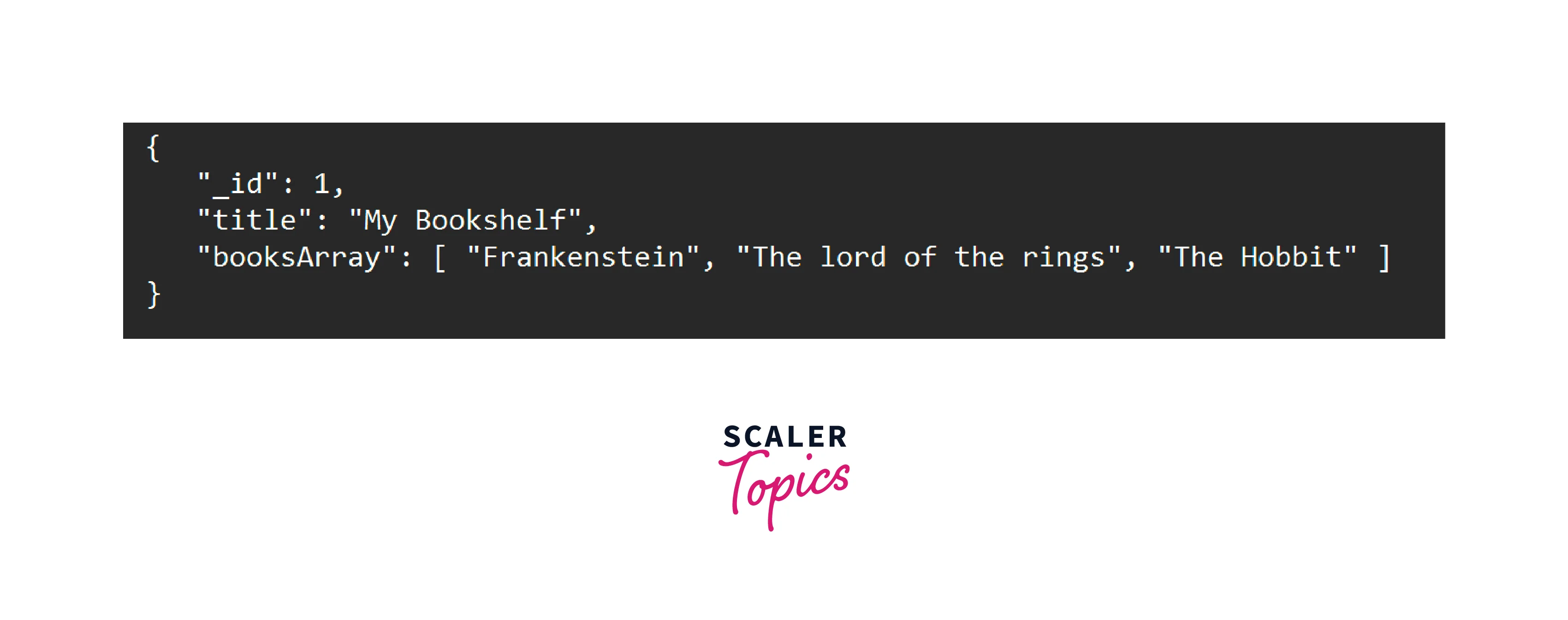
The $pull mongoDB operator successfully removes all elements equal to the specified value ("The Great Gatsby") from the "booksArray" field, resulting in an updated document without them.
Removing all the Elements that Match a Specified Condition
The $pull operator in MongoDB allows for the removal of all elements from an array field that match a specified condition. By providing the condition within the $pull operator, such as { <field>: { <condition> } }, all elements meeting the condition will be eliminated. This enables precise and efficient removal of specific elements from array fields within MongoDB documents.
Here's an example that demonstrates how to use the $pull operator to remove all elements that match a specified condition from an array field in MongoDB.
Consider a collection named "students" with the following documents:
Let's say we want to remove all grades that are below 80 from the "grades" array field. We can achieve this using the $pull mongoDB operator with a specified condition.
To remove all grades below 80, we can execute the following update operation:
After running the above operation, the updated documents will be:
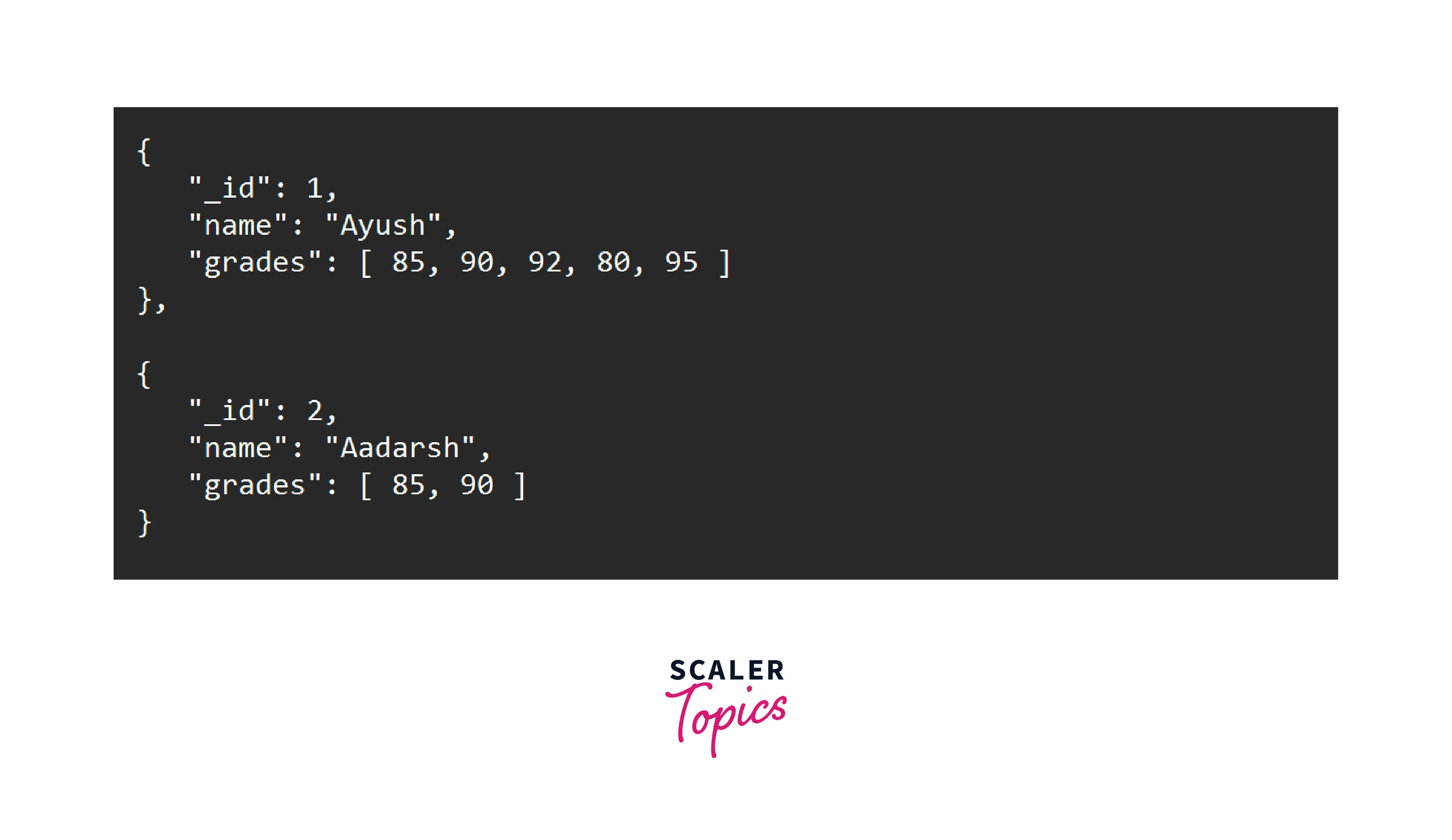
The $pull operator with the condition { $lt: 80 } successfully removes all elements from the "grades" array field that are less than 80. In the example above, Bob's grades that were below 80 are removed from the array, while Alice's grades remain unchanged as they all meet the specified condition.
Removing Elements from the Array of Documents
The $pull operator in MongoDB can be used to remove elements from an array within multiple documents. By leveraging dot notation, developers can specify the path to the array field that needs modification. For example, to remove a specific value from an array field named "items" within multiple documents in the "orders" collection, you can use the following syntax:
This operation will remove all occurrences of the specified value from the "items" array in all matching documents, providing a convenient way to modify array elements across multiple documents.
Here's an example that demonstrates how to use the $pull operator to remove elements from an array within multiple documents in MongoDB: Consider a collection named "orders" with the following documents:
Let's say we want to remove all occurrences of the value "Apple" from the "items" array in all documents. To achieve this, we can execute the following update operation:
After running the above operation, the updated documents will be:
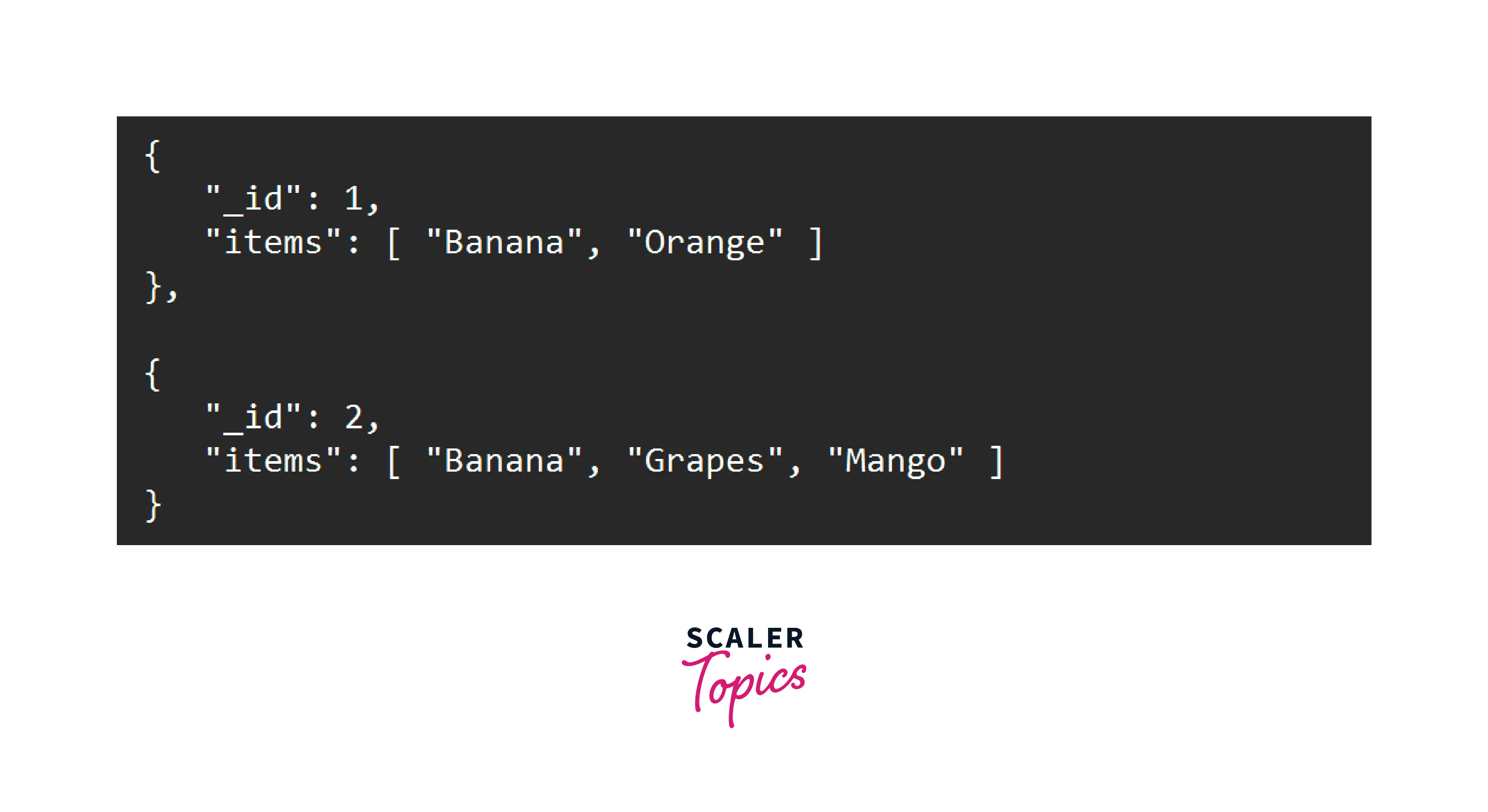
The $pull operator successfully removes all occurrences of the value "Apple" from the "items" array in both documents, resulting in the updated documents without the removed elements.
FAQs
Q. Can the $pull operator remove elements from nested arrays?
A: Yes, the $pull operator can remove elements from nested arrays in MongoDB. By using the dot notation to specify the path to the nested array, you can effectively remove elements from arrays within arrays.
Q: Does the $pull operator modify the original array or create a new array?
A: The $pull operator modifies the original array in place. It removes the specified elements from the array field within the MongoDB documents. It does not create a new array or replace the entire array field.
3. What happens if no elements match the specified value or condition in the $pull operator?
A: If no elements match the specified value or condition in the $pull operator, the array field remains unchanged. The operation does not throw an error or make any modifications when there are no matching elements to remove.
Conclusion
- The $pull operator in MongoDB is a valuable tool for removing elements from array fields within documents.
- It provides flexibility by allowing the removal of specific values or matching conditions, enabling efficient data manipulation.
- By understanding the syntax and behavior of the $pull operator, developers can effectively modify and refine document structures.
- The $pull operator can remove elements equal to a specified value or that match a specified condition, providing targeted removal capabilities.
- It can also handle nested arrays, making it a versatile tool for managing MongoDB data.
- Leveraging the $pull operator empowers developers to efficiently modify and manipulate array fields within MongoDB documents.
- Understanding how to utilize the $pull operator correctly is essential for effective database operations.
- In conclusion, the $pull operator is a powerful tool that enhances data manipulation capabilities within MongoDB, allowing for the precise removal of elements from array fields flexibly and efficiently.