


Python String isupper() Method
 FREE
FREE

Overview
The isupper method of the str class in Python is used to check whether a given string is in uppercase.
Working of Python String isupper() method
In daily life, we all log into our profiles, e.g., Gmail, Facebook, etc., by entering the password or verifying we are a human by entering the Captcha in certain places. We have ever wondered what happens behind all of that. Here, the isupper python method plays a pivotal role.
Let us see the diagrams given below for a better understanding.

The above diagram demonstrates how passwords saved in uppercase are validated. The isupper python method effectively distinguishes correct case inputs, rejecting all non-uppercase entries.
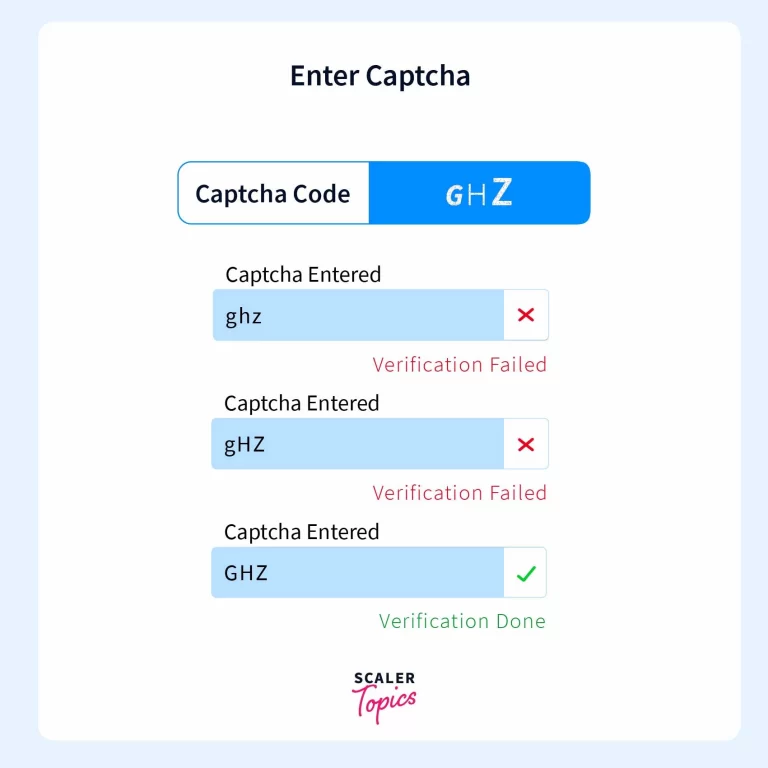
Similar was the case while entering the Captcha; it rejected all the inputs that weren’t in the upper case. This validation can be done in Python with the help of a function called isupper(), which helps us check whether a given set of characters is in the upper case. In this article, we will see a function called isupper() in Python.
Note: when isupper() is used in the program, a point to note is that this method only checks whether the English alphabet characters are in the upper case or not. It ignores the given string's numbers, special symbols, and spaces.
Examples of Python String isupper() method
Let us see some examples, of how the isupper() function works in Python:
Example 1: Using isupper() in Python
Output:
Explanation: All characters of the given string, which are English alphabets, are not in uppercase. That's why false was returned.
Let's see another example of this:
Output:
Explanation: All English alphabet characters in the given string are in the uppercase. That's why True was returned.
Example 2: Using isupper with letters, numbers, spaces, and special characters
Output:
Explanation: All English alphabet letters in the given string are in the uppercase, and the numbers, spaces, and special symbols are ignored. That's why True was returned.
Example 3: Using isupper only with numbers and special characters
Output:
Explanation: Only numbers and special symbols are in the given string, and no English alphabet letters are present. That's why False was returned.
Syntax of Python String isupper() method
The syntax of isupper python is as follows:
Where myString is the string name, it can only be of string data type. If myString is a non-string data type, the above syntax will cause an error.
Parameter of Python String isupper() method
The isupper() method does not accept any parameters.
Return value of Python String isupper() method
Return Type: bool.
The function yields either True or False based on whether all the alphabets in the string are in uppercase or not.
Exceptions of Python String isupper() method
While the isupper() method in Python is generally straightforward, there are a few exceptions or edge cases to be aware of to ensure accurate and reliable results.
- the isupper() method will return False if the string is empty.
- When dealing with strings that contain only whitespace characters, the isupper() method might not behave as expected.
- The isupper() method checks if all the alphabetic characters in the string are uppercase. If the string includes a mix of uppercase and lowercase characters, the function will yield False.
- The isupper() method is designed for alphabetic characters. If the string contains non-alphabetic characters, the result may not be meaningful.
Conclusion
- isupper python method returns True only if all the letters of the English alphabet in the string are in uppercase.
- None of The numbers, spaces, and special characters present in the given string is checked by the isupper python function, i.e., they are ignored by the function.
- If the given string does not contain even a single letter of the English alphabet, the output will be False. (as we’ve already seen in an example above)