


append() in R
Overview
The append() function in R is a valuable tool for modifying or extending lists and vectors. Whether you want to add elements to an existing vector, insert elements at specific positions, or combine multiple vectors, append() can simplify these operations. It's a versatile function that's especially useful when working with R lists and vectors.
Transform Your Career
Choose from our industry-leading programs designed for career success
Modern Software and AI Engineering Program
Master full-stack development with AI integration


 +1000 more
Modern Data Science and ML with specialisation in AI
Advanced data science techniques with AI specialization
+1000 moreAdvanced AIML with Specialisation in Agentic AI
Deep dive into AIML with focus on Agentic systems
+1000 moreDevOps, Cloud & AI Platform Engineering
Build and manage AI-powered cloud infrastructure
+1000 moreAI Engineering Advanced Certification by IIT-Roorkee
Premier AI engineering certification from IIT-Roorkee

What is append() Function in R?
When working with R, a powerful and versatile language for statistical computing and data analysis, you often find yourself dealing with lists and vectors. Managing and manipulating these data structures efficiently is crucial for data analysis tasks. This is where the append() function in R comes into play. In this article, we will explore the append() function, its syntax, parameters, and return value, and provide various examples to help you master its usage.
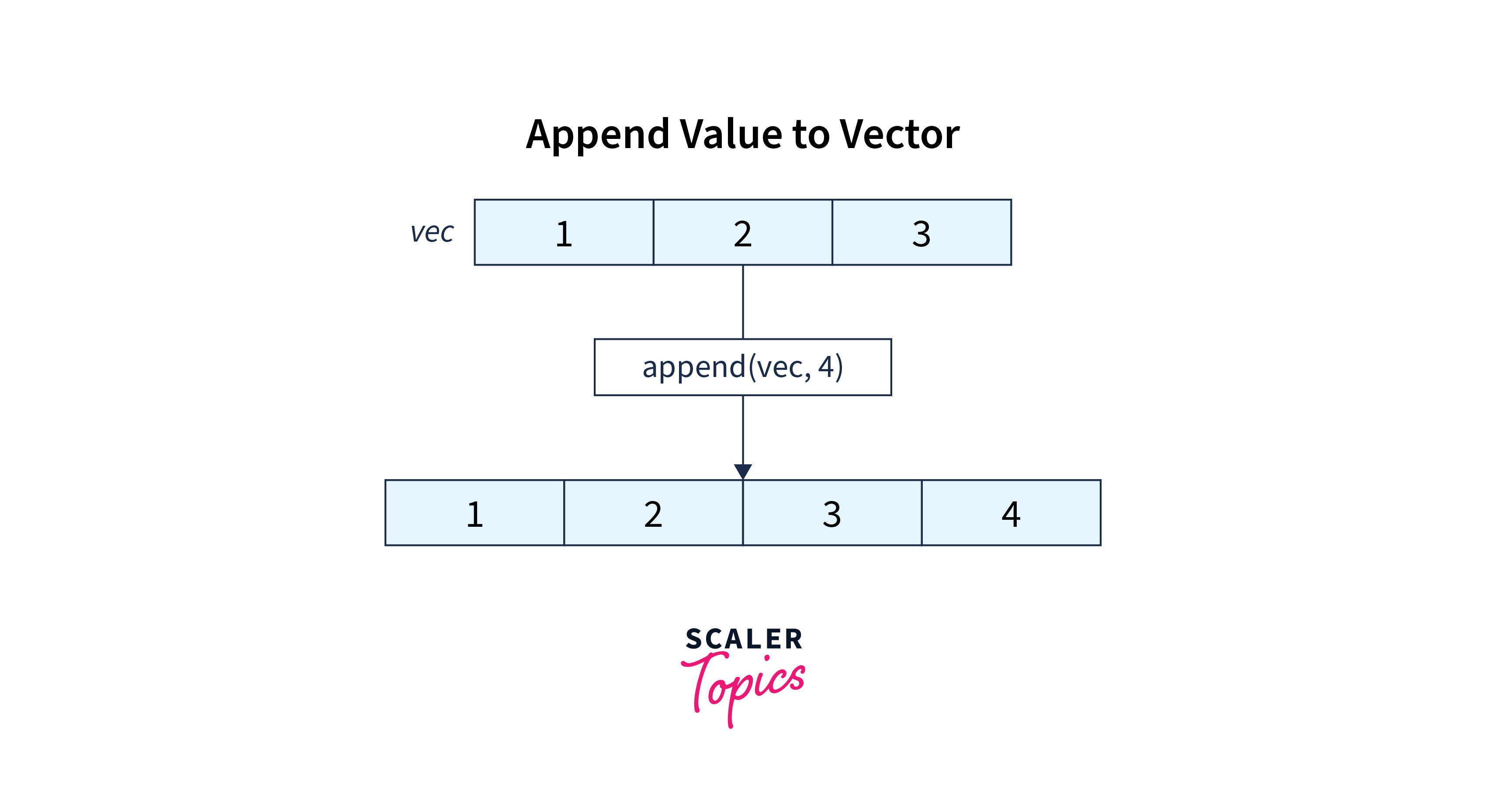
The append() function is used to add elements to a vector or list in R. It allows you to manipulate the structure by adding elements either at the end of the vector or at a specified position within the vector.
Syntax
The append() function's syntax is straightforward, yet it offers great flexibility:
Each segment of the syntax plays a distinct role in shaping the function's behaviour. Let's understand each parameter individually.
Parameters
Let's take a closer look at the parameters:
- x: This is the target vector or list where you want to add elements. It can be any vector or list, including numeric, character, or logical vectors.
- values: The values parameter represents the elements you want to append to x. These elements should be of the same data type as the elements in x.
- after: If you want to insert the values at a specific position within x, you can specify that position using the after parameter. The default value is NULL, which appends values at the end of x.
- length.out: This parameter is optional. If you want to specify the length of the resulting vector explicitly, you can use length.out. By default, R calculates the length based on the input vectors.






Return Value
The append() function returns a new vector or list that includes the appended elements. It does not modify the original vector x. The result will be a vector or list that combines the elements of x and values according to the specified position or the default append behaviour.
Scaler Placement Report and Statistics
Scaler learners achieved 2.5x salary growth with average post-Scaler CTC reaching ₹23L.
 Google
 Amazon
 Microsoft
 Flipkart
 Adobe1200+ more
Examples
Let's dive into some practical examples to illustrate how the append() function can be used in different scenarios.
Example 1. Add Element to Vector Using append()
In this example, we added the element 5 to the end of the original_vector using append().
Turn Learning into Career Growth
Example 2. Add Element to Vector at Specified Position
Here, we inserted the element 10 at position 2 in the original_vector using the after parameter.
Example 3. Add Multiple Elements to the Vector
You can append multiple elements to the end of a vector by providing a vector of values to the values parameter.
Example 4. Append Vector with Another Vector
In this example, we combined vector1 and vector2 using the append() function, resulting in a single vector.
Example 5. Add Value to Empty Vector
Even when starting with an empty vector, you can use append() to add elements.
Conclusion
- Versatile Function: append() is a versatile function in R that allows you to modify or extend vectors and lists effortlessly.
- Adding Elements: You can use append() to add elements to an existing vector or list, whether you want to append them to the end or insert them at a specified position.
- Syntax: The basic syntax of append() includes parameters like x, values, after, and length.out, providing flexibility in how you append elements.
- Parameter Details: Understanding the parameters is crucial. x is the target vector or list, values are the elements to be added, after lets you specify the insertion position, and length.out allows you to control the resulting vector's length.
- Return Value: append() returns a new vector or list that includes the appended elements, leaving the original vector x unchanged.
- Practical Examples: We explored various examples, such as adding elements to a vector, inserting elements at specific positions, adding multiple elements, combining vectors, and even adding elements to an empty vector.