


rbind() Function in R
Overview
In the realm of data manipulation and analysis, the rbind() function in R plays a crucial role by providing a versatile method for vertically combining data frames. This function allows data scientists and analysts to stack data frames or vectors on top of each other, facilitating the creation of comprehensive datasets. Let's delve into the various aspects of the rbind() function to understand its syntax, parameters, return value, and its significance in data manipulation tasks.
Syntax
The rbind() function in R follows a simple syntax:
Parameters
The rbind() function accepts multiple data frames or vectors as its arguments. These are the data objects that you intend to vertically concatenate.
Return Value
Upon execution, the rbind() in R returns a new data frame that is a vertical concatenation of the input data frames or vectors. This resultant data frame preserves the structure of the original data, stacking rows from each input object to form a consolidated dataset.
Explanation
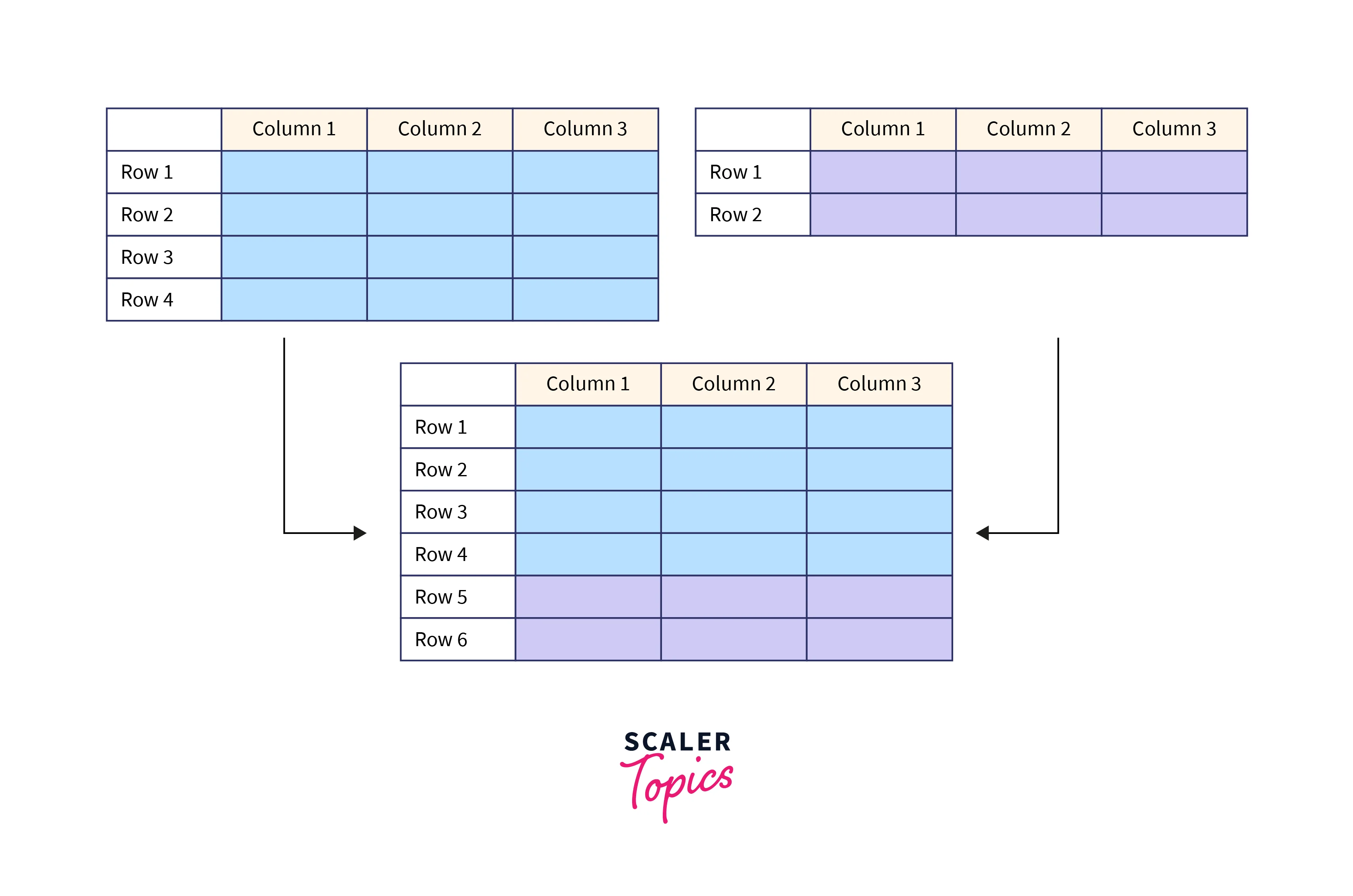
The primary purpose of the rbind() function in R is to facilitate the vertical binding of data frames or vectors. It is particularly useful when dealing with datasets from multiple sources or when you need to combine subsets of data. The rbind() function takes the data frames or vectors provided as arguments and produces a new data frame with rows stacked one after the other. This process ensures that the information from different sources is combined while maintaining the original column structure.
Implemention of rbind() Function in R
The implementation of the rbind() function in R is where its true power shines. This function serves as a bridge between different data sources, seamlessly merging them into a cohesive dataset. Let's explore various scenarios to grasp the implementation of the rbind() in R and witness its effectiveness in action.
The fundamental application of the rbind() function lies in vertically concatenating data frames. Consider two data frames, df1 and df2, containing information about employees:
Output:
In this example, the rbind() function in R effortlessly stitches together the rows from df2 beneath the rows of df1, resulting in a combined_df data frame that consolidates information from both sources.
Binding a DataFrame and Vector in R Using rbind()
Let's delve into the process of binding a data frame and a vector using the rbind() in R through detailed examples.
Appending a Vector to a Data Frame
Suppose you have an ongoing record of employees' data in a data frame named employee_data. To this, you want to add information about a new employee by utilizing the rbind() function in R. Here's how you can achieve this:
Output:
In this example, the rbind() function seamlessly integrates the new_employee vector into the existing employee_data data frame. The result is an expanded dataset with the new employee's information added as a new row.
Appending Multiple Vectors to a Data Frame
The rbind() function in R can also be used to append multiple vectors as new rows to an existing data frame. Consider the scenario where you want to add information about several new employees to the employee_data data frame:
Output:
By applying the rbind() in R successively with each new employee vector, you can effortlessly extend the employee_data data frame to accommodate the growing workforce.
Binding Two DataFrames in R Using rbind()
The rbind() function in R serves as a valuable tool for vertically binding two or more data frames. This section delves into the process of binding two data frames using the rbind() function, highlighting its utility and providing illustrative examples.
Vertical Concatenation of Two Data Frames
Consider the scenario where you have two distinct data frames, sales_q1 and sales_q2, each containing quarterly sales data for different periods. The goal is to combine these two data frames to obtain a complete picture of the annual sales. Here's how you can accomplish this using the rbind() function:
Output:
In this example, the rbind() function vertically concatenates the rows from both sales_q1 and sales_q2, resulting in an annual_sales data frame that encapsulates the sales data for the entire year.
Considerations for Merging Data Frames
When binding two data frames using the rbind() function, there are some important considerations to keep in mind:
-
Column Order and Name:
The columns in both data frames must be in the same order and have the same names. The rbind() function binds rows based on column names.
-
Column Types:
The data types of corresponding columns in both data frames should match. Mismatched data types could lead to unexpected behavior.
Vertical Concatenation of Multiple Data Frames
The power of the rbind() function isn't limited to just two data frames; it can be extended to concatenate multiple data frames in a single call. Consider the scenario where you have sales data for each quarter of the year:
Output:
By consecutively passing each data frame as an argument to the rbind() function, you can create a comprehensive dataset representing the sales data for the entire year.
Conclusion
- The rbind() function in R seamlessly combines data frames or vectors, stacking them on top of each other to create comprehensive datasets.
- The simple syntax of rbind() involves providing the data frames or vectors to be bound as parameters. It accepts multiple arguments, making it ideal for consolidating diverse data sources.
- The function ensures that the resulting data frame maintains a consistent column structure, essential for preserving data integrity and facilitating downstream analyses.
- The rbind() function is not limited to data frames only; it can be used to append vectors to existing data frames and merge data frames with identical structures.
- Utilizing the rbind() function streamlines data manipulation tasks and enhances the flexibility of combining data from various sources.