


React Native Pager View
Overview
React Native Pager View is a powerful library that allows developers to create smooth and interactive swiping experiences in their React Native applications. With its intuitive API and support for both iOS and Android platforms, React Native Pager View is an essential tool for building engaging user interfaces. In this article, we will dive deep into the features, usage, and migration strategies of React Native Pager View, along with an introduction to its new architecture support known as Fabric.
Introduction
React Native Pager View is a component that allows you to create a scrollable list of views. It is a simple and easy-to-use component that can be used to create a variety of layouts, such as a carousel, a slideshow, or a list of items.
Build an AI-First Career, Master the Complete Skillset
Choose from our industry-leading programs designed for career success
Modern Software and AI Engineering Program
Master full-stack development with AI integration


 +1000 more
Modern Data Science and ML with specialisation in AI
Advanced data science techniques with AI specialization
+1000 moreAdvanced AIML with Specialisation in Agentic AI
Deep dive into AIML with focus on Agentic systems
+1000 moreDevOps, Cloud & AI Platform Engineering
Build and manage AI-powered cloud infrastructure
+1000 moreAI Engineering Advanced Certification by IIT-Roorkee
Premier AI engineering certification from IIT-Roorkee

AI Forward Deployed Engineer Program
Full-stack engineering, production AI and client-facing consulting
+1000 moreVersions
React Native Pager View is available in two versions:
- Classic: This is the original version of React Native Pager View. It is a simple and easy-to-use component that is perfect for basic use cases.It uses traditional props and methods for configuring and interacting with the Pager View component.
- Fabric: This is the new version of React Native Pager View. It is a more powerful and flexible component that is perfect for more complex use cases. The introduction of React hooks in the Fabric version brings a more intuitive and flexible way to manage state and perform side effects within functional components. Hooks like useState enable you to easily define and update component state, while useEffect allows you to handle side effects such as fetching data or subscribing to events. Using hooks can simplify your code and make it more modular and reusable.
| Features | Classic | Fabric |
|---|---|---|
| Compatibility | The Classic version of React Native Pager View is compatible with older versions of React Native, including versions prior to 0.60. | The Fabric version of React Native Pager View is designed to work with React Native versions 0.60 and above, which introduced the Fabric architecture. |
| Component Structure | It follows the class-based component structure, where components are defined using class syntax and lifecycle methods. | It follows the function-based component structure, where components are defined using functional syntax and React hooks. |
| Hook Support | The Classic version has limited support for React hooks. It may not support newer hooks like useState and useEffect. | The Fabric version fully supports React hooks, such as useState, useEffect, and others. This allows you to leverage the benefits of hooks in your Pager View component, making it easier to manage state and perform side effects. |
New architecture support (Fabric)
React Native Pager View now supports the new architecture (Fabric). This means that you can use it with the new useState and useEffect hooks. To install the new architecture, run the following command:
Migration
The previously known library @react-native-community/viewpager is now referred to as react-native-pager-view.
If you are currently using the previous version, you can upgrade the library and migrate by following these before-after snippets:
Install the new package:
Update the import statement and ViewPager Components: Before:
After:
Getting Started
To get started with React Native Pager View, you first need to install the package. You can do this with the following command:
New architecture setup (Fabric)
To support the new architecture in your application, follow the below steps:
iOS
Install pods with this flag inside ios folder:
How Scaler Transformed Careers in Different Fields
Scaler learners achieved 2.5x salary growth with average post-Scaler CTC reaching ₹23L.
 Google
 Amazon
 Microsoft
 Flipkart
 Adobe1200+ more
Android
Set newArchEnabled to true inside android/gradle.properties and then run your application.
If there are issues when running android build, you can try to generate codegen before the build using this command:
Linking
React Native Pager View might require additional linking steps to ensure proper integration with the native code of the target platform.
If you are working with React Native version
-
>= 0.60 Autolinking will take care of everything.
-
< 0.60 Automatic Linking with the following commmand:
- Manual Linking
- For iOS
You can use CocoaPods to manage your dependencies. To do this, add the following to your Podfile:
- For Android
Please implement the following changes in your:
-
android/settings.gradle
-
android/app/build.gradle
-
android/app/src/main/.../MainApplication.java Add import com.reactnativepagerview.PagerViewPackage; at the top. Add the PagerViewPackage class to the list of exported packages:
-
- For iOS
You can use CocoaPods to manage your dependencies. To do this, add the following to your Podfile:
- Manual Linking
Usage
Turn Learning into Career Growth
API
The following table lists the props for React Native Pager View:
| Prop | Type | Description |
|---|---|---|
| scrollEnabled | boolean | Whether or not to enable scrolling. |
| layoutDirection | ltr / rtl / locale | This specifies the direction of the layout. Defaults to the locale. |
| initialPage | number | Index of the initial page. |
| orientation | horizontal / vertical | Scrolling orientation. Defaults to horizontal. (Cannot be changed dynamically). |
| offscreenPageLimit | number | Specify the number of pages to keep on each side of the currently visible page(s). Value must be greater than or equal to 0. (Support on Android only). |
| pageMargin | number | Margin in between the pages. |
| overScrollMode | auto / always / never | customize the default overScroll mode. Defaults to auto. (Support on Android only). |
| overdrag | boolean | Enables or disables overscrolling when reaching the end or beginning of pages. Defaults to false. (Support on iOS only). |
| keyboardDismissMode | none / on-drag | Determines if the keyboard should be dismissed or not while dragging. Defaults to none. |
| onPageScroll | Callback Function | Triggered during page transitions, i.e. when there is a change in the animation for the requested page or when the user is swiping/dragging between pages. |
| onPageSelected | Callback Function | Triggered when a PagerView is completes navigating to a page. |
| onPageScrollStateChanged | Callback Function | Triggered when a when the page scrolling state has changed |
The following table lists the methods for React Native Pager View:
| Method | Type | Description |
|---|---|---|
| setPage | (selectedPage: number) => void; | Function to scroll to a specific page in the PagerView.This method sets the current page of the Pager View with a smooth transition animation. The selectedPage parameter specifies the index of the selectedPage you want to navigate to. |
| setPageWithoutAnimation | (selectedPage: number) => void; | Function to scroll to a specific page in the PagerView.This method sets the current page of the Pager View without any transition animation. The page change is instant. The selectedPage parameter specifies the index of the selectedPage you want to navigate to. |
| setScrollEnabled | (scrollEnabled: boolean) => void; | Function to enable/disable scroll imperatively. Preferable way would be to use the scrollEnabled prop. |
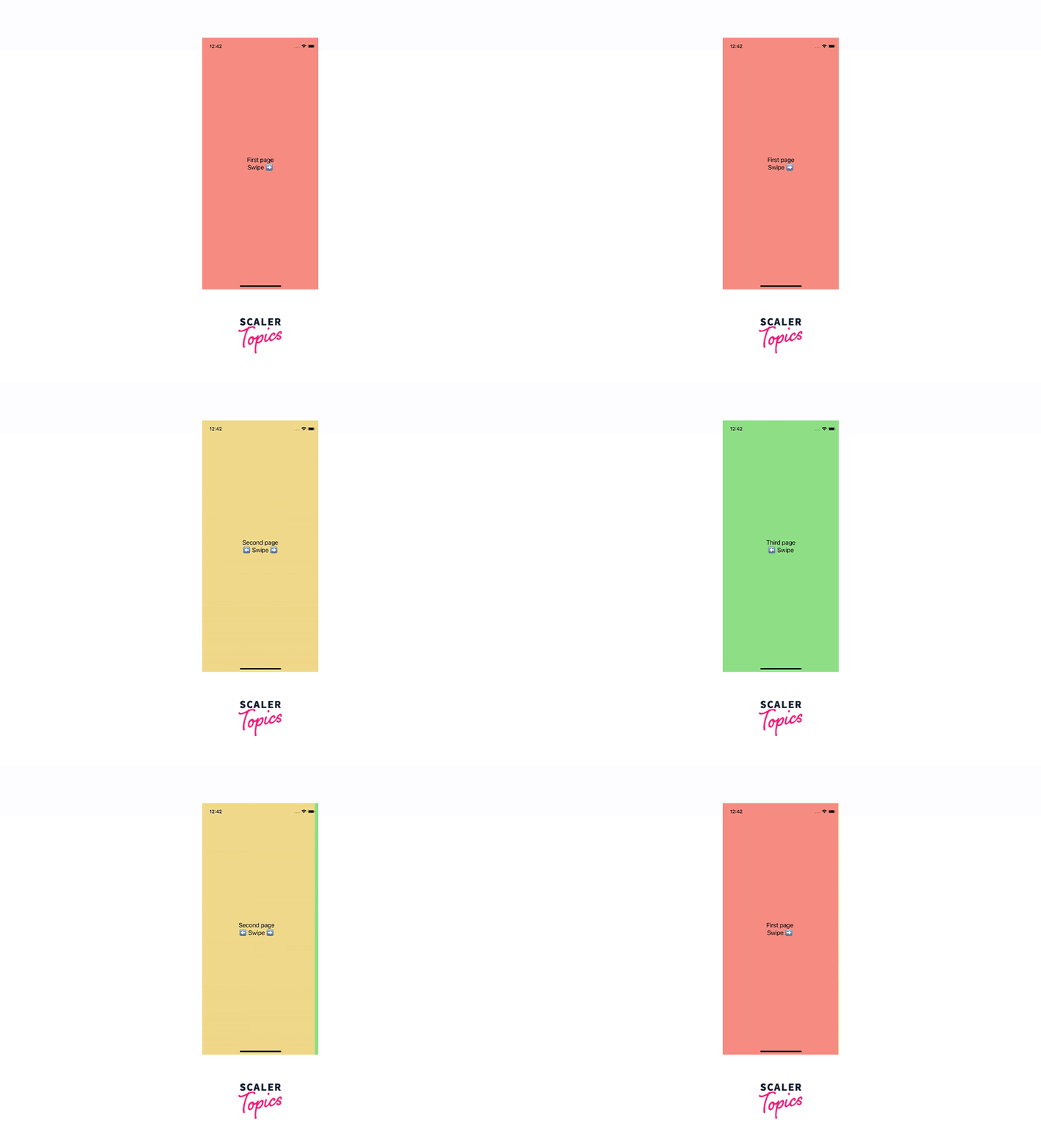
Preview
iOS
| Horizontal | Vertical |
|---|---|
 |  |
Android
| Horizontal | Vertical |
|---|---|
 |  |
Reanimated onPageScroll handler
You can use the onPageScroll prop to listen for changes in the current page while scrolling. The onPageScroll prop takes a function as its value. This function will be called whenever the current page changes while scrolling. The function will be passed two arguments: the old page and the new page.
Here is an example of how to use the onPageScroll prop with the Reanimated API:
Conclusion
Here are some of the key features of React Native Pager View:
- Easy to use
- Wide range of features
- Supports horizontal and vertical scrolling
- Supports infinite scrolling
- Supports custom page indicators
- Supports custom page transitions
If you are looking for a powerful and easy-to-use tool for creating paging layouts in React Native, then React Native Pager View is a great option.




