


Smooth UI Transitions with react-native-reanimated
Overview
To provide a positive user experience and encourage user retention, it is important to ensure that the movement of objects, pages, and models within an application is seamless and glitch-free. However, creating animations and object transitions can be a challenging task for front-end developers, as it requires them to divert their focus from writing application code to calculating the positioning and movement of objects based on user events. The react-native-reanimated npm package was developed to solve this issue. This package provides an easy-to-use solution for creating smooth and interactive animations, whether they are simple or complex.
What is React Native Reanimated?
React Native Reanimated is an open-source package, that allows developers to create smooth and high-performance animations. It is built on top of React Native's Animated API. React-Native-reanimated provides a set of tools to make it easier to create complex and interactive animations.
Installation
To use react-native-reanimated in your project install it using the below command.
For yarn users: yarn add react-native-reanimated.
For npm users: npm i react-native-reanimated --save
Now, add the plugin as shown below to your babel.config.js file:
Fabric
To integrate this library into your Fabric app, the following steps are necessary:
For iOS:
Include react-native-reanimated@next
Install pods by running the command RCT_NEW_ARCH_ENABLED=1 pod install. This command is used to prepare a Fabric build, but it should also be executed whenever a new native library is added.
For Android:
Ensure that your app is configured to build with Fabric, typically achieved by setting newArchEnabled=true in the gradle.properties file of your project. No additional steps are required for Android integration.
Documentation
For API reference and other relevant information, you can check out the official documentation page: Click Here.
Examples
To demonstrate the usage of react-native-reanimated, let's create a simple animation with a rectangular box moving to the right on click. Paste the below code in the App.js file.
File-name: App.js
Output:

In the above code
- useSharedValue hook is used to create a shared value that can be used across multiple components. In this case, it initializes the animation value to 0.
- The useAnimatedStyle hook is used to define the animation style. In this case, it defines a transform that translates the view horizontally by the value of the animation variable using the withTiming function, which animates the value change throughout 1000ms. The withTiming function also takes a callback function that sets the animation value back to 0 once the animation is complete.
Understanding New Concepts in React Native Reanimated
In this section, we will be creating animations using the new react-native-reanimated concepts. Let's create a repeat rotation animation. Paste the below code in App.js
Output:
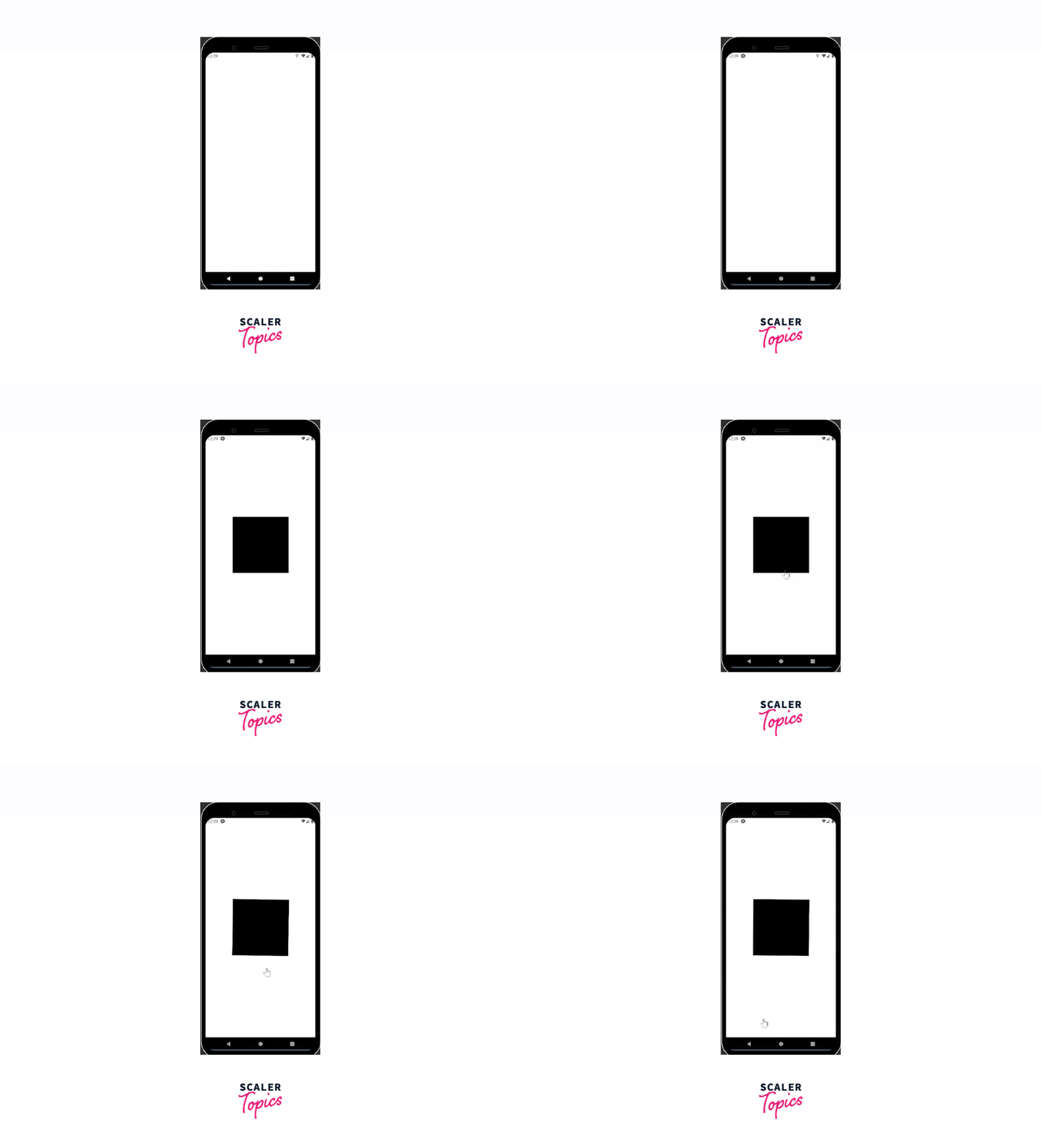
In the above code snippet.
- The useSharedValue hook is used to create a shared value that can be used across multiple components. In this case, it initializes the animation value to 0.
- The useDerivedValue hook is used to derive a value from an input value. In this case, it derives the rotation value from the animation value by interpolating the value of the animation from 0 to 360 degrees.
- The useAnimatedStyle hook is used to define the animation style. In this case, it defines a transform that rotates the view by the value of the rotation variable.
- The withRepeat function is used to repeat the animation indefinitely. The withTiming function is used to animate the value change throughout 1200ms to a value of 90 degrees.
File-name: App.js
Output:

In the above code, the startAnimation function sets the animation value to 300 using the withTiming function from react-native-reanimated. The withTiming function takes a second argument to define the animation duration and easing function, which is set to Easing.circle in this example. The TouchableWithoutFeedback component is used to listen to user presses, and when the animation is complete, the animation value is reset to 0 using a callback function in withTiming.
React Native Reanimated V2
In case you have prior experience with React Native Reanimated v1, it is essential to note that v2 has implemented some fresh concepts and alterations that may cause compatibility issues. In this article, we will take a closer look at some of these changes to help you understand how they may impact your work.
Worklets
React Native Reanimated v2 prioritizes animations as a fundamental aspect of its functionality. Animations are now composed in pure JS and take the form of worklets. These worklets are snippets of JavaScript code that the Reanimated Babel plugin extracts from the main React Native code. They operate in a distinct thread with a separate JavaScript virtual machine context and run synchronously on the UI thread. To create a worklet, developers must explicitly add the worklet directive at the beginning of their function, as shown in the following code example:
Functions that use the worklet directive are executed in a distinct JavaScript thread. If you want to execute a function in the UI thread instead, you can achieve this by invoking the function using the runOnUI method. This approach allows you to specify which thread should execute the function.
The piece of code shown above contains multiple functions. Still, only the FirstWorklet function is a worklet function that will be processed by the Reanimated Babel plugin and executed in a separate thread. On the other hand, the remaining functions will be executed synchronously in the main JavaScript thread. This ensures that the worklet function is executed with improved performance and does not block the main thread, resulting in a smoother user experience.
Name Changes
To ensure compatibility with the latest version of Reanimated 2, developers should take note of several changes in function names. For instance, the previous 'interpolate' method has been updated to 'interpolateNode', and the 'Easing' method is now referred to as 'EasingNode'. It is essential to keep these name changes in mind when updating code or working on new projects using Reanimated 2.
Shared Values
In the React Native Reanimated library, Shared Values refer to primitive values that are defined in JavaScript and used to control animations on the UI thread. As we discovered in our exploration of worklets, Reanimated executes animations in a separate thread using a distinct JavaScript virtual machine context. When we declare a value in our main thread or our JavaScript code, the Shared Values feature keeps track of that value and its mutable state.
By its mutability, we can modify the Shared Value and observe the corresponding changes in the UI thread, leading to a change in the animation output.
The following code snippet illustrates this functionality:
In the code snippet above, we can observe that Shared Value objects act as pointers to shared data, which can be accessed by invoking their .value property. Consequently, to retrieve or alter the shared data you can utilize the .value property in the same manner as demonstrated in the code.
The All New UseAnimatedStyle Hook
Using UseAnimatedStyle hook developers can establish a connection between Shared Values and View properties to create smooth and dynamic animations for their application. This technique allows for the easy manipulation of View stylings through the use of Shared Values.
To better understand this concept, let's examine the following code snippet:
We can obtain the updated styling for our animations, retrieve the Shared Value, and apply the necessary updates and styles. Like the useEffect Hook, the useAnimatedStyle Hook can take a dependency parameter. In cases where the dependency is not specified, as demonstrated earlier, updates are solely triggered when changes occur in the body. When a dependency is included, the useAnimatedStyle Hook will execute updates each time the dependency value changes.
Introduction to React Native Reanimated V3
The latest version of react-native-reanimated, v3, does not involve any changes that may cause incompatibilities with code written in the previous version (v2). Therefore, applications using v2 of React Native Reanimated can continue to operate smoothly with the latest version (v3). However, version 3 includes a new feature that we will explore in detail - Shared Element Transitions. This new feature enables developers to create smooth transitions between shared elements in the user interface, enhancing the user experience and improving the visual appeal of the application.
Shared Element Transitions
In version 3 of the application, a new feature has been introduced that enables users to animate views between navigation screens.
- This feature involves the use of a sharedTransitionTag attribute that can be assigned to components to create a shared transition animation between them. By assigning the same sharedTransitionTag to both components, the animation will be triggered automatically when the user navigates between screens.
- This makes it easy for users to create smooth and visually appealing transitions between screens without having to manually code each animation.
FAQs
Q. How react-native-reanimated is different from React Native's Animated API?
A. react-native-reanimated is built on top of React Native's Animated API that allows developers to create smooth and high-performance animations. The key difference between the two is that React Native Reanimated provides a set of tools to make it easier to create complex and interactive animations.
Q. What are the name changes in React Native Reanimated v2?
A. To ensure compatibility with the latest version of React Native Reanimated 2, several changes in function names have been made. The previous 'interpolate' method has been updated to 'interpolateNode', and the 'Easing' method is now referred to as 'EasingNode'.
Q. How do Shared Values work in React Native Reanimated?
A. Shared Values refer to primitive values that are defined in JavaScript and used to control animations on the UI thread. When we declare a value in our main thread or our JavaScript code, the Shared Values feature keeps track of that value and its mutable state.
Conclusion
-
In conclusion, react-native-reanimated is a powerful tool for creating smooth and complex animations that can enhance the user experience of an application.
-
It simplifies the process of creating animations and transitions by providing developers with a set of tools that build on top of React Native's Animated API.
-
The latest version of react-native-reanimated (v2) implements some fresh concepts, including worklets and Shared Values, which allow for even smoother and more interactive animations.
-
By using react-native-reanimated, developers can ensure that the movement of objects, pages, and models within their applications is seamless, glitch-free, and engaging for users.