


Select Class in Selenium
Overview
The Select class in Selenium is a utility class that provides methods for selecting and deselecting options in a dropdown list. It is used to interact with HTML <select> tag elements that contain a list of options. The Select class provides methods to select options by visible text, index, or value, get a list of all the options in the dropdown list, and deselect all selected options in multi-select dropdown lists. This class is commonly used in automated testing to interact with dropdown lists and select specific options for testing scenarios.
Introduction
When building an automated testing framework, one of the common tasks is to interact with form elements such as dropdown lists. Dropdown lists are used on many websites for various purposes, such as selecting a country, a date, a category, and more. Testing these elements is critical as selecting the wrong option can have significant consequences, especially in applications such as e-commerce sites, where transactions may be affected.
The Select class in Selenium provides a convenient way to interact with HTML <select> tag elements that contain dropdown lists. This class provides various methods to select and deselect options based on the option's visible text, index, or value. It also allows for getting all the options in the dropdown list and deselecting all the selected options in multi-select dropdown lists.
Different Select Methods
The Select class in Selenium provides methods to interact with dropdown lists. Using these methods, you can easily automate interactions with dropdown lists on web pages using Selenium, making it easier to test your web applications or perform other tasks.
selectByVisibleText: selectByVisibleText(String arg0): void
This method selects the option from the dropdown list that matches the visible text passed as an argument. Example:
selectByIndex: selectByIndex(int arg0) : void
This method selects the option from the dropdown list that matches the index passed as an argument. The index starts from 0. Example:
selectByValue: selectByValue(String arg0) : void
This method selects the option from the dropdown list that matches the value passed as an argument. Example:
getOptions: getOptions( ) : List
This method returns a list of all options in the dropdown list as WebElements. Example:
deselectAll()
This method deselects all the selected options in a dropdown list. This method is useful when working with a multi-select dropdown list.
How to Select Multiple Items with the Select Command?
There might be places where you need to select multiple options from the dropdown. How to do this using select in selenium? Let's discuss this.
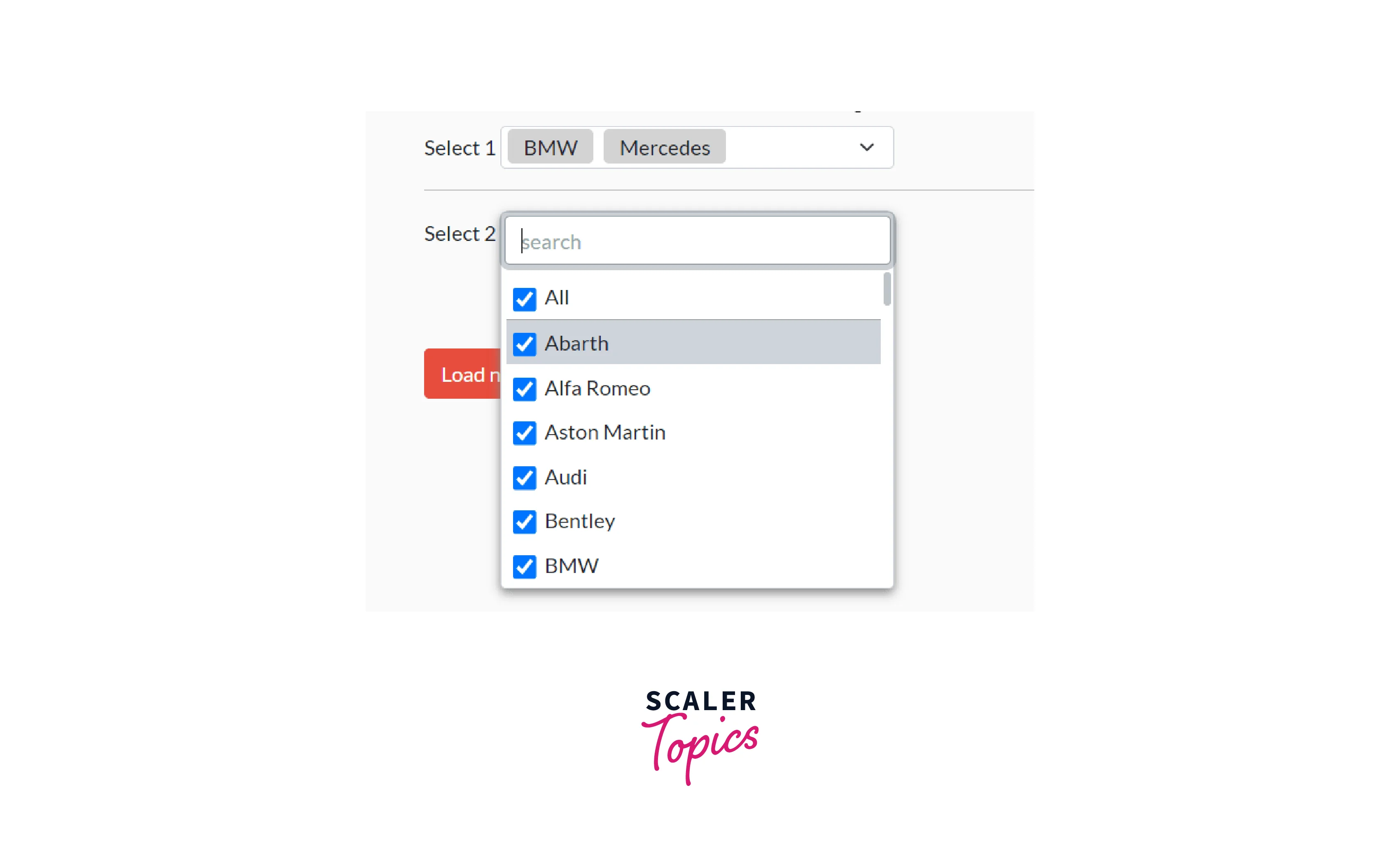
- Ensure that the dropdown list allows multiple selections. You can check the multiple attributes on the <select> tag. If multiple attributes are present, the dropdown list allows multiple selections.
- Create an instance of the Select class and locate the dropdown list using a WebElement object.
- Use one of the selectBy* methods the Select class provides to select an option in the dropdown list. Repeat this step for each option you want to select.
- Call the deselectAll() method to deselect all previously selected options. This step is important because you cannot select multiple options if some options are already selected.
- Use one of the selectBy* methods again to select the options you want to select.
Here is an example code snippet that demonstrates how to select multiple items with the Select command in Selenium:
In this example, the select.isMultiple() method checks if the dropdown list allows multiple selections. If it does, the selectBy* methods select and deselect options as needed. Note that the deselectAll() method is called before selecting the options to ensure that no previously selected options interfere with the multiple selections.
Illustrating the Use of Select Class in Selenium
Here's an example of how to use the Select class in Selenium to interact with a dropdown list:
Suppose you have a webpage with the following HTML code for a dropdown list:
To interact with this dropdown list using the Select class in Selenium, you can use the following code:
Let's understand the above code
In this example, the findElement() method is used to locate the dropdown list element by its ID. Then, an instance of the Select class is created and passed the dropdown list element as a parameter. The selectBy* methods are then used to select options in the dropdown list. The getFirstSelectedOption() method is used to get the currently selected option, and the getOptions() method is used to get all the options in the dropdown list. Finally, the deselectAll() method is called to deselect any selected options (if applicable).
Conclusion
- The Select class in Selenium allows for easy interaction with HTML dropdown lists and provides methods to select and deselect options based on visible text, index, or value.
- The different methods of the Select class include selectByVisibleText, selectByIndex, selectByValue, getOptions, and deselectAll.
- To select multiple items using the Select command, one must ensure that the dropdown list allows multiple selections
- Use selectBy* methods to select and deselect options as needed and call deselectAll() before selecting the options to ensure that no previously selected options interfere with the multiple selections.