


Service Mesh Fundamentals: Working with Linkerd (DevOps)
Introduction
DevOps has become a methodology for enabling teams to swiftly develop and deploy high-quality applications in today's fast-paced software development environment. It involves close collaboration between development and operations teams. DevOps focuses on automation, continuous integration and deployment, and testing.
Service meshes are a vital component of DevOps workflows, providing a way to manage and secure the communication between microservices within a distributed system. A service mesh acts as a layer of infrastructure between microservices and the network, providing traffic management, load balancing, and observability. You will get a good overview of service mesh fundamentals with Linkerd.
Linkerd is a popular service mesh for DevOps teams, offering a lightweight solution for managing service-to-service communication in cloud-native applications. With Linkerd, DevOps teams can simplify microservices communication, enhance application resiliency, and improve security, all while reducing the operational overhead of managing distributed systems.
This article will explore the service mesh fundamentals with Linkerd. We will cover the basics of setting up and using Linkerd and real-world examples of its implementation in DevOps workflows. We will also discuss the challenges and risks associated with working with Linkerd and offer some tips for overcoming these obstacles.
What is Linkerd?
Linkerd is a lightweight and open-source service mesh for cloud-native applications.
Following are some vital aspects of service mesh fundamentals with Linkerd:
- It acts as a layer of infrastructure between microservices and the network, providing a way to manage and secure communication between them.
- In other words, Linkerd helps DevOps teams manage the complexity of microservices by providing tools for traffic management, load balancing, and observability.
- With Linkerd, DevOps teams can manage the traffic flow between microservices, detect and debug errors, and implement security policies. Linkerd provides these features through tools, including a control plane, data plane, and dashboard.

Setting up Linkerd
To learn service mesh fundamentals with Linkerd, let's start by setting up Linkerd in your DevOps environment is a straightforward process that involves installing the service mesh, configuring Kubernetes or another orchestration platform, and deploying a sample application.
Here is a step-by-step guide on how to set up Linkerd in a DevOps environment:
-
Step 1: Setup
- Confirm that you have a modern Kubernetes cluster and a properly functioning kubectl command on your local machine.
-
Step 2: Install the CLI
- To install the Linkerd CLI manually, execute the following command:
-
Step 3: Validate your Kubernetes cluster
- To ensure the correct configuration of the Kubernetes cluster to install the Linkerd control plane, run the following command.
-
Step 4: Install Linkerd onto your cluster
- Now, time to install Linkerd on your Kubernetes cluster. Run the below command:
- Then, the following command:
- Add the Linkerd CLI to your path with the command:
- Wait for the control plane to be ready (and verify your installation) by running:
-
Step 5: Install the demo app
- We will install a sample application called Emojivoto to deeply understand service mesh fundamentals with Linkerd. This application is a Kubernetes-based app that lets users vote on their favourite emojis using gRPC and HTTP calls. To install Emojivoto in the emojivoto namespace, enter the following command:
- First, let us see the Emojivoto app. We will forward the traffic to its web-svc service to access it in a browser. Forward the web-svc to port 8080 by running the command:
Now, visit http://localhost:8080.
- We have successfully installed Emojivoto on the cluster. However, Linkerd is not yet active on it. We will need to mesh the application to add data of Linkerd plane proxies to it. Mesh your Emojivoto application by running:
- Verify that everything is working on the data plane side.
-
Step 6: Explore Linkerd!
- We can install an extension to see what Linkerd is doing. The viz extension provides functionality and a dashboard for metrics. To install the viz extension, run the command:
- Let us validate everything once again:
- After successfully installing the control plane and its extensions, it is time to explore Linkerd! You can access the dashboard by:
You should see a screen like this:
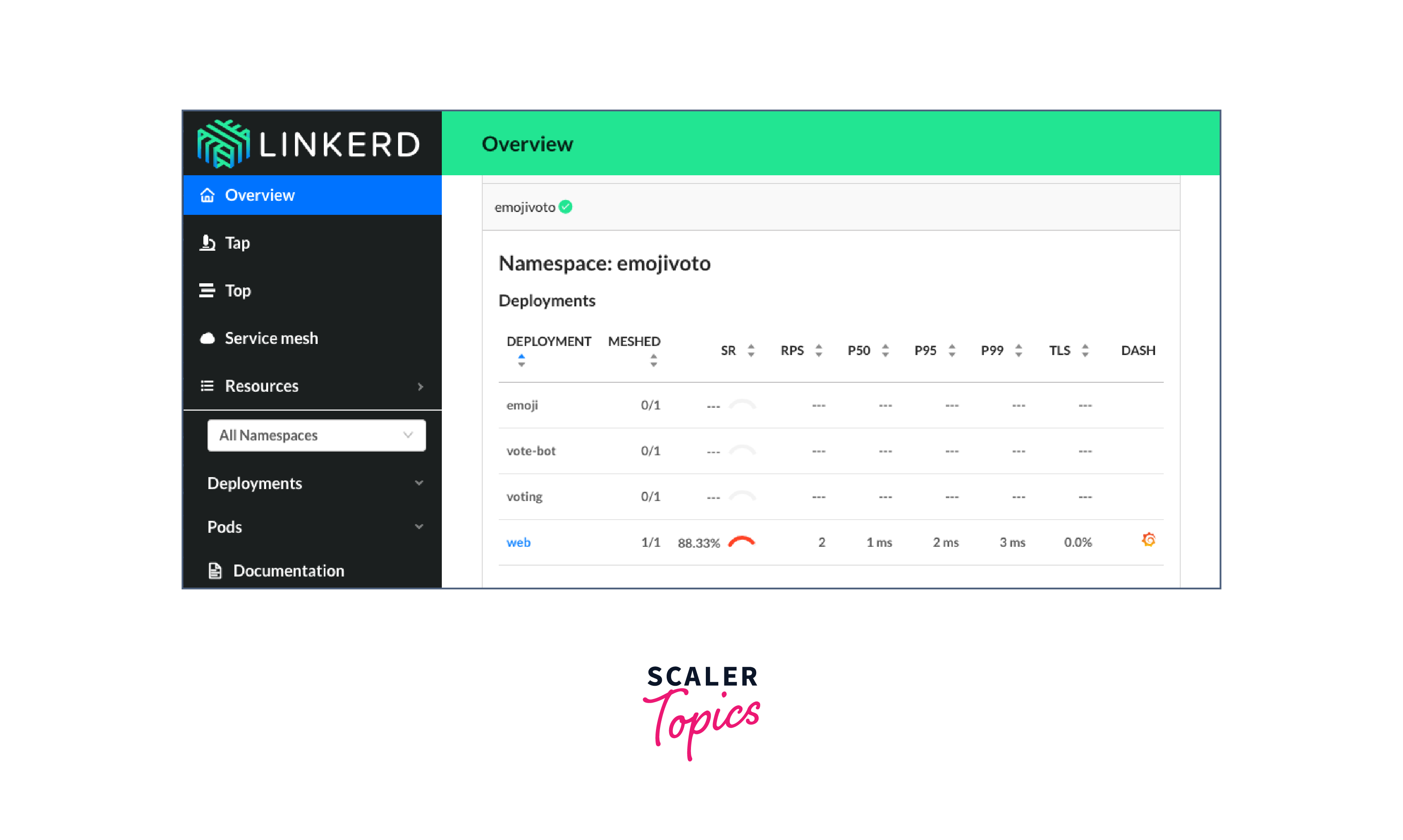
Setting up Linkerd is crucial in implementing service mesh fundamentals with Linkerd in your DevOps environment. With Linkerd set up and running, you can explore its features and tools, such as traffic management, security, and observability. By leveraging these features, you can gain greater visibility and control over your microservices architecture and streamline your DevOps workflows.
Linkerd Features and Tools
Linkerd is a robust service mesh that offers a wide range of features to help DevOps teams manage their microservices. Some of the features of Linkerd include:
- Proxy Injection
- One of the essential features of Linkerd is its ability to inject a proxy sidecar into each microservice.
- This sidecar handles all the communication between microservices and provides additional features such as load balancing and circuit breaking.
- This proxy injection makes it easier to manage microservices and adds additional security by encrypting traffic between microservices.
- Service Discovery
- Learning service mesh fundamentals with Linkerd provides one with great features and tools in Linkerd. Service Discovery is one of them.
- Linkerd provides a service discovery mechanism that allows microservices to locate and communicate with each other.
- Service discovery eliminates the need for hard-coded IP addresses and enables the dynamic scaling of microservices.
- It maintains a registry of all running microservices and their current status, making it easy to find and communicate with them.
- Observability
- Another crucial feature of Linkerd is its ability to provide observability into microservices.
- It provides rich metrics, logs, and traces that help DevOps teams monitor the performance of microservices, detect issues, and troubleshoot problems.
- This observability is essential for maintaining the reliability and performance of a distributed system.

In summary, by understanding and implementing service mesh fundamentals with Linkerd, DevOps teams can easily manage the complexity of a distributed system and keep their application running smoothly.
Implementing Linkerd in DevOps
While implementing Linkerd in DevOps, it is necessary to follow some best practices to ensure a smooth and efficient integration. Here are some tips to help you get started:
- Configure traffic management policies:
- Configure traffic management policies within Linkerd to ensure secure and reliable communication between microservices.
- It can help with load balancing, routing, and service discovery, among other things.
- Linkerd's traffic management tools allow you to set up rules and policies that determine how traffic flows between your microservices, helping to optimize performance and prevent bottlenecks. This way, you gain an understanding of service mesh fundamentals with Linkerd.
- Use observability tools to troubleshoot issues:
- One of the main benefits of Linkerd is its observability features, which allow you to monitor and analyze traffic between microservices in real time.
- Using tools to track performance metrics and identify any issues or errors, you can quickly diagnose and fix problems before they impact your application or users.
- Integrate Linkerd into existing DevOps processes and workflows
Integrating Linkerd into existing DevOps processes and workflows can be smooth if done correctly. Here are some tips on how to do it:
- Start with a proof of concept
- Before fully integrating Linkerd, it's a good idea to begin by selecting a small application and implementing Linkerd on it.
- Once satisfied with the results, you can integrate them into your larger DevOps workflows.
- Configure traffic management policies
- Configure traffic management policies, as discussed earlier.
- Use observability tools
- Linkerd provides powerful observability tools to troubleshoot issues and gain insight into your microservices architecture, helping you learn more about service mesh fundamentals with Linkerd.
- Integrate with existing tools
- Linkerd can be integrated with other DevOps tools like Kubernetes and Prometheus to streamline workflows and provide a more comprehensive view of your microservices architecture.
- Ensure that Linkerd is compatible with your existing tool.
- Automate deployment
- Automating the deployment of Linkerd, using tools like Ansible or Terraform, can help to reduce errors and make the integration process smoother.
- Start with a proof of concept
By following these tips, you can successfully integrate Linkerd into your existing DevOps processes and workflows. It will help you to manage and monitor your microservices architecture efficiently and ensure the smooth operation of your services. By using Linkerd's traffic management, security, and observability features, DevOps teams can simplify microservices management, enhance application resiliency, and improve security.
Real-world Examples of Implementing Linkerd in DevOps
Linkerd has been successfully implemented in various real-world DevOps environments, providing benefits such as increased application resiliency, improved performance, and enhanced security.
The real-world examples demonstrate the value of implementing service mesh fundamentals with Linkerd in DevOps workflows, helping teams achieve greater efficiency and scalability.
Here are some examples:
- Monzo
- Monzo, a UK-based digital bank, implemented Linkerd to manage their microservices and ensure transaction reliability.
- With Linkerd's observability features, they could quickly identify and resolve issues, resulting in a more stable and reliable system.
- Watch this video to know more about how Linkerd helped Monzo.
- The below image shows some of the companies that use Linkerd:

- Expedia Group
- Expedia, a travel booking website, implemented Linkerd to manage its microservices architecture.
- With Linkerd's security features, they enforced policies such as service-to-service encryption and mutual authentication, enhancing their application security.

- Xbox
- With Linkerd, Xbox could improve reliability and reduce latency for its gaming services, resulting in a better user experience.
- Linkerd's observability features allowed Xbox to monitor and debug issues in real-time, which helped them reduce downtime and improve service quality.
- It has also provided greater flexibility in scaling and deployment for Xbox.
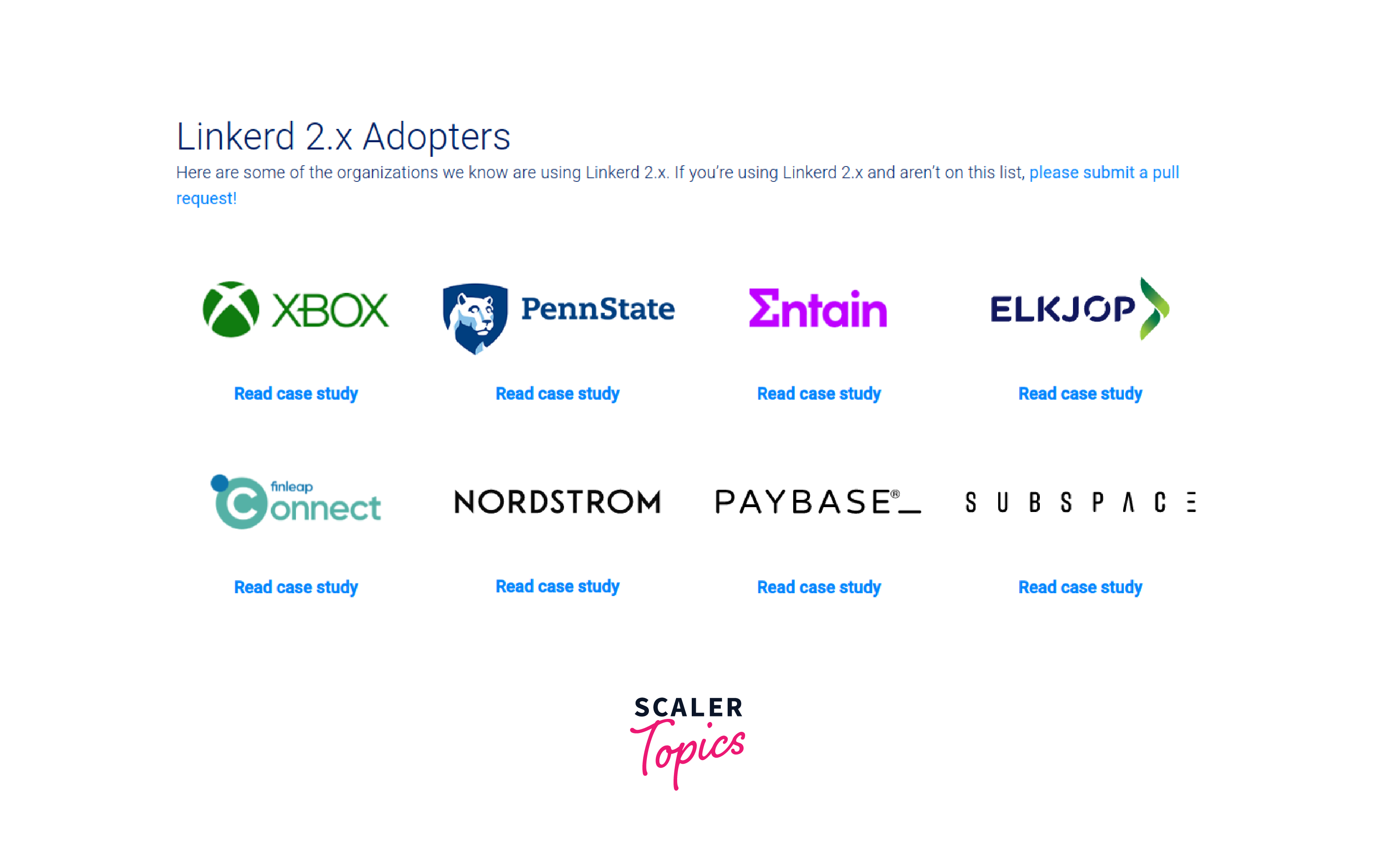
- Refer to this link to learn about more Linkerd adopters.
- Below image shows some more companies that use Linkerd:
Challenges and Risks of Working with Linkerd
Service mesh fundamentals with Linkerd despite many benefits, working with Linkerd can also present challenges and risks that DevOps teams should consider.
Here are a few:
- Managing Performance Impact
- Since Linkerd sits between microservices and the network, it can impact application performance.
- Specifically, the additional latency introduced by the proxies can result in increased response times.
- Linkerd's data plane, responsible for processing traffic between microservices, can impact network latency and increase CPU usage.
- It is particularly true when deploying Linkerd on a large scale.
- Let's see how we can manage the performance impact.
- To mitigate this risk, DevOps teams must carefully manage the resources used by Linkerd closely monitor performance metrics and identify any bottlenecks.
- Additionally, one can use Linkerd's routing features to optimise traffic flow and reduce latency, gaining a better understanding of service mesh fundamentals with Linkerd.
- Ensuring Data Privacy and Security
- Linkerd can access all data transmitted between the services because it plays a role in managing microservices communication.
- While Linkerd is secure, any security vulnerabilities in the control plane or data plane could put sensitive data at risk.
- Let's understand how to mitigate the issue.
- Linkerd provides security features like Transport Layer Security (TLS) encryption and mTLS (mutual TLS) authentication.
- However, it is still necessary for DevOps teams to ensure that all security features are enabled to prevent any potential security breaches.
- DevOps teams should limit access to the control plane and implement encryption for sensitive data.
- It will help them to gain a better understanding of service mesh fundamentals with Linkerd.
In summary, while Linkerd offers many benefits for managing microservices in a cloud-native application, it has challenges and risks. DevOps teams should carefully consider these factors and take steps to mitigate any potential issues, including monitoring system performance and implementing security best practices. By doing so, they can leverage the power of Linkerd while keeping their application running smoothly and securely.
Conclusion
In conclusion, the article provided an overview of service mesh fundamentals with Linkerd. The key takeaways include:
- Linkerd is a lightweight and powerful service mesh that provides features like load balancing, traffic management, observability, and security for microservices.
- Implementing Linkerd in DevOps workflows can streamline service-to-service communication, improve reliability, and enhance security through automatic mutual TLS encryption and mTLS.
- Real-world examples demonstrated the successful implementation of Linkerd in DevOps by organisations like Monzo, Expedia Group, and XBOX.
- While working with Linkerd can come with challenges and risks, evaluating these factors can help ensure a smooth implementation.
- Service mesh fundamentals with Linkerd will continue to play a vital role in managing the complexity and challenges of distributed systems as microservices become more popular.
In conclusion, adopting service mesh fundamentals with Linkerd can help DevOps teams enhance their microservices architecture's resiliency, reliability, and security, making it an essential tool for modern software development.