


jQuery setTimeout
 FREE
FREE

Overview
jQuery setTimeout is an extension of the native JavaScript setTimeout function, provided by the jQuery library. It facilitates delayed execution of a specific function or code snippet in a web page. This feature is invaluable for introducing time intervals in web development, enhancing user interactions and animations. Developers can utilize jQuery setTimeout to create responsive and dynamic interfaces by specifying a time delay before executing desired actions. It simplifies the implementation of asynchronous tasks, event handling, and animations within the jQuery framework, contributing to a smoother and more interactive user experience on websites.
Syntax of jQuery setTimeout
The jQuery setTimeout function is used to introduce a delay before executing a specified function or code block. Its syntax is as follows:
Parameters
function: The function or code block that will be executed after the delay. delay: The time, in milliseconds, to wait before executing the specified function.
Return Value
The jQuery setTimeout function returns an ID that can be used to clearTimeout if needed.
Example
The jQuery setTimeout function is used to introduce a delay in the execution of a specified function or code snippet. Here's a detailed explanation with an example:
- setTimeout Function:
- The setTimeout function is a built-in JavaScript function that is utilized in this jQuery example.
- It takes two parameters:
- The first parameter is the function or code snippet to be executed after the delay.
- The second parameter is the time delay in milliseconds.
- Anonymous Function:
- In the example, an anonymous function is used as the first parameter of setTimeout.
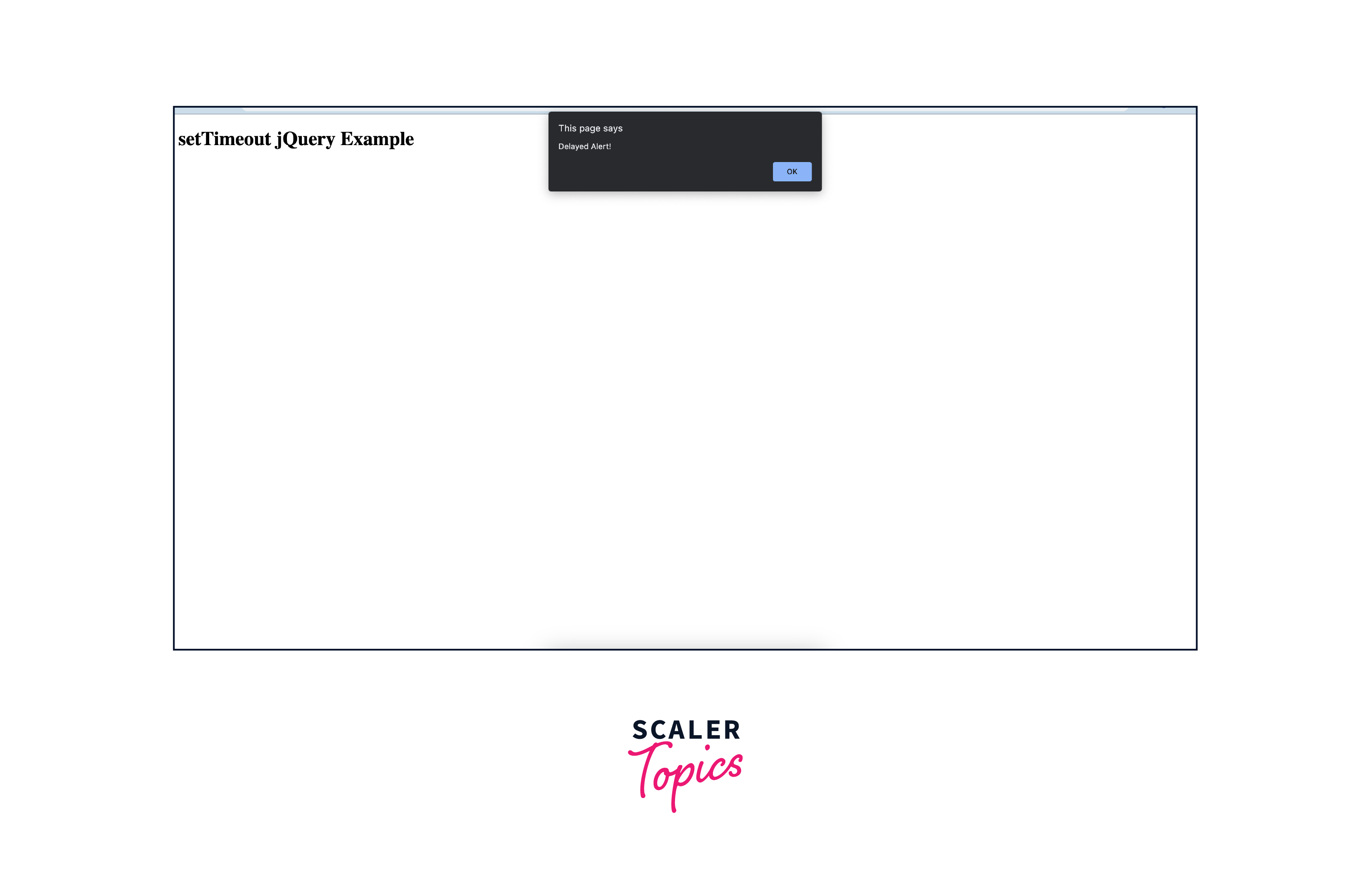
- This function contains the code to display an alert with the message "Delayed Alert!"
- Time Delay:
- The second parameter of jQuery setTimeout is set to 2000 milliseconds (2 seconds).
- This means there is a 2-second delay before the anonymous function is executed.
- Execution:
- The code sets a timer, and after the specified delay (2 seconds in this case), the anonymous function is triggered.
- As a result, an alert box with the message "Delayed Alert!" is displayed to the user.
- Use Cases:
- Such delays are commonly used in web development for creating timed effects, animations, or handling asynchronous tasks without blocking the main thread.
- It enhances the user experience by introducing delays in actions without freezing the application.
Full Working Code:
Output:
clearTimeout() Method
- The clearTimeout() method is part of the Window interface in the browser's environment.
- It is used to cancel a timeout set by the jQuery setTimeout() function before the specified function or code snippet is executed.
Syntax:
timeoutId: A numeric identifier returned by the jQuery setTimeout() function representing the timeout to be canceled.
How It Works:
- When you create a timeout using setTimeout(), it returns a unique identifier (timeoutId) that corresponds to that specific timeout operation.
- The clearTimeout() method takes this identifier as an argument and cancels the associated timeout.
Example:
In this example, a timeout is set to log a message after 3000 milliseconds (3 seconds). However, before the timeout executes, clearTimeout() is called with the timeoutId, preventing the message from being logged.
Use Cases:
- User Interaction Handling: If a timeout is set to perform an action after a certain delay in response to user interaction, clearTimeout() can be used to cancel that action if the user performs a different action within a specified time frame.
- Dynamic UI Updates: When dealing with dynamic content updates, clearTimeout() can prevent unnecessary updates if a new event occurs before the scheduled timeout.
Considerations:
- Ensure that the timeoutId passed to clearTimeout() is valid and corresponds to an existing timeout.
- Once a timeout is canceled using clearTimeout(), it cannot be reinstated. To achieve similar behavior, you need to set a new timeout.
FAQs
Q. What is the use of setTimeout in jQuery?
A. In jQuery, setTimeout is a function used to introduce a delay in the execution of a specified function or code snippet. It is commonly employed in web development to create timed effects, animations, or handle asynchronous tasks without blocking the main thread. By delaying the execution of code, setTimeout enhances the user experience by introducing time gaps between actions, preventing the application from freezing during resource-intensive processes.
Q. How does setTimeout() work?
A. The setTimeout function in jQuery works by scheduling the execution of a specified function or code snippet after a specified delay. Here's a breakdown of its operation:
- Function Parameter: The first parameter of setTimeout is the function or code snippet that you want to execute after the delay.
- Delay Parameter: The second parameter is the time delay in milliseconds before the specified function is executed.
- Timer Creation: When setTimeout is called, it creates a timer that counts down for the specified delay.
- Execution: Once the timer reaches zero, the specified function is executed.
Example:
Q. What does setTimeout() return?
A. The setTimeout function returns a unique identifier, often referred to as a timeout ID. This identifier is a numeric value that can be used as a reference to the scheduled timeout operation. It is typically stored in a variable and can be passed as an argument to the clearTimeout function to cancel the scheduled timeout before it executes.
Example:
Q. How to call a jQuery function after a certain delay?
A. To call a jQuery function after a certain delay, you can use the setTimeout function. Here's an example:
In this example, the delayedFunction is called after a 3-second delay using setTimeout. Adjust the delay value according to your specific requirements.
Conclusion
- jQuery's setTimeout function is a powerful tool for introducing delays in code execution, enabling the creation of visually appealing and responsive user interfaces.
- By allowing developers to schedule the execution of functions after a specified delay, setTimeout facilitates the handling of asynchronous tasks without blocking the main thread.
- Web developers often utilize setTimeout to implement animations and timed effects, ensuring smooth transitions and visually engaging user interactions.
- The function returns atimeout ID, enabling precise control over scheduled timeouts. This ID can be used with clearTimeout to cancel a timeout operation if necessary.
- Introducing delays strategically with setTimeout helps prevent freezing in applications, especially during resource-intensive processes, providing a more seamless user experience.
- Incorporating setTimeout into jQuery enables the creation of dynamic and responsive designs, allowing developers to control the timing of various actions and events, enhancing overall application usability.
In summary, jQuery's setTimeout is a versatile feature that contributes significantly to the development of interactive and user-friendly web applications. Its ability to manage time delays efficiently makes it a valuable tool for creating engaging and responsive digital experiences.