


Solus Operating System
Overview
Solus is an operating system that is designed for home computing. It was initially called the Evolve OS. The Solus OS is developed independently and has an architecture of x86-64. It is based on the Linux kernel. eopkg which is the package of the Solus Operating System is based on the Pixi package management system from Pardus Linux.
Build an AI-First Career, Master the Complete Skillset
Choose from our industry-leading programs designed for career success
Modern Software and AI Engineering Program
Master full-stack development with AI integration


 +1000 more
Modern Data Science and ML with specialisation in AI
Advanced data science techniques with AI specialization
+1000 moreAdvanced AIML with Specialisation in Agentic AI
Deep dive into AIML with focus on Agentic systems
+1000 moreDevOps, Cloud & AI Platform Engineering
Build and manage AI-powered cloud infrastructure
+1000 moreAI Engineering Advanced Certification by IIT-Roorkee
Premier AI engineering certification from IIT-Roorkee

AI Forward Deployed Engineer Program
Full-stack engineering, production AI and client-facing consulting
+1000 moreWhat is Solus Operating System?
Although Linux distributions like Ubuntu and Mint have been great always in user-friendliness, they’ve sometimes had difficulty convincing the majority of users of other operating systems to drop the way they currently do things and adapt to something new. Solus OS is a new Linux operating system that isn’t based on anything. It’s a fresh take on Linux with a message: less is more. Solus is a Linux-based operating system previously called Evolve OS` which is mainly designed for home computing. It is an independently developed operating system that has an architecture of x86-64. It uses a forked version of the Pixi package manager, maintained as "eopkg" within Solus, and a custom desktop environment called "Budgie".
History
- The Solus was started in 2011, as Solus OS and featured the GNOME 2 desktop.
- On 20/09/2015 the co-founder of Solus OS announced that Solus 1.0 will be named Shannon.
- In July 2016, Solus discarded the concept of a fixed point release. Also, embrace a rolling release model
- In January 2017, Solus adopted Flatpak to reassemble third-party applications. Then in August, Solus adopted Snaps (next to Flatpak).
- On June 13, 2017, Solus expanded with Stefan Ric.
Releases and Reception
During the journey of the Solus OS, there were many releases and updates. Below are the point releases and the rolling releases of the Solus OS.
Point release: A point release also known as a dot release is a minor release of a software project which is specially intended to fix bugs or do small cleanups rather than add significant features.
Rolling release: Rolling release also known as rolling update or continuous delivery, is a concept in software development of frequently delivering updates to applications
Point releases
- Solus 1.0 was released on December 27, 2015
- Solus 1.1 was released on February 2, 2016
- Solus 1.2 was released on June 20, 2016
- Solus 1.2.0.5 was released on September 7, 2016
- Solus 1.2.1 was released on October 19, 2016
Rolling releases
- Solus 2017.01.01.0, was released on January 1, 2017
- Solus 2017.04.18.0, was released on April 18, 2017
- Solus 3 was released on August 15, 2017
- Solus 3.9999 was released on September 20, 2018
- Solus 4.0 "Fortitude" was released on March 17, 2019
- Solus 4.1 was released on January 25, 2020
- Solus 4.2 was released on February 3, 2021
- Solus 4.3 was released on July 11, 2021
How Scaler Transformed Careers in Different Fields
Scaler learners achieved 2.5x salary growth with average post-Scaler CTC reaching ₹23L.
 Google
 Amazon
 Microsoft
 Flipkart
 Adobe1200+ more
Features
There are many features provided by the Solus OS, below are a few main features -
- Solus Operating System 1.0 Provides New Linux Desktop Experience
- No Installation is Required because the Solus Operating system can be installed as a Live Linux image from a USB key.
- The Budgie desktop is a software developed by Solus that provides users with an accessible desktop approach.
- Raven is an applet that provides notifications customization center settings.
- The eopkg is a fork of the PiSi package manager.
- The ypkg is a tool in Solus that convert the build processes into a packaging operation.
- The ferryd is the binary repository manager for Solus.
- The Brisk Menu is a menu written with the Ubuntu MATE development team, featured in Solus MATE.
Usage
- While we are using the Solus OS, there is a taskbar present at the bottom of the console. This taskbar panel is known as Budgie.
- Moving the mouse over any button doesn’t immediately switch to it allows us to scroll freely from one category to another without slipping off the mouse.
- Budgie has a very neat Windows-like user interface for the menu that can search the notification center, settings, and calendar to the right and the installed applications on the left side of the screen.
- Around the year 2015 - 2016, Solus OS was not considered a good platform for gaming, but around 2021, Solus made its system as friendly as possible for gaming.
Turn Learning into Career Growth
Installation
The process of installation of the Solus OS is nearly similar to most UX-oriented Linux systems.
- First, go to the URL https://getsol.us/ which is the official website of the Solus OS, and click on the Download button to download the Solus OS.

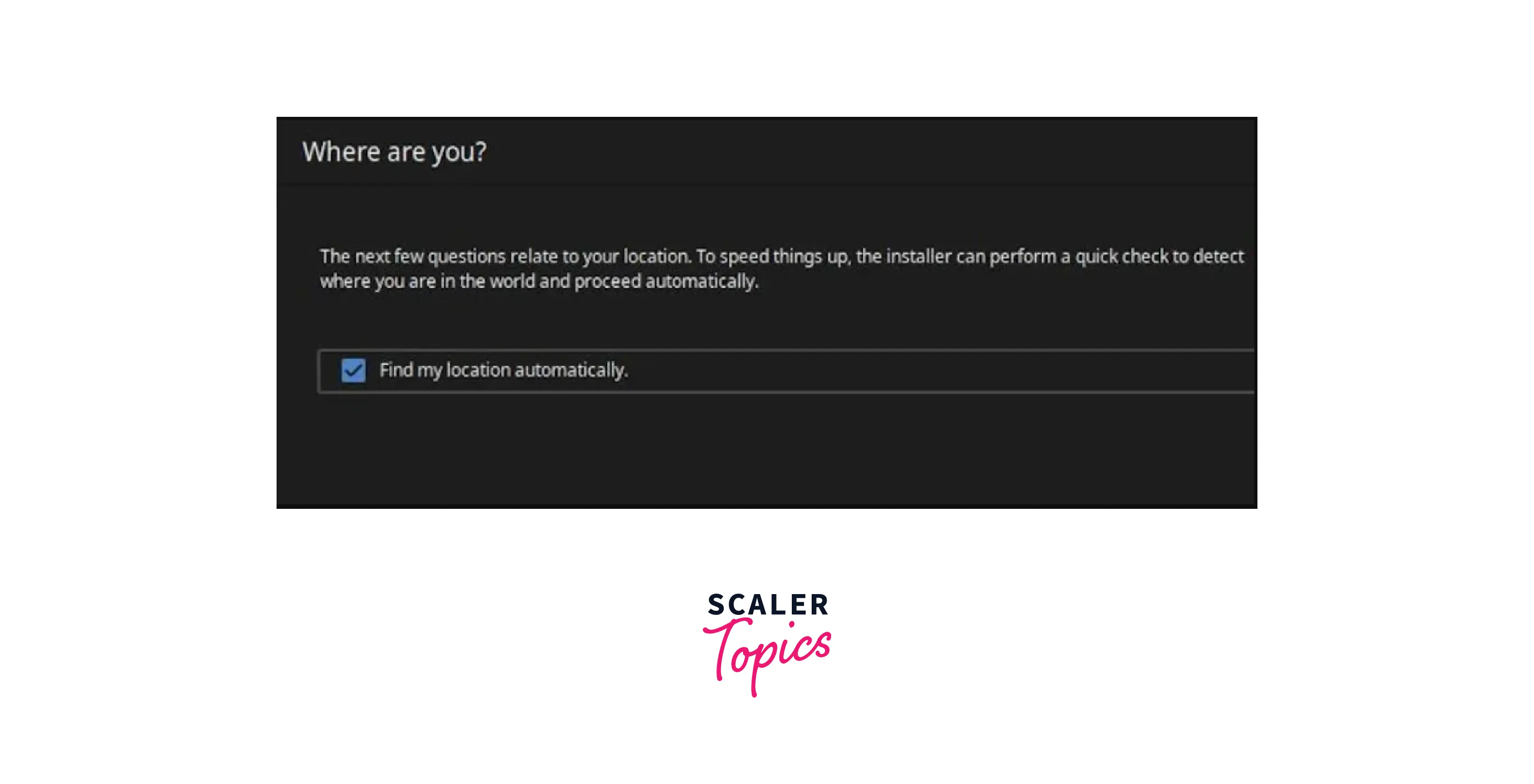
- After downloading, establishing the time zone is the first step in the installation process, which is easy because the Solus OS has automatic location detection, which works as long as our computer has a good internet connection.
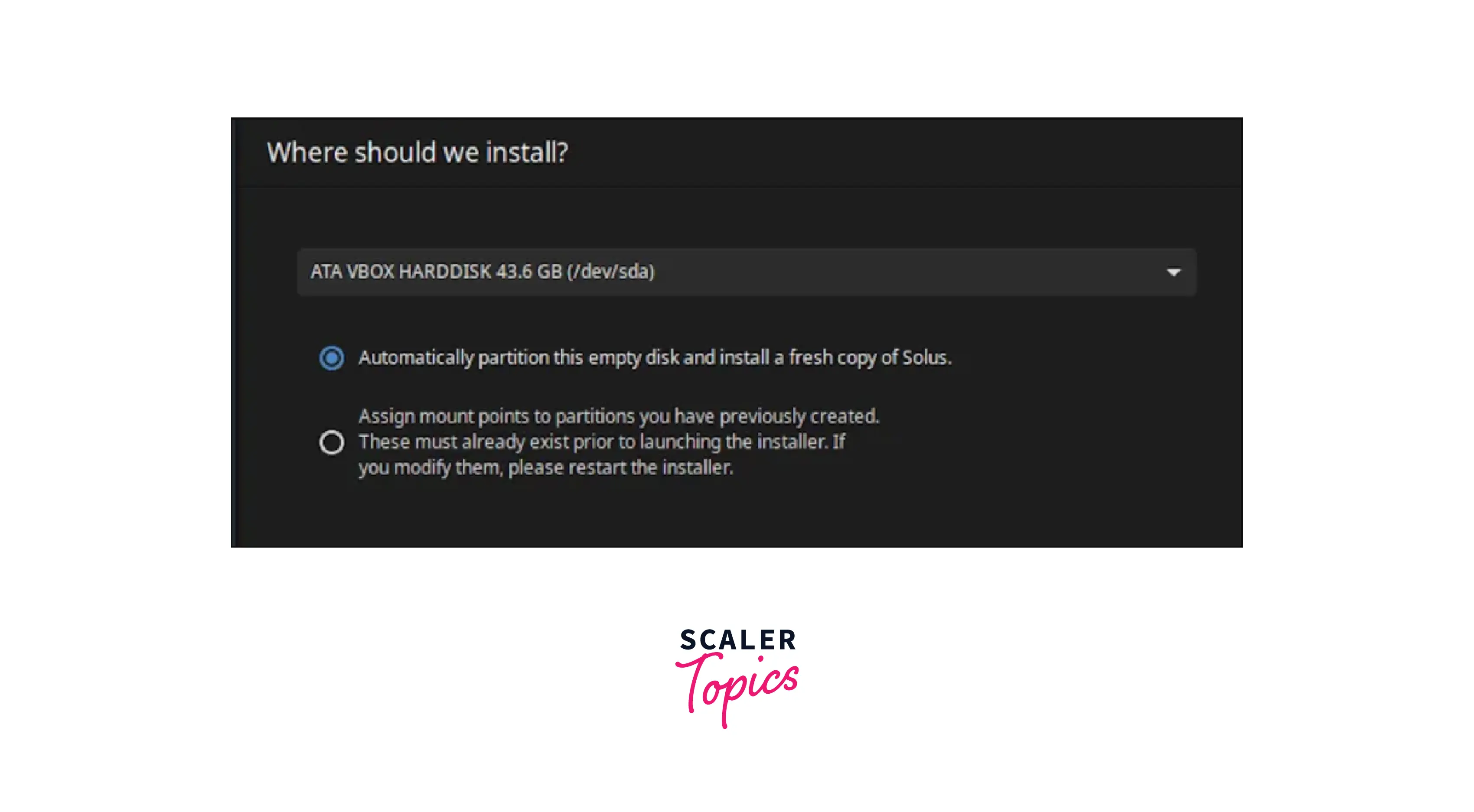
- After setting the time, we have to tell the path where we want to install the Solus OS, also it provides us with the option to automate the drive where we want to install the Solus OS, we are also provided the options for some finer adjustments during the installation process.
- Finally, we have to choose a name for the computer and create the main account that will be used to log in to the Solus OS.
Advantages
- Solus OS brings updates to the users by the means of a curated rolling release model.
- It guarantees the users continuously receive security and software updates.
- Solus comes with pre-installation of a wide range of software such as Firefox (with the latest version0), LibreOffice, Thunderbird, Transmission, GNOME MPV, etc.
- It is very secure, and also contains pre-installed software with security assurance such as VeraCrypt.
Solus Linux Distribution Support
Since Solus is a small project, we don’t have a lot of commercial support available for this operating system. Users have access to documentation that is available on the official website. It has a Google+ community, and an IRC channel also. Responses are fast and understandable. The problems that people have would easily be able to be solved by the people on this IRC channel.
Editions
The Solus Operating System is currently available in 4 editions, which are as follows -
- Budgie flagship edition, which is the most feature-rich and luxurious desktop edition, is used in most modern technologies.
- MATE edition which uses the MATE desktop environment. It is the traditional desktop edition for advanced users and older hardware.
- GNOME edition which is the edition used for the contemporary desktop experience.
- KDE Plasma edition which is the edition used for a sophisticated desktop experience for tinkerers.
Conclusion
- Solus previously called Evolve OS is an operating system it is mainly designed for home computing.
- It has mainly 13 releases.
- It guarantees the users continuously receive security and software updates.
- It uses a forked version of the PiSi package manager, maintained as "eopkg" within Solus, and a custom desktop environment called "Budgie".
- The Solus Operating System is currently available in 4 editions i.e. Budgie flagship, MATE, GNOME, and KDE Plasma.




