


Spring Boot CLI
Overview
Many developers prefer to work with the command line. Spring boot provides a command line interface tool to test spring applications as scripts.
Build an AI-First Career, Master the Complete Skillset
Choose from our industry-leading programs designed for career success
Modern Software and AI Engineering Program
Master full-stack development with AI integration


 +1000 more
Modern Data Science and ML with specialisation in AI
Advanced data science techniques with AI specialization
+1000 moreAdvanced AIML with Specialisation in Agentic AI
Deep dive into AIML with focus on Agentic systems
+1000 moreDevOps, Cloud & AI Platform Engineering
Build and manage AI-powered cloud infrastructure
+1000 moreAI Engineering Advanced Certification by IIT-Roorkee
Premier AI engineering certification from IIT-Roorkee

AI Forward Deployed Engineer Program
Full-stack engineering, production AI and client-facing consulting
+1000 moreIntroduction to Spring Boot CLI
The Spring Boot CLI is a Command Line Interface for Spring Boot to get started with spring boot quickly. Spring boot code can run as groovy scripts. Spring Boot CLI is the fastest way to create and test a Spring-based application as scripts.
Spring Boot CLI Features
- Interface to run and test spring boot application.
- Spring boot CLI, internally uses starter and auto-configuration to resolve the dependencies.
- Supports groovy script without groovy installation.
Spring Boot CLI Environment Setup
- Setup JDK - Download the JDK version of your choice from the oracle website. Install it based on the operating system. Set JAVA_HOME and path env variable for your account.
- Download CLI You can download the Spring CLI distribution zip or tar.gz from the Spring software repository Extract the archive to the folder of your choice.
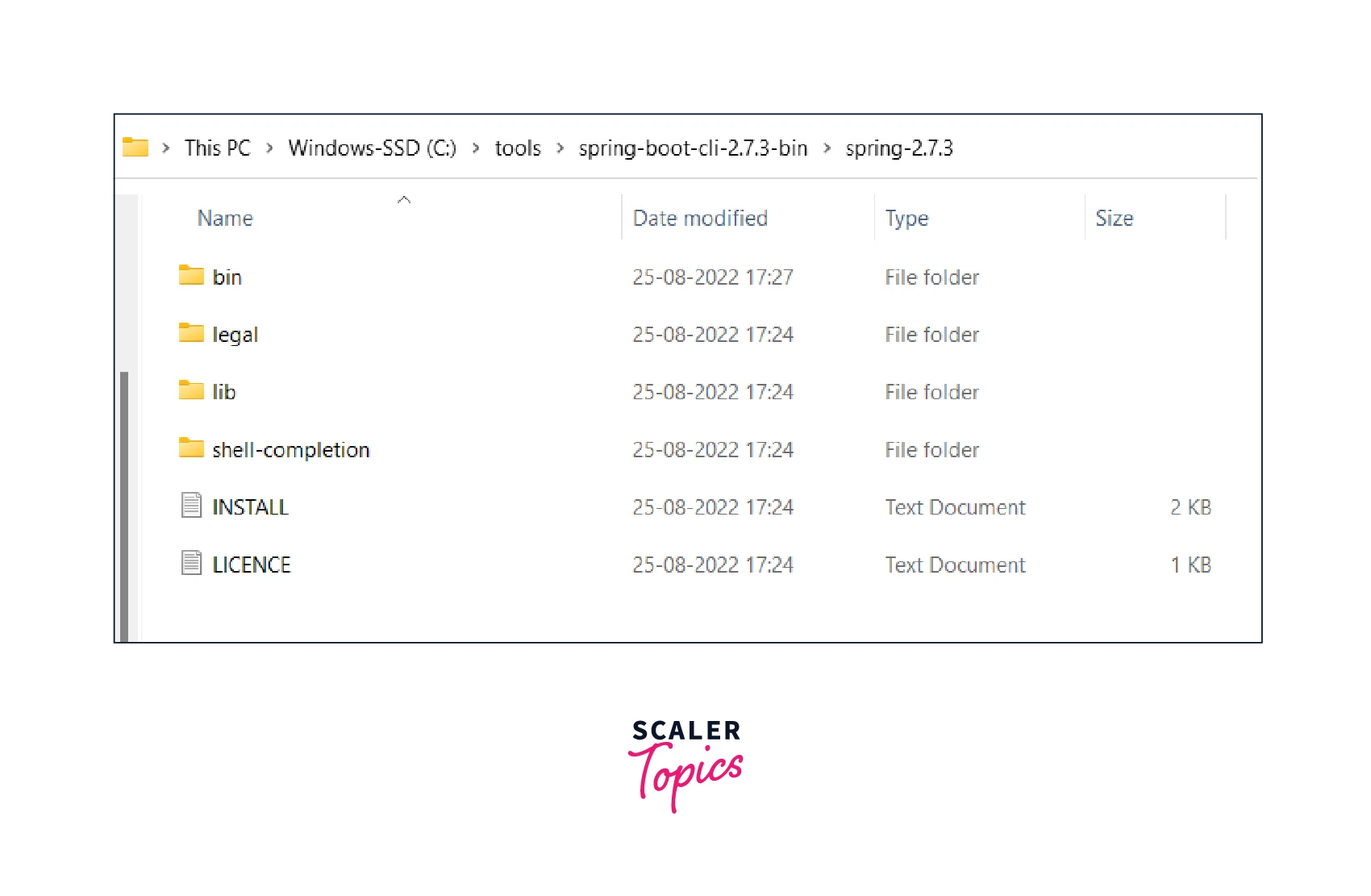
- Set the environment No specific environment variables are required to run the CLI. However, you may want to set SPRING_HOME to point to a specific installation. Add SPRING_HOME/bin to your PATH environment variable.

- Verify installation To test if you have successfully installed the CLI, you can run the command spring --version. It should give you the output below:
How Scaler Transformed Careers in Different Fields
Scaler learners achieved 2.5x salary growth with average post-Scaler CTC reaching ₹23L.
 Google
 Amazon
 Microsoft
 Flipkart
 Adobe1200+ more
Common Terminal Commands used in Spring Boot CLI
Some of the commonly used commands used with spring boot CLI are:
The Run Command
The run command will allow you to run the groovy script. Its syntax is the following:
Turn Learning into Career Growth
The Jar Command
The jar command creates a self-contained executable jar file from a Spring Groovy script. Its syntax is the following:
The Init Command
The init command initializes a new project using Spring Initializr (start.spring.io). Its syntax is the following:
Spring Boot CLI Hello World Example
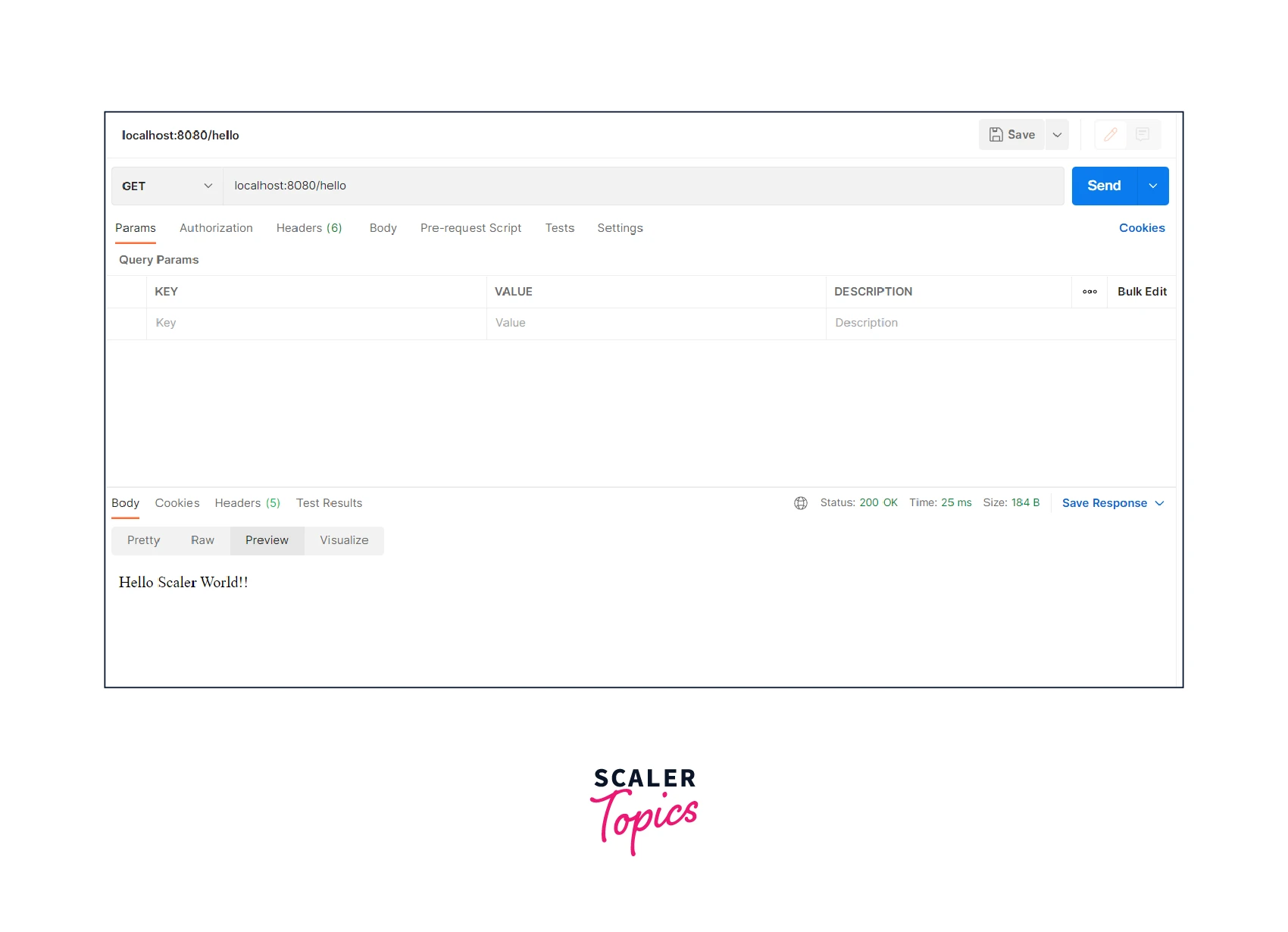
Let's build a simple hello world application using spring boot CLI. The application exposes one single endpoint, /hello.
- Create file helloworld.groovy anywhere in your system.
- Add the below code to the created file.
.groovy extension is a must.
Code observation
- No imports.
- No build tool.
- No XML of java configuration.
- Run and test Go to the command prompt and navigate to the directory where the groovy file is placed, and run the command:
Command runs the script with an embedded tomcat server on port 8080.
The output of the command:
Invoke the endpoint /hello should return the required response.
Conclusions
- Spring boot offers the spring boot CLI tool.
- Spring boot CLI is useful in quickly running and testing spring boot applications as a groovy script.
- Spring boot CLI needs a file with a .groovy extension to run it.




