


Using YAML File for Properties
Overview
Regardless of what enterprise application you’re developing, it will have to adapt based on the environment in which it’s deployed on. The application's behavior should change based on the environment in which it is deployed: Dev | Test | Stage | Prod | UAT / Pre-Prod. Those environment-specific settings are provided using application configuration.
Build an AI-First Career, Master the Complete Skillset
Choose from our industry-leading programs designed for career success
Modern Software and AI Engineering Program
Master full-stack development with AI integration


 +1000 more
Modern Data Science and ML with specialisation in AI
Advanced data science techniques with AI specialization
+1000 moreAdvanced AIML with Specialisation in Agentic AI
Deep dive into AIML with focus on Agentic systems
+1000 moreDevOps, Cloud & AI Platform Engineering
Build and manage AI-powered cloud infrastructure
+1000 moreAI Engineering Advanced Certification by IIT-Roorkee
Premier AI engineering certification from IIT-Roorkee

AI Forward Deployed Engineer Program
Full-stack engineering, production AI and client-facing consulting
+1000 moreIntroduction to Properties File
Properties files are mainly used in Java-related technologies to store the configurable parameters of an application. Each parameter is stored as a pair of key values in the string format. The content of a specific property file looks like the below:
Use of application.properties File
Usage of the application.properties file is common and standard practice in any java application. Properties file(s) are kept in the classpath under the resources folder in the code structure.
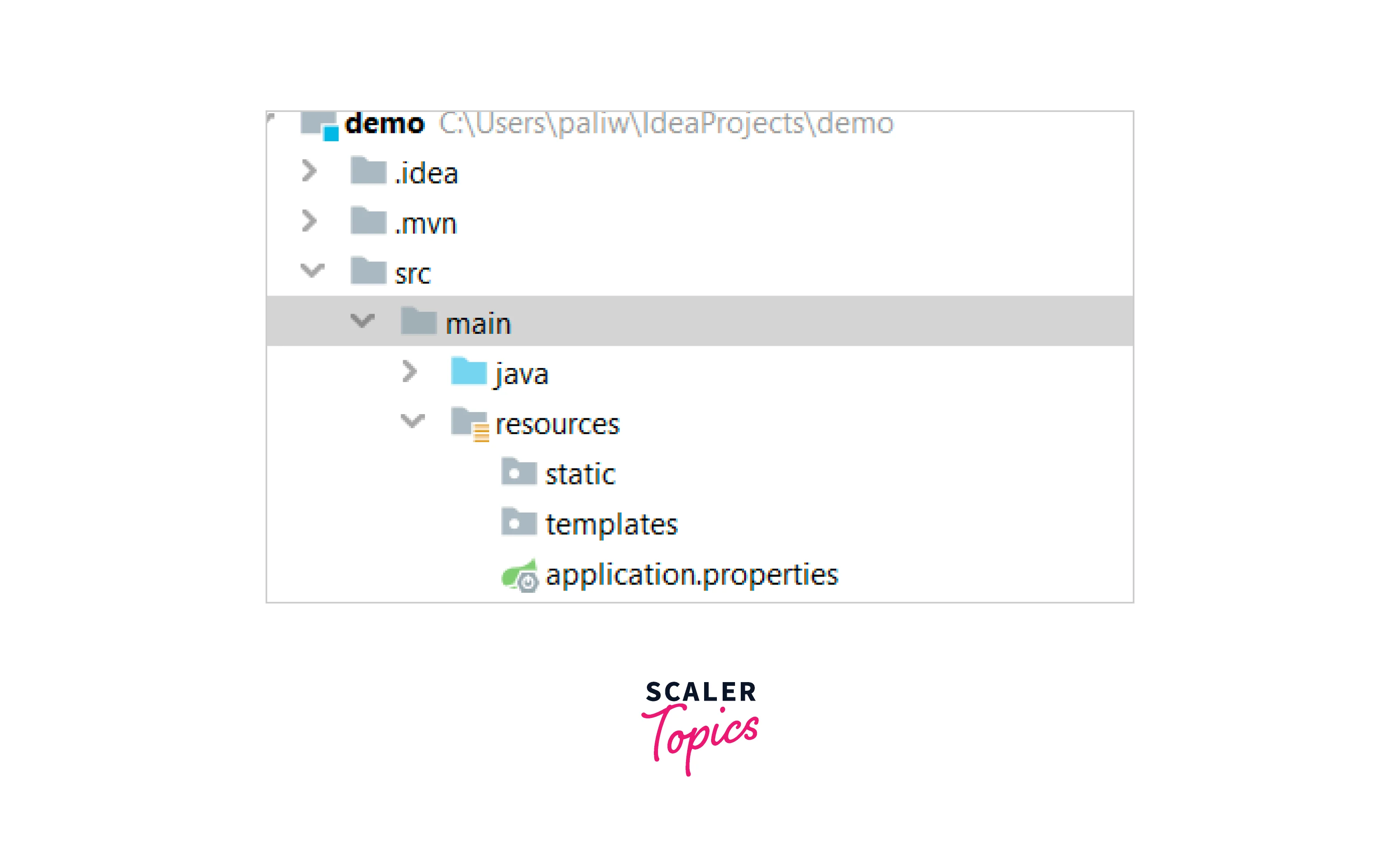
For any property defined in application.properties to be useful, it must be available in Java code. Spring boot provides a convenient way to do this using the @Value annotation.
For example, you are connecting to some third-party currency conversion to consume the information. A sample property would look like this.
We can bring the corresponding configuration to Java classes using the below code.
The above code will inject the value of the property host. currency conversion to the java variable currencyConversionProvider`.
Introduction to yaml File
YAML files are another way to store the configuration data.
Use of application.yaml
Spring Boot also supports yaml-based properties configurations to run the application. Instead of application.properties, we can use application.yaml. The same currency conversion setting can be represented in the yaml file as:
How Scaler Transformed Careers in Different Fields
Scaler learners achieved 2.5x salary growth with average post-Scaler CTC reaching ₹23L.
 Google
 Amazon
 Microsoft
 Flipkart
 Adobe1200+ more
Advantages of Using YAML File
YAML is superior to the property file in different ways.
| properties | yaml |
|---|---|
| Flat Structure | Hierarchical Structure |
| Supports key/val with only string data type | Supports key/val, basically a map, List, and scalar types (int, string, etc.) |
| Primarily used in java | Language and technology independent |
| No standard specification | Have standard specification. https://yaml.org/spec/1.2.2 |
About Spring Boot Profile
Different application environment requires a setting that is specific to them. For example, in DEV, we don’t need a licensed enterprise-grade database, but for UAT, Pre-prod, or prod, we need something like Oracle/DB2, etc. The above problem can be solved in many ways without any framework.
Spring boot provides a managed way to provide the env and load-specific configuration only using application properties/yaml.
Even if we don’t have a profile for our application, Spring Boot always creates one Default profile. Below is a printed log from the application startup.
Notice that the default profile is always active. Spring Boot loads all properties from application.yaml/application.properties into the default profile.
Turn Learning into Career Growth
Environment-specific Profiles
How do we create different profiles in Spring Boot?
Simple - Property/yaml Files
To create different profiles for our application, we only need a property file with the naming convention below:
application-{profile_name}.properties
For example, our application has profile local, QA and prod. In that case, we need three more property files in addition to the default application.properties file.
Now that we have multiple profiles, we need to utilize one based on the environment in which the application is deployed. We need to tell the spring boot which profiles to use so that the spring boot can load the correct property file.
It requires profile activation.
Spring only acts on a profile if it is enabled. Otherwise, it falls back to the default one. Let’s look at the different ways to activate a profile.
Spring Active Profile in application.properties
If we have a default application.properties file in our classpath, then profile activation can be done by setting a property. Setting the below property will activate the dev profile.
The above setting will activate the dev profile and load properties from the application-dev.properties.
Spring Active Profile for the application.yaml
For the yaml file, the same profile activation setting will look like this:
Conclusion
- For java based application configurations are usually kept in the .properties file.
- yaml format is another way to keep configuration settings.
- Spring boot supports both properties and yaml-based configuration settings.
- Spring boot expects those files to be available in the /resources folder.
- Spring boot supports env-specific configuration, which can be activated using the property spring.profiles.active.




