


How to Use Kafka with Spring Boot?
Kafka is a framework for distributed streaming that allows you to publish and subscribe to record streams. Spring Boot, on the other hand, is a popular Java framework for developing web applications.
Using Kafka with Spring Boot could serve as a great method to construct real-time data applications. You may design applications that handle anything from simple messaging to extensive stream processing using Kafka's ability to expand horizontally and handle enormous amounts of data, as well as Spring Boot's ease of use and quick development time.
For Spring Apache Kafka integration with Spring Boot applications is supported through the Kafka library. Offering a collection of abstractions and templates for creating and receiving messages from Kafka topics makes the process of developing Kafka-based applications easier.
For Apache, spring Working with Kafka is simple thanks to a number of its capabilities. It comes with a straightforward KafkaTemplate class that makes it simpler to create messages for Kafka topics.
Why Apache Kafka
Apache Kafka, an open-source streaming platform, is one of the most popular solutions for working with streaming data. Because Kafka is distributed, it can be scaled up as needed.
Kafka Topic
A Kafka topic is a stream name to which producers publish messages and consumers receive them. A topic can have one or more divisions and is recognized by its name, a string of alphanumeric characters. Each partition is a physically distinct piece of a Kafka topic that may be seen as a log. Messages published to a topic are distributed in a round-robin method among all partitions, with each division maintaining its message sequence.
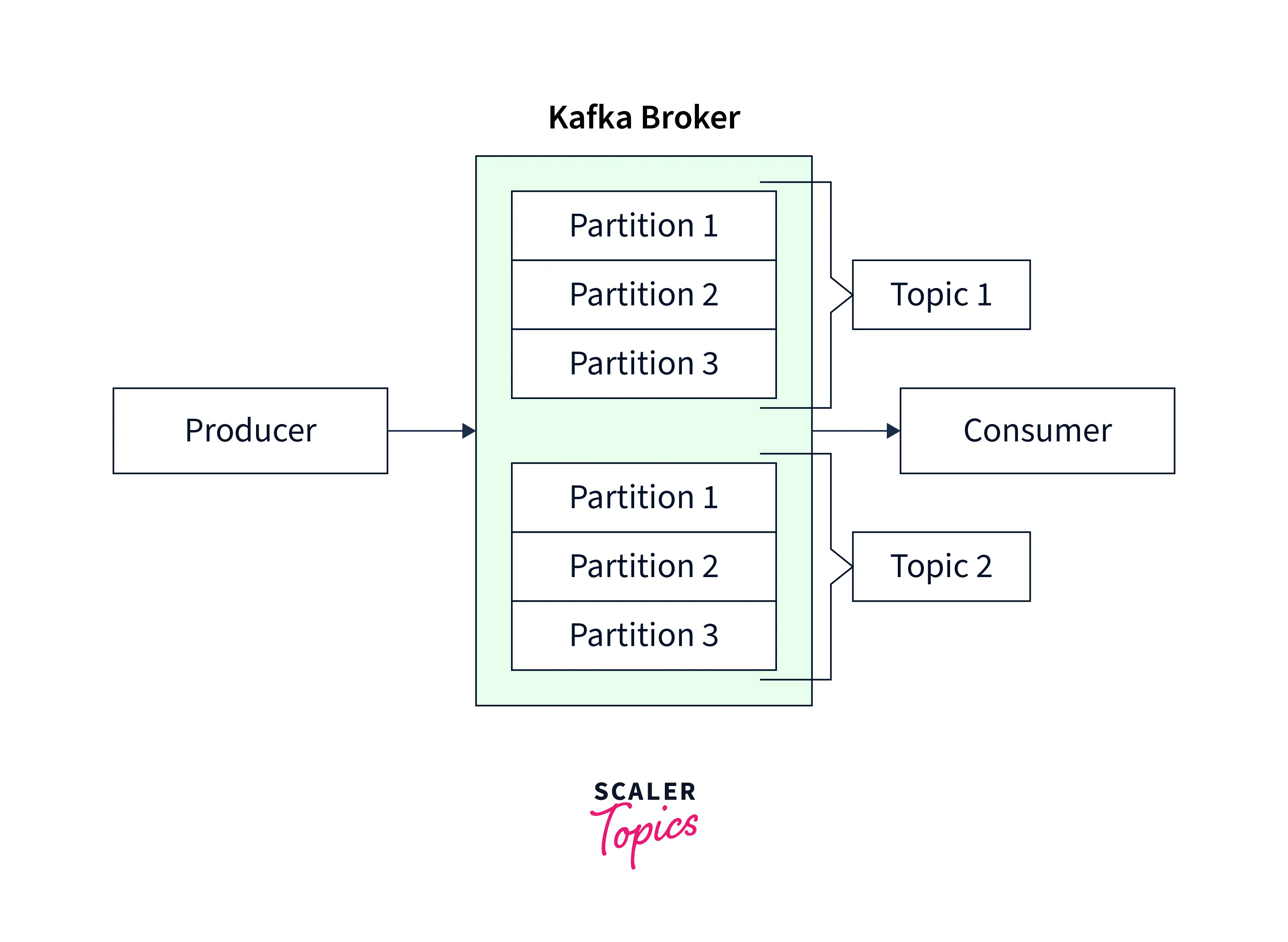
Kafka Cluster
Multiple Kafka brokers work together as a cluster in a Kafka cluster to share messages and manage the cluster.
Messages sent to Kafka topics are stored in part by each Kafka broker in the cluster. Kafka clusters are built to be fault-tolerant, which means that even if one or more of the brokers fails, the cluster can still function.

Kafka Broker
A single server that maintains one or more Kafka topics and executes the Kafka broker software is referred to as a Kafka broker.
Kafka brokers can process messages quickly and efficiently while handling high-throughput data streams. Because Kafka brokers offer horizontal scalability, more brokers may be added to a cluster as necessary to meet increased message volumes.

Kafka Producer
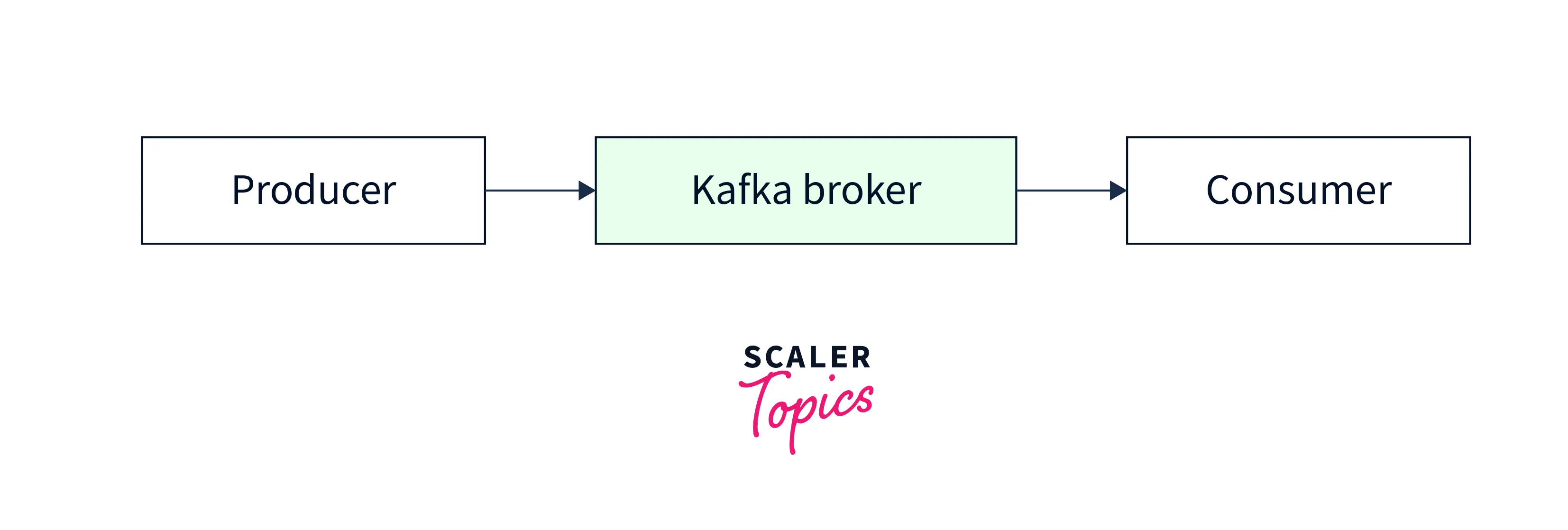
Messages are sent from a Kafka producer to one or more Kafka brokers by a specified set of guidelines known as a partitioning strategy.
A Kafka producer can transmit messages to several Kafka topics as well as different partitions inside one topic. Kafka producers may be set up with a variety of compression options to enhance message transmission and storage.

Kafka Consumer
A Kafka consumer reads messages from the partitions of the topic to which it has been allocated and subscribes to one or more Kafka topics. Messages can be read by consumers in a variety of ways, such as one at a time or in batches.
Kafka consumers have two options for assigning partitions: either explicitly or through the usage of a consumer group.
How to Implement the Apache Kafka in Spring Boot Application?
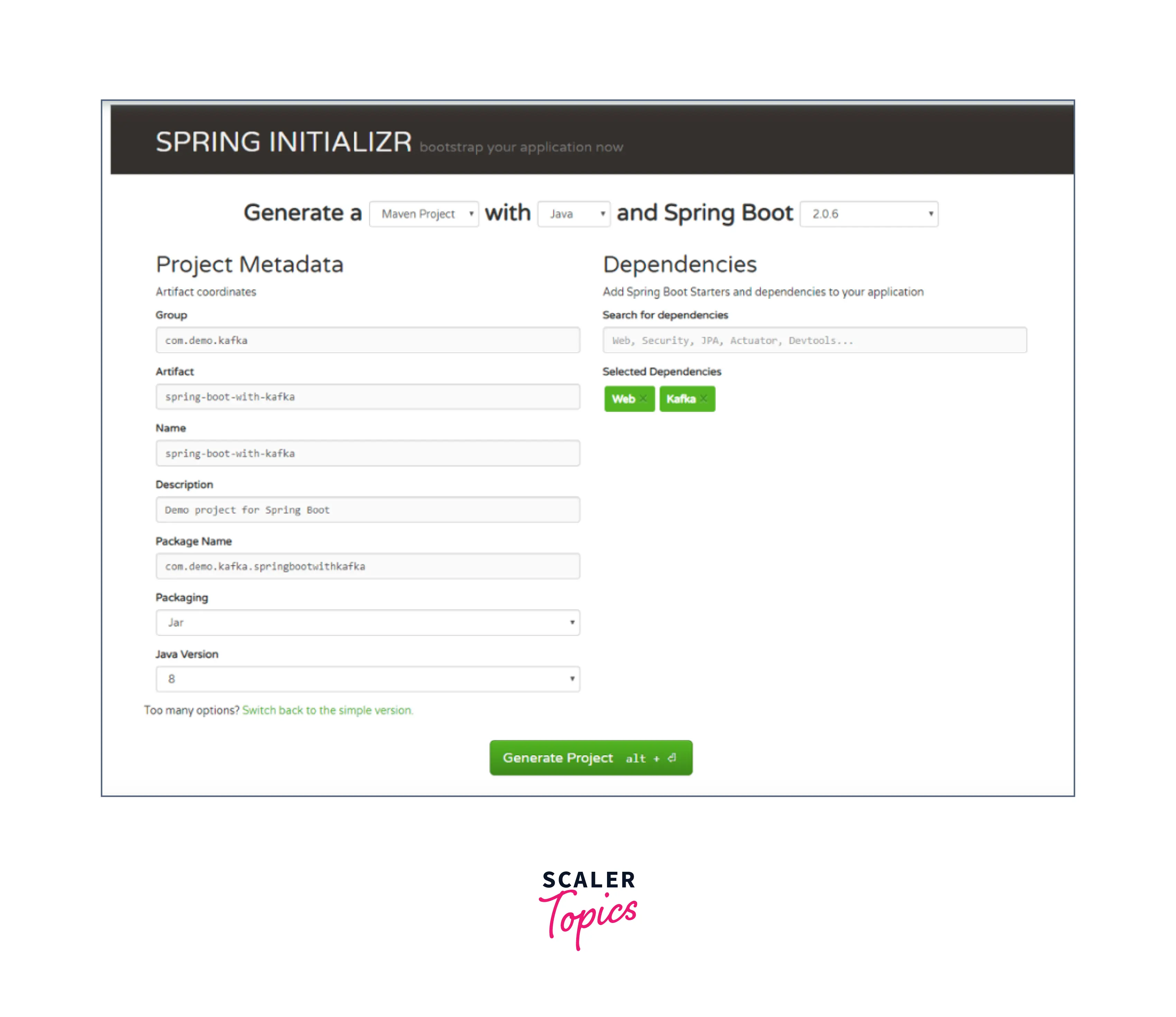
Use https://start.spring.io/ to create a Spring boot project.
-
Include dependencies:
-
Add the Kafka details to the application.properties file :
-
Kafka Topic creation:
-
Kafka Producer creation:
You may use Spring's KafkaTemplate class to generate a Kafka producer in Spring Boot Apache Kafka. The KafkaTemplate class implements a straightforward interface for delivering messages to Kafka topics.
-
Make a utils package, and then make app_constants with the following content:
-
Kafka Consumer creation:
Here, we directed our method void to consume (String message), subscribe to the user's topic, and then just output each message to the application log.
Producing Messages
One or more Kafka brokers serve as message brokers by receiving messages from producer applications and forwarding them to them.
The logical collections of messages saved and replicated over one or more Kafka brokers are called Kafka topics, and they are where messages are conveyed.
The producer application has to connect to a Kafka broker before issuing messages. The common method for doing this is by defining the bootstrap servers, which are a list of one or more Kafka brokers to which the producer may connect. Spring boot includes an auto-configuration for Spring's KafkaTemplate.
Consuming a Message
To consume messages, we must first set up a ConsumerFactory and a KafkaListenerContainerFactory. Once these beans are accessible in the Spring Bean factory, @KafkaListener annotations may be used to configure consumers.
The @EnableKafka annotation on the configuration class is necessary to detect the @KafkaListener annotation on spring-managed beans:
Custom Message Converters
Custom Java objects can also be sent and received. This necessitates establishing the proper serializer in ProducerFactory as well as a deserializer in ConsumerFactory.
Custom Message Converters in Spring Boot Apache Kafka may be used to translate messages between Kafka's binary format and your application's domain objects. Custom Message Converters enable you to serialize and deserialize messages in a format tailored to the needs of your application.
In Spring Boot Apache Kafka, you may develop a Custom Message Converter by writing a class that implements the org.springframework.kafka.support.serializer.JsonDeserializer org.springframework.kafka.support.serializer.JsonSerializer interfaces.
Creating Unique Producing Messages
Consider the following code for ProducerFactory and KafkaTemplate:
To send the message, use this KafkaTemplate:
Creating Unique Consuming Messages
Modify the ConsumerFactory and KafkaListenerContainerFactory to appropriately deserialize the Test_Greeting_Message message:
Multi-Method Listeners
In Spring Boot Apache Kafka, you can implement multi-method listeners that can handle messages of different types and process them using different methods depending on their content.
First, add the following dependencies to your pom.xml file:
Create a Kafka listener that can handle various message kinds. This is accomplished by including the following code in your Spring Boot application:
In the above example, we have made a KafkaListener component with two methods. The first function listens to the "test_topic" Kafka topic and processes String messages. The second method listens to the same topic and handles messages of type MyMessage.
Set the KafkaListenerContainerFactory to use a ConcurrentKafkaListenerContainerFactory that can handle various message types.
In this example, the KafkaListenerContainerFactory has been set to utilize a ConcurrentKafkaListenerContainerFactory that supports different message types. We've also told the ConsumerFactory to use JsonDeserializer to decode messages of type MyMessage.
Advantages Using Spring Boot with Apache Kafka
Spring Boot and Apache Kafka are both well-known software development tools. Here are some benefits of combining Spring Boot and Apache Kafka:
- Simple integration: Spring Boot makes it simple to interact with Apache Kafka. You may rapidly set up a Kafka client and begin sending and receiving messages with the aid of Spring Boot's auto-configuration functionality.
- Improved efficiency: Because of Spring Boot's dependency injection and auto-configuration capabilities, developers can concentrate on developing business logic rather than boilerplate code. This can result in higher productivity and shorter development cycles.
- Scalability: Apache Kafka is built to handle massive amounts of data, and Spring Boot makes it simple to create scalable Kafka applications. You may create extremely scalable and robust apps by combining Spring Boot's reactive programming style and Kafka's distributed architecture.
- Fault-tolerance: Spring Boot has several options for developing fault-tolerant applications. When paired with Apache Kafka's replication and partitioning capabilities, you may create highly available and fault-tolerant systems capable of gracefully handling faults.
- Spring Boot has several monitoring and management functions that may be used to monitor and control your Kafka-based applications. For example, you may offer metrics and health checks for your Kafka consumers and producers using Spring Boot's actuator endpoints.
Conclusion
- Finally, combining Spring Boot and Apache Kafka creates a potent combination for developing scalable, fault-tolerant, and highly performant distributed applications.
- In this tutorial, we have learned what Apache Kafka is and it's core concepts, including topics, partitions, producers, consumers, and brokers.
- Additionally, we have seen how to use Apache Kafka in a Spring Boot project by leveraging the Spring for Apache Kafka library and configuring producers and consumers using the appropriate annotations and properties.
- Spring Boot makes it simple to interface with Kafka and offers a variety of capabilities that allow developers to design durable and robust systems.
- Developers may rapidly get started with Kafka without worrying about boilerplate code by utilizing Spring Boot's dependency injection and auto-configuration capabilities. This frees up developers' time to focus on building business logic and providing value to end users.
- Furthermore, Spring Boot's reactive programming paradigm, when paired with Kafka's distributed architecture, enables the development of highly scalable and responsive applications capable of handling massive amounts of data.