


Storage Engine in MySQL
What Are Storage Engines In MySQL?
MySQL storage engines are components that are in charge of storing, retrieving, and managing data in MySQL databases. Each storage engine has its own set of characteristics, performance characteristics, and capabilities. MySQL supports multiple storage engines, and users can select the best one for their particular use case.
Since MySQL 5.5, InnoDB has been the default storage engine for creating and managing tables and data and providing excellent performance for heavy read/write workloads. InnoDB also supports ACID Transactions, row-level locking, and foreign key constraints. Similarly, MyISAM is an older storage engine that performs well for intensive workloads but does not support ACID transactions or foreign key constraints. Some other Storage Engines include Memory, CSV, Merge, Archive, Federated, and Blackhole, each having its own set of use cases and benefits.
Choosing a Storage Engine
Choosing the right Storage Engines In MySQL for creating and managing a database is very critical for ensuring optimal performance and scalability of the Database. Here are some important points to consider while choosing a storage engine for the database:
- Transactions: If the application requires transactions to ensure data consistency like Atomicity, Isolation, etc. Use an ACID-compliant storage engine such as InnoDB to make sure that these conditions are fulfilled.
- Locking: Some engines, like MyISAM, implements table-level locking, which can lead to performance issues when multiple users try to access the same table at the same time. InnoDB, on the other hand, employs a row-level locking system, which is more efficient when multiple users try to access the same table at a particular time instance and allow for greater concurrency.
- Performance: Performace is a major factor when it comes to handling heavy workloads and dealing with large amounts of data. MyISAM, for example, is often faster when we talk about read-heavy workloads and handling large amounts of data, whereas InnoDB is better for write-heavy workloads.
- Data Size: It is the estimation of the amount of data that must be stored in the Database. Some storage engines such as Memory are only suitable for small amounts of data but due to their data size constraints, they are impractical to use for larger data sets, So it is important to choose an Engine aligning correctly with the data size needs.
- Concurrency: Concurrency means how many users will be accessing the data at the same time. Some storage engines, such as InnoDB, are designed for high concurrency.
- Features: Features can be specific to the needs of the application, such as full-text search, spatial data, or partitioning. So Engine must be chosen based on the feature needed.
By keeping in mind these factors, the user/developers can choose the most appropriate storage engine for their specific use case that can ensure optimal performance and can make the application scalable for future needs also.
List of Storage Engines
MySQL has support for several storage engines, Let's see each of them in detail:
InnoDB
InnoDB is a Storage Engines In MySQL that is built to deliver high performance and scalability while maintaining data consistency and integrity. InnoDB supports ACID transactions, row-level locking, and foreign key constraints. It was created by Innobase Oy and Oracle Corporation acquired it in 2005. It is the default storage engine for MySQL for version 5.5 and above. Now let's see some key features of InnoDB:
Features
- Transactions: InnoDB supports ACID transactions, that allow multiple database operations to be combined into a single transaction that can be completed or rolled back if an error occurs. This ensures the consistency and integrity of the data.
- Row-level locking: InnoDB employs row-level locking, which enables multiple users to access the same table at the same time without causing any contention or consistency issues. whereas some other storage engines use table-level locking, which can cause performance issues in the case of high-concurrency environments.
- Foreign key constraints: InnoDB has great support for foreign key constraints, ensuring referential integrity between tables and ensuring consistent and accurate data.
- Crash recovery: InnoDB has a strong crash recovery mechanism to ensure that the data is not lost in case the server crashes or a power outage occurs. It employs a Write-Ahead Logging (WAL) mechanism for ensuring that all the changes are written to the disc before committing.
- Buffer pool: InnoDB uses a buffer pool for caching frequently accessed data in memory, which improves the performance to a greater extent. The buffer pool size can be changed to optimize performance according to the workload of the application.
- Hash Indexing: InnoDB employs an adaptive hash index to improve the query performance for specific types of queries, such as the queries that makes use of equality conditions on indexed columns.
Advantages
- Data consistency: InnoDB follows ACID properties and foreign key constraints, to ensure that data is always consistent and accurate. Data consistency is the primary thing we want to have in our database.
- High concurrency: InnoDB's row-level locking ensures a high level of concurrency, that enables multiple users to access the same table simultaneously at the same time instance without facing any contention issues.
- Crash recovery: InnoDB's crash recovery mechanism makes sure that the data is not lost in case of a server crash or power failure.
- Performance: InnoDB's buffer policy and optimized locking mechanism provide good performance for both read and write operations in the database.
Creating Tables
InnoDB is a default Storage Engines In MySQL nowadays, but we can also specify the engine name by passing ENGINE=InnoDB with the CREATE TABLE statement. Let's create a sample table using the same:
The above SQL statement creates a table named MyTable, which has two columns: pk (primary key) and value. Both columns have integer data types. The InnoDB storage engine is specified for the above table. By specifying the ENGINE=InnoDB option in the CREATE TABLE statement, we are telling MySQL to use the InnoDB storage engine for storing the table data.
Now let's see the status of our table:
Output:
The above command will show the status for all the tables present in our database including the storage engine we are using for the tables:
| Name | Engine | Version | Row_format | Rows | Avg_row_length | Data_length | Max_data_length | Index_length | Data_free | Auto_increment | Create_time | Update_time | Check_time | Collation | Checksum | Create_options | Comment |
|---|---|---|---|---|---|---|---|---|---|---|---|---|---|---|---|---|---|
| myTable | InnoDB | 10 | Dynamic | 0 | 0 | 16384 | 0 | 0 | 0 | NULL | 2023-04-22 14:15:02 | NULL | NULL | utf8mb4_0900_ai_ci | NULL |
MyISAM
MyISAM is another one of many Storage Engines In MySQL provided to create and store Table Data. It was the default storage engine in earlier versions of MySQL, but InnoDB has almost replaced it in recent versions. MyISAM does not support transactions and foreign key constraints making it not suitable for some cases. Now let's see some key features of MyISAM:
Features
- Table Level Locking: MyISAM employs table-level locking, which implies that when a user modifies a row in a table, the whole table is locked until the operation is completed. Although it helps in maintaining data consistency in high-concurrency environments, this can lead to performance issues.
- Full-Text Search: MyISAM supports full-text searching, which allows the users to look for keywords within text columns. This feature is quite useful for applications that require text-based searching.
- Fast reads: MyISAM is optimized for fast-read operations, making it well-suited for read-heavy workloads.
- Storage Formats: MyISAM supports three storage formats: Fixed, Dynamic, and Compressed.
Advantages
- Simplicity: MyISAM is a quite simple storage engine with fewer features and options than other storage engines such as InnoDB. For simpler and smaller applications, MyISAM can be easier to use and maintain the data.
- Fast read operations: MyISAM is designed for fast read operations and can handle read-intensive workloads well. It is faster than any other general-purpose database engine.
- Full-Text Search: MyISAM supports full-text searching, which can be very useful for applications that require keyword search functionality or text-based searching.
- Good for Data Warehousing: MyISAM's table-level locking system can be very advantageous for data warehousing applications, where the main focus is high-speed data loading and querying the data rather than updating the data.
Creating Tables
We can specify the engine name by passing ENGINE=MyISAM with the CREATE TABLE statement. Let's create a sample table using the same:
The above SQL statement creates a table named MyTable, which has two columns: pk (primary key) and value. Both columns have integer data types. The MyISAM storage engine is specified in the above table. By specifying the ENGINE=MyISAM option in the CREATE TABLE statement, we are telling MySQL to use the MyISAM storage engine for storing the table data.
Now let's see the status of our table:
Output:
The above command will show the status for all the tables present in our database including the storage engine we are using for the tables:
| Name | Engine | Version | Row_format | Rows | Avg_row_length | Data_length | Max_data_length | Index_length | Data_free | Auto_increment | Create_time | Update_time | Check_time | Collation | Checksum | Create_options | Comment |
|---|---|---|---|---|---|---|---|---|---|---|---|---|---|---|---|---|---|
| myTable | MyISAM | 10 | Fixed | 0 | 0 | 0 | 2533274790395903 | 1024 | 0 | 1 | 2023-04-22 14:15:02 | 2023-04-22 14:48:20 | NULL | utf8mb4_0900_ai_ci | NULL |
Memory
The Memory storage engine, also known as HEAP, is a Storage Engines In MySQL that stores data in memory rather than on a disc. This means that data in a Memory table is volatile and will be lost if the database or server is restarted. It is also considered the fastest engine that is mainly used for creating a temporary table in memory. Now let's see some key features of Memory:
Features
- Fast read and write operations: As the data is stored in memory only, read and write operations on the Memory tables are extremely fast. Memory Storage engines can be a good choice for certain types of applications where we need fast processing, such as caching or session management.
- No disk I/O: There is no disc I/O involved for doing read or write operations because memory tables are entirely stored in memory. Memory may be a good choice for applications that require extremely high performance.
- No support for BLOB or TEXT data types: Memory tables do not support BLOB or TEXT data types, which results in limiting their usefulness for certain types of applications.
Advantages
- Easy to use: Memory tables are very simple to create and easy to use, it requires a simple syntax for defining the table structure and no complex setup.
- Fast read and write operations: Read and Write operations on Memory tables are extremely fast.
- Encryption: Data is encrypted when it is stored in the database, which is done via encryption functions.
- Low-level locking: Memory Storage Engine offers low-level locking and multi-threading operations that makes contention issues very low.
Creating Tables
We can specify the engine name by passing ENGINE=Memory with the CREATE TABLE statement. Let's create a sample table using the same:
The above SQL statement creates a table named MyTable, which has two columns: pk (primary key) and value. Both columns have integer data types. The Memory storage engine is specified for the above table. By specifying the ENGINE=Memory option in the CREATE TABLE statement, we are telling MySQL to use the Memory storage engine for storing the table data.
Now let's see the status of our table:
Output:
The above command will show the status for all the tables present in our database including the storage engine we are using for the tables:
| Name | Engine | Version | Row_format | Rows | Avg_row_length | Data_length | Max_data_length | Index_length | Data_free | Auto_increment | Create_time | Update_time | Check_time | Collation | Checksum | Create_options | Comment |
|---|---|---|---|---|---|---|---|---|---|---|---|---|---|---|---|---|---|
| myTable | MEMORY | 10 | Fixed | 0 | 9 | 0 | 3774870 | 0 | 0 | 1 | 2023-04-22 14:15:02 | NULL | NULL | utf8mb4_0900_ai_ci | NULL |
CSV
The CSV (Comma Separated Values) storage engine is used in MySQL databases to store data in a simple text format, with each row of data represented as a line in a text file and each column of data separated by a comma. CSV is a lightweight engine and can be used for importing spreadsheets. Now let's see some key features of CSV:
Features
- Fast import and export: As CSV files are just some plain text files, CSV files can be imported and exported quickly and easily with MySQL's LOAD DATA and SELECT INTO OUTFILE statements.
- Limited data types: CSV tables support a limited number of data types, like integers, floating point numbers, and strings. Other complex data types, such as BLOB or TEXT, are not supported with CSV.
- No indexes or keys: CSV tables do not support indexes or keys.
- No transactions: Transactions are also not supported by the CSV storage engine, which means that changes made to a CSV table are immediately committed and cannot be rolled back.
Advantages
- Lightweight: CSV tables use very little storage space and memory, making them ideal for situations where disc space or memory resources are limited.
- Fast performance: As CSV tables do not support indexes or transactions, they can offer faster performance than other storage engines for certain types of queries.
- Flexibility: As CSV tables do not have the limitations or overhead of more complicated storage engines, they can be easily updated and modified.
Creating Tables
We can specify the engine name by passing ENGINE=CSV with the CREATE TABLE statement. Let's create a sample table using the same:
The above SQL statement creates a table named MyTable, which has two columns: pk and value. Both columns have integer data types. The CSV storage engine is specified for the above table. By specifying the ENGINE=CSV option in the CREATE TABLE statement, we are telling MySQL to use the CSV storage engine for storing the table data.
Now let's see the status of our table:
Output:
The above command will show the status for all the tables present in our database including the storage engine we are using for the tables:
| Name | Engine | Version | Row_format | Rows | Avg_row_length | Data_length | Max_data_length | Index_length | Data_free | Auto_increment | Create_time | Update_time | Check_time | Collation | Checksum | Create_options | Comment |
|---|---|---|---|---|---|---|---|---|---|---|---|---|---|---|---|---|---|
| myTable | CSV | 10 | Fixed | 2 | 0 | 0 | 0 | 0 | 0 | NULL | 2023-04-22 14:15:02 | NULL | NULL | utf8mb4_0900_ai_ci | NULL |
Merge
The Merge storage engine in MySQL is a storage engine that allows multiple MyISAM tables to be combined into a single logical table. This can be helpful for huge tables that need to be divided up depending on several factors, like date ranges or geographical regions, or for tables that need to be partitioned across various discs or file systems. It is also called the MRG_MyISAM engine. Now let's see some key features of the Merge storage engine:
Features
- Single Logical table: The Merge storage engine constructs a logical table from data from multiple underlying MyISAM tables. This enables data to be partitioned across multiple discs or file systems, improving performance and simplifying data management on the system.
- No indexes or PRIMARY KEY: As the Merge storage engine does not support indexes or PRIMARY KEY, queries relying on indexes may perform worse than they would with other storage engines and key constraints are also not available.
- Limited functionality: The advanced features of more complex storage engines, such as transactions, foreign keys, and others, are not supported by the Merge storage engine.
- Unique Features: UNION and INSERT_METHOD are the two unique features used by MERGE Engine.
Advantages
- Improved performance: The Merge storage engine can improve read and write performance for large tables by partitioning data across multiple disks or file systems.
- Simplified management: As the MERGE engine allows the data to be split into smaller tables that can be managed independently, using the Merge storage engine can simplify the management of large tables.
- Flexibility: The Merge storage engine allows tables to be combined based on a variety of criteria. This can be useful for applications that need to organize and query the data in a particular way.
Creating Tables
We can specify the engine name by passing ENGINE=MERGE with the CREATE TABLE statement. Let's create a sample table using the same:
The above SQL statement creates a table named MyTable, which has two columns: pk and value. Both columns have integer data types. The MERGE storage engine is specified for the above table. By specifying the ENGINE=MERGE option in the CREATE TABLE statement, we are telling MySQL to use the MERGE storage engine for storing the table data.
Now let's see the status of our table:
Output:
The above command will show the status for all the tables present in our database including the storage engine we are using for the tables:
| Name | Engine | Version | Row_format | Rows | Avg_row_length | Data_length | Max_data_length | Index_length | Data_free | Auto_increment | Create_time | Update_time | Check_time | Collation | Checksum | Create_options | Comment |
|---|---|---|---|---|---|---|---|---|---|---|---|---|---|---|---|---|---|
| myTable | MRG_MYISAM | 10 | Fixed | 0 | 0 | 0 | 0 | 0 | 0 | NULL | 2023-04-22 14:15:02 | NULL | NULL | utf8mb4_0900_ai_ci | NULL |
Archive
The Archive storage engine in MySQL is a storage engine that is specially designed for storing and retrieving large amounts of indexed data. It is based on a compressed file format, which makes it an ideal choice for use cases where disk space usage is a concern.
Note that the Archive storage engine does not support updating or deleting the table values, so if data is once inserted into the table, it cannot be modified or deleted.
Now let's see some key features of the Merge storage engine:
Features
- Data storage format compresses the data to save disc space.
- High-speed bulk inserts are supported by Archive, allowing large amounts of data to be inserted quickly and efficiently.
- The ability to create read-only tables simplifies application development and reduces the risk of accidental data changes.
- Basic indexing is supported, including primary and secondary keys.
- Archive Engine doesn't have support for transactions, updates, and deletes, making it unsuitable for transactional applications.
Advantages
- Saving space: The Archive engine compresses data in the table, which reduces its size by up to 90% or more. This feature can help save a lot of space in databases for storing data.
- High Speed: High-speed bulk inserts allow the data to be inserted into the table very quickly and efficiently. As a result, it is ideal for use cases in which data is inserted in batches.
- Low disc I/O: As the Archive engine compresses the data, it requires less disc I/O than other storage engines, which can improve performance and reduce system load.
- Read-only table: The Archive engine is intended for read-only data access, which simplifies application development and reduces the risk of accidentally deleting or modifying data.
Creating Tables
We can specify the engine name by passing ENGINE=ARCHIVE with the CREATE TABLE statement. Let's create a sample table using the same:
The above SQL statement creates a table named MyTable, which has two columns: pk and value. Both columns have integer data types. The ARCHIVE storage engine is specified in the above table. By specifying the ENGINE=ARCHIVE option in the CREATE TABLE statement, we are telling MySQL to use the ARCHIVE storage engine for storing the table data.
Now let's see the status of our table:
Output:
The above command will show the status for all the tables present in our database including the storage engine we are using for the tables:
| Name | Engine | Version | Row_format | Rows | Avg_row_length | Data_length | Max_data_length | Index_length | Data_free | Auto_increment | Create_time | Update_time | Check_time | Collation | Checksum | Create_options | Comment |
|---|---|---|---|---|---|---|---|---|---|---|---|---|---|---|---|---|---|
| myTable | ARCHIVE | 10 | Compressed | 0 | 9 | 88 | 0 | 0 | 0 | 1 | 2023-04-22 14:15:02 | 2023-04-22 14:15:02 | NULL | utf8mb4_0900_ai_ci | NULL |
Federated
MySQL's Federated storage engine allows you to access data from a remote MySQL server as if it were locally stored on the current server. No data is stored on local tables, data is only pulled from the remote server whenever it is needed. This facilitates the management of distributed databases and hence Federated Engine is especially useful in situations where multiple remote databases must be accessed by a single application.
Now let's see some key features of Federated storage engine:
Features
- Federated Storage engine allows the user to create a local table that references a remote table on another MySQL server.
- Queries made to the local table are automatically sent to the remote table, allowing data to be accessed and manipulated locally.
- All standard SQL operations are supported, such as SELECT, INSERT, UPDATE, and DELETE.
- It is compatible with all MySQL storage engines, such as MyISAM, InnoDB, and Memory.
Advantages
- Simplification: It Simplifies distributed database management by allowing data to be accessed and manipulated as if it is being accessed locally.
- High Performancee: It Improves performance by reducing traffic and reducing system load.
- Multiple Server support: In a single application, we can work with data from multiple remote servers and can manage it.
- Distributed system: As it can be used with any MySQL storage engine, it is a versatile solution for managing distributed databases. One of the biggest advantages of distributedd systems is that data is secured on multiple systems from attacks and accidental loss.
Creating Tables
You can create a FEDERATED table in the following ways:
- Using CONNECTION
- Using CREATE SERVER
Using CONNECTION: To use this method, include the CONNECTION string after the engine type in a CREATE TABLE statement. Let's create a sample table using the same:
The above SQL statement creates a table named MyTable, which has two columns: pk and value. Both columns have integer data types. The Federated storage engine is specified in the above table. By specifying the ENGINE=Federated option in the CREATE TABLE statement, we are telling MySQL to use the Federated storage engine for storing the table data.
The CONNECTION option specifies the remote server and table that the local table should use for querying the data. The remote server is specified as localhost in our case, and the port number is set to 9306. The remote table is specified as federated/tab1, which means that the local table MyTable will refer to the federated database's remote table tab1.
Using CREATE SERVER: We can use the CREATE SERVER statement for creating the server where our local table will pull data from:
Now we can pass this server name created above as a connection string to ensure that Federated Table is successfully created:
Blackhole
`MySQL's Blackhole storage engine is a one-of-a-kind storage engine that does not store data in it. Instead, it discards any data that is written to it and returns a success message stating that the data was successfully inserted into the table. Similarly, reading data from a Blackhole table every time returns an empty result set.
The Blackhole engine's primary function is to act as a "sink" for data, allowing it to be discarded without generating errors. This is useful in some cases, such as when testing replication or routing data to a log file.
Now let's see some key features of the Blackhole storage engine:
Features
- Data written to a Blackhole table is discarded and is not stored, which can save disk space and resources.
- Blackhole Engine supports all kinds of indexes
Advantages
- Lightweight: The Blackhole engine is extremely light, requiring only a small amount of disc space` and resources.
- Prevent Errors: The engine can aid in the prevention of errors that would otherwise occur if data were simply discarded.
- Used for Replication: It can be used to test replication or to route data to a log file because it does not store any data.
Creating Tables
We can specify the engine name by passing ENGINE=BLACKHOLE with the CREATE TABLE statement. Let's create a sample table using the same:
The above SQL statement creates a table named MyTable, which has two columns: pk and value. Both columns have integer data types. The BLACKHOLE storage engine is specified in the above table. By specifying the ENGINE=BLACKHOLE option in the CREATE TABLE statement, we are telling MySQL to use the BLACKHOLE storage engine for storing the table data.
Now let's see the status of our table:
Output:
The above command will show the status for all the tables present in our database including the storage engine we are using for the tables:
| Name | Engine | Version | Row_format | Rows | Avg_row_length | Data_length | Max_data_length | Index_length | Data_free | Auto_increment | Create_time | Update_time | Check_time | Collation | Checksum | Create_options | Comment |
|---|---|---|---|---|---|---|---|---|---|---|---|---|---|---|---|---|---|
| myTable | BLACKHOLE | 10 | Fixed | 0 | 0 | 0 | 0 | 0 | 0 | 1 | 2023-04-22 14:15:02 | NULL | NULL | utf8mb4_0900_ai_ci | NULL |
Inserting Data Into Table
Let's insert some data into the Table using the INSERT command:
Its output will show that data is inserted successfully:
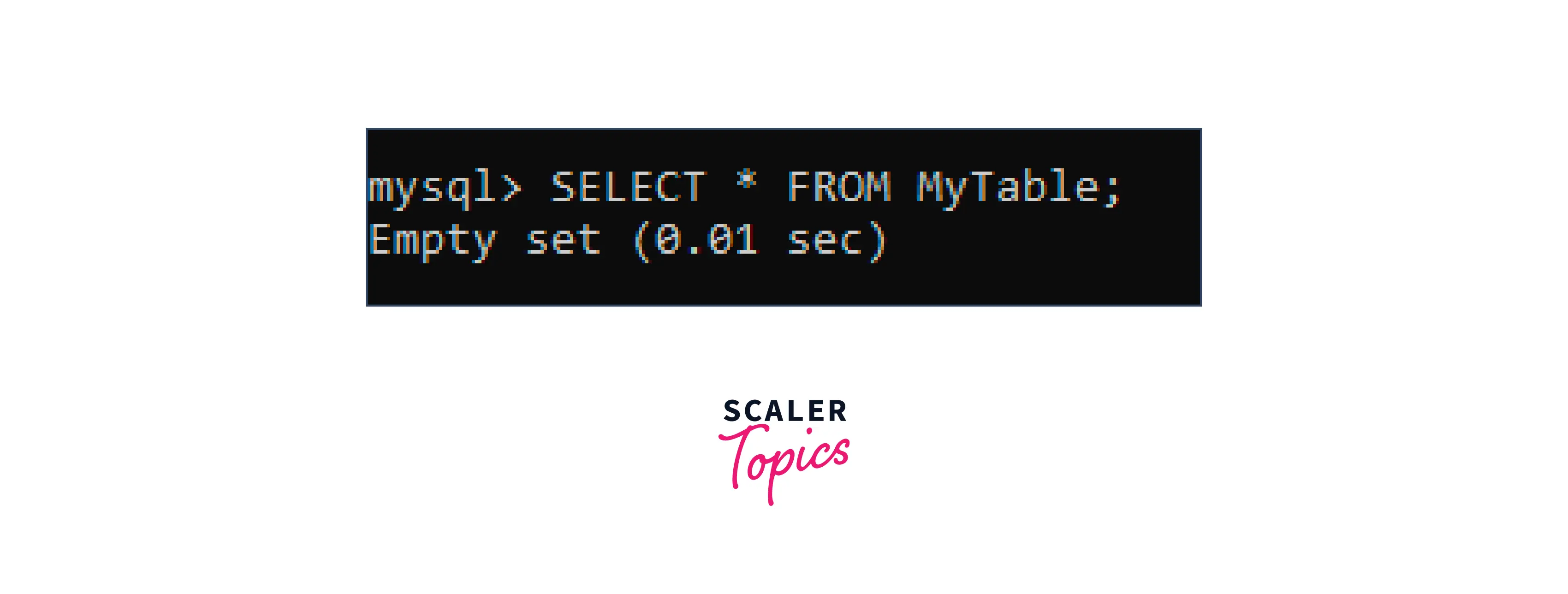
Let's check what data is in the table now:
It will show Empty Set:
Output:
List of Storage Engines Supported By Your MySQL Installation
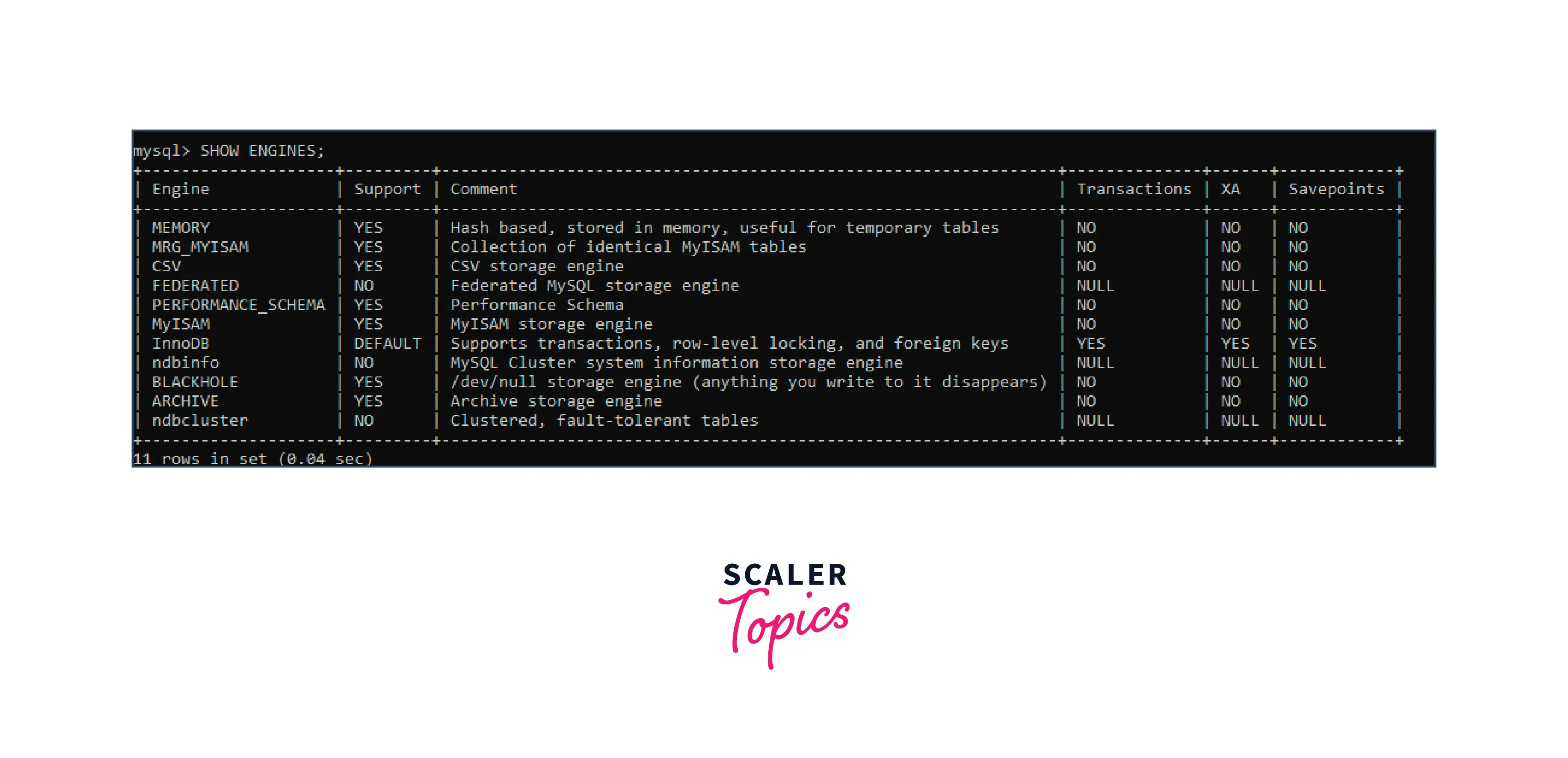
For showing the list of Storage Engines supported by your MySQL installation, we can use the SHOW ENGINES command. The SHOW ENGINES command displays a list of the storage engines supported by the current MySQL installation, as well as information about the status and capabilities of each engine:
Output: When executed, the command returns a table with different columns like Engine, Support, Comment, Transactions, XA and Savepoints:
Setting the Storage Engine
While creating a new Table in the MySQL database, we can specify which Engine we want to have in our Table using the ENGINE keyword with the CREATE TABLE statement, If we don't specify the Engine name, InnoDB will be used as the default Engine for the same:
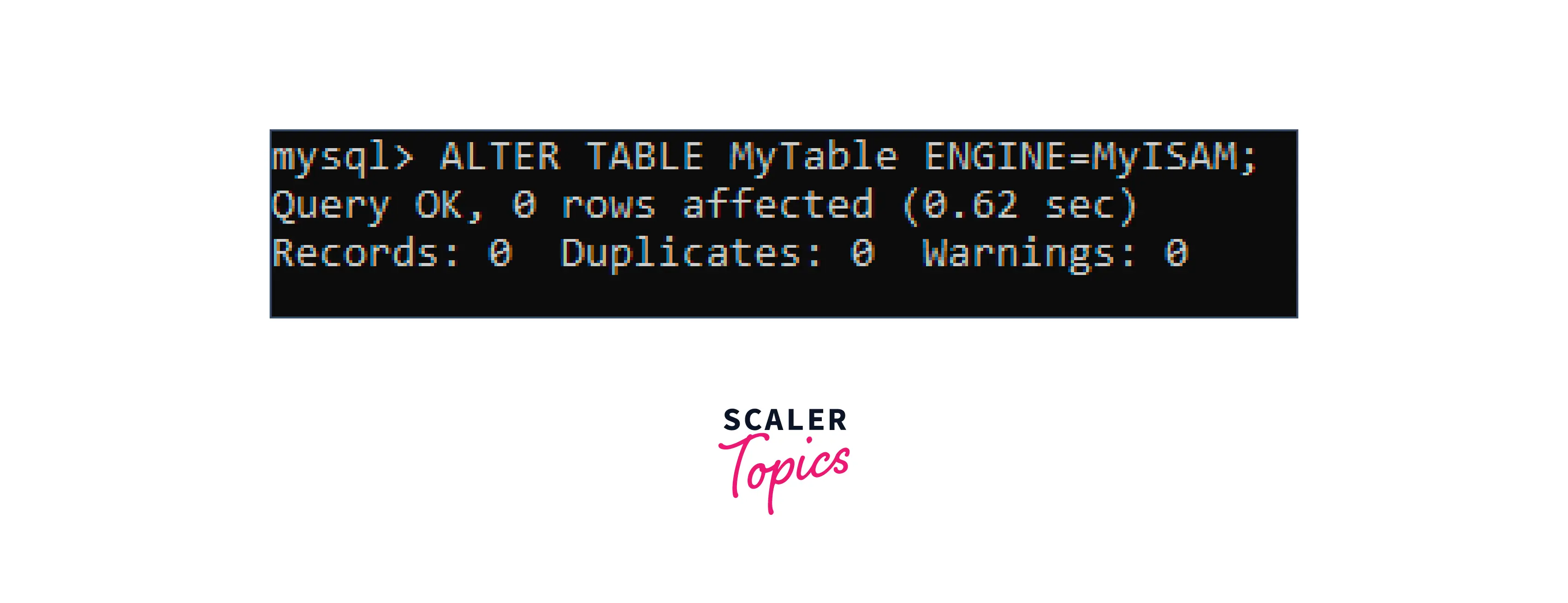
Suppose we want to change the Storage Engine for the already created table. So in that case, we can use the ENGINE keyword with the ALTER TABLE statement:
Now, let's change the Engine for our already created table MyTable and set the new Engine name to MyISAM:
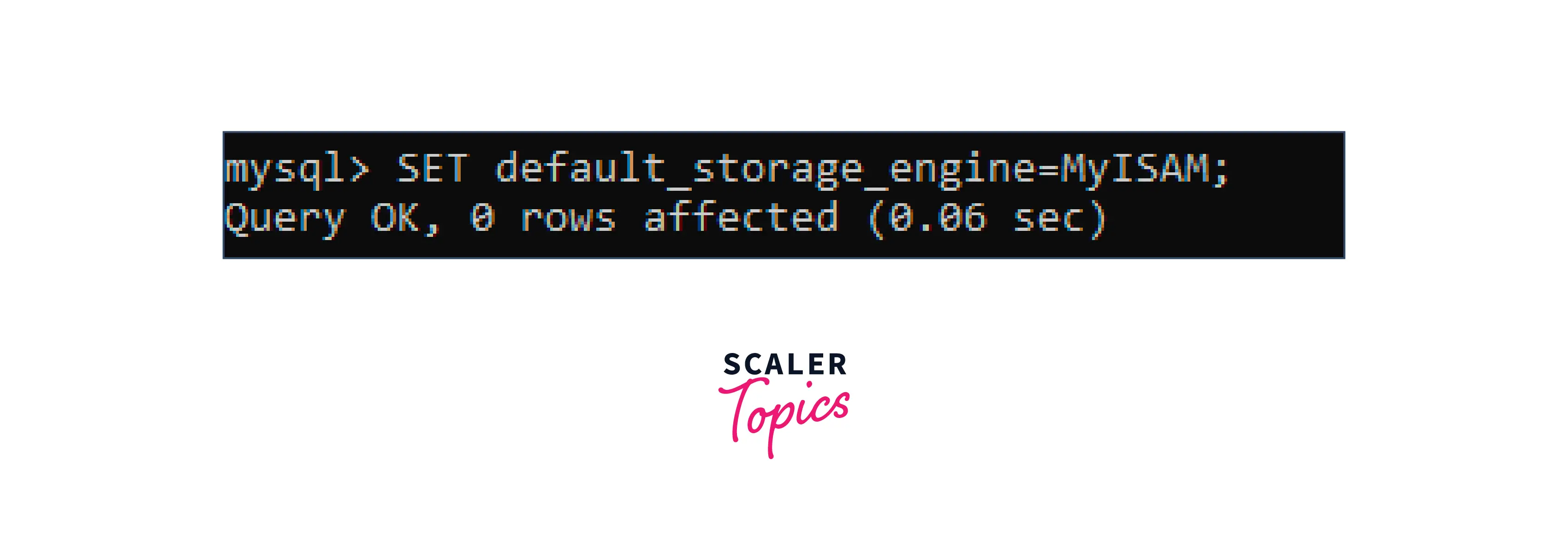
If we want to set a default storage engine other than InnoDB, we can also do that using the default_storage_engine system variable. Let's see another example of changing the default engine:
Output:
Conclusion
- In this article, we learned everything about Storage Engines in MySQL.
- We learned about the basic definition of Storage Engines in MySQL.
- We learned how to choose the best Storage Engine based on the factors.
- We looked at the List of storage engines available along with their features and advantages
- We saw how to List Storage Engines supported by your MySQL installation
- We saw how to set the Storage Engine for creating tables