


td Tag in HTML
 FREE
FREE

Overview
The <td> in HTML tag defines a cell of a table. <td> tag in HTML contains the table's data, not the headers. An HTML table's standard cells are defined by this attribute. A table cell represents a boxed area where a single item of data is displayed.
Syntax
<td>........</td>
Build an AI-First Career, Master the Complete Skillset
Choose from our industry-leading programs designed for career success
Modern Software and AI Engineering Program
Master full-stack development with AI integration


 +1000 more
Modern Data Science and ML with specialisation in AI
Advanced data science techniques with AI specialization
+1000 moreAdvanced AIML with Specialisation in Agentic AI
Deep dive into AIML with focus on Agentic systems
+1000 moreDevOps, Cloud & AI Platform Engineering
Build and manage AI-powered cloud infrastructure
+1000 moreAI Engineering Advanced Certification by IIT-Roorkee
Premier AI engineering certification from IIT-Roorkee

AI Forward Deployed Engineer Program
Full-stack engineering, production AI and client-facing consulting
+1000 moreAttributes
Attributes of <td> tag in HTML are:
| Attribute | Value | Description |
|---|---|---|
| rowspan | number | Indicates how many rows the cell extends |
| colspan | number | Indicates how many columns the cell extends. |
| id | identifier | Identifies the data cell by its unique identifier |
| class | class names | Specifies which CSS class to apply to the data cell. |
| style | CSS-styles | Determines the data cell's style. |
| data-* | value | It provides extra information for JavaScript to use. |
| title | text | Represents a tooltip title. |
| headers | header-id | Identifies the header the current table cell belongs to. |
Obsolete Attributes
Don't use the following attributes of <td> tag in HTML as HTML5 does not support them.
| Attribute | Description |
|---|---|
| abbr | Describes the contents of the cell in abbreviated form |
| align | Aligns a table cell's content |
| axis | Identifies the header ids the cell applies to |
| bgcolor | Specifies the color of the td element's background |
| char | Aligns content with a character, such as "," or "." |
| charoff | Moves column data to the right in relation to char |
| height | Specifies a height for a Td element |
| scope | Identifies the header cells to which td belongs |
| valign | Determines how the content in the td element should be vertically aligned |
| width | Specifies how wide the td element should be |
How to Use <td> Tag in HTML?
- A table cell can be created by the <td> tag.
- An individual data item can be displayed with the <td> element.
How to Create A Simple HTML Table?
In HTML, tables are used to organize/structure the data into rows or columns. Tables are made up of table cells arranged in rows and columns.
Example
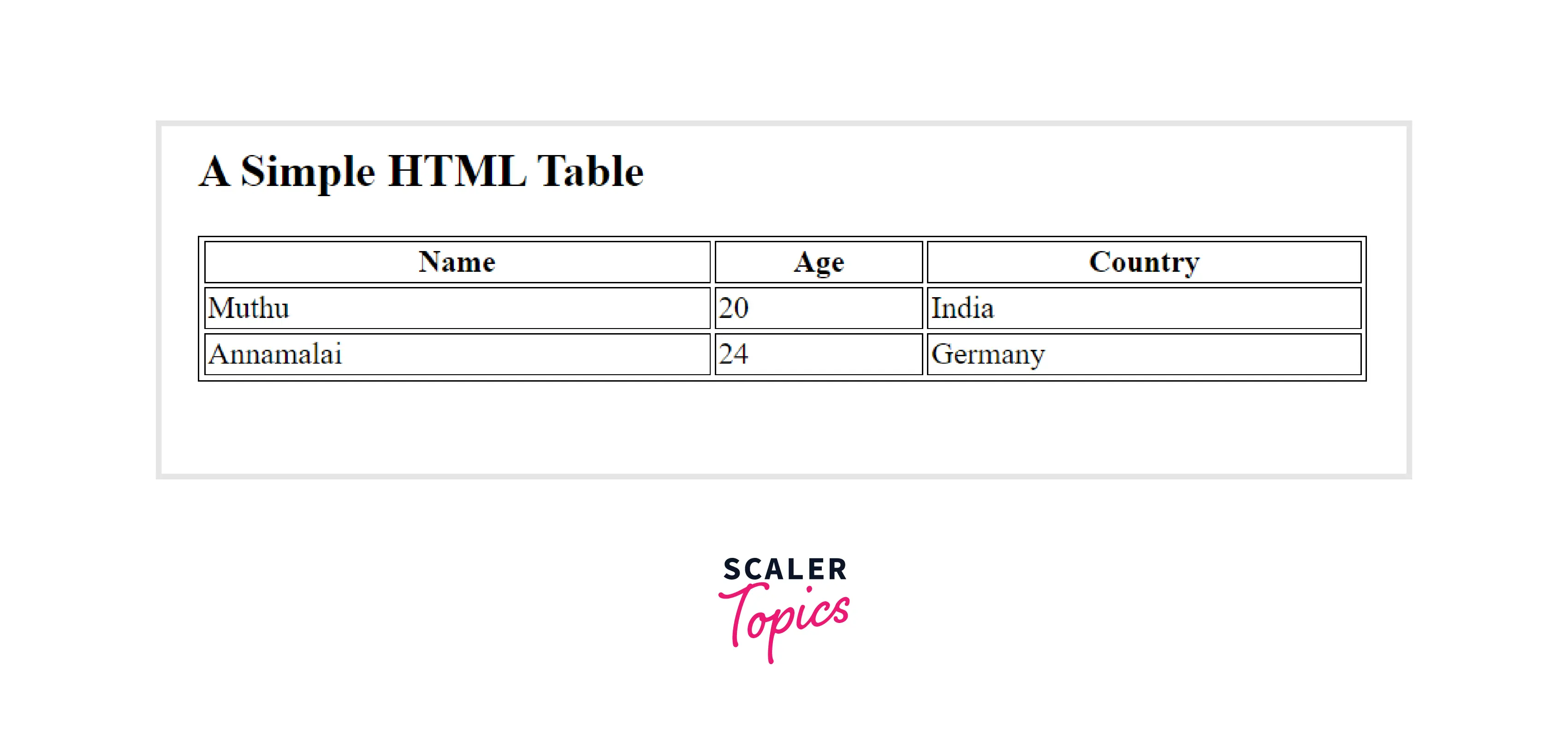
In the above example we have created a simple table by using the table tag. It contains the information like student name and age and their country by using the <td> tag.
Output
How to Fix Column Width Using <td> Tag in a Table?
The browser automatically adjusts the width and height of the rows and columns in a table to fit its contents by default. On the other hand, there may be situations in which the column width needs to be fixed. There are several ways to fix the width for the <td> tag in HTML. Here are a few:
Using the Width Attribute:
The column width of the table can be controlled by using the width attribute of the <td> tag in HTML. This attribute can take any numerical value between 0 and 100 in percentage (or in pixels). The percentage of the table's total width can be used to restrict column widths. Due to its invalidity, the width attribute is no longer supported by HTML5.
Example
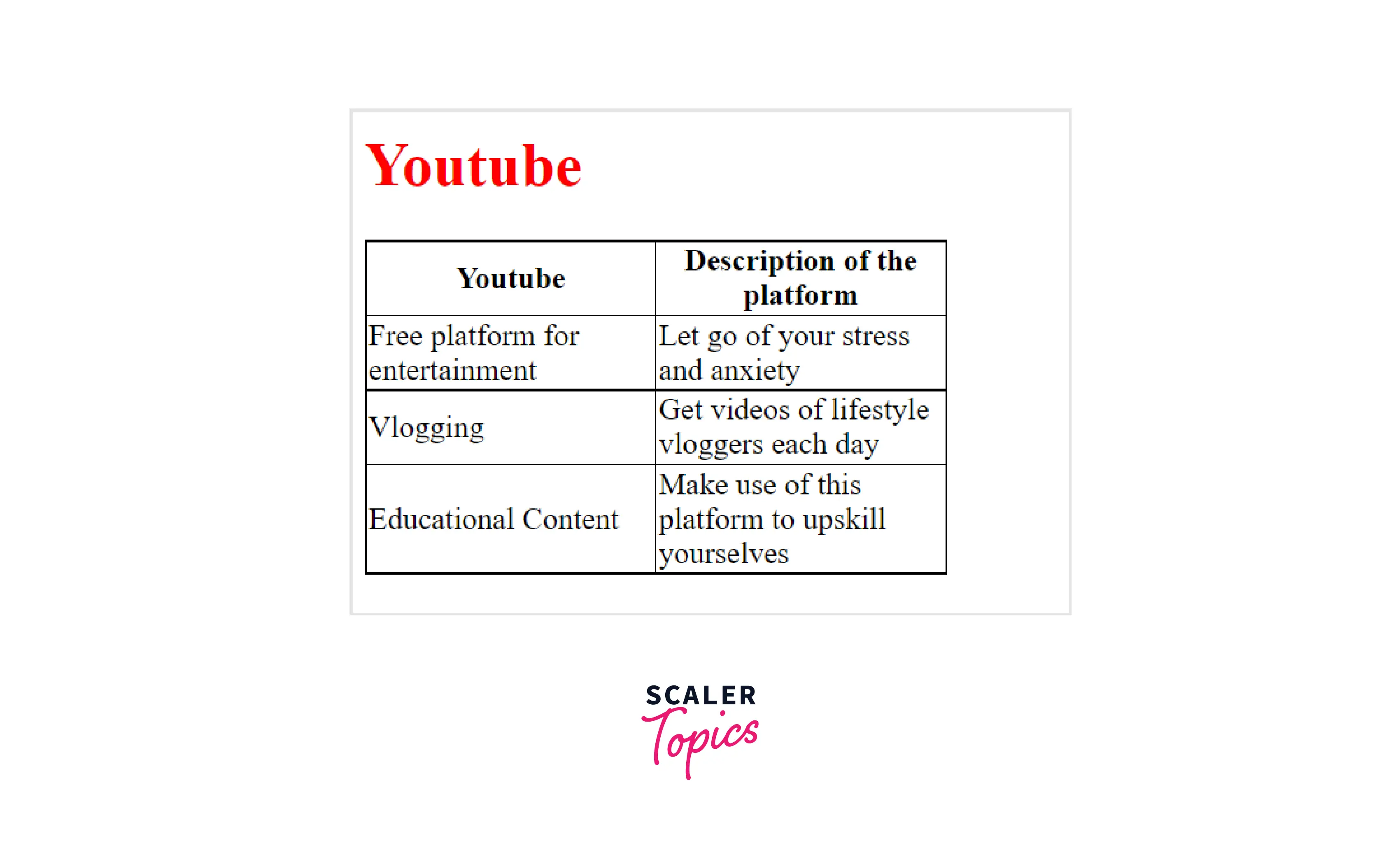
In the above example by setting the <table> width attribute to a certain value we are able to fix the column width.
Output
Using Cascading Style Sheet(CSS)
Web pages are often decorated with Cascading Style Sheets (CSS). HTML elements can be customized using CSS. With the nth-child CSS property, specific columns (determined by the value of n) in each row are set to the fixed width of the td tag in HTML
Example
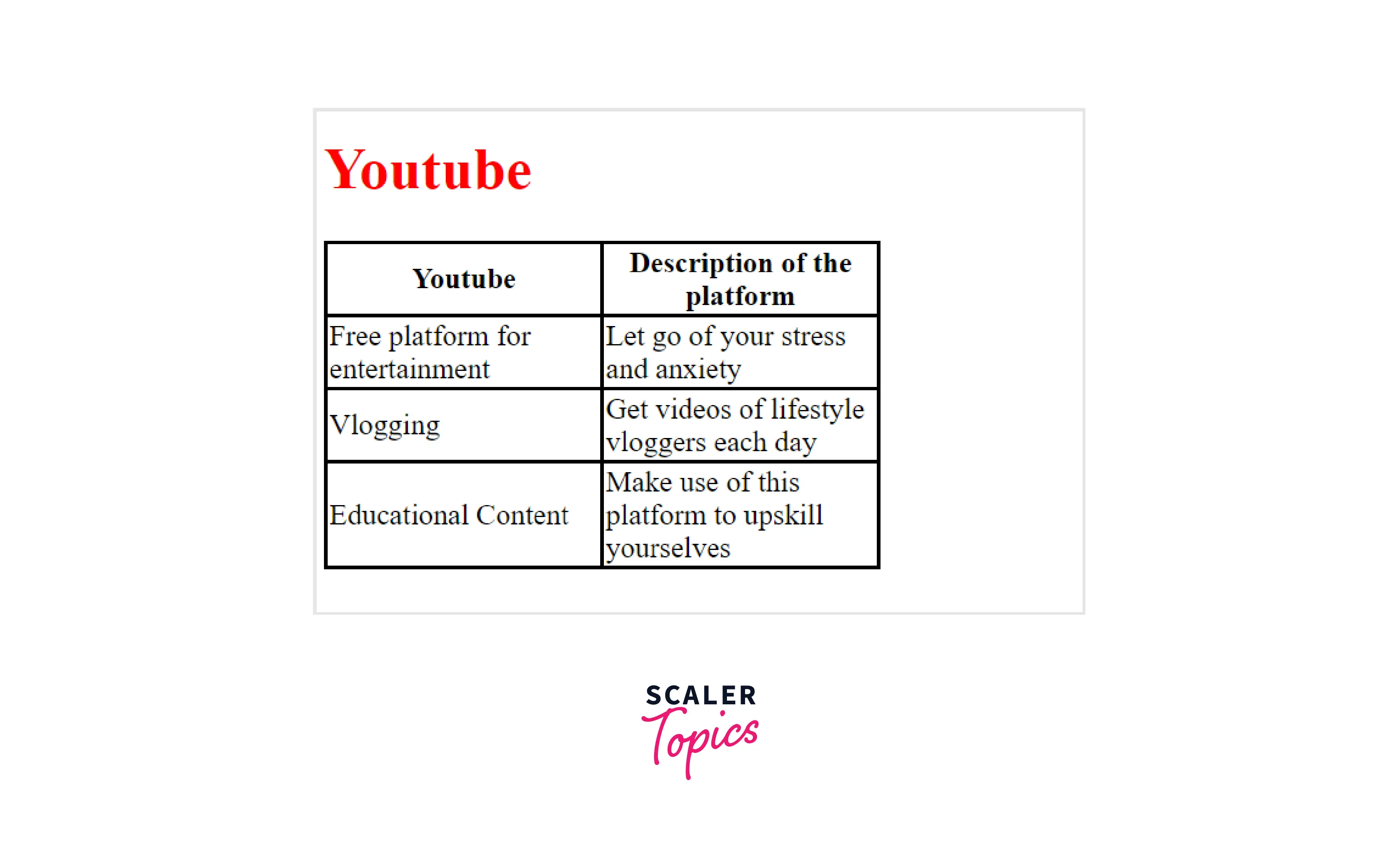
In the above example by setting the CSS nth-child value we are able to fix the column width.
Output
How Scaler Transformed Careers in Different Fields
Scaler learners achieved 2.5x salary growth with average post-Scaler CTC reaching ₹23L.
 Google
 Amazon
 Microsoft
 Flipkart
 Adobe1200+ more
How to Align the Content inside <td> Tag?
Text is aligned horizontally in HTML by using the <td> align attribute
Example
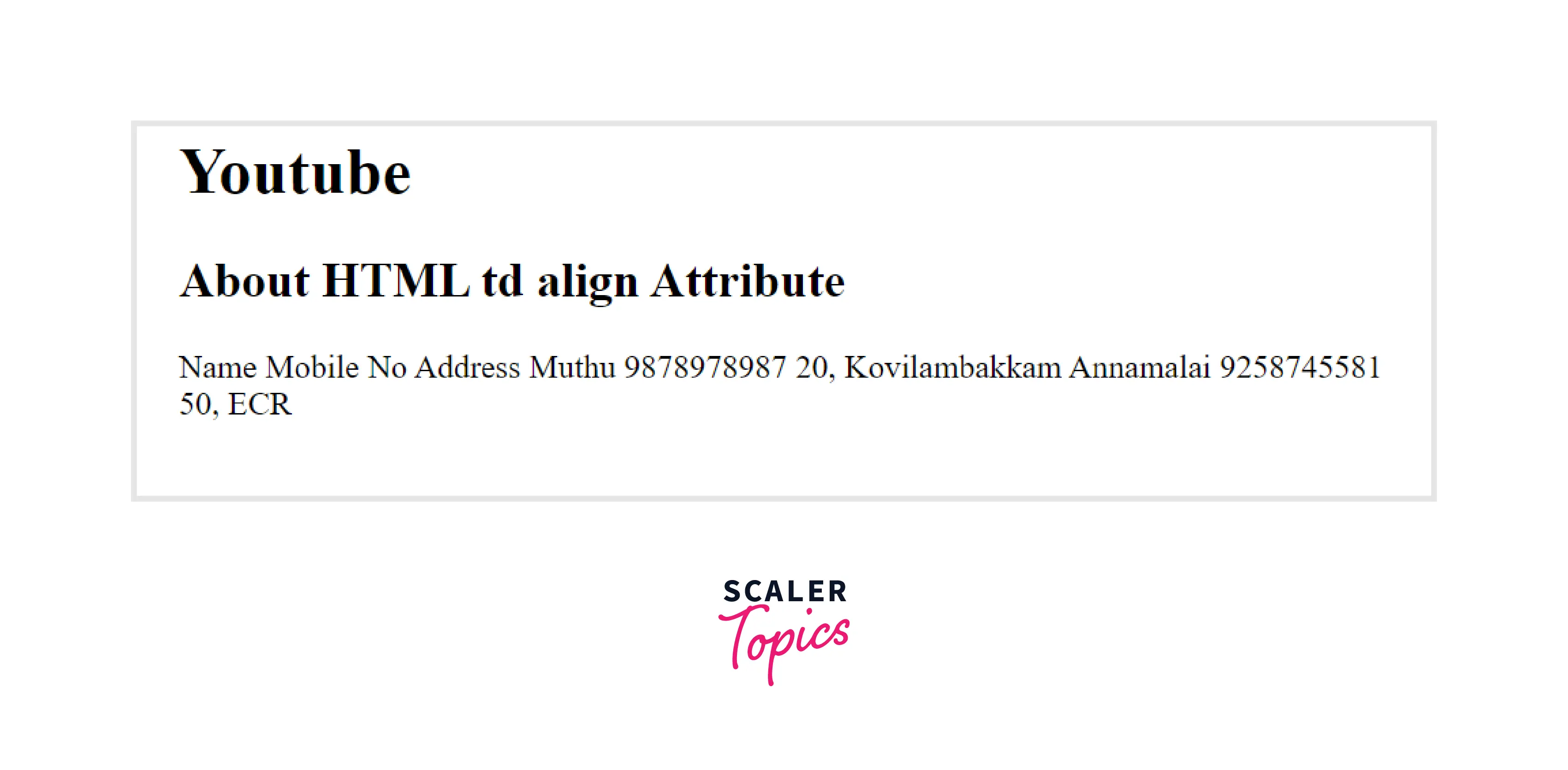
In the above example we are able to align the text in any way we want using the <td> align attribute. It can take values like center, left, right and justify.
Output
How to Specify No Word-Wrapping in Table Cell?
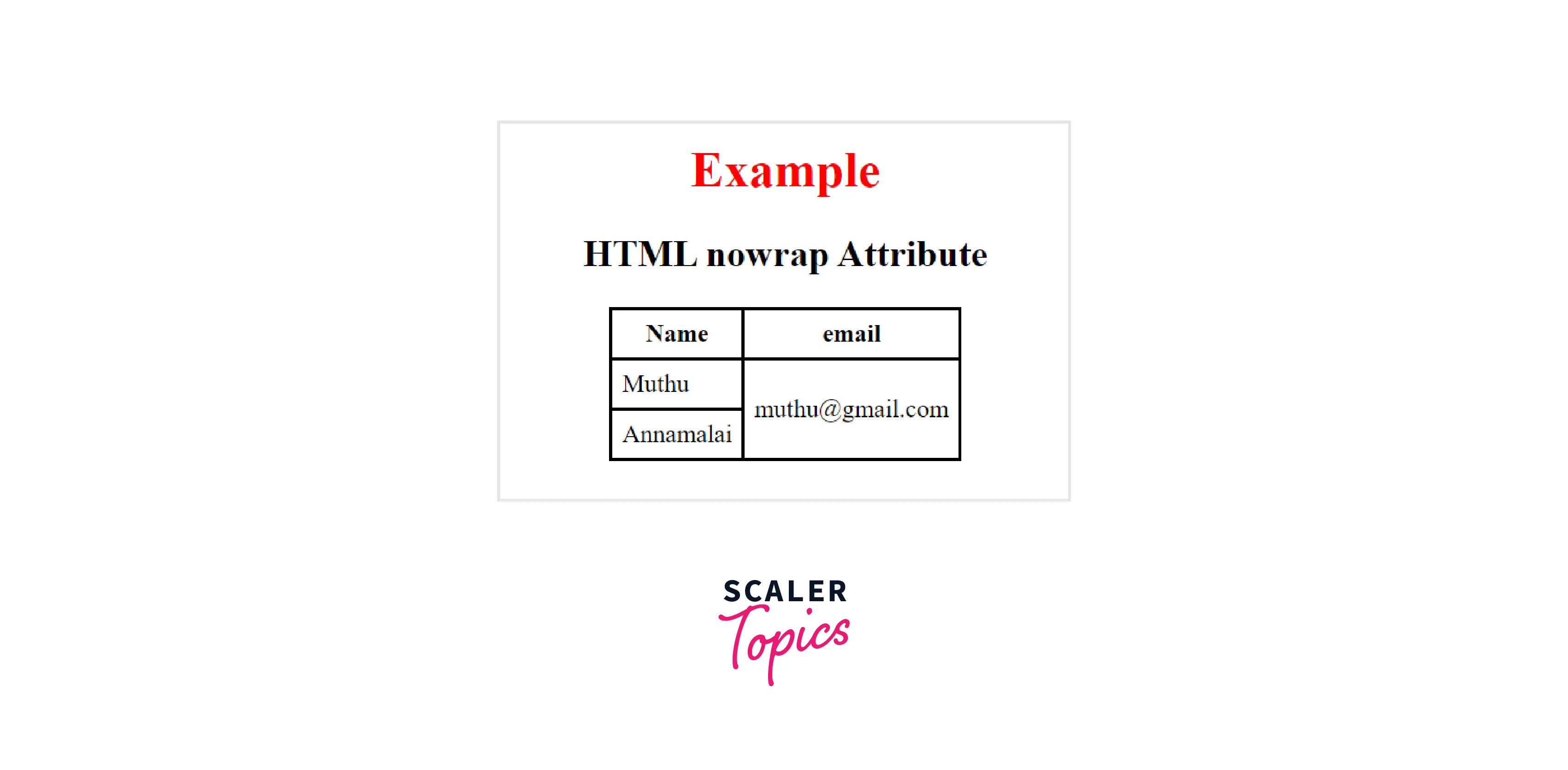
Using the HTML <td> nowrap attribute, we can define that the content present inside the cell should not wrap. This column contains the Boolean value. HTML 5 does not support this attribute.
Example
In the above example we are able to specify no word-wrapping in table cell by utilizing the <td> nowrap attribute.
Output
How to Create Table Headers?
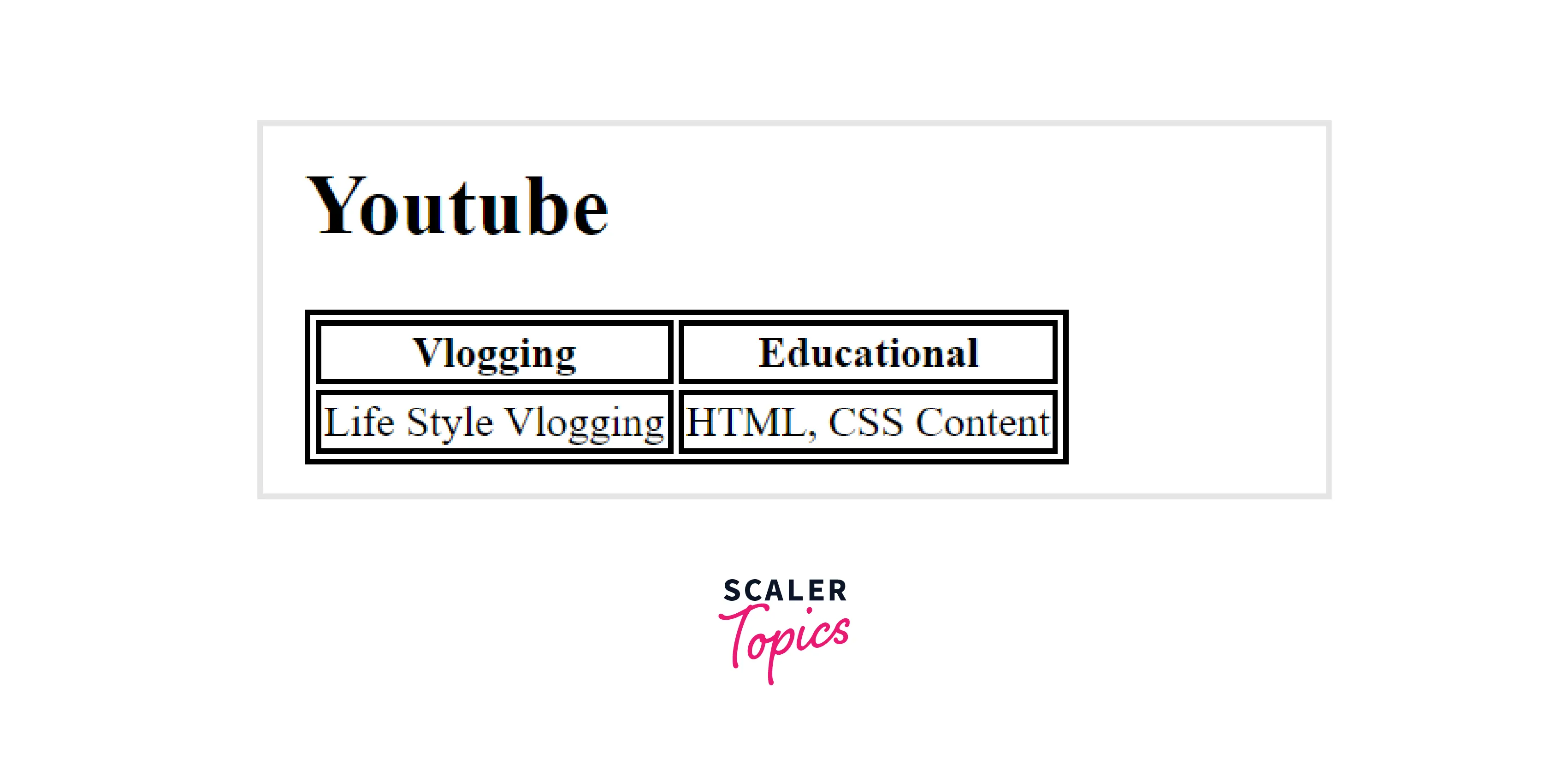
The <th>...</th> tag is used to create table headers in HTML. The table header tag is enclosed by the table row <tr>...</tr>.
Example
In the above example we have created the headers using the <th> tag.
Output
Turn Learning into Career Growth
How to Create a Table With a Caption?
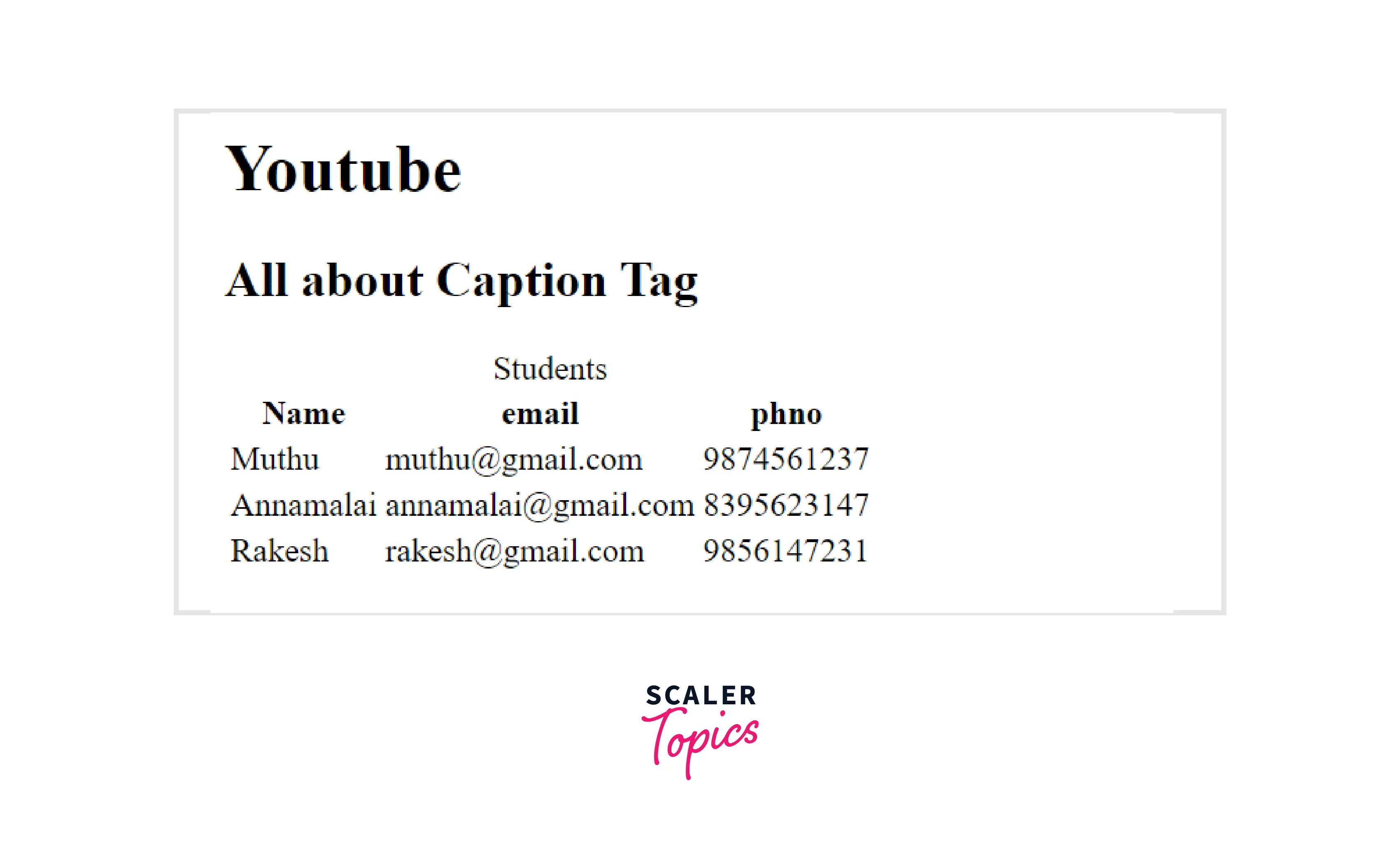
Table captions are specified using the caption tag. The caption tag is inserted immediately following the table tag. Each table can have only one caption. The caption is automatically centered. .
Example
In the above example we have created a table with a caption with the help of caption tag
Output
How to Define an Table Cells that Span More than One Row?
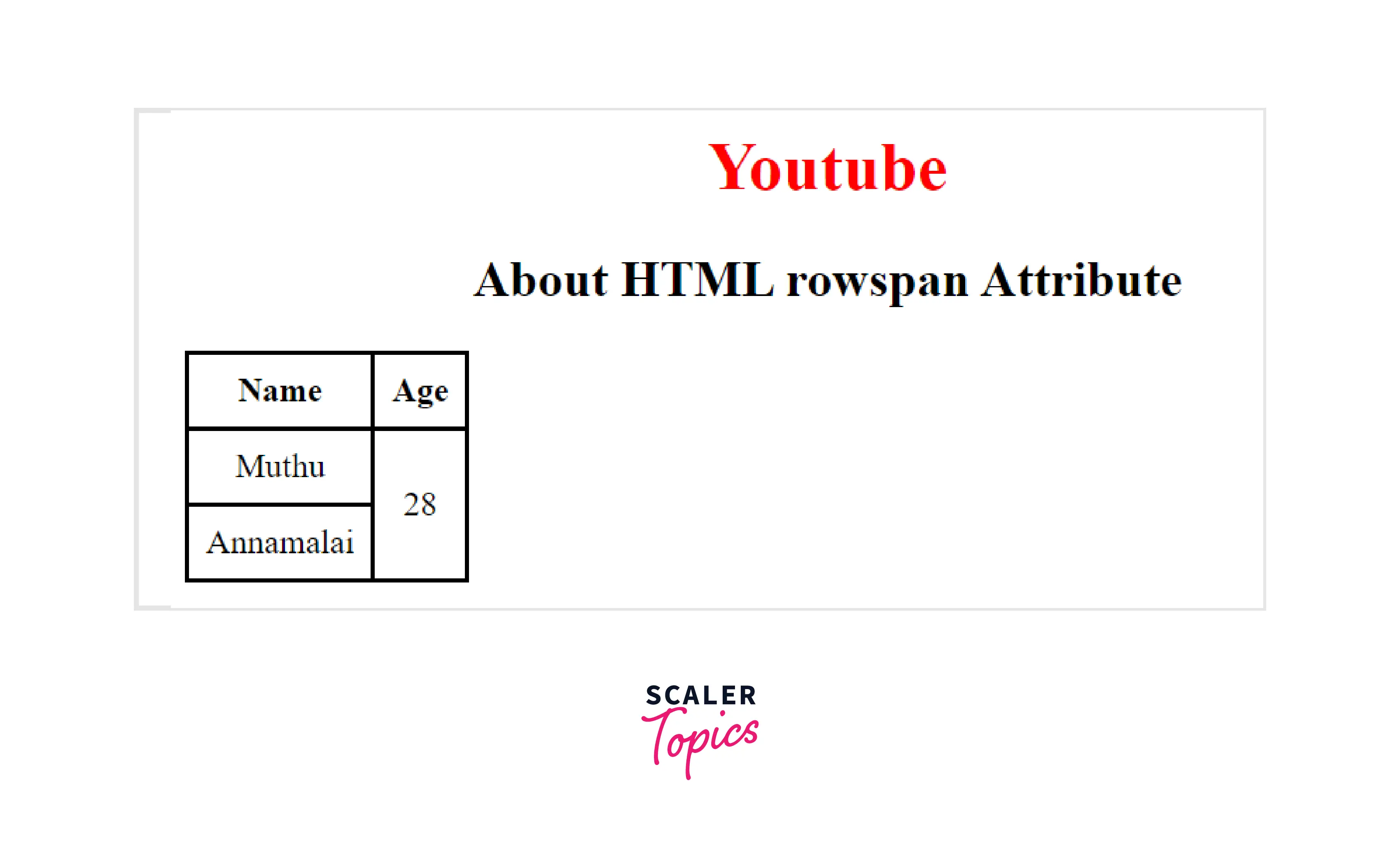
HTML's rowspan attribute specifies how many rows should be displayed in a cell. In other words, if a row spans two rows in a table, it will take up two rows of space Example
In the above example we are able to span a row more than row due to rowspan attribute
Output
How to Define an Table Cells that Span More than One Column?
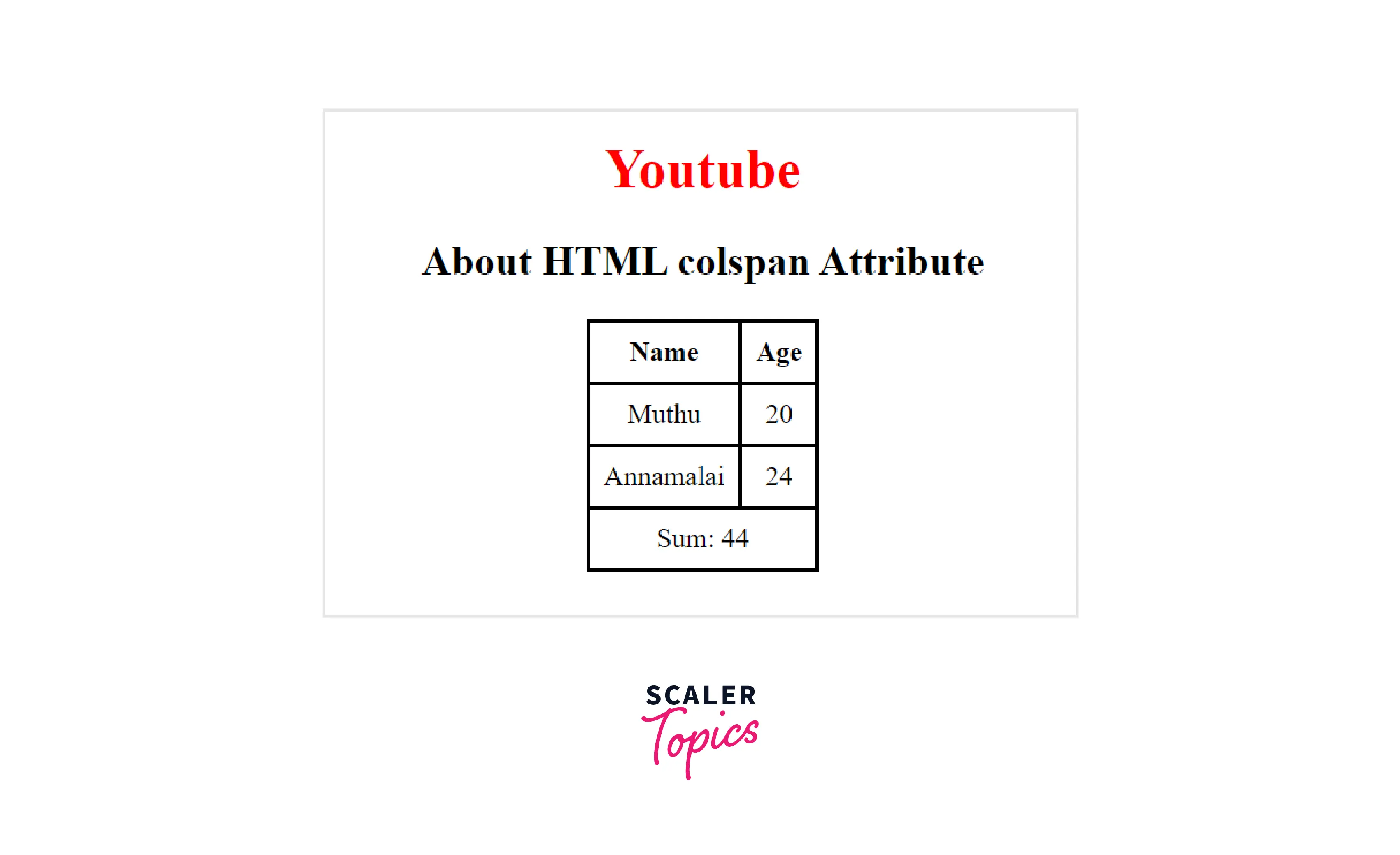
Using the colspan attribute in HTML, a cell can span one or more columns. The single table cell can span the width of multiple adjacent cells or columns Example
In the above example we are able to span a column more than column due to colspan attribute
Output
How to Create an HTML td Tag with Equal Width Column?
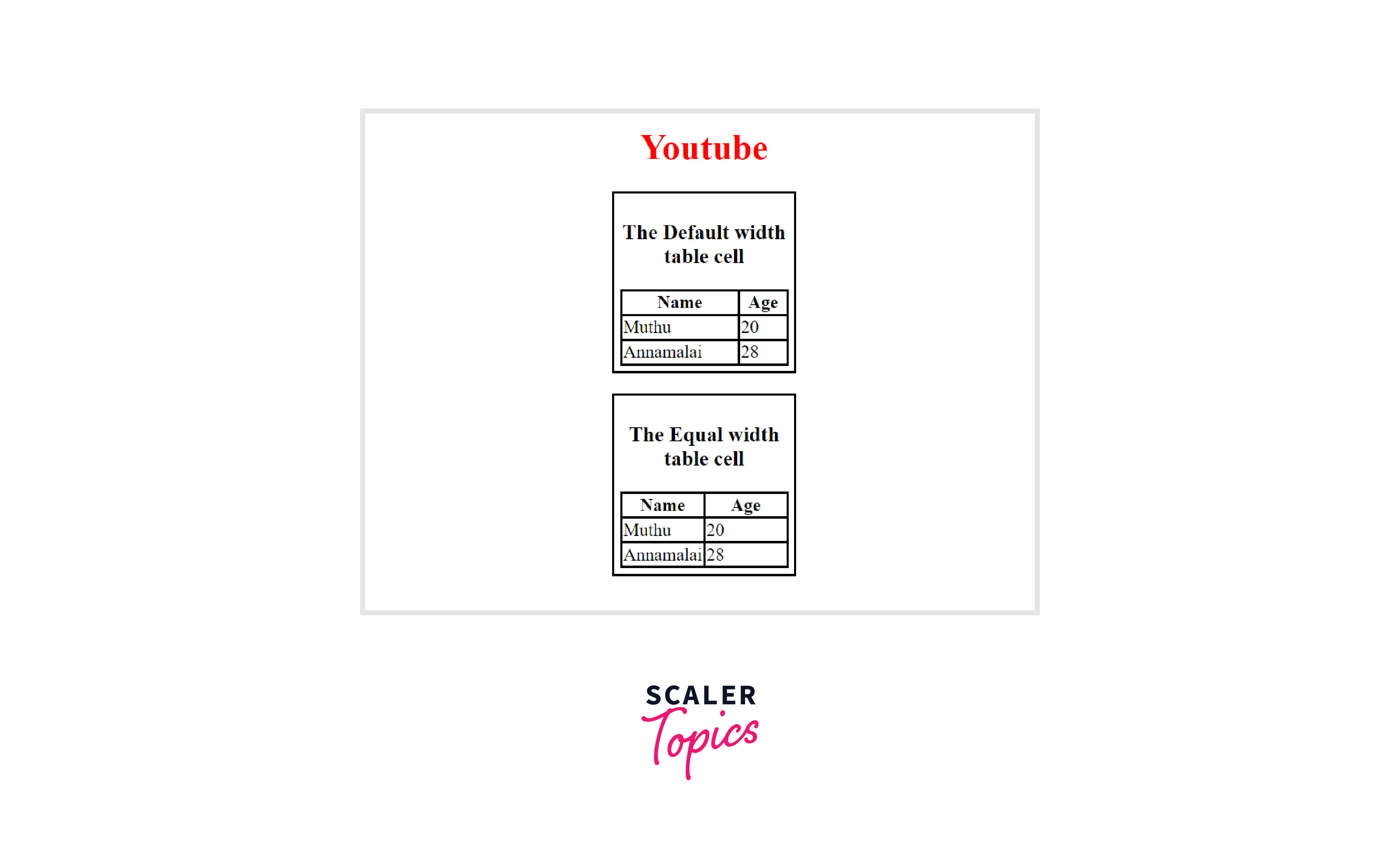
HTML by default handles cell sizes dynamically. Thus, the size of the cell changes according to the content within, if the content to be displayed in the cell is large.However, in other cases, a constant cell size is essential due to consistency or aesthetic considerations. HTML tables offer several options for setting cell sizes. The two ways are
Using Cascading Style Sheet(CSS) Table-Layout Property:
The table layout can be changed using the table-layout property. The table-layout property is set to auto by default. If we change it to fix that, the size of the cell will vary based on its content. If that is set to fixed, the layout of the table is fixed..
Example
In the above example we are able to create <td> tag with Equal width column by utilizing the CSS table-layout Property
Output
Using the Cascading Style Sheet(CSS) Width Property
You can specify how wide each cell is using this property. If we set the percentage value equal to the width of each cell, then the size of each cell will be the same.
Example
In the above example we are able to create <td> tag with Equal width column by utilizing the CSS width property Output

Conclusion
- In an HTML table, the <td> element is found within the <body> tag.
- The <td> tags define standard cells in a table that will appear as left-aligned normal-weight text.
- Table rows are defined by the <tr> tag. A table must have at least one row.
- Table headers are defined by the <th> tag and appear in bold, centered text.




