


CSS Color Property
 FREE
FREE

Build an AI-First Career, Master the Complete Skillset
Choose from our industry-leading programs designed for career success
Modern Software and AI Engineering Program
Master full-stack development with AI integration


 +1000 more
Modern Data Science and ML with specialisation in AI
Advanced data science techniques with AI specialization
+1000 moreAdvanced AIML with Specialisation in Agentic AI
Deep dive into AIML with focus on Agentic systems
+1000 moreDevOps, Cloud & AI Platform Engineering
Build and manage AI-powered cloud infrastructure
+1000 moreAI Engineering Advanced Certification by IIT-Roorkee
Premier AI engineering certification from IIT-Roorkee

AI Forward Deployed Engineer Program
Full-stack engineering, production AI and client-facing consulting
+1000 moreOverview
The appearance of a website relies heavily on the use of color. To change the color of an element or the background, you can use one of the many CSS color values. Using the CSS color property, you can change the color of HTML elements. Changing an element's text color is easy with the help of the CSS color-attribute property. The text color in CSS can be very helpful in enhancing the appearance of the text.
To learn how to set the color of text using this property, as well as examples of its use, related properties, and browser compatibility, read on. This CSS color attribute is used to change the color of the text of an element.
Syntax of Text Color in CSS
The following are the ways in which we can use the text color property in CSS.
Color in CSS
The CSS color property is used to change the color of the text. The CSS color property value can be represented as a hexadecimal notation, rgb() value, hsl() value, or as a named color.
| Representation | Syntax | Description |
|---|---|---|
| Hexadecimal | #RRGGBB | Colors can be represented by Hex values, which have a total of 6 characters. They begin with the pound/number symbol (#), followed by any number ranging from 0 to 9, and finally, any letter ranging from A to F. The first two numbers indicate red, the next two represent green, and the last two represent blue. The hexadecimal notation of colors is very dynamic. They are most popular among developers because your only constraint is your imagination. With hex colors, you can use different tints and even a color that no one else has ever used. The shades of colors you can utilize using hex values are limitless. For example, #FFFFFF, #000000, and #FF0000, etc. |
| rgba() | rgba (amountOfRed, amountOfGreen, amountOfBlue, alpha) | rgba() is an abbreviation for red, green, blue, and alpha. rgba() colors are also dynamic as hex colors. You can indicate how much red, green, and blue you want from 0 to 255 and how translucent you want the color to be with the added alpha value. rgba() is an abbreviation for red, green, blue, and alpha. The alpha value specifies the opacity of the color. It accepts values ranging from 0.0 to 1.0, with 0.0 representing no opacity, 0.5 representing 50% opacity, and 1.0 representing 100% opacity. For example, rgba(34, 12, 64, 0.6), rgb(0,0,0), and rgb(255,0,0), etc. |
| hsla() | hsla (colorDegree, saturationPercentage, lightnessPercentage, alpha) | hsla() is an abbreviation for hue, saturation, lightness, and alpha. Hue is a 360° representation of the color wheel. So 0° is red, 120° is green, and 240° is blue. The percentage of grey in color is denoted as saturation. 0% represents the grey shade, whereas 100% represents the color itself. The percentage of darkness and lightness of a color is expressed as lightness. 0% is black, and 100% is white. It is the most dynamic of all. You can define the precise color you want in degrees ranging from 0 to 360 on the color wheel, as well as how saturated and dark you want it to be in percentages and an opacity ranging from 0.0 to 1.0. For example, hsl(30, 100%, 50%, 0.6), hsla(30 100% 50% / 0.6), etc. |
| name | nameOfColor | As the name suggests, you add the color property and apply the value by naming the desired color. When you use named colors, you are rather limited in your ability to apply multiple shades of colors. Red, green, blue, yellow, or any other named color has many variations that named colors do not have. You'll only have access to about 147 preset colors that browsers recognize. For example, aqua, blue, black, red, etc. |
How Scaler Transformed Careers in Different Fields
Scaler learners achieved 2.5x salary growth with average post-Scaler CTC reaching ₹23L.
 Google
 Amazon
 Microsoft
 Flipkart
 Adobe1200+ more
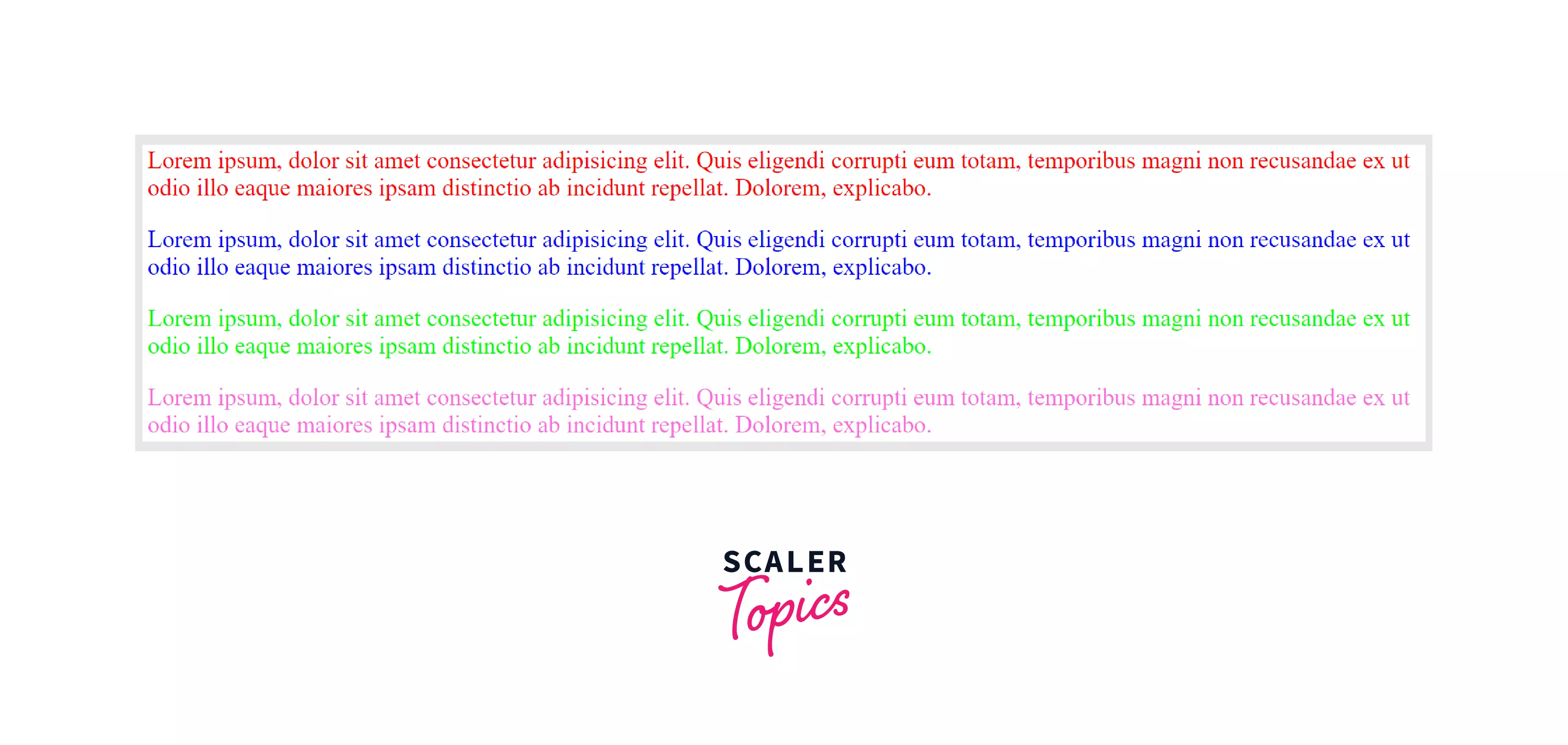
Example of Text Color in CSS
Output of the above code:
Accessibility Concerns with Text Color in CSS
Color accessibility is a significant part of visual accessibility. Colors are perceived differently by people with different forms of visual impairments, such as color blindness and poor vision. As a result, for people with visual problems, the meaning of colors becomes less meaningful or is completely lost.
It is essential to ensure that the contrast ratio between the color of the text and the background text is set on is high enough so that persons with low vision can read the information provided on the website.
The color contrast ratio is calculated by comparing the brightness levels of the text and background colors. The contrast ratio between the text (foreground) and the background behind it must be of:
- at least 4.5:1 for normal text and 3:1 for larger text to meet WCAG 2.1 Level AA conformity,
- at least 7:1 for normal text and 4.5:1 for larger text to meet WCAG 2.1 Level AAA conformity,
Turn Learning into Career Growth
Browser Support
The text color in the CSS property is supported by the following browsers:
| Browser | Google Chrome | Internet Explorer | Microsoft Edge | Firefox | Opera | Safari |
|---|---|---|---|---|---|---|
| Version Support | Yes | Yes | Yes | Yes | Yes | Yes |
| Download | 1.0+ | 3.0+ | 12.0+ | 1.0+ | 3.5+ | 1.0+ |
Conclusion
- Using color text can help in making your website more appealing to visitors. The appropriate color combination can also make your provided information more readable.
- The CSS color property is used to change the color of the text. The color value can be represented as a hexadecimal notation, rgb() value, hsl() value, or as a named color.
- To improve color accessibility, you can utilize a few simple CSS approaches. The most crucial factor is to make sure that text blocks have great color contrast, especially when the font size is small. You can also use the hsl() color model, image overlays, and opacity and filter properties to improve the contrast ratio between foreground and background elements.
Related Properties
1. background-color
2. border-color
3. outline-color
4. text-decoration-color
5. caret-color




