


WC Command in Linux
Overview
The wc command in Linux is a simple tool for counting the number of lines, words, and characters in a file. It is a simple yet useful tool that gets utilized for a variety of text processing work. This article will provide an introduction to the wc command, its syntax, and examples of its use.
Build an AI-First Career, Master the Complete Skillset
Choose from our industry-leading programs designed for career success
Modern Software and AI Engineering Program
Master full-stack development with AI integration


 +1000 more
Modern Data Science and ML with specialisation in AI
Advanced data science techniques with AI specialization
+1000 moreAdvanced AIML with Specialisation in Agentic AI
Deep dive into AIML with focus on Agentic systems
+1000 moreDevOps, Cloud & AI Platform Engineering
Build and manage AI-powered cloud infrastructure
+1000 moreAI Engineering Advanced Certification by IIT-Roorkee
Premier AI engineering certification from IIT-Roorkee

AI Forward Deployed Engineer Program
Full-stack engineering, production AI and client-facing consulting
+1000 moreIntroduction to the "wc" Command in Linux
wc command in Linux determines the number of lines, words, and characters in a file. This command executes various text processing operations; it is an essential yet potent tool that Linux users utilize frequently. The wc command displays the number of lines, words, and characters in a file or several files. wc is an abbreviation for "word count".
In this article, we are going to look at the syntax of the wc command in Linux and present examples of how to use it to count the number of lines, words, and characters in a file, in addition to various applications such as finding hidden characters and counting files and folders in a directory.
Linux "wc" Command Syntax
The syntax of the wc command is as follows:
The "options" in this context relate to the flags that get used with the wc command. The term "file" refers to the file whose lines, words, and characters are to be counted.
Options in "wc" Command in Linux
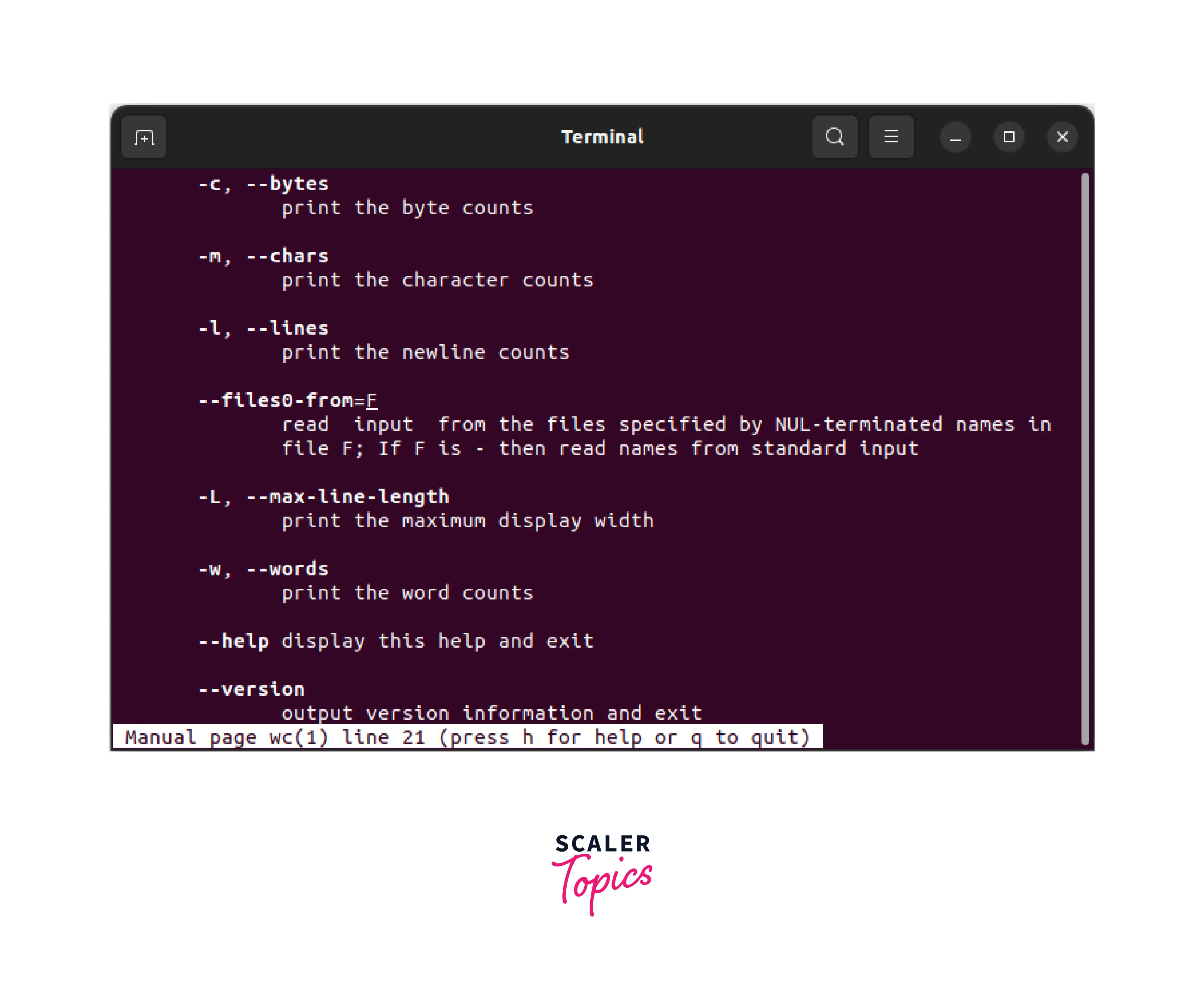
wc command in Linux supports a variety of configuration options. These options can be specified in any order on the command line just after the wc command to get a desired output.
These are some of the most commonly used options:
| Option | Description |
|---|---|
| -c,--bytes | Print the byte counts |
| -m,--chars | Print the character counts |
| -l, --lines | Print the newline counts |
| --files0-from=[file] | read input from the files specified by NUL-terminated names in file F; If F is - then read names from standard input |
| -L,--max-line-length | Print the maximum display width |
| -w, --words | Print the word counts |
| --help | Display this help and exit |
| --version | Output version information and exit |
Passing Only One File Name in the Argument
The wc command counts the number of lines, words, and characters in a single file.
For instance, if we have a file named "sample.txt" and need to count the number of lines, words, and characters within it, we can use the following command:
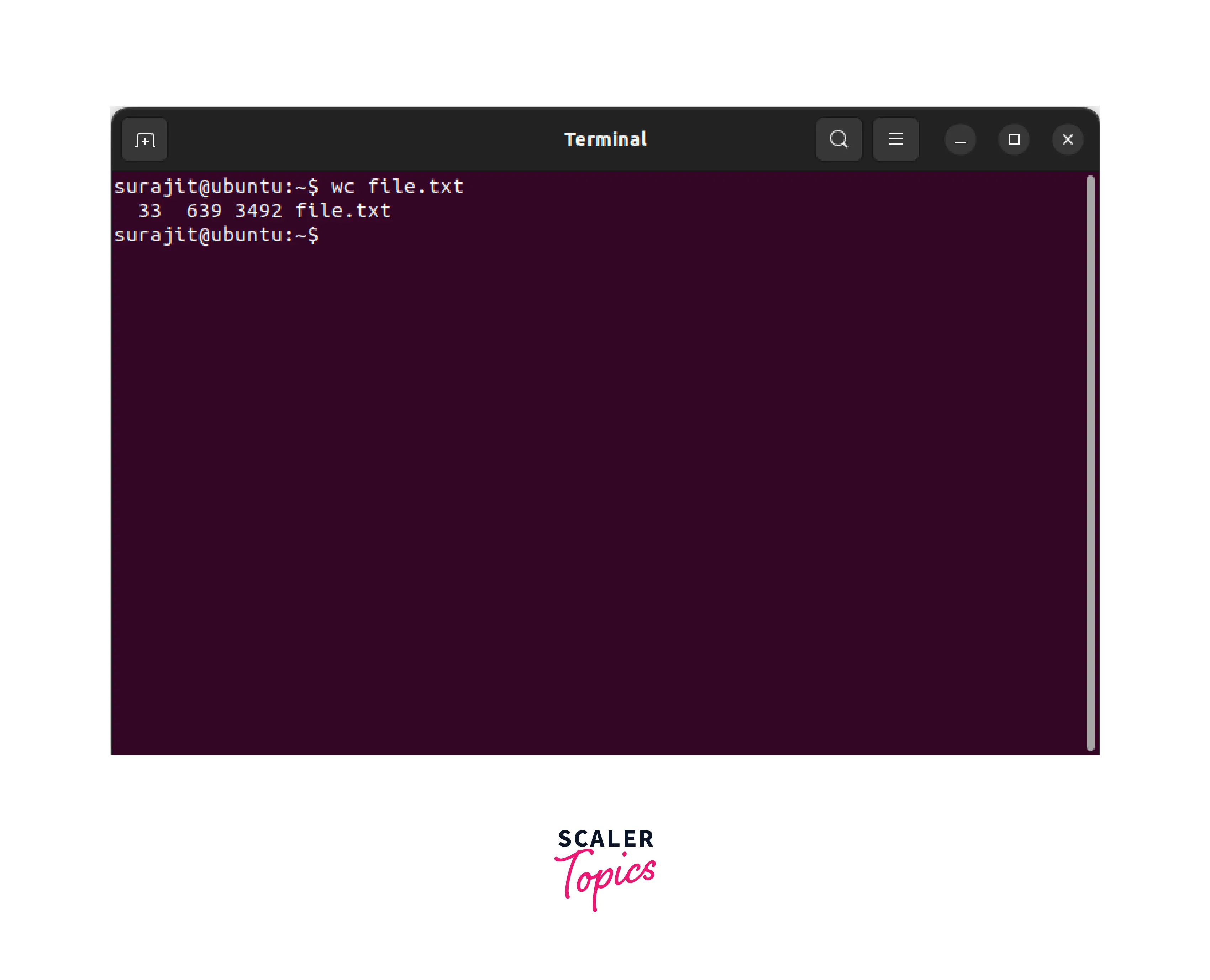
This command will display the file's line, word, and character count.
How Scaler Transformed Careers in Different Fields
Scaler learners achieved 2.5x salary growth with average post-Scaler CTC reaching ₹23L.
 Google
 Amazon
 Microsoft
 Flipkart
 Adobe1200+ more
Passing More than One File Name in the Argument
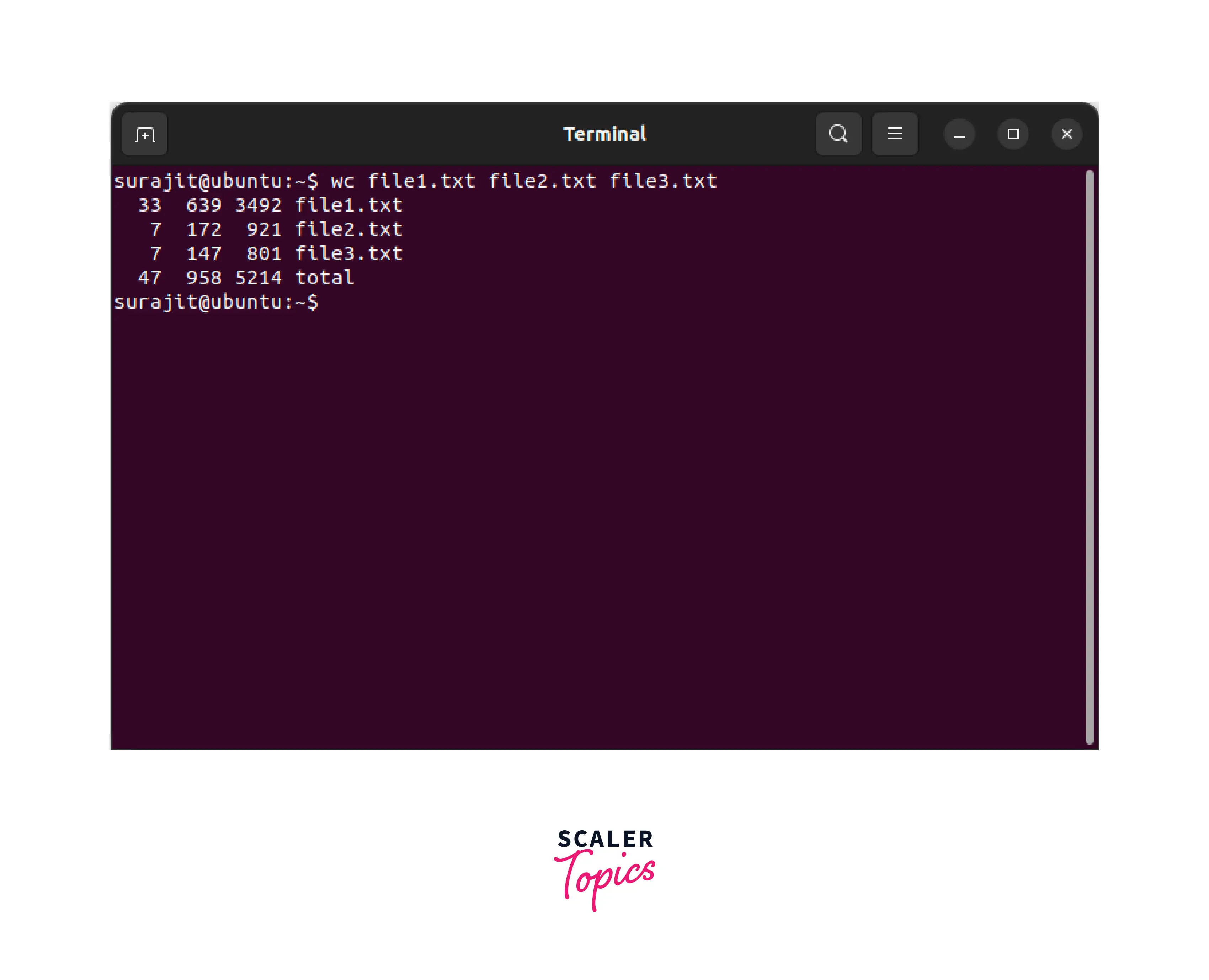
Additionally, the wc command can determine the number of lines, words, and characters in various files. The wc command can count the number of lines, words, and characters in multiple files.
For instance, if we have three files with the names "file1.txt", "file2.txt", and "file3.txt" and wish to count the number of lines, words, and characters in all three files, we can use the following command:
This command displays the number of lines, words, and characters in the three specified files.
Applications of "wc" Command in Linux
The wc command has a variety of uses. The following are some of the most common applications of the wc command. Let's learn.
Turn Learning into Career Growth
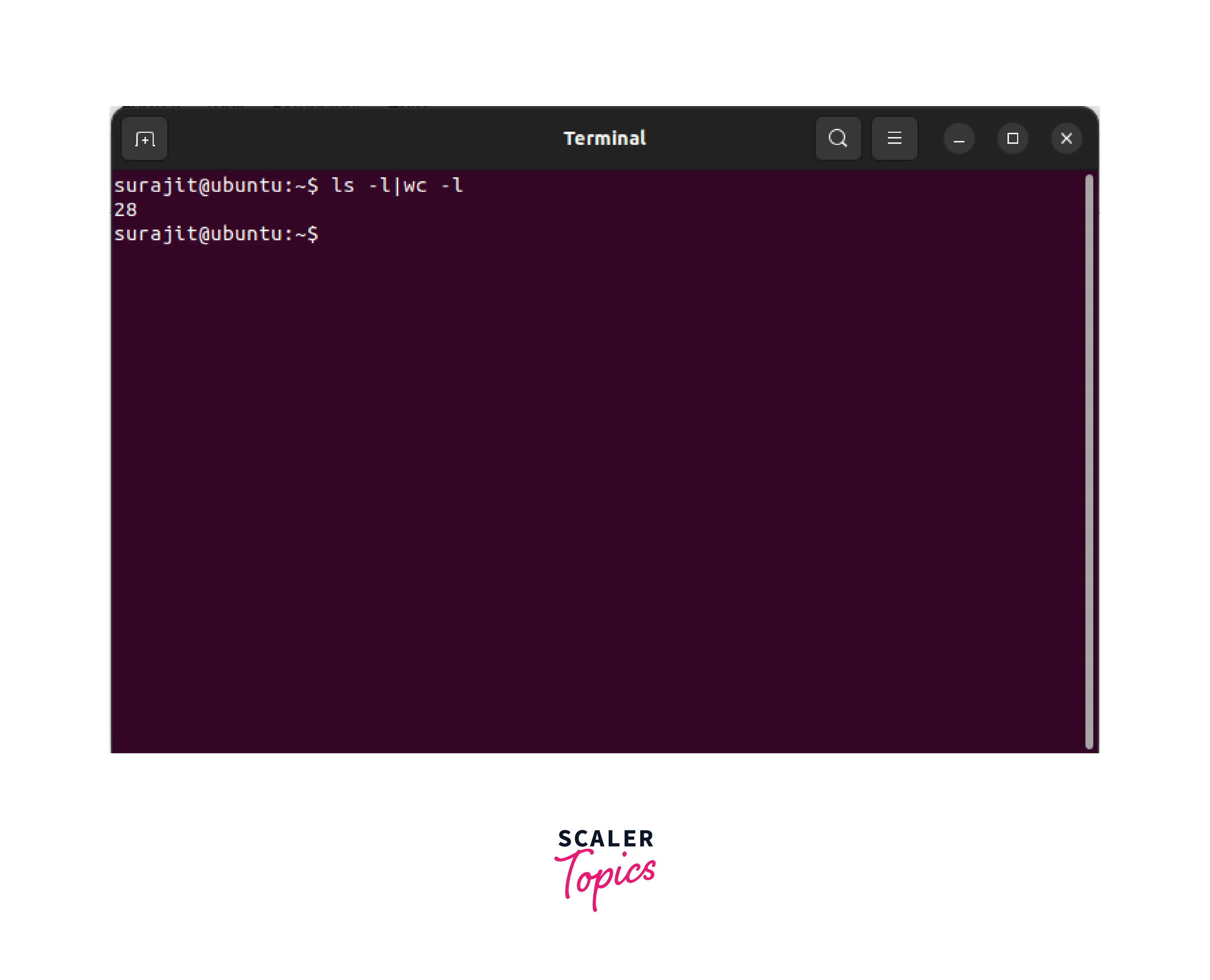
Count All Files and Folders Present in the Directory
The wc command can determine the number of files and directories in a directory. To determine the number of files and folders in a directory, use the following command:
This command displays the directory's total number of files and folders.
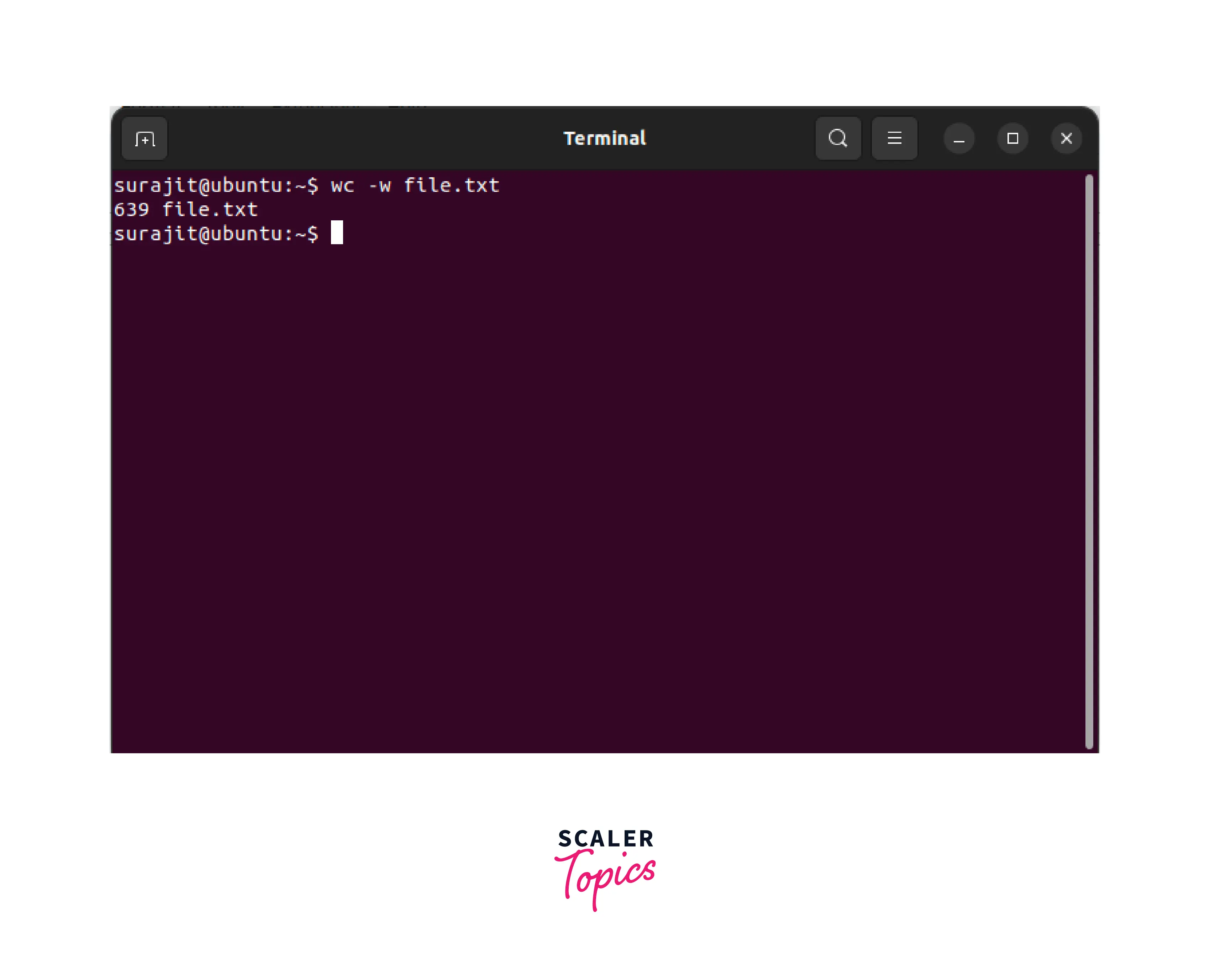
Display Number of Word Count Only of a File
The wc command can be used to display a file's word count. To display the number of words included in a file, use the following command:
This command displays the total amount of words within a file.
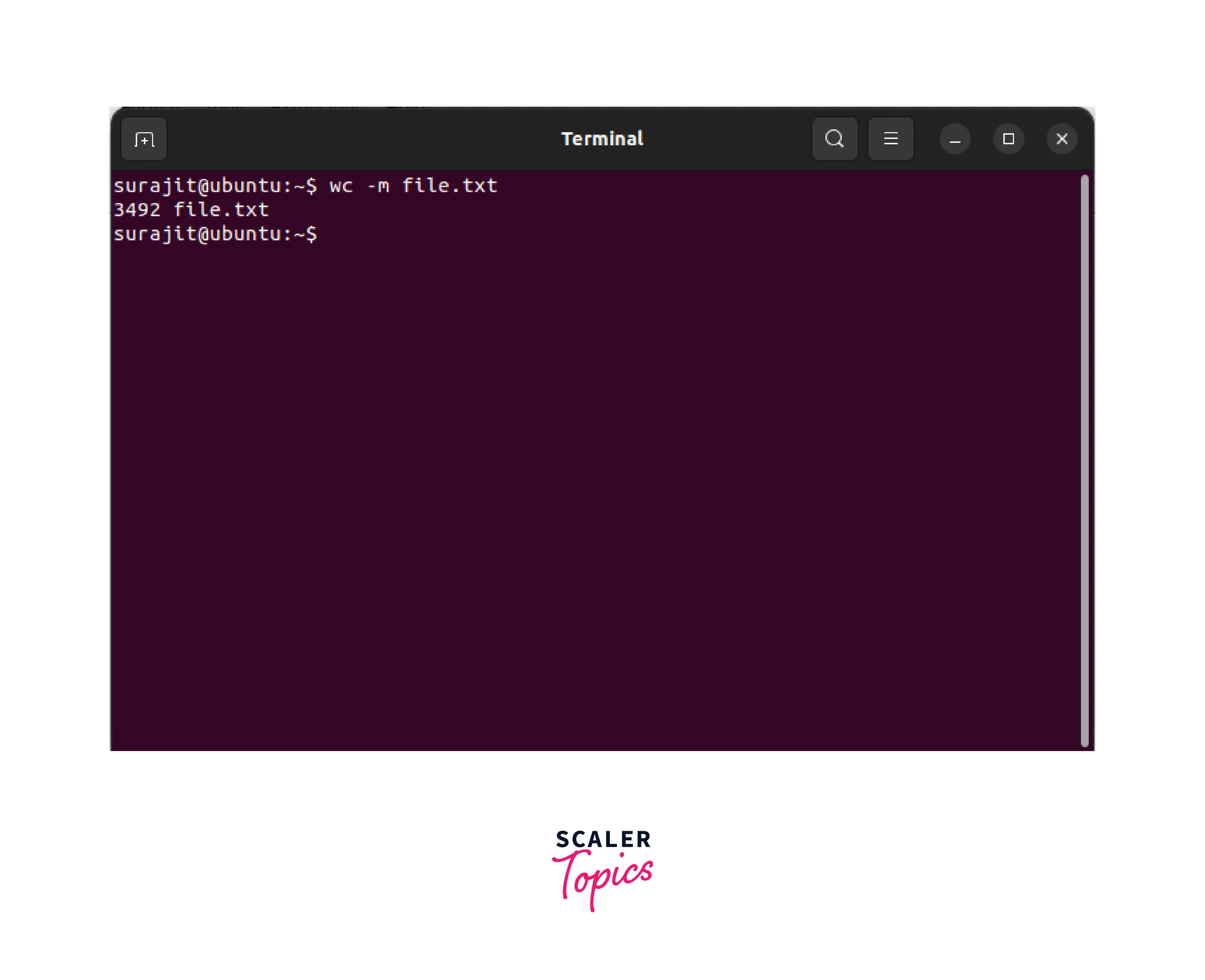
Detecting Hidden Characters with wc
The wc command can determine whether a file contains hidden characters. To identify hidden characters in a file, use the following command:
This command displays the total number of characters in the file, including any hidden ones.
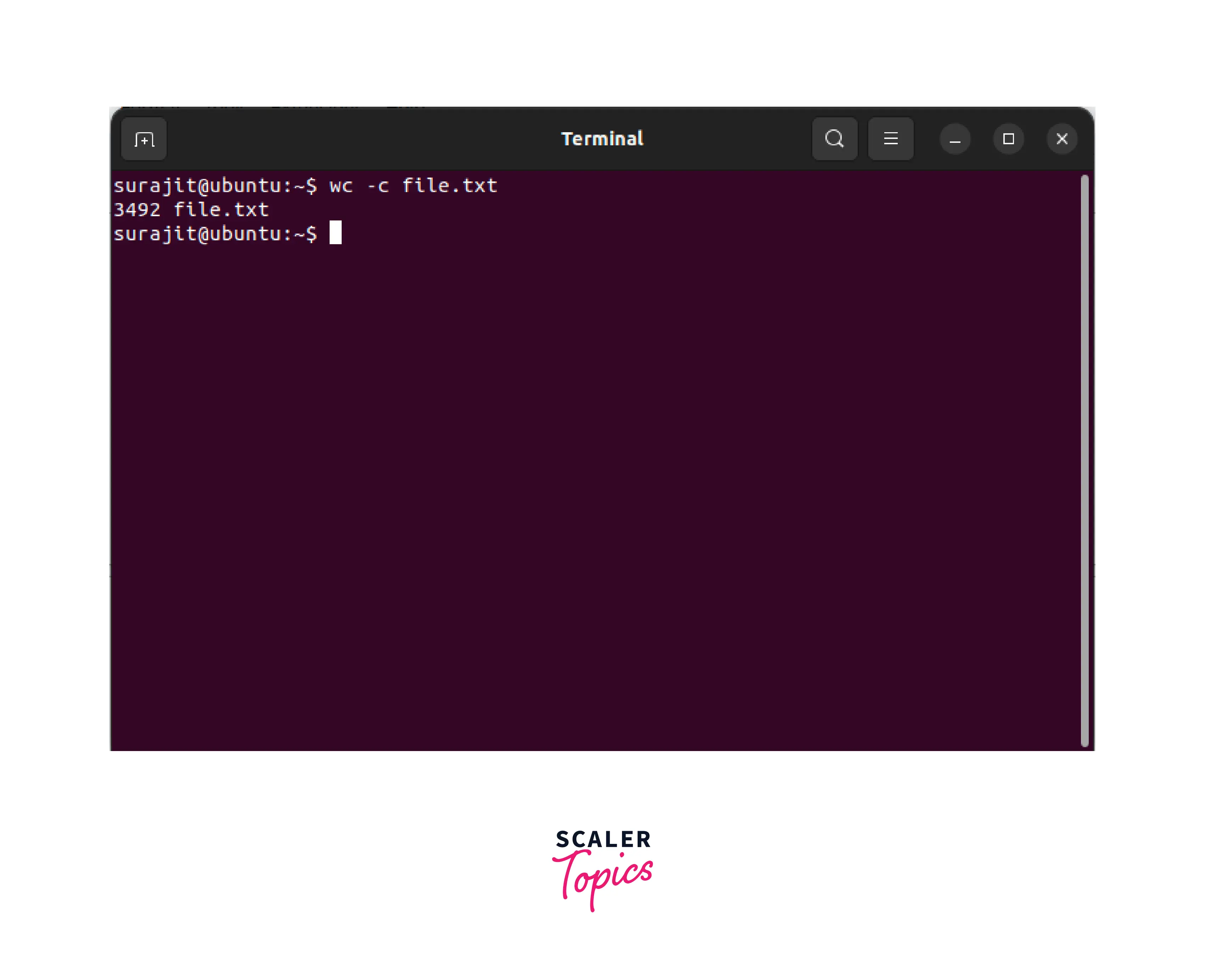
Get the Size of a File with wc Command
The wc command is used to determine the file size in bytes. To determine the size of a file in bytes, use the following command:
This command prints the file's size in bytes.
Conclusion
- In conclusion, the wc command is a potent tool that may be utilized for various text-processing applications.
- It is a tool that can count the number of lines, words, and characters within a file.
- wc command in Linux can also count the number of files and directories in a directory, detect hidden characters within a file, and determine the file's size in bytes.
- The numerous uses of the wc command in the Linux operating system make it an indispensable tool for anyone working with text files.




