


word wrap CSS Property
Overview
There are instances where our content in CSS is too large for its container, so it overflows, creating a messy and unsatisfactory user experience. For this problem, the word wrap in CSS comes to the rescue. In CSS, the word-wrap property breaks long words and wraps them into new lines when the content exceeds the container's boundaries.
Build an AI-First Career, Master the Complete Skillset
Choose from our industry-leading programs designed for career success
Modern Software and AI Engineering Program
Master full-stack development with AI integration


 +1000 more
Modern Data Science and ML with specialisation in AI
Advanced data science techniques with AI specialization
+1000 moreAdvanced AIML with Specialisation in Agentic AI
Deep dive into AIML with focus on Agentic systems
+1000 moreDevOps, Cloud & AI Platform Engineering
Build and manage AI-powered cloud infrastructure
+1000 moreAI Engineering Advanced Certification by IIT-Roorkee
Premier AI engineering certification from IIT-Roorkee

AI Forward Deployed Engineer Program
Full-stack engineering, production AI and client-facing consulting
+1000 moreSyntax
It accepts keyword values such as normal, break-word, initial, and inherit. We will discuss each in more detail in the following section of the article.
Word-wrap in CSS
| Value | Description | Syntax |
|---|---|---|
| normal | It is the default value. It breaks lines only at normal breakpoints (spaces, characters other than alphanumeric, etc.). | word-wrap |
| break-word | It breaks the words that exceed the container's width arbitrarily. | word-wrap |
| initial | It sets the property to its default value. | word-wrap |
| inherit | It inherits the property from its parent element. | word-wrap |
NOTE: The font determines the space between the words for the default value.
Let's comprehend the word wrap in CSS with the following examples :
EXAMPLES
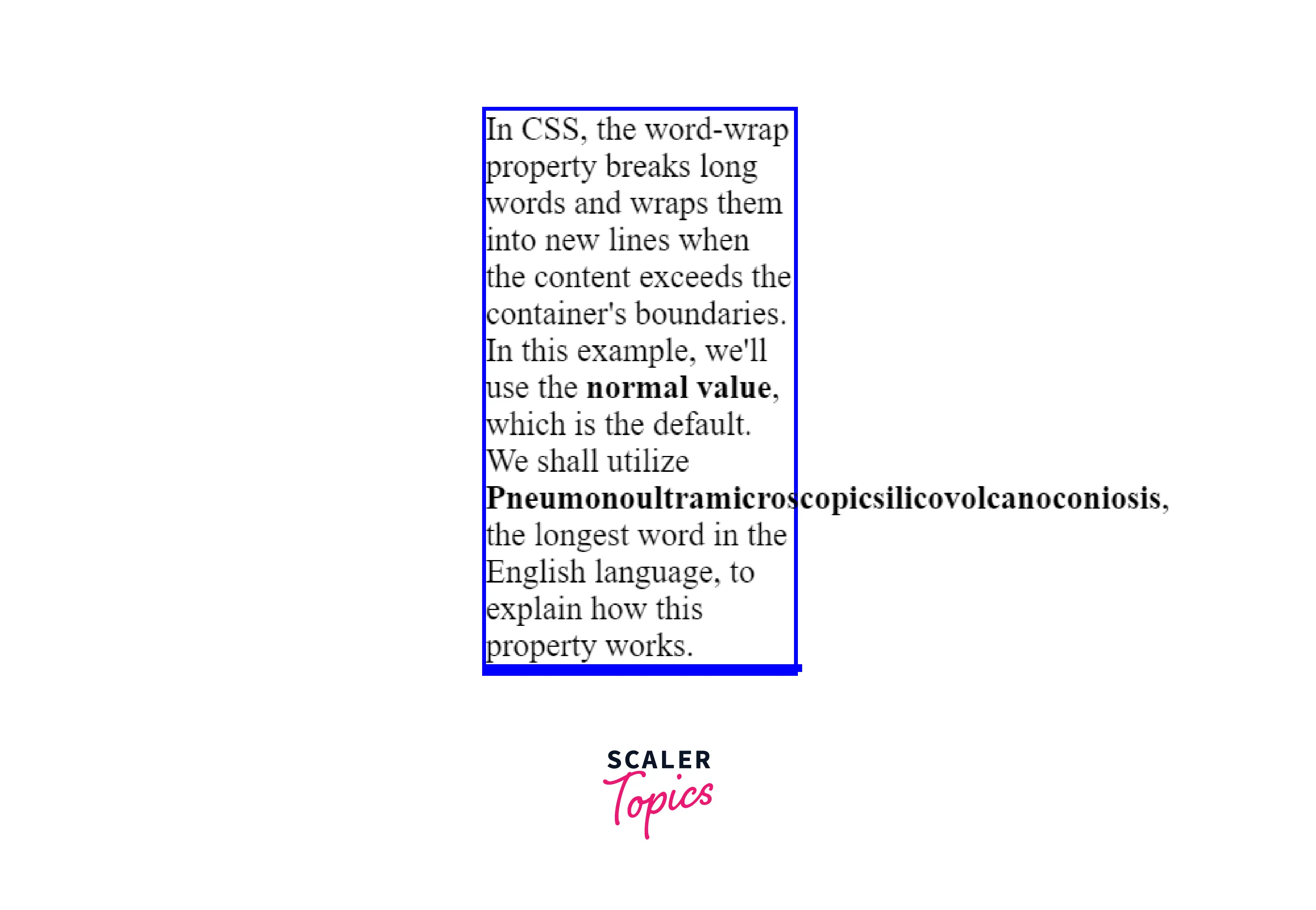
Example 1: This Example Describes the "normal" Value of the CSS Word-wrap Property.
"Pneumonoultramicroscopicsilicovolcanoconiosis" cannot fit inside the container's width and, hence, overflows outside. The normal value demonstrates the default behavior of the word-wrap property.
HTML
CSS
Output
To see the live output, visit the following link.
How Scaler Transformed Careers in Different Fields
Scaler learners achieved 2.5x salary growth with average post-Scaler CTC reaching ₹23L.
 Google
 Amazon
 Microsoft
 Flipkart
 Adobe1200+ more
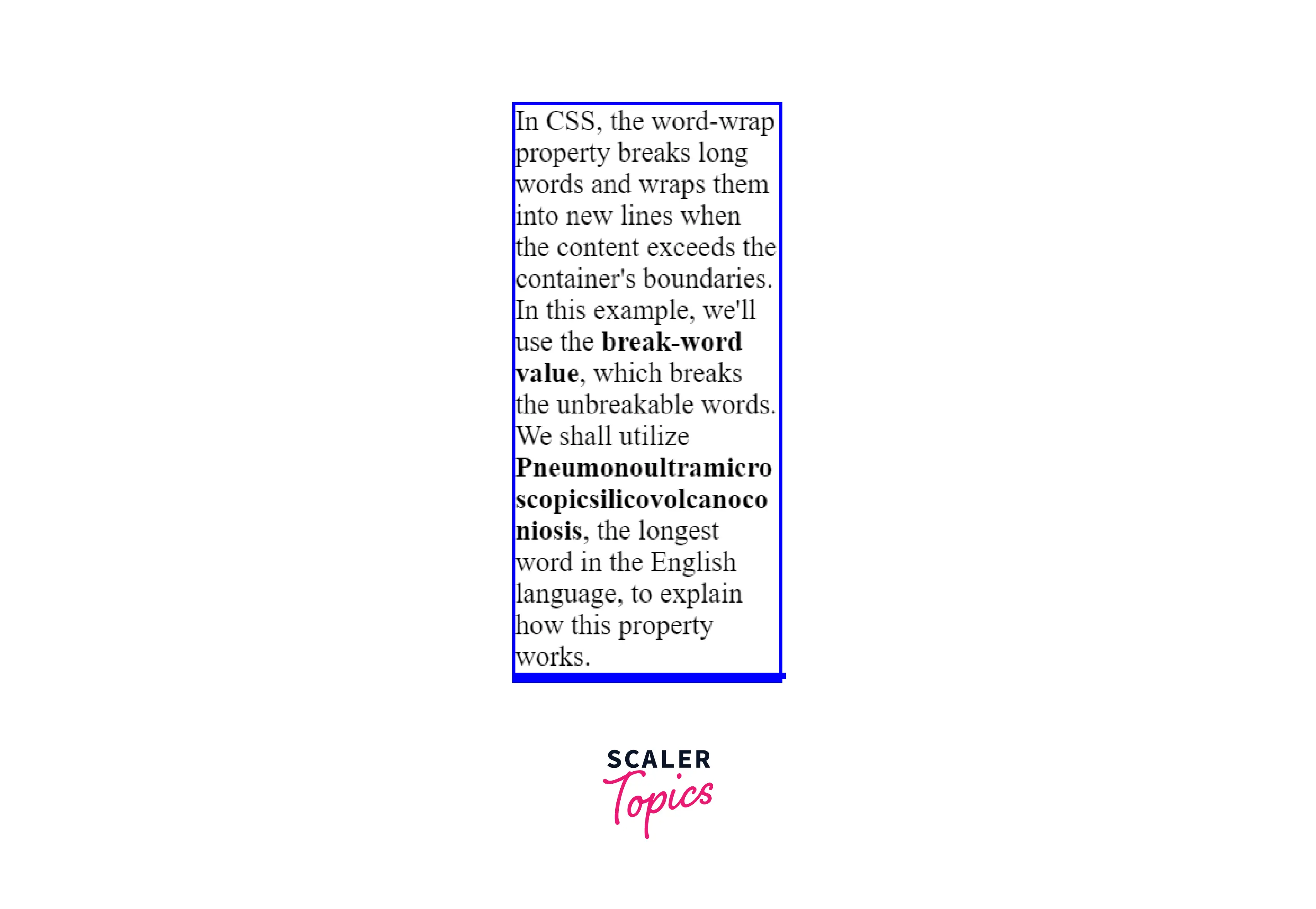
Example 2: This Example Describes the "break-word" Value of the CSS Word-wrap Property.
If the words are long enough to fit inside the container, the break-word value breaks them. It places line breaks between "Pneumonoultramicro," "scopicsilicovolcanoco," and "niosis" rather than overflowing outside the container.
HTML
CSS
Output
To see the live output, visit the following link.
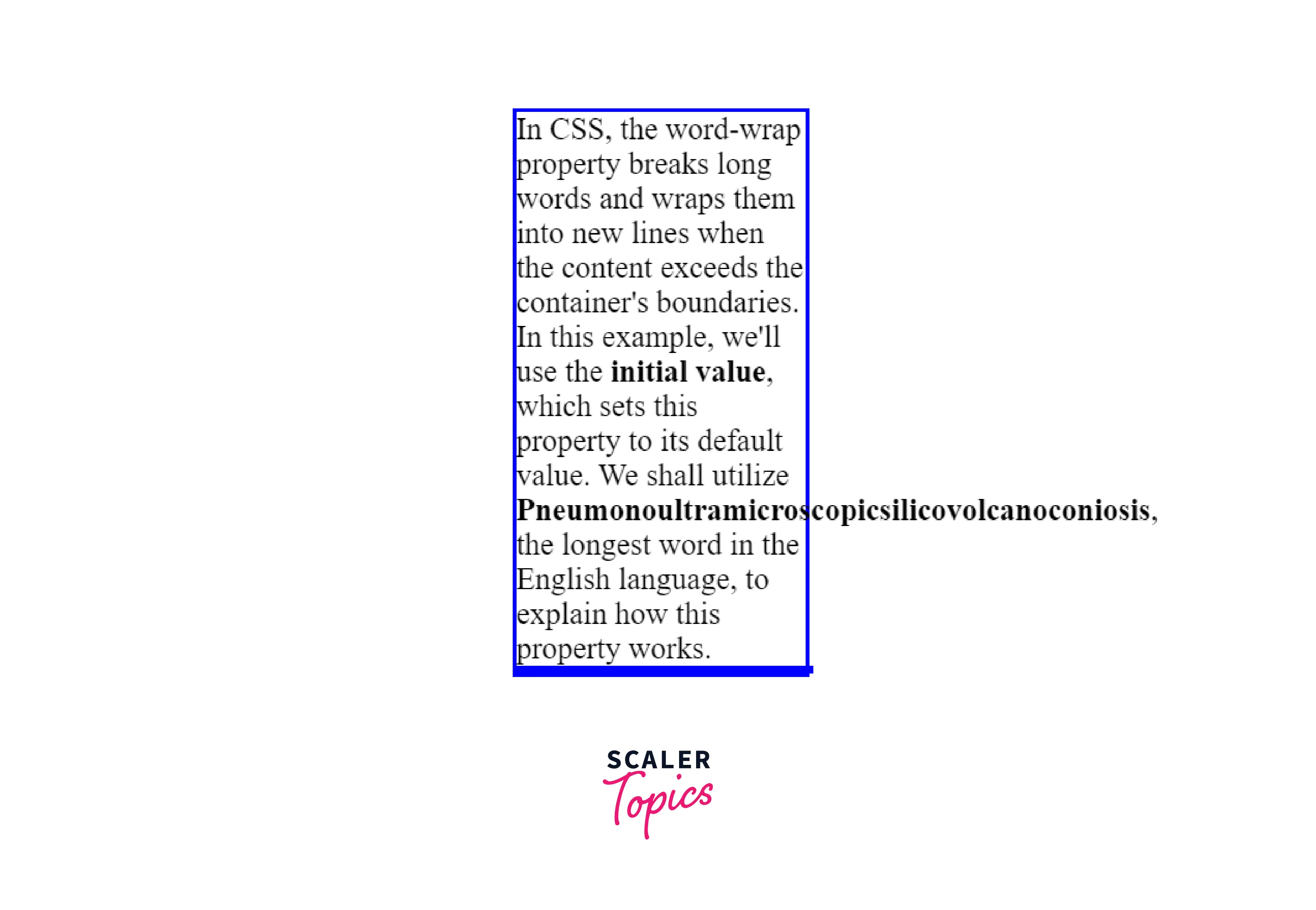
Example 3: This Example Describes the "initial" Value of the CSS Word-wrap Property.
The initial value sets this property to its default value. HTML
CSS
Output
To see the live output, visit the following link.
Turn Learning into Career Growth
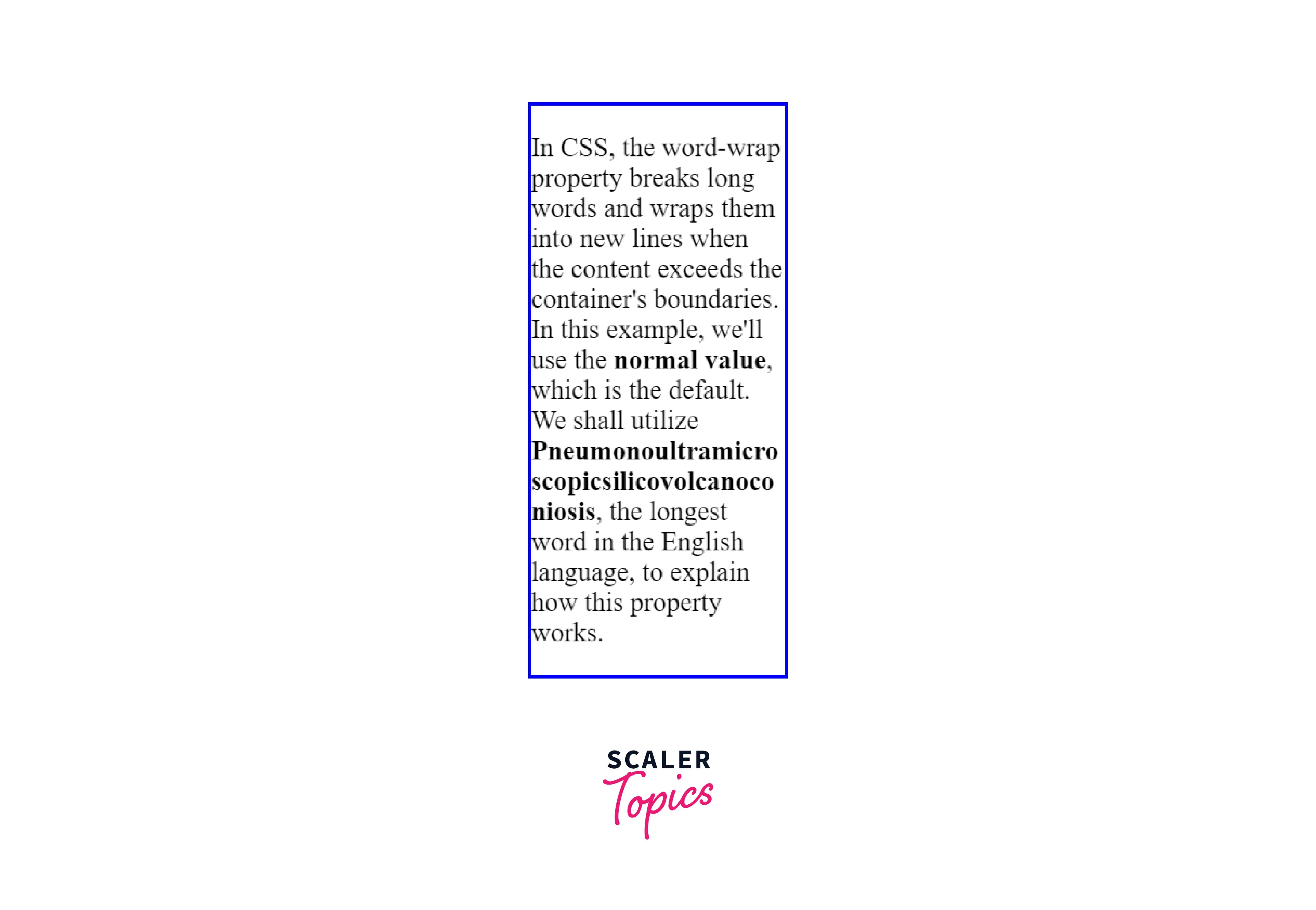
Example 4: This Example Describes the "inherit" Value of the CSS Word-wrap Property.
The paragraph element inherits the word-wrap value from its parent element. HTML
CSS
Output
To see the live output, visit the following link.
What is Overflowing Text?
In CSS, a word can be too long to fit inside the boundaries of its container in the inline direction. These unbreakable strings overflow outside the container to prevent any loss of data.
Browser Support
The following browsers support the word wrap in CSS:
| Browser | Version |
|---|---|
| Chrome | 4.0 |
| Edge | 5.5 |
| Firefox | 3.5 |
| Safari | 3.1 |
| Opera | 10.5 |
Conclusion
- The word wrap in CSS breaks long words and wraps them into new lines when the content exceeds the container's boundaries.
- It accepts keyword values such as normal, break-word, initial, and inherit.
- normal is the default value.
- The break-word value breaks the unbreakable words.
Related Properties
- The CSS overflow-wrap property
- The CSS hyphens property




