


How to Run C Program in Ubuntu
 FREE
FREE

Ubuntu is a widely used Linux-based operating system for running Linux-based programs. We need the GCC compiler to compile a C program and run it on Ubuntu operating system. GCC Compiler is a component of the build-essential package that we must install from the Ubuntu repository.
We can install the build-essential package by using the following command in the Ubuntu terminal:
To learn more about GCC Compiler and build-essential package visit: How to Compile C Program in Linux?
After installing the build-essential package, we have to write our C program in an Integrated Development Environment (IDE) like Visual Studio Code, or a simple Text editor and then compile and run our C program on the terminal. We can use the following commands to compile and run our C Program.
- Use the following command to compile the sample.c C program file in the same directory where the sample.c is present:
This command generates an executable file sample that we can run directly on the terminal using the below command.
- To run the sample file, execute the following command in the same directory as where the sample executable file is present:
Let's see detailed steps to run a C program in Ubuntu.
Build an AI-First Career, Master the Complete Skillset
Choose from our industry-leading programs designed for career success
Modern Software and AI Engineering Program
Master full-stack development with AI integration


 +1000 more
Modern Data Science and ML with specialisation in AI
Advanced data science techniques with AI specialization
+1000 moreAdvanced AIML with Specialisation in Agentic AI
Deep dive into AIML with focus on Agentic systems
+1000 moreDevOps, Cloud & AI Platform Engineering
Build and manage AI-powered cloud infrastructure
+1000 moreAI Engineering Advanced Certification by IIT-Roorkee
Premier AI engineering certification from IIT-Roorkee

AI Forward Deployed Engineer Program
Full-stack engineering, production AI and client-facing consulting
+1000 moreSteps to Run a C Program in Ubuntu
Follow the given steps to run a C program on the Ubuntu operating system:
- First, make sure that the GCC compiler is installed on your Ubuntu operating system, we can check the GCC compiler installation status using the following command :

If the GCC command is not found, install the build-essential package using the commands provided in the above section.
- Use the touch command in the terminal to create a C program file.

- Open the hello.c file in the text editor and write a C program as shown in the below image.

- Compile the hello.c program file using gcc hello.c -o hello command in the terminal. It will generate a hello executable file in the same directory.
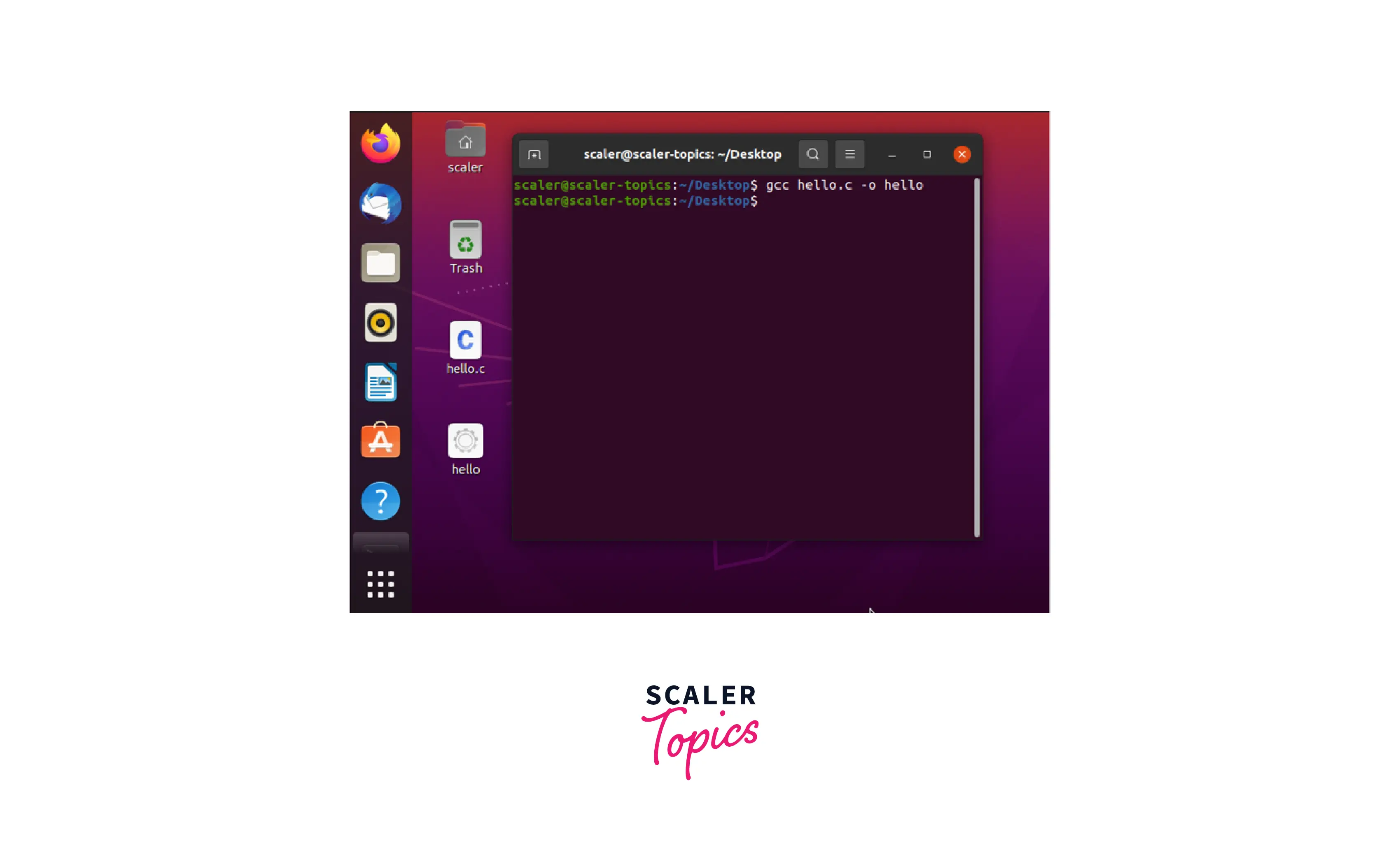
- Run the hello executable file in the terminal using the ./hello command.
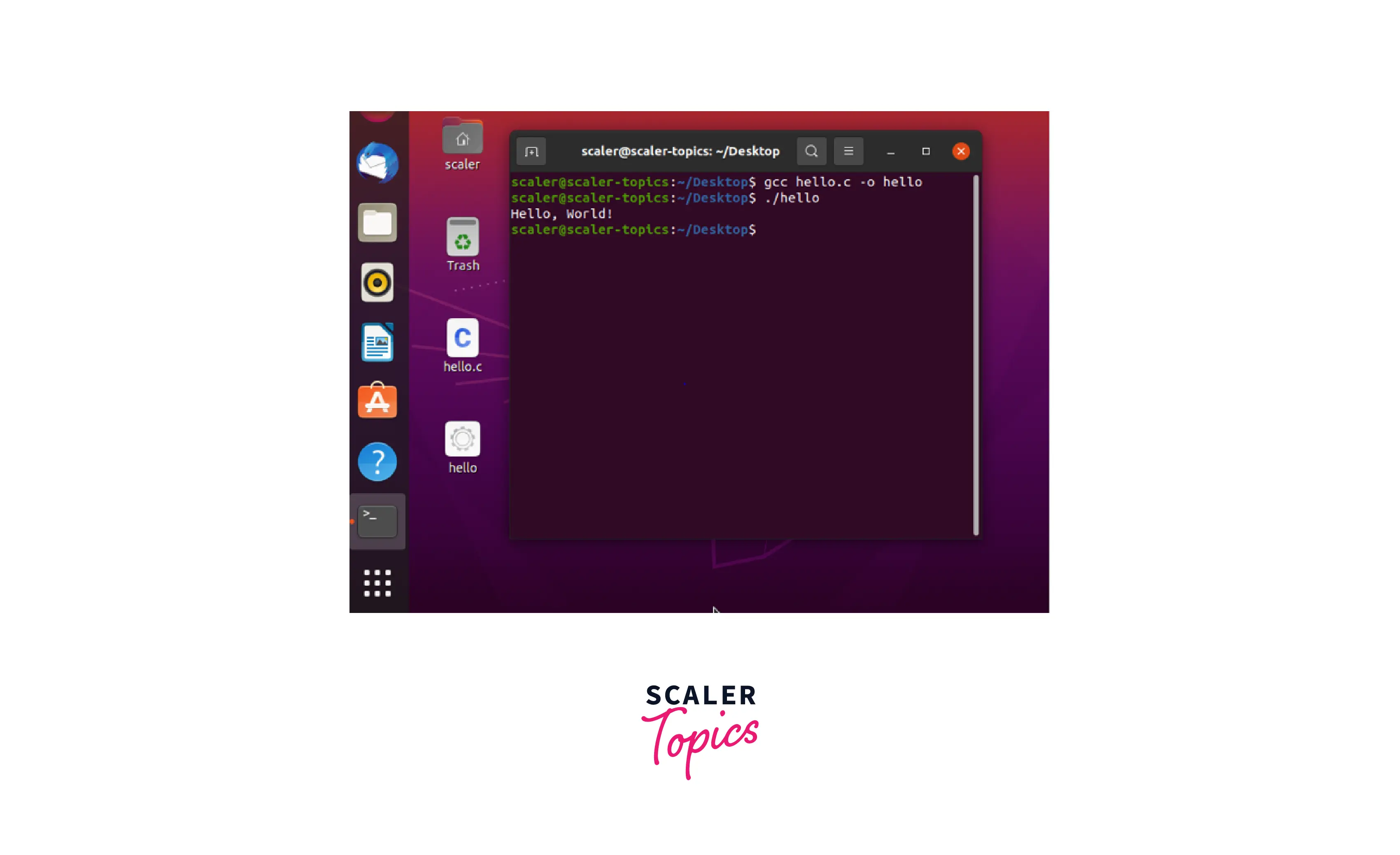
We can see the output Hello, World! of our hello.c program on the terminal screen.
Examples to Run C Program in Ubuntu
- Let's compile and run a C Program to add two numbers in the Ubuntu operating system.
Output :

Explanation : We have created a sum.c file using the touch command and wrote a "sum of two numbers" C program in the text editor. Next, we ran the gcc sum.c -o sum command to compile the sum.c program and finally we ran the ./sum command to get the output on the terminal screen.
- Let's compile and run a C Program to check if the input number is a prime number or not.
Output:
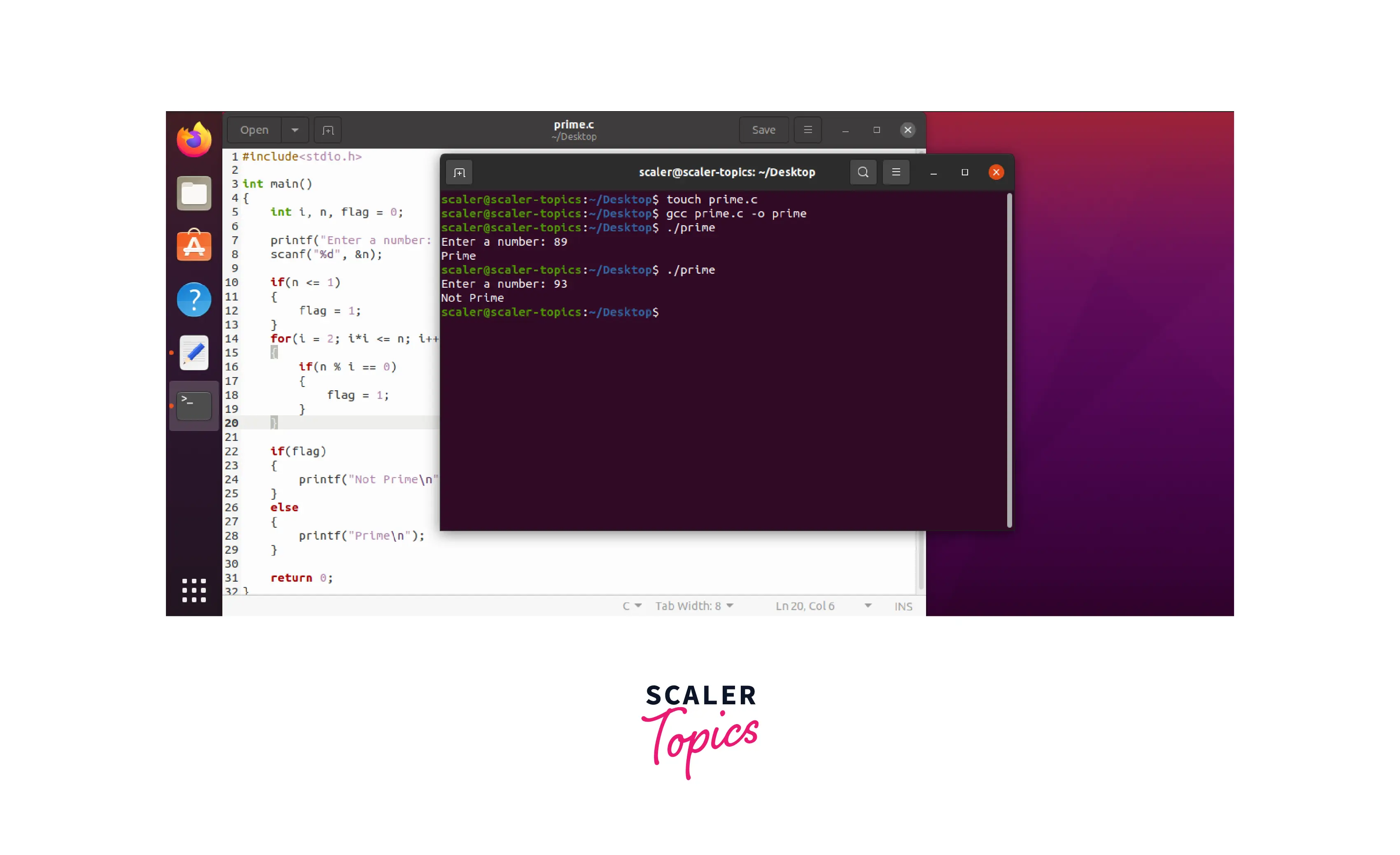
Explanation: We have created a prime.c file using the touch command and wrote a "check if the number is prime or not" C program in the text editor. Next, we ran the gcc prime.c -o prime command to compile the prime.c program and finally we ran the ./prime command to get the output on the terminal screen.
Learn More:
- To get a basic to advanced understanding of the C programming language, learn from the Scaler Topics curated C Programming Tutorial.
- Learn more about C Online Compiler in C programming language.
How Scaler Transformed Careers in Different Fields
Scaler learners achieved 2.5x salary growth with average post-Scaler CTC reaching ₹23L.
 Google
 Amazon
 Microsoft
 Flipkart
 Adobe1200+ more
Conclusion
- Ubuntu is a widely used Linux-based operating system for running Linux-based programs.
- We need the GCC compiler to compile a C program and run it on Ubuntu.
- GCC Compiler is a component of the build-essential package that we must install from the Ubuntu repository.
- After installing the build-essential package, we just have to write our C program in a Text editor and then compile and run our C program in the terminal.




