


Linux System Administration
Build an AI-First Career, Master the Complete Skillset
Choose from our industry-leading programs designed for career success
Modern Software and AI Engineering Program
Master full-stack development with AI integration


 +1000 more
Modern Data Science and ML with specialisation in AI
Advanced data science techniques with AI specialization
+1000 moreAdvanced AIML with Specialisation in Agentic AI
Deep dive into AIML with focus on Agentic systems
+1000 moreDevOps, Cloud & AI Platform Engineering
Build and manage AI-powered cloud infrastructure
+1000 moreAI Engineering Advanced Certification by IIT-Roorkee
Premier AI engineering certification from IIT-Roorkee

AI Forward Deployed Engineer Program
Full-stack engineering, production AI and client-facing consulting
+1000 moreOverview
Linux is the most popular operating system used in running huge web servers that run the internet. These systems need to be maintained.
Linux administration is the act of setting up, configuring, and managing a computer system running a Linux distribution. This includes the creation of user accounts, installation of the required software, configuring the said software as well as creating and restoring backups.
A person who manages a Linux system is professionally called a Linux System Administrator. All these steps are performed by the System Administrator to ensure the smooth functioning of the system.
What is Linux System Administration?
As we discussed above, Linux administration is the process of managing and configuring a Linux system. A Linux system needs to be configured correctly so that it can properly run the programs on the system, and hence, perform its tasks successfully.
Linux File Systems:
Linux system administration also involves the configuration of the Linux File Systems. The Linux File System is a tree-like structure with the top-level directory starting at the root (/) directory. Learn more about the Linux File System in this article.
File System Hierarchy:
An individual performing Linux administration also needs to be aware of the Linux File System Hierarchy. The Linux File System is supposed to follow a standard called the Filesystem Hierarchy Standard or FHS for short. FHS is a reference describing all the conventions for defining the layout of all UNIX and UNIX-like operating systems, which also includes Linux.
Basic bash commands:
Since Linux administration usually involves performing some command-line operations, let's look at some basic bash commands that are a pre-requisite in Linux system administration:
-
cd:
The cd command stands for change directory. It is used to navigate the Linux file system. For example, cd Code/git.
-
echo:
It is one of the most basic commands in Linux. It is used to display the arguments passed on the standard output. For example, echo "Hello".
-
touch:
The touch command is used to create an empty file. The syntax is: touch <file-name>.
-
mkdir:
The mkdir command is used to create a directory in Linux. Its syntax is: mkdir [-p] directory-name.
-
ls:
The ls command is used to list the contents of a directory. The syntax is: ls [-la].
-
grep:
The grep command is used to find patterns of string from a given string or a file. The syntax of the grep command is: grep <string-to-match>.
-
pwd:
The pwd command is used to state the current working directory in the terminal. The syntax of the pwd command is simply pwd.
-
mv:
The mv command is used to move a file or directory from one location to another. This command is also used to rename a file or directory. The syntax of the mv command is: mv source/ destination.
-
rmdir:
The rmdir command is used to delete directories. The syntax of the command is: rmdir directory-to-delete.
-
cat:
The cat command is used to output the contents of a file to the standard output of the terminal.
These are some of the most basic Linux administration commands which are used daily by system administrators.

Handling Files, Directories and Users:
Controlling the creation, management and general handling of files, directories, and users is a crucial part of Linux administration. Some of these commands are:
- find: The find command is used to locate files in a Linux file system.
- tar: It is used to create and extract .tar folders which is a compression algorithm.
- chown: Used to change the owner of a file.
- chgrp: Used to change the group of a file.
- chmod: Used to change the permissions on a file. This command allows us to aspects of a file, which includes controlling who has read, write, and execute permissions on a file.
- adduser/useradd: This command is used to add new users to the Linux system. The name of the command depends on the Linux distribution being used.
Important Commands for System Administrators
Some of the most important commands used for Linux administration are:
| Command | Function |
|---|---|
| man | The man command stands for manual and is used to display information and help with all commands. |
| users | Shows the currently logged-in users. |
| pkill | It is used to kill some running processes. |
| ps | The ps command is used to display complete information about currently running processes. |
| wget | wget is used to download files from a network or over the internet. |
| env | Displays environment variables of the currently logged-in user. |
| top | The top command shows the resource consumption by currently running processes. |
| free | Show the amount of RAM and virtual memory free in the system. |
| shutdown, reboot | Used to shut down and reboot the system |
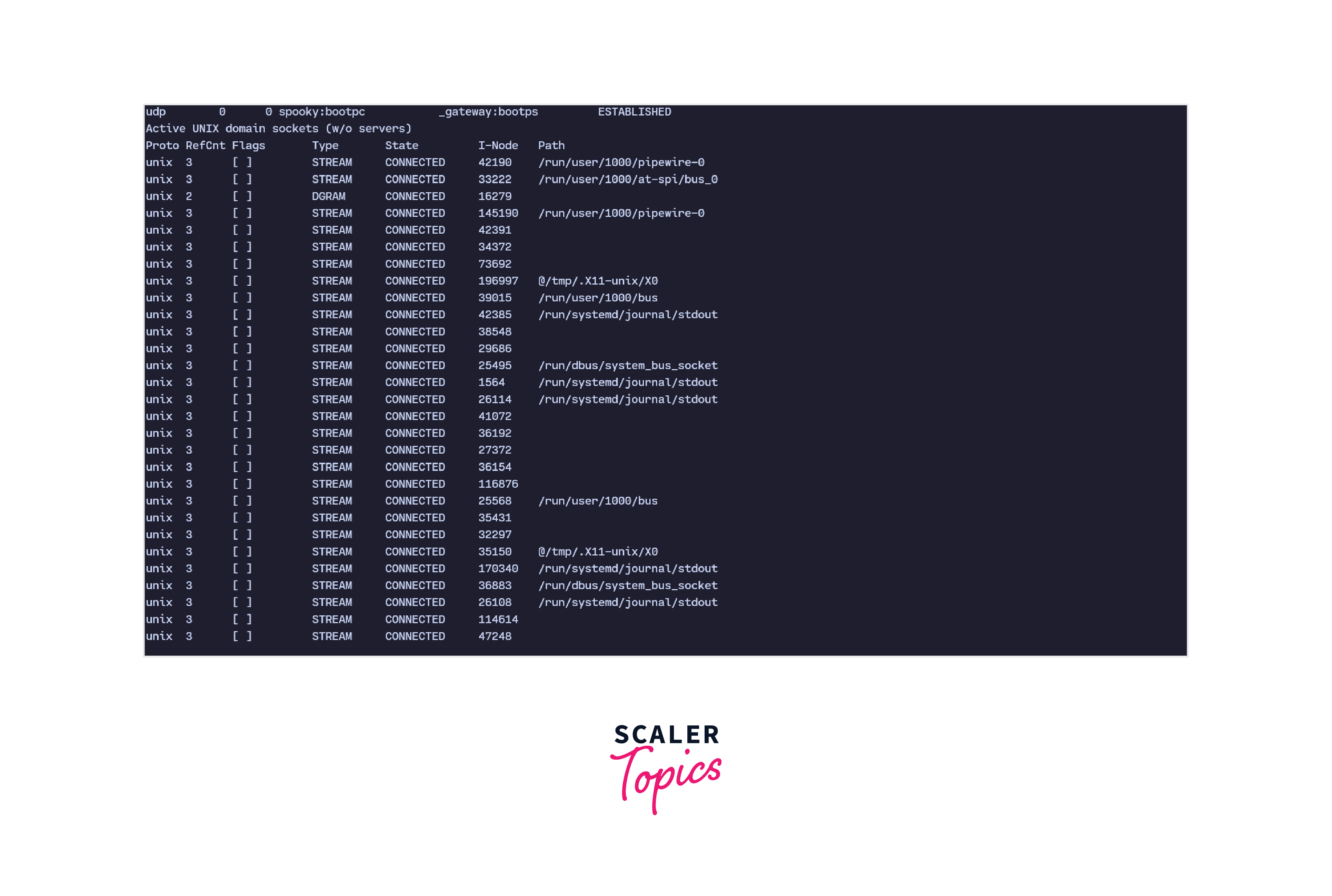
| netstat | Shows the currently active network connections on the system. |
| arp | ARP stands for Address Resolution Protocol. It is used to map a dynamic IP address to a fixed physical address of the device. |
| df | Displays information about the file system. |
| du | Displays information about the used disk storage. |
| init | Refers to the first program that starts when the Linux kernel boots. Used to change the server bootup. |
| nslookup | Stands for nameserver lookup. Used to find and check information about a domain name and associated IP addresses. |
| mount | Used to mount different file systems on the Linux system. |
How Scaler Transformed Careers in Different Fields
Scaler learners achieved 2.5x salary growth with average post-Scaler CTC reaching ₹23L.
 Google
 Amazon
 Microsoft
 Flipkart
 Adobe1200+ more
Duties of a Linux System Administrator
Linux system administration has become a highly sought-after job in today's world. This is because nearly all of the internet runs on servers backed by Linux systems. So, skilled sysadmins with highly efficient Linux administration skills are in huge demand.
Some of the most important duties of a Linux system administrator are:
- Installing, maintaining, and upgradation of Linux servers.
- Great hands-on in Linux administration commands.
- Taking timely and well-structured backups of data and configuring backups to automate backups.
- Maintain and manage web servers like Nginx, Tomcat, and others, and also provide logging and monitoring support for these servers.
- Create and maintain tools for easier system administration.
- Ability to read and understand structured and unstructured logs.
- Troubleshoot errors as quickly as possible.
- Communicate with the organization's staff, customers as well and clients to devise the best plans for their Linux system administration.
- Installing the necessary and required system tools. This also involves working with the data and networking engineers as well as the developers to understand their needs and requirements and deploying the system to suit their needs.
- A part of the job of being a Linux system administrator also involves providing technical support to clients and the organization's internal clients. This can include simple troubleshooting to error recovery.
How to Become a Linux System Administrator?
-
The first step is to get comfortable with using Linux, configuring it, building packages from the source, and maintaining it. One needs to be comfortable with Linux administration overall to be a good Linux system administrator.
-
Get a certification to prove your skills. This includes certifications like CompTIA's Linux+ or Red Hat's RHCSA (Red Hat Certified System Administrator). Apart from these, since computer networking is a huge part of Linux system administration, certificates like Cisco's CCNA (Cisco Certified Network Associate) are also good certificates to have.
-
Learn to read, write, and prepare documentation because documenting the changes performed on a system is a huge part of a system administrator's daily tasks.
-
Preparing projects like automation scripts in bash to get a deeper understanding of Linux administration commands.
-
Joining local or online support groups for discussions and help.
Turn Learning into Career Growth
Conclusion
- Linux administration is the act of configuring, setting up, and managing a Linux system. This includes the creation of user accounts, installation of the required software, configuring the said software as well as creating and restoring backups.
- To be good at Linux system administration, one needs to have a deep knowledge of Linux administration commands, which includes not only the basic shell commands but also complicated commands.
- The duties of a Linux system administrator include installing and maintaining a Linux server, troubleshooting errors, creating and restoring backups, installing the necessary system components as well and providing support to the client and the members of the organization.
- To become a Linux system administrator, it is a good idea to start with learning Linux, then move on to certifications like Linux+ or RHCSA, and then join local as well as online support groups for discussions and help.




