


<nav> Tag in HTML
 FREE
FREE

Overview
The <nav> tag is one of the HTML tags that is used to define a set of navigation links. It is used to set the navigational sections for the HTML Webpage. Examples of some navigation links are menu, table of contents and indexes, etc.
Syntax
Build an AI-First Career, Master the Complete Skillset
Choose from our industry-leading programs designed for career success
Modern Software and AI Engineering Program
Master full-stack development with AI integration


 +1000 more
Modern Data Science and ML with specialisation in AI
Advanced data science techniques with AI specialization
+1000 moreAdvanced AIML with Specialisation in Agentic AI
Deep dive into AIML with focus on Agentic systems
+1000 moreDevOps, Cloud & AI Platform Engineering
Build and manage AI-powered cloud infrastructure
+1000 moreAI Engineering Advanced Certification by IIT-Roorkee
Premier AI engineering certification from IIT-Roorkee

AI Forward Deployed Engineer Program
Full-stack engineering, production AI and client-facing consulting
+1000 moreWhat is <nav> tag in HTML?
In HTML pages, the <nav> tag is used to declare the navigational section of site. Websites often feature sections dedicated to navigational links, allowing users to navigate through the site. These navigational links can be contained within a nav tag. So we can say that the <nav> element denotes a portion of the page that provides navigation within the current content or to another document. <nav> is an example of semantic element. Lets take a look at a basic example of how <nav> tag works:
Example
We can simply make use of <nav> tag by passing some anchor tags within the <nav> tag.
Output:

<nav> tag Attributes
Tag-Specific Attributes:
The <nav> tag does not contain any specific attribute in HTML.
Global Attributes:
The <nav> tag supports the global attributes in HTML.
How Scaler Transformed Careers in Different Fields
Scaler learners achieved 2.5x salary growth with average post-Scaler CTC reaching ₹23L.
 Google
 Amazon
 Microsoft
 Flipkart
 Adobe1200+ more
Event Attributes:
The <nav> tag supports the event attributes in HTML.
How to use <nav> Tag in HTML?
- For using nav tag we can use anchor tags or list tags for organizing the navigational content wrapped inside the <nav> tag.
- All links of the page do not have to be place within the nav element. The nav element is only designed for major navigational parts of a webpage.
- A document can have several <nav> elements.
<nav> tag Examples
Now we have basic example for nav element, lets take a look at some more examples for <nav> tag.
Turn Learning into Career Growth
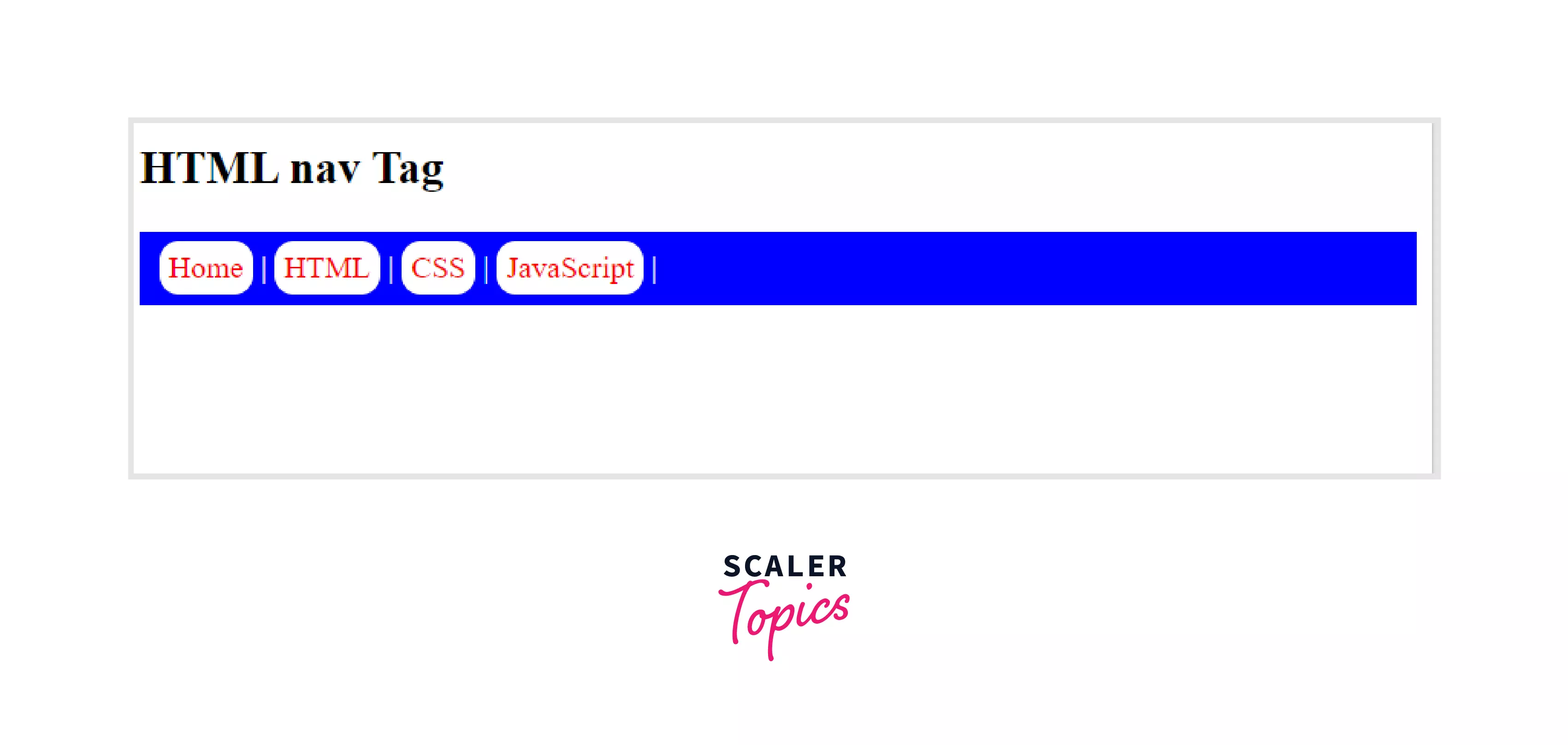
Example 1: Styling nav using CSS
We can provide custom CSS styling according to our needs, for that we have used internal CSS for providing our styles to the nav element.
Output:
Styles are applied to our navbar accordingly.
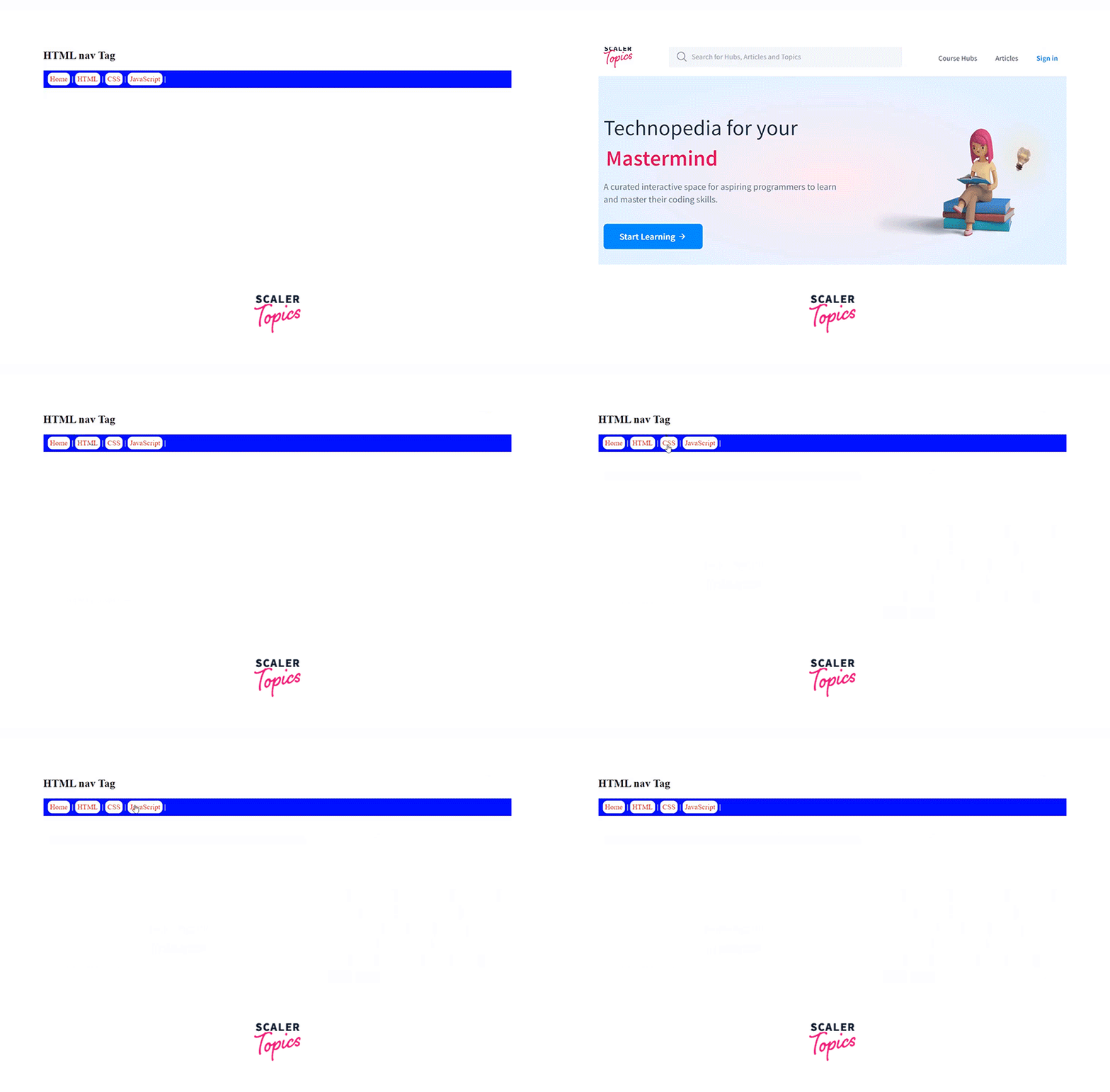
Example 2: Adding Links to the Nav Element
Lets take the same above example and add links to all the anchor tags we have provided to the nav element.
Output:
Browser Support
Below is the list of supported browsers for the HTML <nav> tag:
- Google Chrome
- Internet Explorer
- Firefox
- Opera
- Safari
- Edge
Conclusion
- <nav> tag is used to define a set of navigation links.
- Examples of some navigation links are menu, table of contents and indexes, etc.
- Syntax: <nav> Links </nav>
- <nav> element denotes a portion of the page that provides navigation within the current content or to another document
- nav is an example of semantic element.
- The <nav> tag does not contain any specific attribute in HTML.
- A document can have several <nav> elements.
- We can provide custom CSS styling to nav element according to our needs.
- This tag is supported by chrome, edge, internet explorer, opera, safari, and firefox.




