


How to Create Slideshow in HTML?
 FREE
FREE

Build an AI-First Career, Master the Complete Skillset
Choose from our industry-leading programs designed for career success
Modern Software and AI Engineering Program
Master full-stack development with AI integration


 +1000 more
Modern Data Science and ML with specialisation in AI
Advanced data science techniques with AI specialization
+1000 moreAdvanced AIML with Specialisation in Agentic AI
Deep dive into AIML with focus on Agentic systems
+1000 moreDevOps, Cloud & AI Platform Engineering
Build and manage AI-powered cloud infrastructure
+1000 moreAI Engineering Advanced Certification by IIT-Roorkee
Premier AI engineering certification from IIT-Roorkee

AI Forward Deployed Engineer Program
Full-stack engineering, production AI and client-facing consulting
+1000 moreOverview
A slideshow in HTML is referred to as a series of content, where each piece of content is displayed one after another. Below is an example of an image slider in html.

Slideshows in HTML are often used for creating web interfaces mainly for advertisement platforms. These are easy to implement and can be done with the help of HTML and CSS only, javascript can also be used if certain conditional features are to be added otherwise HTML and CSS are enough.
Pre-requisites
A basic understanding of HTML and CSS syntax and workflow of basic css properties is enough to continue with this article.
What are we Creating ?
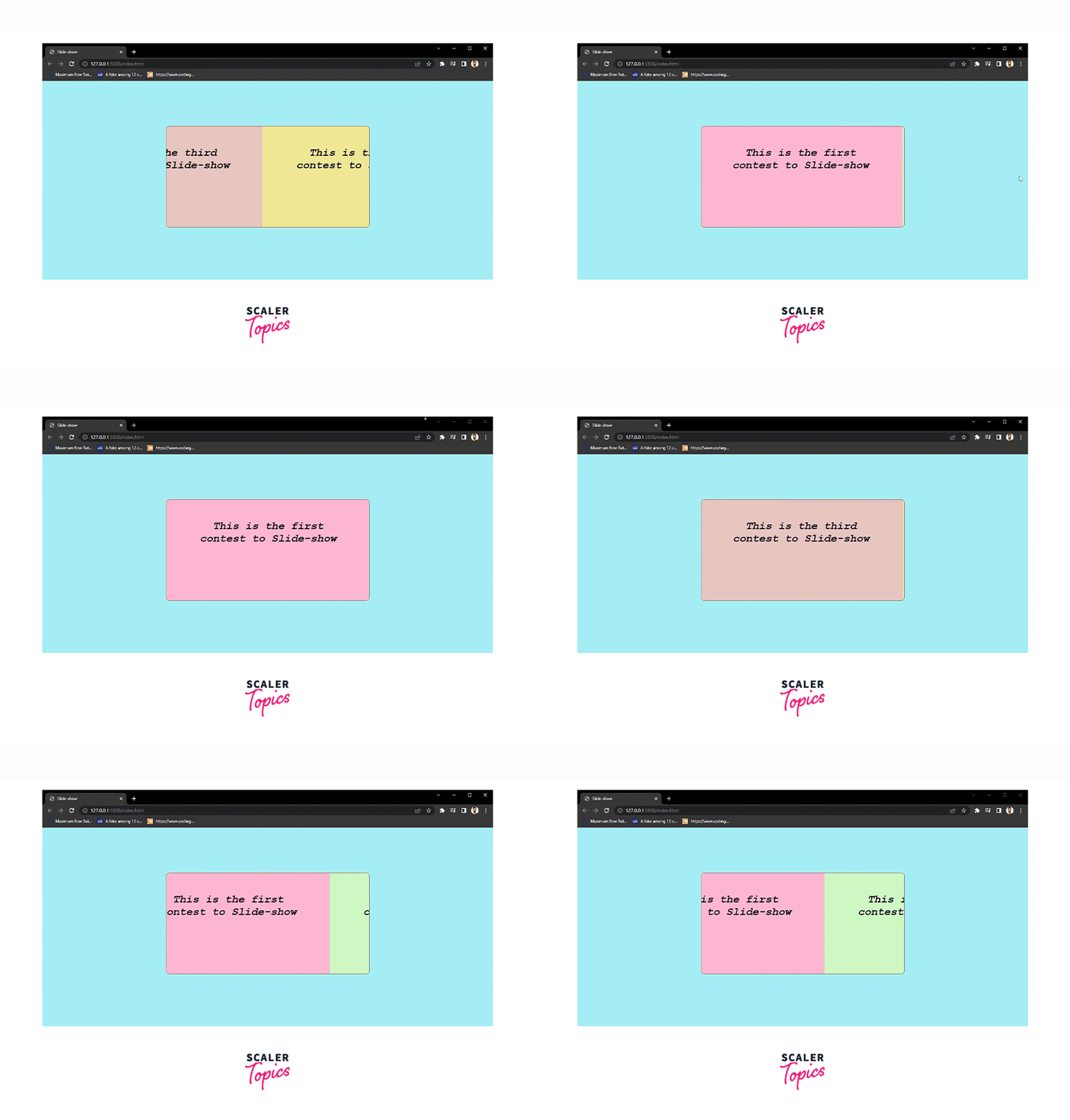
We are going to create an automatic content Slideshow in HTML and decorate it with CSS only, glims of the same are attached below.
How Scaler Transformed Careers in Different Fields
Scaler learners achieved 2.5x salary growth with average post-Scaler CTC reaching ₹23L.
 Google
 Amazon
 Microsoft
 Flipkart
 Adobe1200+ more
Approach for Building the Slideshow
Here we will create a content slider using HTML and CSS only. The idea is to use the technique of using animation Keyframes to scroll through each of the slides by changing the margin-left property for the targeted slide during the animation. The animation type can be chosen, allowing the slides to be animated for the desired duration and effect.
We'll break the task into two sections :
- In the first part we will create the HTML structure.
- In the second task, we will decorate the page and animate it through CSS.
The same idea can be used to create an image slider in html, take that as a follow-up for this article.
Creating the Slide Show Component Structure with HTML
The idea is simple we will need to put the complete content into a wrapper div and another div will be used to wrap the slide content so that we can target it using the ":nth-child" property of CSS.
See the code below-
Turn Learning into Career Growth
Styling the Slide Show Component with CSS
The role of CSS is major in this project, CSS will be used to display and slide the content, will decide the duration of each slide to display, and will set the direction of the slide, Below are some style properties that we have used.
- If the content of an element is too big to fit in the specified region, we've utilized the overflow: hidden to clip the extra content and make the rest of it invisible. To align the contents to the left, the float: left is utilized.
- CSS
property is used to target each slide separately. - The keyframes property will be used to scroll through each of the slides by changing the margin-left property for each of the slides during the animation to define the motion for the slideshow.
See the CSS styles used in the code below.
Conclusion
- We have successfully created a basic slideshow animation using HTML and CSS only.
- We also came to know about many HTML and CSS properties and approaches like nth-child and keyframes animations.




