


Simple Search Option in Bugzilla
Build an AI-First Career, Master the Complete Skillset
Choose from our industry-leading programs designed for career success
Modern Software and AI Engineering Program
Master full-stack development with AI integration


 +1000 more
Modern Data Science and ML with specialisation in AI
Advanced data science techniques with AI specialization
+1000 moreAdvanced AIML with Specialisation in Agentic AI
Deep dive into AIML with focus on Agentic systems
+1000 moreDevOps, Cloud & AI Platform Engineering
Build and manage AI-powered cloud infrastructure
+1000 moreAI Engineering Advanced Certification by IIT-Roorkee
Premier AI engineering certification from IIT-Roorkee

AI Forward Deployed Engineer Program
Full-stack engineering, production AI and client-facing consulting
+1000 moreOverview
Bugzilla's simple search option is designed to serve users who want to perform quick searches without complex queries or advanced search filters. It provides a simple and intuitive interface that allows users to enter search terms and efficiently retrieve relevant error results. With the uncomplicated search option, users can enter keywords or phrases related to the error they seek. Bugzilla then searches the bug database and looks for bugs matching the search terms.
Introduction
Bugzilla's simple search option allows users to enter search terms related to the bug they are looking for. The tool then searches the bug database and examines fields such as bug summary, description, comments, product, component, and more. By parsing these fields, Bugzila looks for bugs that match the given search terms, allowing users to quickly find relevant bugs. A simple search option provides a simple interface to perform a basic search of the error database, allowing users to find specific errors based on keywords, phrases, and other criteria.
Simple Search Feature in Bugzilla
Bugzilla's simple search feature provides users with an easy and user-friendly way to search for bugs in the bug-tracking system. It provides a quick and convenient way to find specific errors based on keywords or phrases. When performing a simple search, users can enter one or more keywords or phrases related to the error they are looking for. Users can use Boolean operators such as "AND", "OR" and "NOT" to combine multiple search terms or exclude specific keywords from the search. It allows users to create more detailed queries and limit search results according to additional criteria.
How Scaler Transformed Careers in Different Fields
Scaler learners achieved 2.5x salary growth with average post-Scaler CTC reaching ₹23L.
 Google
 Amazon
 Microsoft
 Flipkart
 Adobe1200+ more
Steps for Using the Simple Search Feature
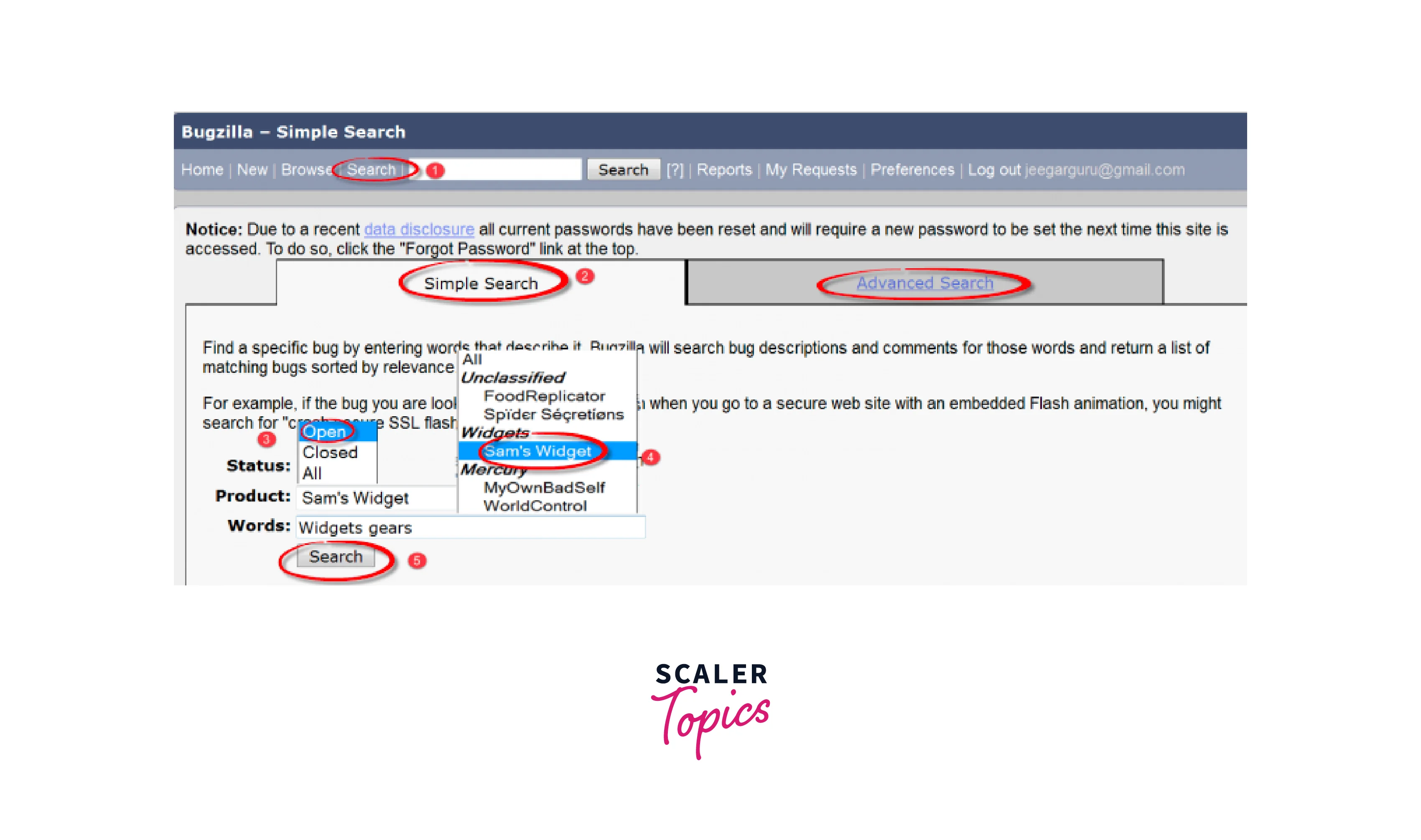
- Click the "Search" button in the main menu.
- Click on "Simple Search".
- Select Open for open status and Closed for closed errors.
- Refine your search by selecting a category and component, You can also search by keyword if needed.
- Click on "Search" button.
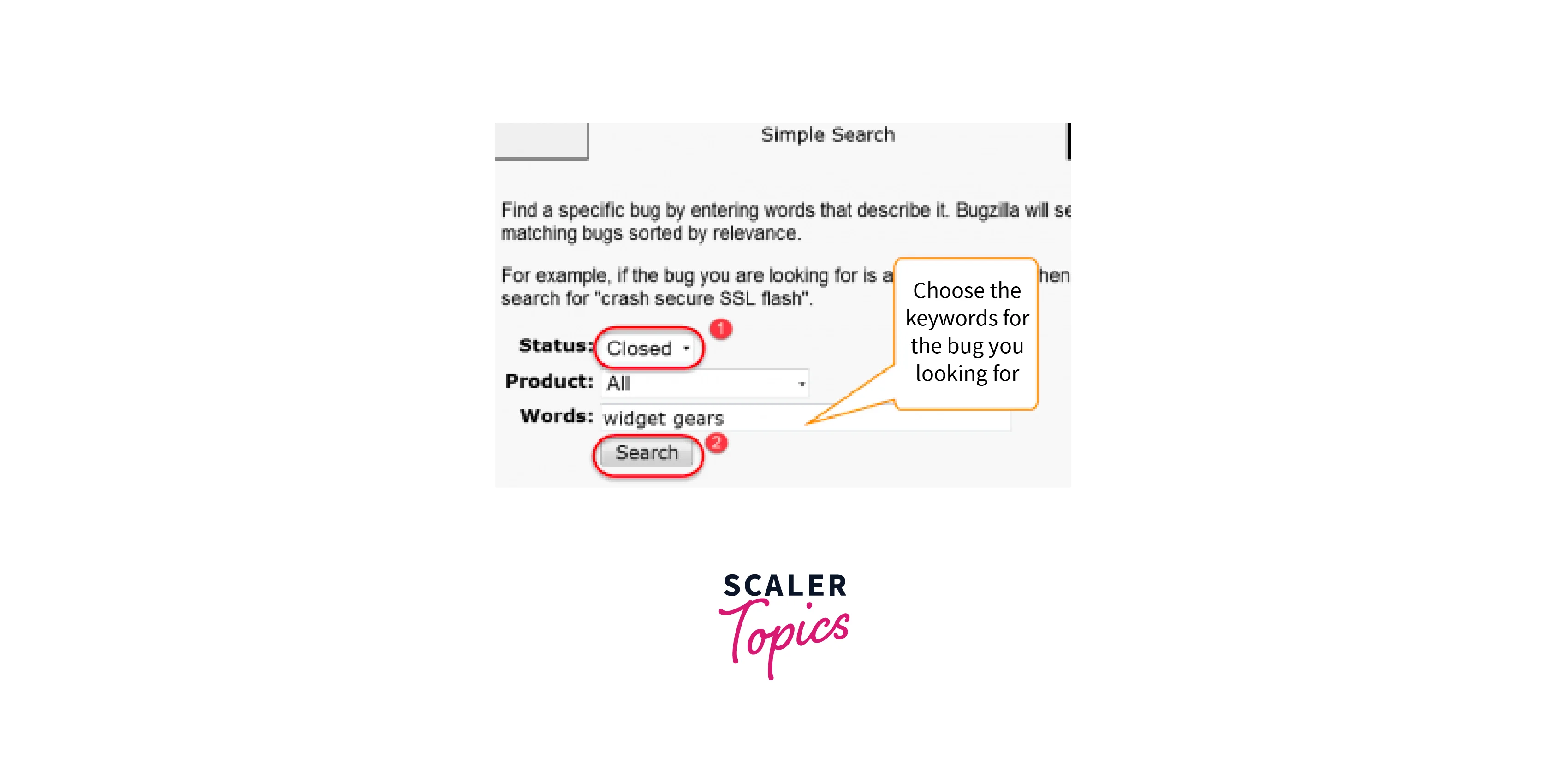
- To find errors with a closed status, select the "Closed" status and click "Find"
- Closed bugs look like this.
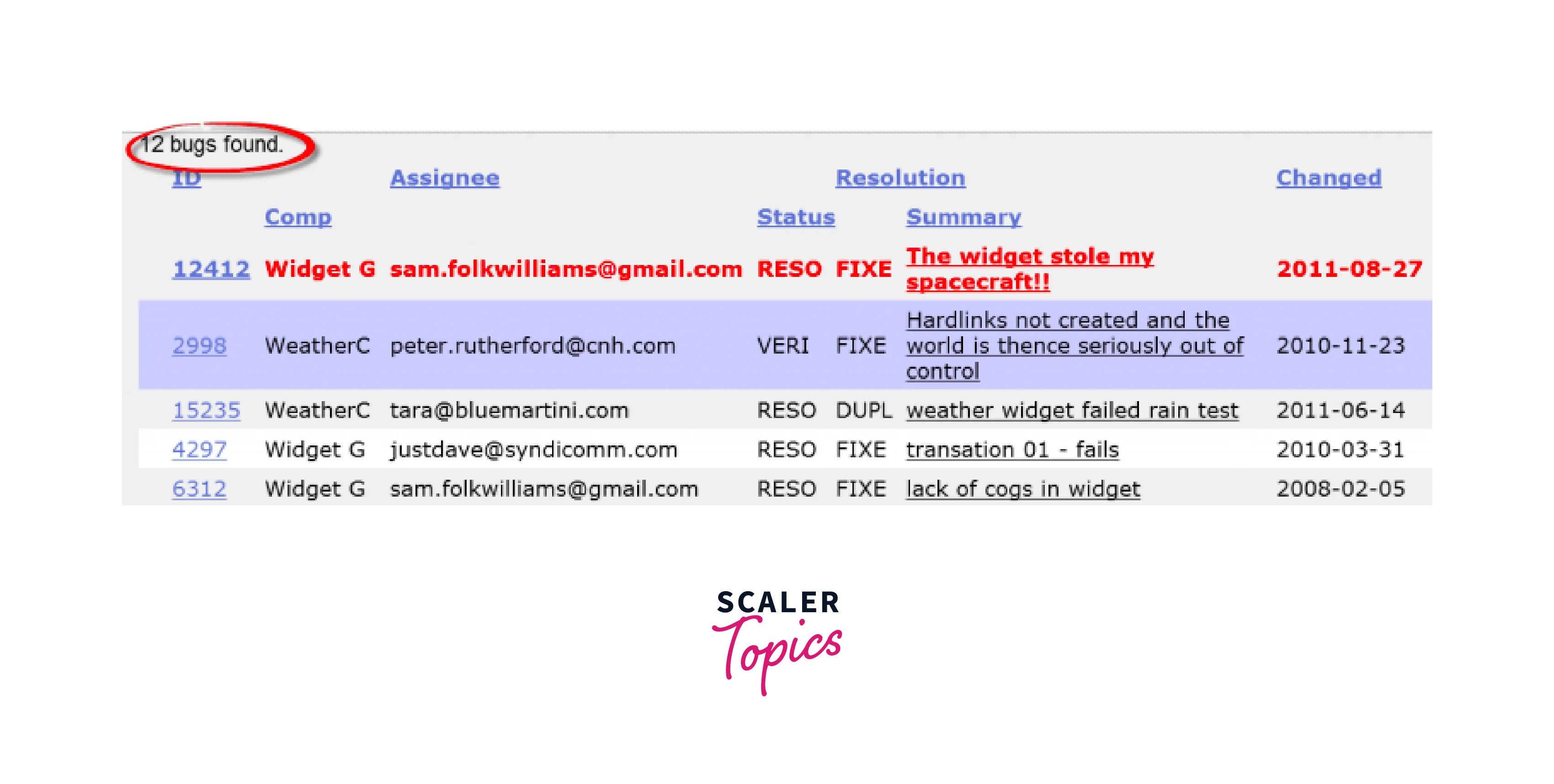
- Open bugs look like this.

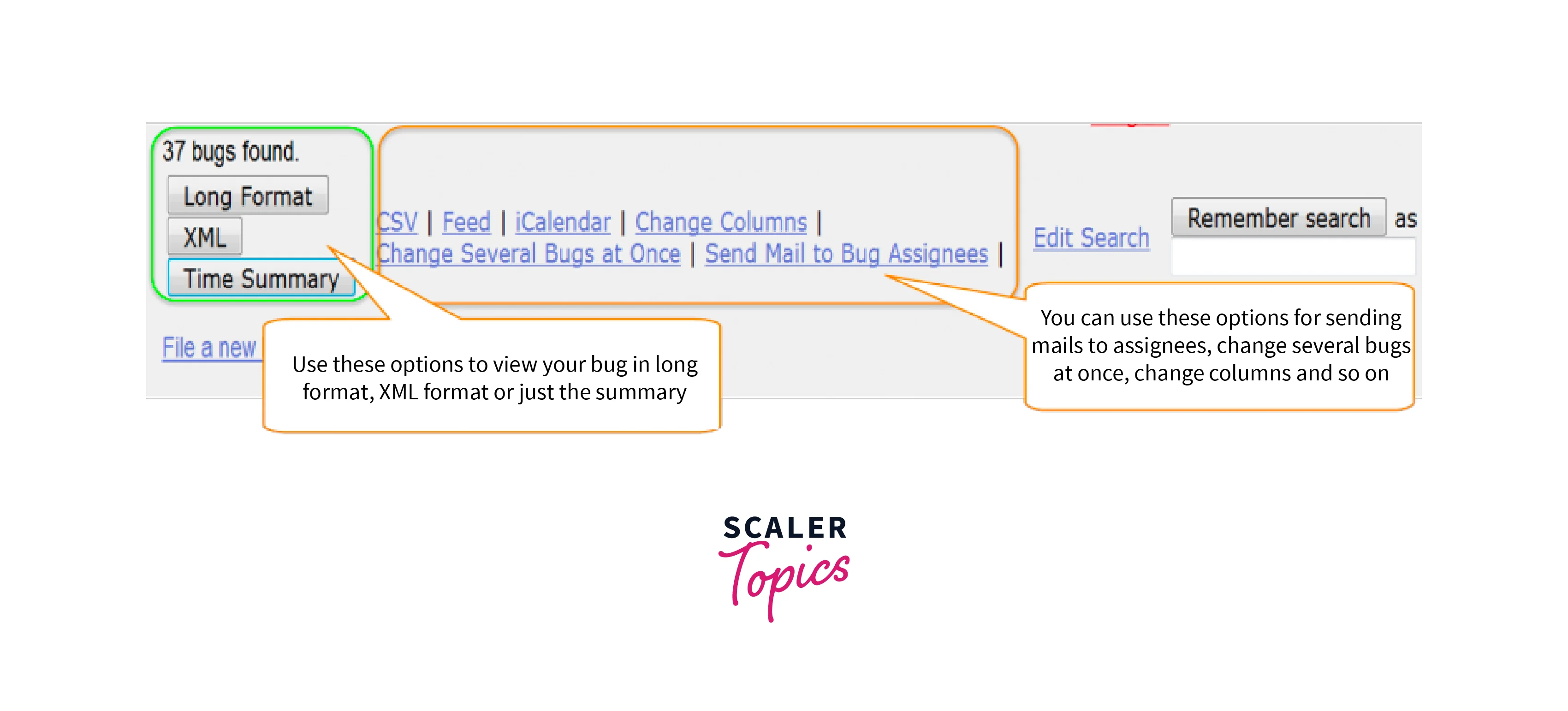
- The tool also offers several ways to view errors, including XML format, long format, and time summary. There are also some other options to choose from, such as sending an email, editing multiple errors at once, or changing the display column.
Conclusion
- Bugzilla's easy search feature provides a friendly interface for searching for bugs in the bug-tracking system.
- Users can quickly search for specific errors by entering keywords or phrases.
- Bugzilla searches error fields such as summary, description, comments, and more to retrieve relevant error results.
- Basic operators such as "AND", "OR" and "NOT" can be used to refine search queries.
- Configuration options allow users to customize the display of search results. A simple search option makes it easy to track errors and helps Teams address issues quickly.




