


Converting string to array in JavaScript
 FREE
FREE

Overview
Arrays are one of the most used data structures in the field of computer science and the IT world. There are many reasons to use an array such as fast access to values through the index, use of a dynamic array, etc.
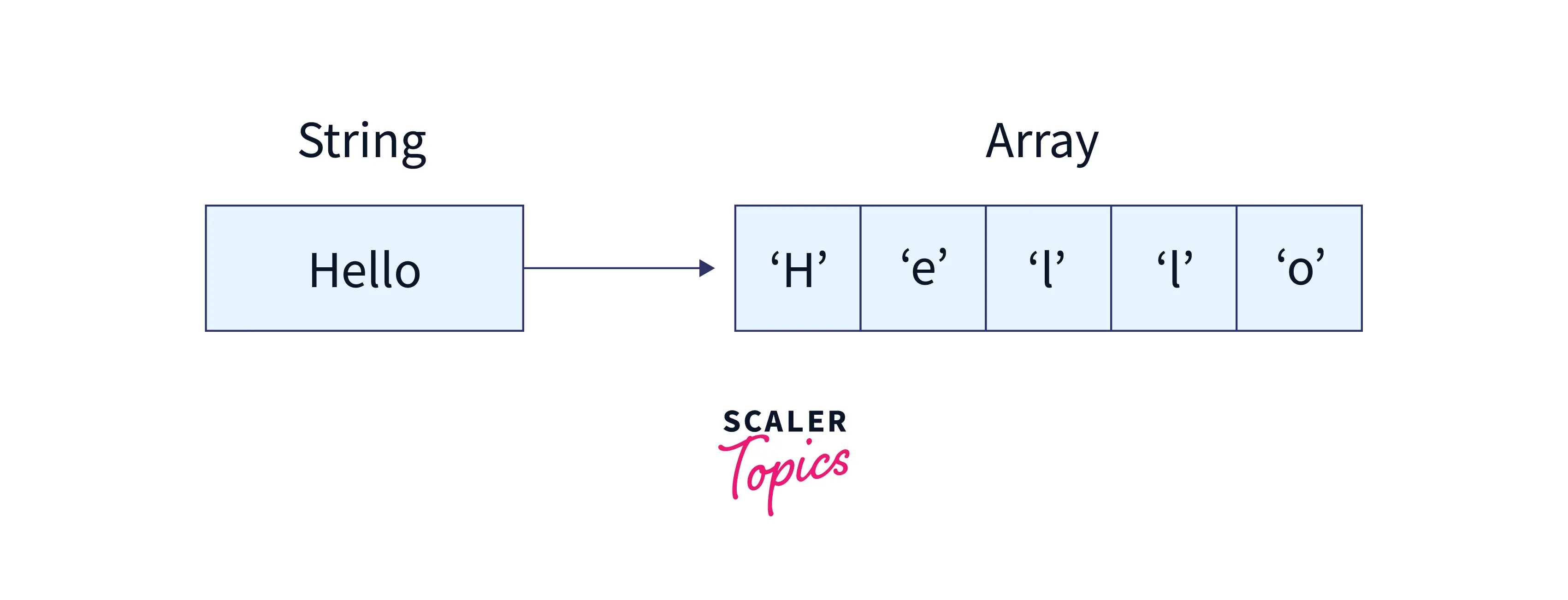
A string is a data structure that can be considered an array of characters. Sometimes it can be necessary to solve a problem related to a string by converting it into an array of characters. Arrays are the most widely used data structures in the world of computer science and IT, therefore there are many algorithms and techniques to solve the problems related to arrays.
Program to Convert String to Array in JavaScript Using split()
In this method, we will see how to convert string into array by using the split() function in Javascript.
Build an AI-First Career, Master the Complete Skillset
Choose from our industry-leading programs designed for career success
Modern Software and AI Engineering Program
Master full-stack development with AI integration


 +1000 more
Modern Data Science and ML with specialisation in AI
Advanced data science techniques with AI specialization
+1000 moreAdvanced AIML with Specialisation in Agentic AI
Deep dive into AIML with focus on Agentic systems
+1000 moreDevOps, Cloud & AI Platform Engineering
Build and manage AI-powered cloud infrastructure
+1000 moreAI Engineering Advanced Certification by IIT-Roorkee
Premier AI engineering certification from IIT-Roorkee

AI Forward Deployed Engineer Program
Full-stack engineering, production AI and client-facing consulting
+1000 moreJavascript Implementation
Output
Explanation
- In the first step, we have created a string named str which is initialized by "Today is Monday".
- In the next step, we have converted this string to an array of characters by using the split() function in javascript.
- The split() function takes a string value as a parameter and converts the string into an array of characters. The space in the parameter defines that after how many spaces it has to split the sentence.
- Finally, we have printed the array of characters.
JProgram to Convert String to Array in JavaScript Using Array.from()
In this method, we will see how to convert string into array by using the Array.from() function in Javascript.
Javascript Implementation
Output
Explanation Initially, we have created a string named str which is initialized by "Today is Monday". In the next step, we have converted this string to an array of characters by using the Array.from() function in javascript. The Array.from() function takes a string as a parameter and converts this string to an array of characters. Finally, we have printed the array of characters.
Program to Convert String to Array in JavaScript Using the Spread Operator
In this method, we will see how to convert string into array by using the spread operator ... in Javascript.
Javascript Implementation
Output
Explanation
- Initially, we have created a string named str which is initialized by "Today is Monday". In the next step, we converted this string to an array of characters by using the spread operator ... in Javascript The spread operator uses three dots ... and after that, it converts the string into the array of characters which is written just after the three dots. Finally, we have printed the array of characters.
How Scaler Transformed Careers in Different Fields
Scaler learners achieved 2.5x salary growth with average post-Scaler CTC reaching ₹23L.
 Google
 Amazon
 Microsoft
 Flipkart
 Adobe1200+ more
JProgram to Convert String to Array in JavaScript Using Object.assign()
In this method, we will see how to convert string into array by using the spread Object.assign() method in Javascript.
Javascript Implementation
Output
Explanation
- In the first step, we have created a string named str which is initialized by "Today is Monday". After that, we have converted this string to an array of characters by using the Object.assign() function in Javascript The Object.assign() function takes a string as a parameter and converts this string to an array of characters. Finally, we have printed the array of characters.
Program to Convert String to Array in JavaScript Using Old School Method (for loop and array.push())
In this method, we will see how to convert string into an array by using the simplest method i.e. by using the for loop and array.push() function in Javascript.
Turn Learning into Career Growth
Javascript Implementation
Output
Explanation
- In the first step, we have created a string named as str which is initialized by "Today is Monday". After that, we created an empty array named str_to_arr which will be our final result. The for loop will read each character one by one from the string and the array.push() function will push each character into the array. Finally, we have printed the array of characters.
Program to Convert String to Array in JavaScript Using Array.prototype.slice.call()
In this method, we will see how to convert string into array by using the Array.prototype.slice.call() function in Javascript.
Javascript Implementation
Output
Explanation
- Initially, we created a string named as str which is initialized by "Today is Monday". In the next step, we have converted this string to an array of characters by using the Array.prototype.slice.call() function in javascript. The Array.prototype.slice.call() function takes a string as a parameter and converts this string to an array of characters. Finally, we have printed the array of characters.
Program to Convert String to Array in JavaScript Using JSON.parse()
In this method, we will see how to convert string into an array by using the JSON.parse() function in Javascript.
Javascript Implementation
Output
Explanation
- Initially, we have created a string named as str which is initialized by [1, 2, 3, 4, 5]. In the next step, we have converted this string to an array of integers by using the JSON.parse() function in javascript. The JSON.parse() function takes a string as a parameter and converts this string to array of integers but the format of this string must be in the format of array otherwise it will throw an error. Finally, we have printed the array.
Conclusion
In the above article, we have seen how to convert string to array in JavaScript and we can conclude the article with the following
- A string is a data structure that is nothing but an array of characters.
- The split() function takes a string value as a parameter and converts the string into an array of characters.
- The space in the parameter of the split function defines that after how many spaces the function must split the string.
- The spread operator uses three dots ... and after that, it converts the string into the array of characters which is written just after the three dots.
- The Array.prototype.slice.call() function takes a string as a parameter and converts this string to an array of characters.
- The JSON.parse() function takes a string as a parameter and converts this string to an array of integers but the format of this string must be in the format of an array otherwise it will throw an error.




