


Styling a Survey Form Using CSS - CSS Projects
 FREE
FREE

Overview
A form is an essential component of a website that is used to log in, sign up, send orders, and pieces of information, query, upload files and execute online transactions.
Forms make a website interactive and are a simple yet critical project for developers. They need to be styled to enhance the user experience. This article is a step-by-step guide on how to style a bland form using CSS.
Build an AI-First Career, Master the Complete Skillset
Choose from our industry-leading programs designed for career success
Modern Software and AI Engineering Program
Master full-stack development with AI integration


 +1000 more
Modern Data Science and ML with specialisation in AI
Advanced data science techniques with AI specialization
+1000 moreAdvanced AIML with Specialisation in Agentic AI
Deep dive into AIML with focus on Agentic systems
+1000 moreDevOps, Cloud & AI Platform Engineering
Build and manage AI-powered cloud infrastructure
+1000 moreAI Engineering Advanced Certification by IIT-Roorkee
Premier AI engineering certification from IIT-Roorkee

AI Forward Deployed Engineer Program
Full-stack engineering, production AI and client-facing consulting
+1000 moreWhat are we Building?
In this article, we'll learn how to design our survey form project from scratch. All the elements in the form can be styled with text decoration, text color, background color, text alignment, margin, padding, etc. using basic CSS.
Pre-requisites
To design the form we mainly focus on the fonts used, alignment of the form and form elements, and responsiveness of the website. It is recommended you have a clear idea of the following topics before you start working on this project.
- CSS syntax
- Font
- CSS background-image property
- Display Property in CSS
- Padding in CSS
- Margin in CSS
- Border in CSS
How are we Going to Build the Survey Form?
- At first, we style the background outside the form by adding an image and gradient.
- Then, we style the title and align the form to the center.
- Add padding, and fix the display and alignment of the different inputs like name, email, textarea, etc.
- Wrap the buttons inside a div and then style them as per choice.
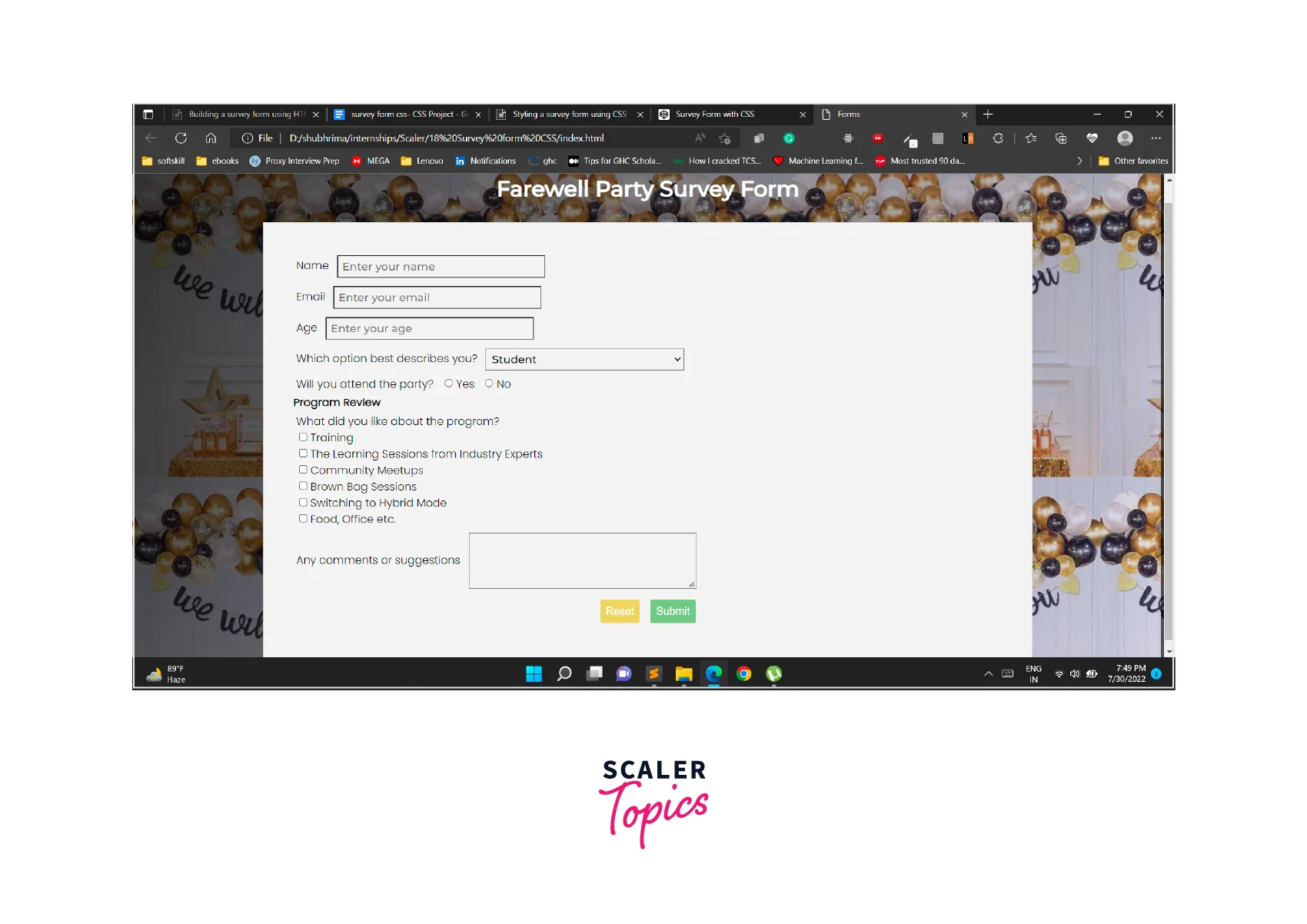
Final Output
How Scaler Transformed Careers in Different Fields
Scaler learners achieved 2.5x salary growth with average post-Scaler CTC reaching ₹23L.
 Google
 Amazon
 Microsoft
 Flipkart
 Adobe1200+ more
Styling the Survey Form
Code and Output of HTML Structure
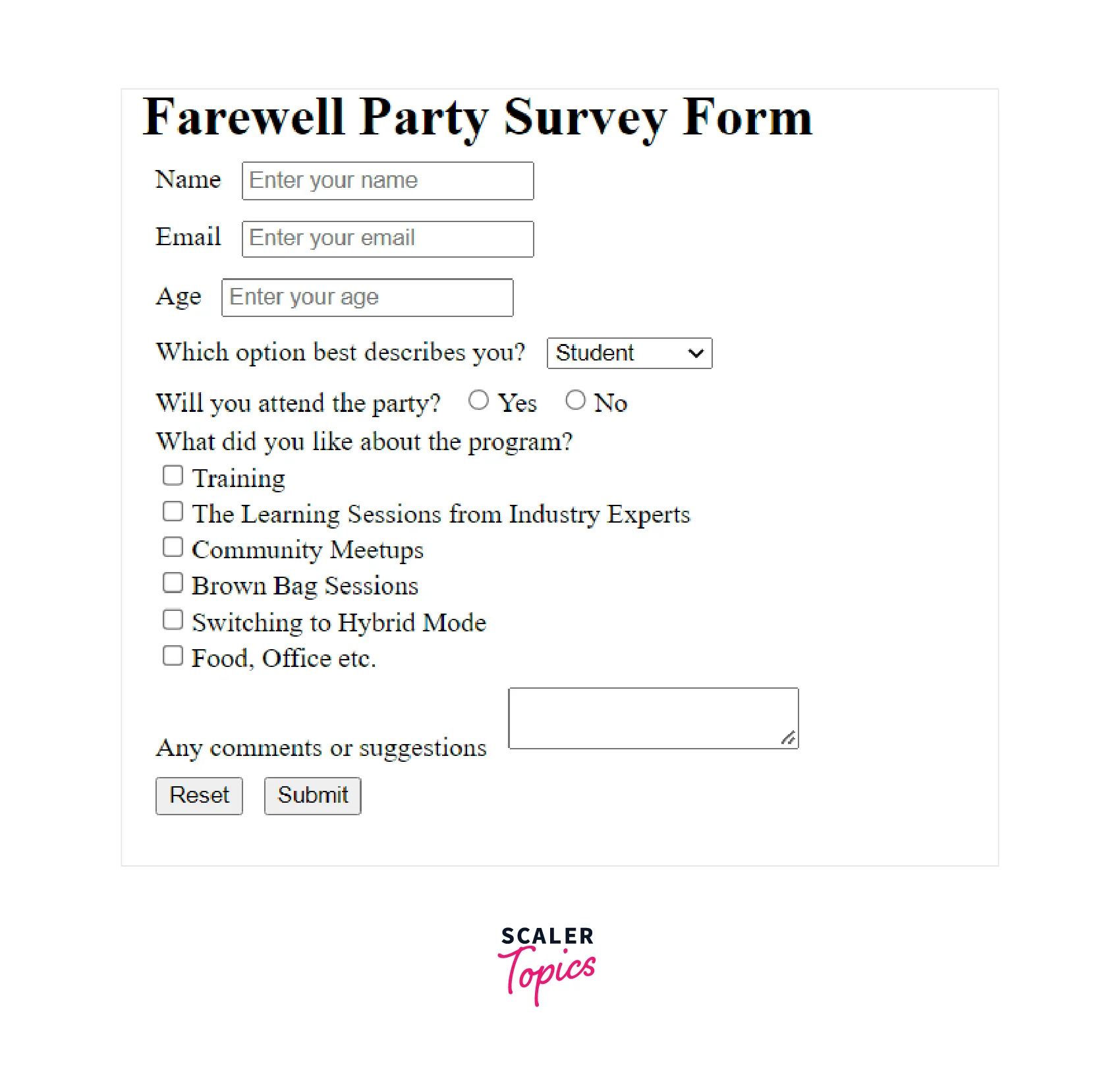
The code and output of the basic HTML structure of the form are as follows.
Code:
Output:
Turn Learning into Career Growth
Adding Styling
Importing Fonts:
To begin with import the fonts you might need in your project. With the following piece of code, we import fonts like Montserrat using Google Fonts.
Overall Styling:
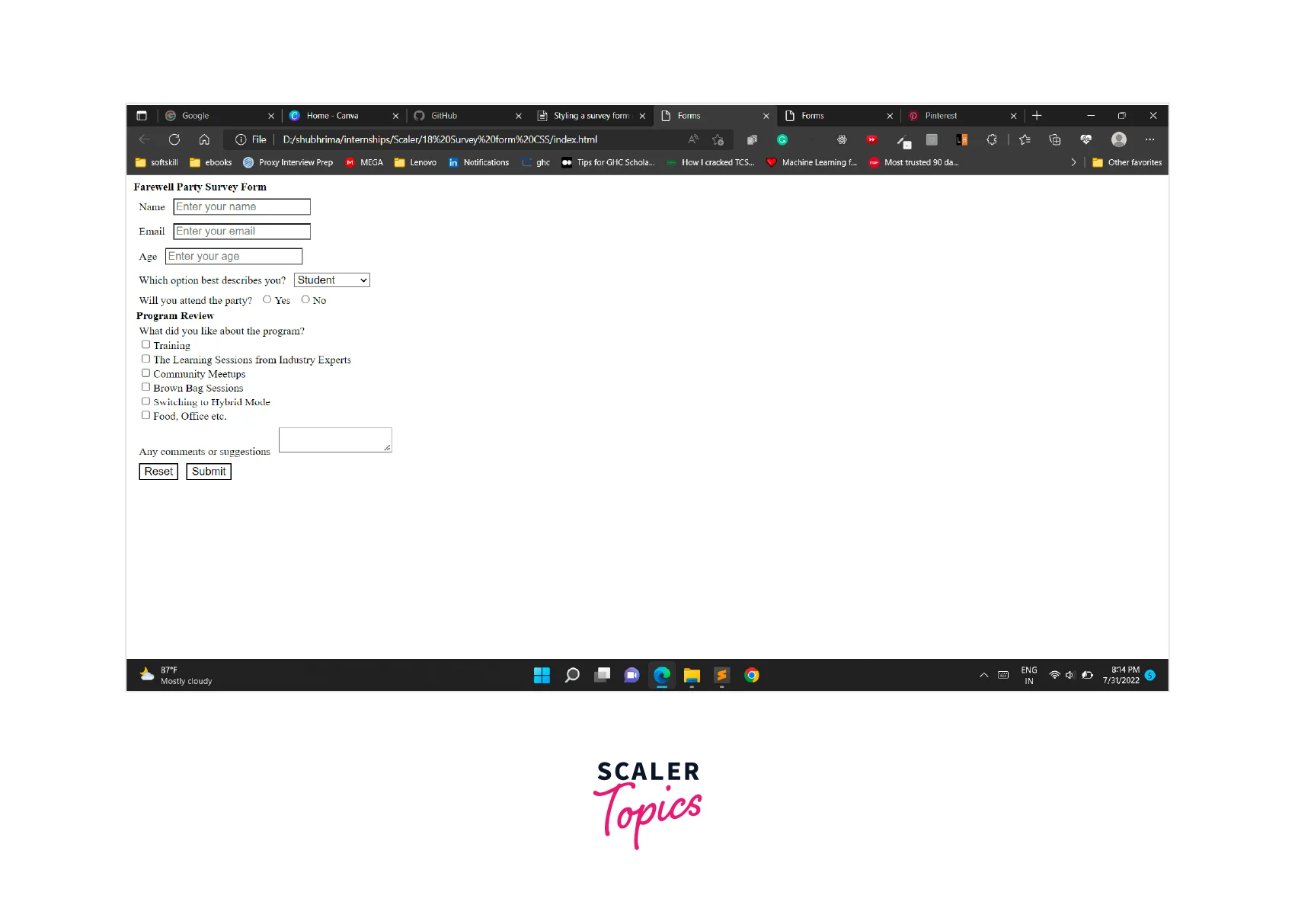
The asterisk (*) is a universal selector that refers to all elements. We use it to set all elements to have a 4px margin and 1em font size.
Output:
Background:
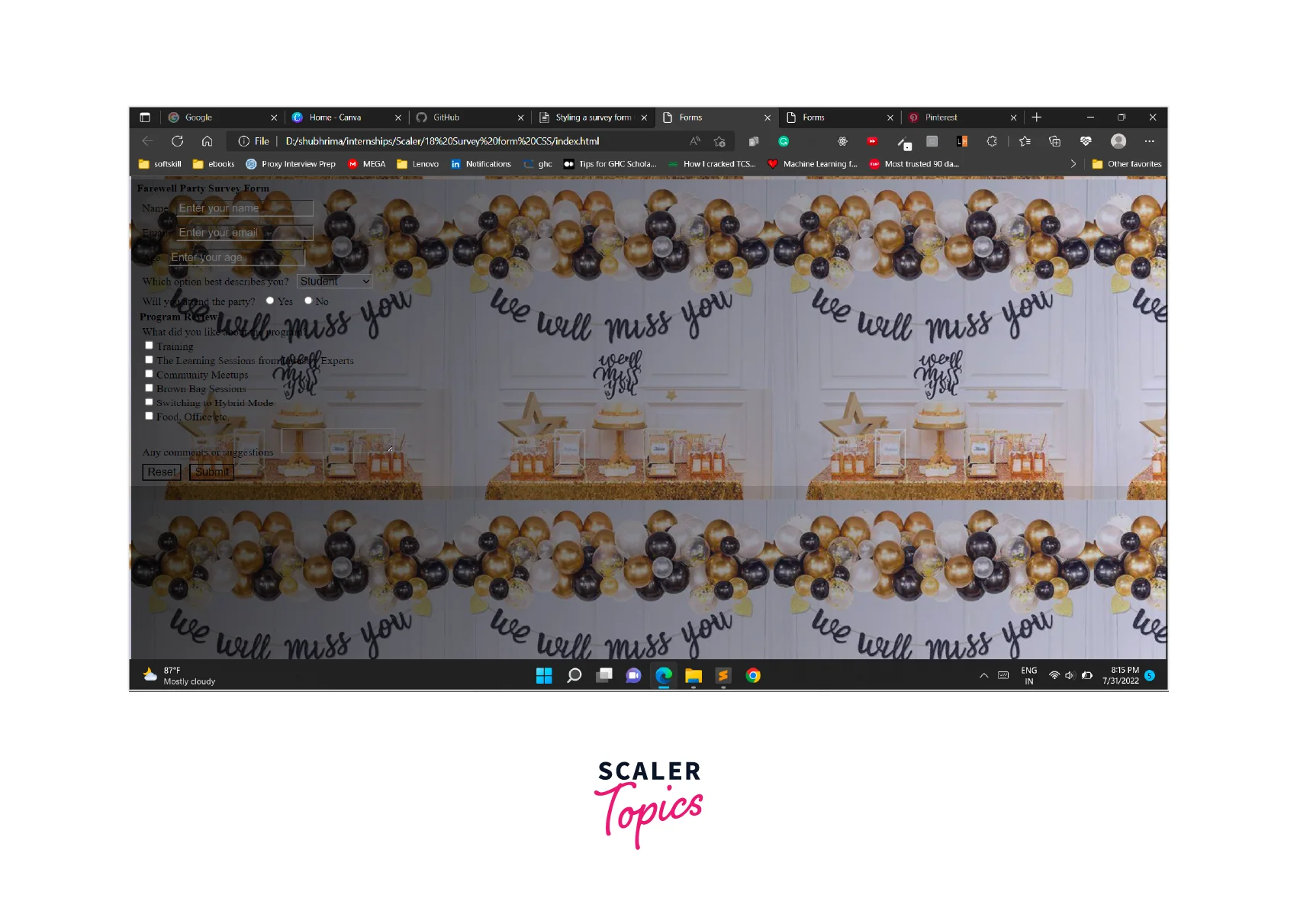
The background-image property sets one or multiple background images for an element.
The element is repeated from the top-left corner both vertically and horizontally.
The property URL is used to add the URL of the image used in the background, and a linear-gradient sets a linear gradient as the background image.
Output:
Title heading:
In this section, we style the heading of the form that defines what the survey form is about.
Output:

Form Structure:
To align the form to the center, we use the margin property. To beautify our project we add fonts, borders, color, and padding.
Output:

Inputs:
In this section, the different inputs of a form are designed.
Output:

Buttons:
- At the initial step, we wrap the two buttons in a class button and adjust its display property to align them to the center.
- Next, we style the buttons using margin, color, border, padding, and other properties.
- To distinguish the two buttons, we add different background colors. To make it more engaging hover effects are applied.
Output:

Responsiveness:
A website is responsive if it is visually appealing, functional, and works fine irrespective of which device the user is accessing it from. To ensure an optimal browsing experience for anyone who lands on our website we must guarantee our website is responsive. Properties like display and resize help us in attaining this.
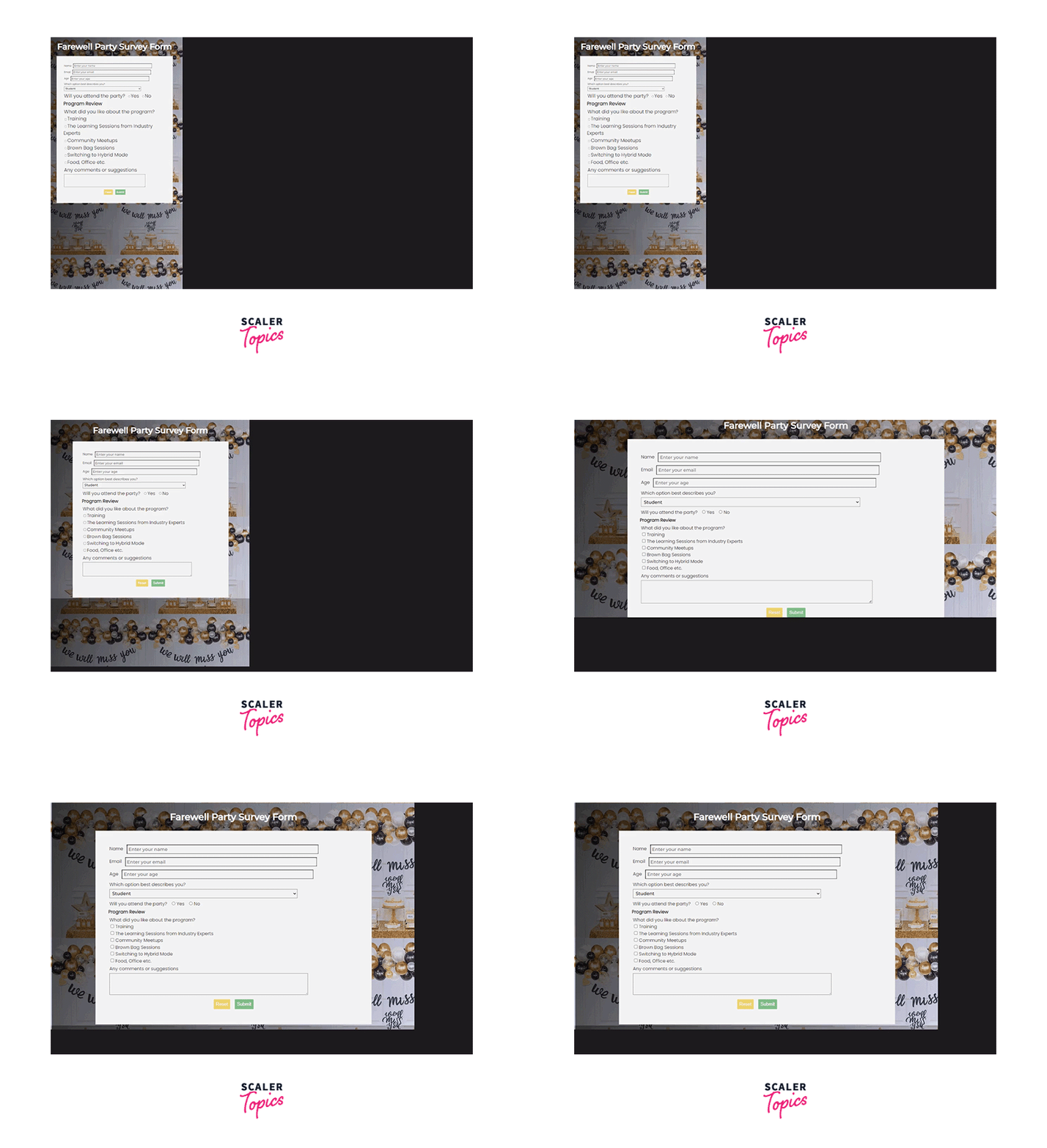
Complete Code and Output
What’s Next?
In this article, you have added some basic styles to your form to make it appealing to the users. You can go a step ahead and add features like
Conclusion
- HTML forms make the website interactive by collecting user information and saving it in our database.
- Styling a form is necessary to beautify the website so that user has a better experience.




