


Dictionary in Python
 FREE
FREE
Overview
The data is stored in a key-value pair format using Python Dictionary. In Python, a dictionary is a data type that may replicate a real-world data arrangement in which a given value exists for a specified key. It's a data structure that can be changed. The keys and values define a Dictionary.
Keys must be made up of only one element. Values can be of any type, including list, tuple, integer, etc. A dictionary, in other words, is a collection of key-value pairs with the value being any Python object. On the other hand, the keys are immutable Python objects such as Numbers, strings, or tuples.
What is Dictionary in Python?
Dictionary in Python is one of the most popular data structures. They are used to store data in a key-value pair format. The keys are always unique within a dictionary and are the attribute that helps us locate the data in the memory.
The values of the Python dictionary may or may not be unique. The values within a dictionary can be of any data type, but the thing to note is that the keys are immutable. Hence, the key can only be strings, numbers or tuples.
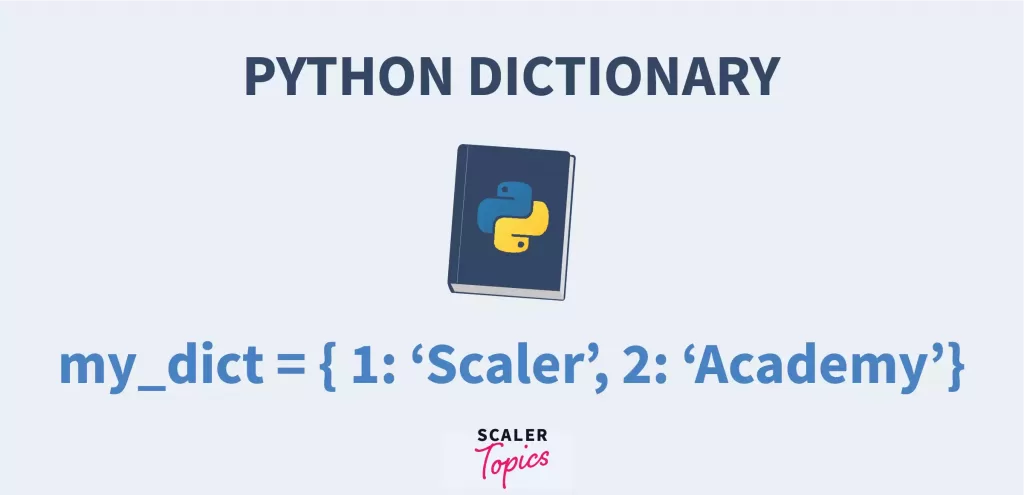 Two more things to keep in mind while working with a dictionary in Python –
- The keys must be only a single element.
- The keys are case-sensitive, i.e. the same name in either uppercase or lowercase will be treated differently.
We will elaborate on this further on in the article.
Build an AI-First Career, Master the Complete Skillset
Choose from our industry-leading programs designed for career success
Modern Software and AI Engineering Program
Master full-stack development with AI integration


 +1000 more
Modern Data Science and ML with specialisation in AI
Advanced data science techniques with AI specialization
+1000 moreAdvanced AIML with Specialisation in Agentic AI
Deep dive into AIML with focus on Agentic systems
+1000 moreDevOps, Cloud & AI Platform Engineering
Build and manage AI-powered cloud infrastructure
+1000 moreAI Engineering Advanced Certification by IIT-Roorkee
Premier AI engineering certification from IIT-Roorkee

AI Forward Deployed Engineer Program
Full-stack engineering, production AI and client-facing consulting
+1000 moreCreating a Dictionary in Python
Creating a Python dictionary is as simple as placing the required key and value pairs within a curly bracket.
“{}”.
A colon separates the key-value pair.
“:”
When there are multiple key-value pairs, they are separated by a comma.
“,”
The syntax of declaring a dictionary in python is as follows –
Now let’s look at some different ways of creating a Python dictionary –
Output –
Another way we can create a dictionary in Python is using the built-in dict() function!
Let’s see how we can do that –
Output –
By using the dict() function, we could convert the value pairs in the round brackets into a dictionary! Helpful, right?
Accessing values in Python Dictionary
We can use our favourite square brackets to access the values in a Python Dictionary! (Note- Square brackets are also commonly used for indexing and slicing strings in Python!)
Come along as we try to understand this better –
Output –
In the above example, we could access the stored values using the ID and Age key, respectively!
If we tried to reference a key that is not present in our Python dictionary, we would get the following error –
Updating Dictionary in Python
We can do multiple things when trying to update a dictionary in Python. Some of them are –
- Add a new entry.
- Modify an existing entry.
- Adding multiple values to a single key.
- Adding a nested key.
Now let’s try to implement these through code –
Output –
Deleting Dictionary Elements
Now that we have covered how to update Python dictionaries, let’s look at how we can either delete the dictionary entirely or remove individual entries.
To remove an entire dictionary in Python, we use the “del” keyword.
Let’s check out its implementation –
Output –
Using
del
We deleted the entries for a specific key in the above example.
Now, if we want to clear an entire dictionary in Python, we will use the
Consider the following code –
Output –
As you can see, the entire content of the dictionary “my_dict” was removed.
Python Dictionary Comprehension
The concept of creating a new Python dictionary from an iterable is known as Python Dictionary Comprehension.
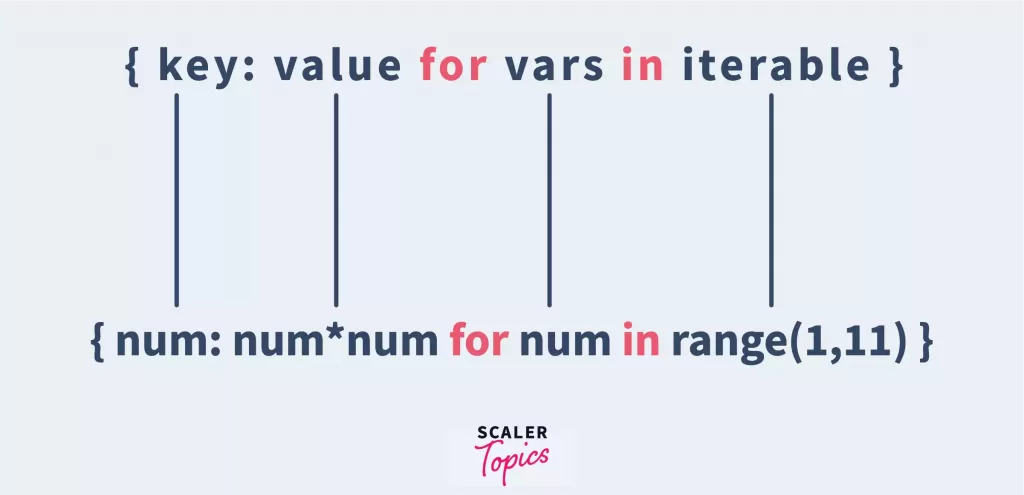 The syntax of python dictionary comprehension looks like this-
It consists of an expression pair (key: value) followed by a for statement in a curly brace.
Let’s look at an example –
Output –
Using one code line, we created a dictionary within a range of 6, where the values are squares of the key!
The dictionary comprehension code would look something like this if we used a for loop –
We can also use an if statement with python dictionary comprehension to filter out values based on the conditions.
Click here also to learn about Comprehension in Python.
Iterating Dictionary in Python
A dictionary in Python can be easily iterated using a for loop.
We can do this in 4 ways –
How Scaler Transformed Careers in Different Fields
Scaler learners achieved 2.5x salary growth with average post-Scaler CTC reaching ₹23L.
 Google
 Amazon
 Microsoft
 Flipkart
 Adobe1200+ more
1. Use the for loop to iterate the keys:
Output –
2. Use the for loop to iterate the values:
Output –
3. Use the for loop along with the items() method:
Output –
Turn Learning into Career Growth
4. Use the for loop along with the values() method:
Output –
Properties of Python Dictionary Keys
I am sure by now you have realised that Python dictionary values have no restrictions and can be any Python object. The same is not true for keys.
So there are specific properties of keys we must be aware of to work with Python dictionaries efficiently –
- Duplicate keys are not allowed. When duplicate keys are encountered in Python, the last assignment is the one that wins.
For example –
Output –
- Keys are immutable- they can only be numbers, strings or tuples.
We have seen several examples earlier in this article to see how this works.
Click here to learn more about Python Dictionary Keys() Method.
Built-in Python Dictionary Functions & Methods
Now that we know how to work with Python dictionaries let’s look at some dictionary functions and dictionary methods.
Dictionary Functions
| Function | Description |
|---|---|
| cmp(dict1,dict2) | It compares the items of both the dictionaries and returns true if the value of the first dictionary is greater than the second else returns false. |
| len(dict) | It gives the total number of items in the dictionary. |
| str(dict) | It produces a printable string representation of the dictionary. |
| all(dict) | It returns true if all the keys in the dictionary are true. |
| any(dict) | It returns true if any key in the dictionary is true. |
| sorted(dict) | It returns a new sorted list of keys in a dictionary. |
Python Dictionary Methods
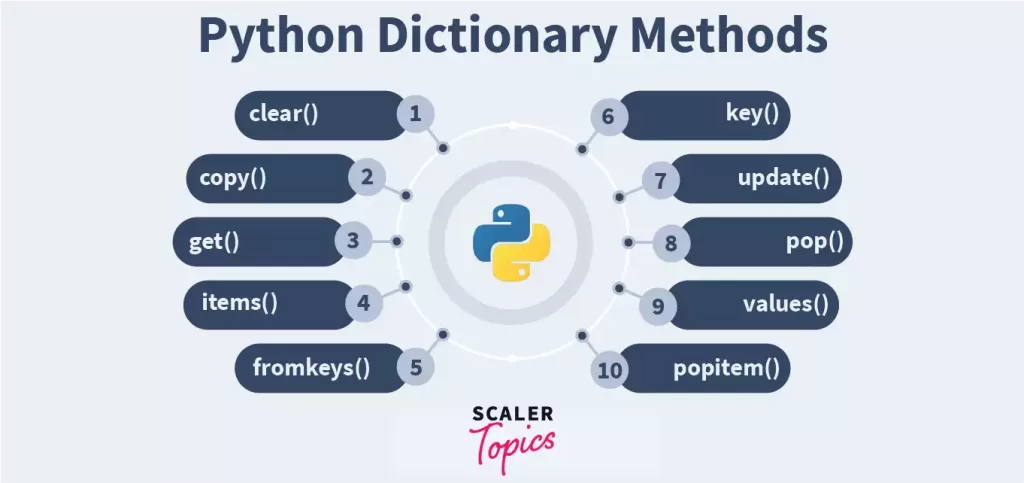
| Methods | Description |
|---|---|
| dict.clear() | It removes all elements of the dictionaries. |
| dict.copy() | It returns a copy of the dictionary. |
| dict.pop() | It removes an element from the specified key. |
| dict.get() | It is used to get the value of the specified key. |
| dict.fromkeys() | It creates a new dictionary with keys from seq and values set to value. |
| dict.items() | It returns the list of dictionary tuple pairs. |
| dict.keys() | It returns the list of keys of the dictionary. |
| dict.update(dict2) | It adds the dict2’s key-value pairs to dict. |
| dct.has_key() | It returns true if the specified key is present in the dictionary else false. |
Now that we have reached the end of this article, I am sure you can’t wait to use Python Dictionaries! They are efficient, easy to use and have a lot of functions and methods that come with them.
Conclusion
After learning about Dictionary in Python, here are some key points that will help you:
- In Dictionary, each key is separated from its value by a colon (:). Commas separate the items, and the whole thing is enclosed in curly braces. An empty dictionary without items is written with just two curly braces, like this − {}.
- To get the value of a dictionary element, you can use the standard square brackets with the key.
- We can update a dictionary by adding a new entry or a key-value pair, modifying an existing entry, or deleting an existing entry.
Click Here, to know more about fromkeys() in python.




